Have to check whether that (undocumented) ‘functionality’ was there in the first place – or whether I broke it in the port to Vangelis.
Having it is very confusing to me, since most or all of those knobs (depending on the (sub)mode) are already serving a function within the mode, meaning they would trigger two things to happen.
I do would like some (sub)mode that would let people use the raw midi CC events for midi learn (and for nothing specially routed). That’s an exercise again in finding an unused button.
For myself, I hardly use the sequencer, I do use device mode and (of course) sooperlooper mode. We could have different combinations/configurations, with an extra ‘unfettered’ submode.
I deeply wonder whether the driver is being used at all, though it should load automatically.
What kind of feedback do you get @Badger23 on the pads? And, please, again, what version of the hardware do you use?
Looking into how to set a note to trigger a sequence (without driver) I found ZynSeq User Guide - ZynthianWiki - but I am unable to find a trigger note menu option in the sequence menu, there is Program Change though.
You should have a “control mode” where the knobs are passed to the UI (return False) for MIDI learn. In modes where they have a function, they shouldn’t be passed to the UI (return True).
This has been removed from Vangelis. We could think of restoring this functionality, but it’s a lot of config work and if you have a “pad controller”, a ctrldev driver is a much better option.
Okay. So presumably @Badger23is using the driver. Otherwise I don’t see how the pads could have been mapped at all.
What should the Program Change do? Ah! It sends the Program Change to the main router on start. That’s cool too. Maybe the menu item could read ‘Send Program Change’ instead for earlier understtanding.
By the way, seqs of chains of the same midi channel, and within the same phrase are all triggered if one of them is triggered, which seems to be exactly the requirement.
I could imagine a live seqman mode where there is but one column per MIDI channel, audio channels (and mixbuses) filtered out, and knob1-8 either unconsumed or sent to all chains of corrresponding midi channel.
And keeping the bank switching (shift-left/right) for 1-8 vs 9-16.
Problem with implementing this in the driver is mainly finding a free button to act as toggle.
I’m uploading two videos I made with the two differerent systems showing what I am encountering. A little note, I had just woken up when I made the videos so I am not as sharp mentally as I would otherwise have liked. Photos of the setup will follow, I am only allowed to place two embeds per replay. Also, as I am an “untrusted new user” I am limited to 5 replies per day only. So I will try to answer any and all questions within those limitations. Just keep this in mind should there be delays in my responses (i ran into this challenge yesterday for instance)
The knobs only control the volume, in the same function as the midimixer. There are no programmable options available. From my understanding of the system, the drivers should be already be natively found and after it was mentioned yesterday I searched for some external drivers but was unable to find anything that would be fitting in the raspberry pi/zynthian setup. You can see their function in the Oram video I made last night.
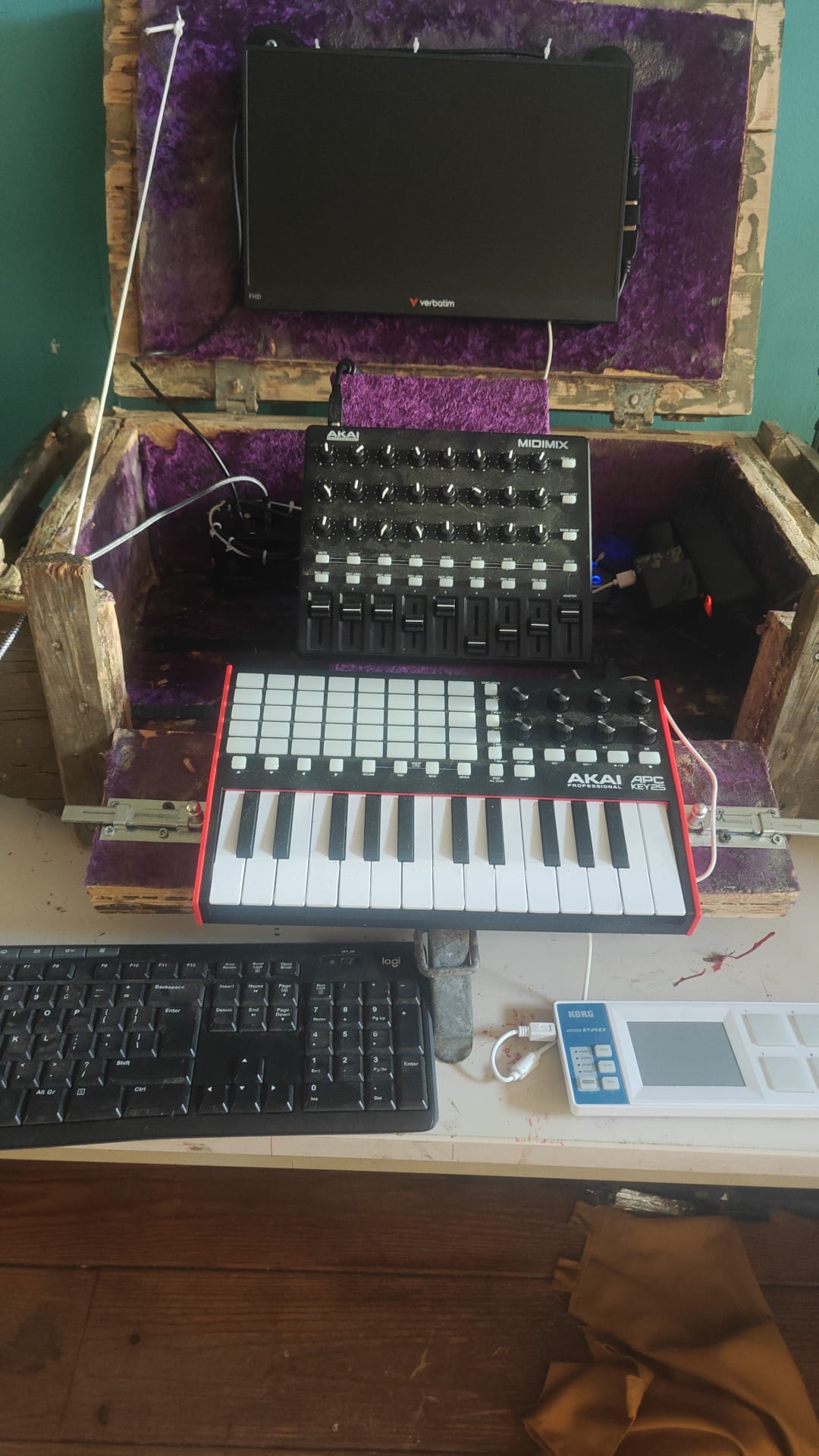
And just for clarity. On the MidiMixer, I have full programming control of the knobs. The limited programming options are only for the APC. I am fairly resigned to this limitation and have it in mind to keeping the APC for programming notes at home and buying a dedicated Sequencer trigger pad for live sets. The thread I started was really about collapsible/expandable channel groupings of the different synth families to be able to save space on the Midi mixer so I can maintain my lightweight and portable clandestine setup. I am basically trying to not need to buy another 16 channel mixer and to be able to have the system’s mixer be compact and efficient for on the fly edits.
If there are driver’s available, please point me to a place where I can find them.
This is currently what I am doing. There is a left bank and right bank button on the MidiMixer which is handy enough. I do find myself forgetting which bank I am in, but that’s a me problem.
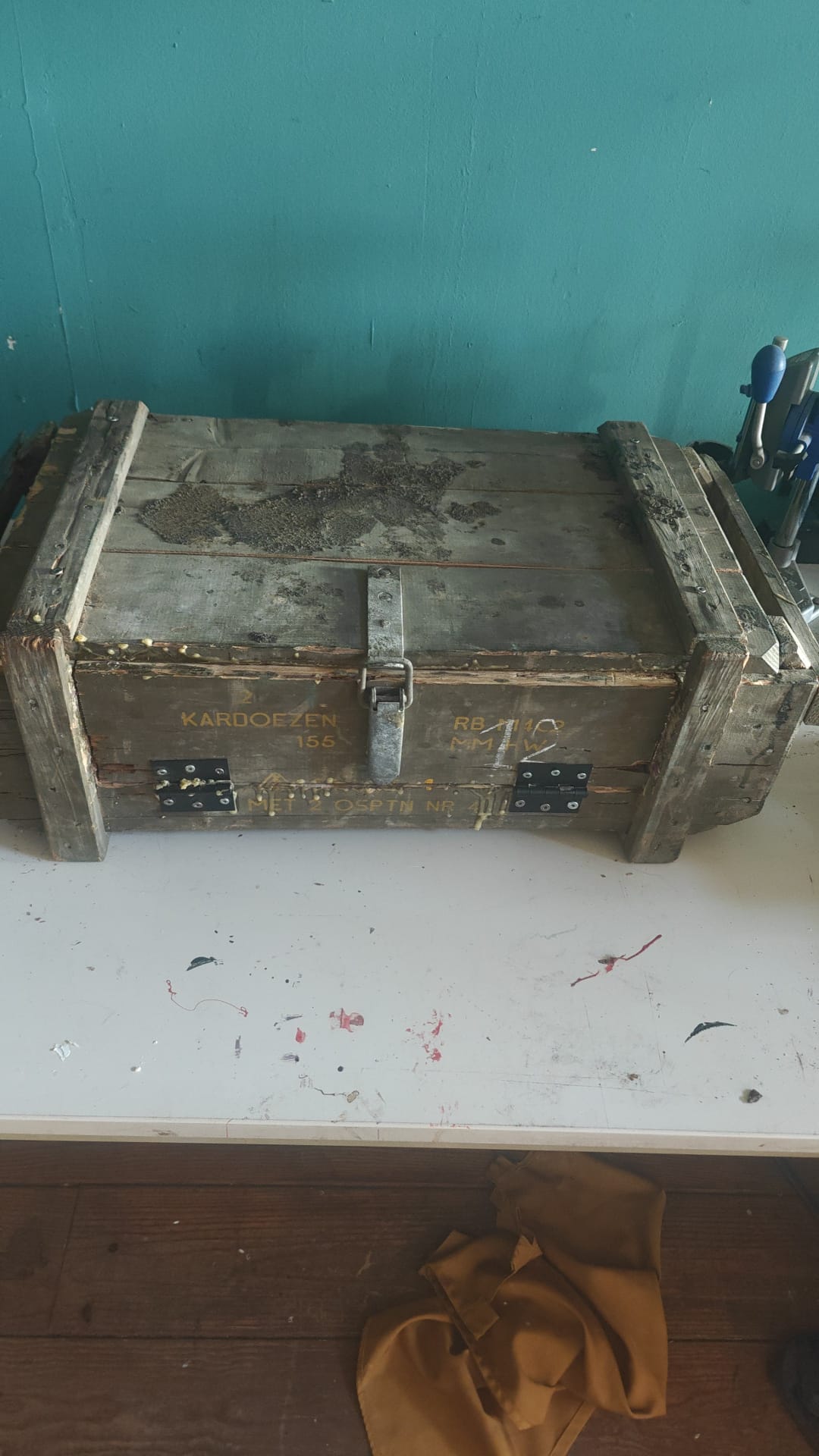
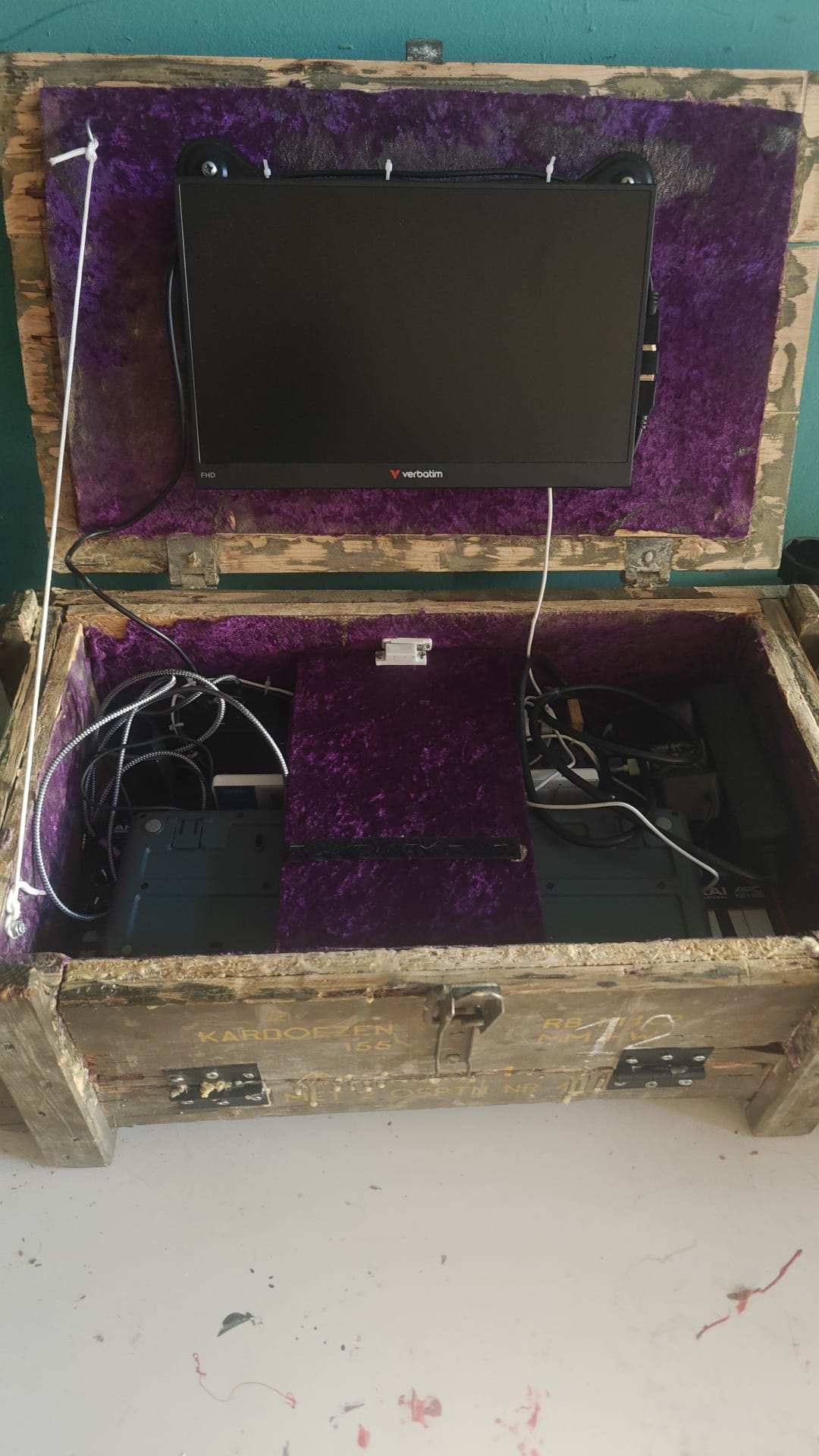
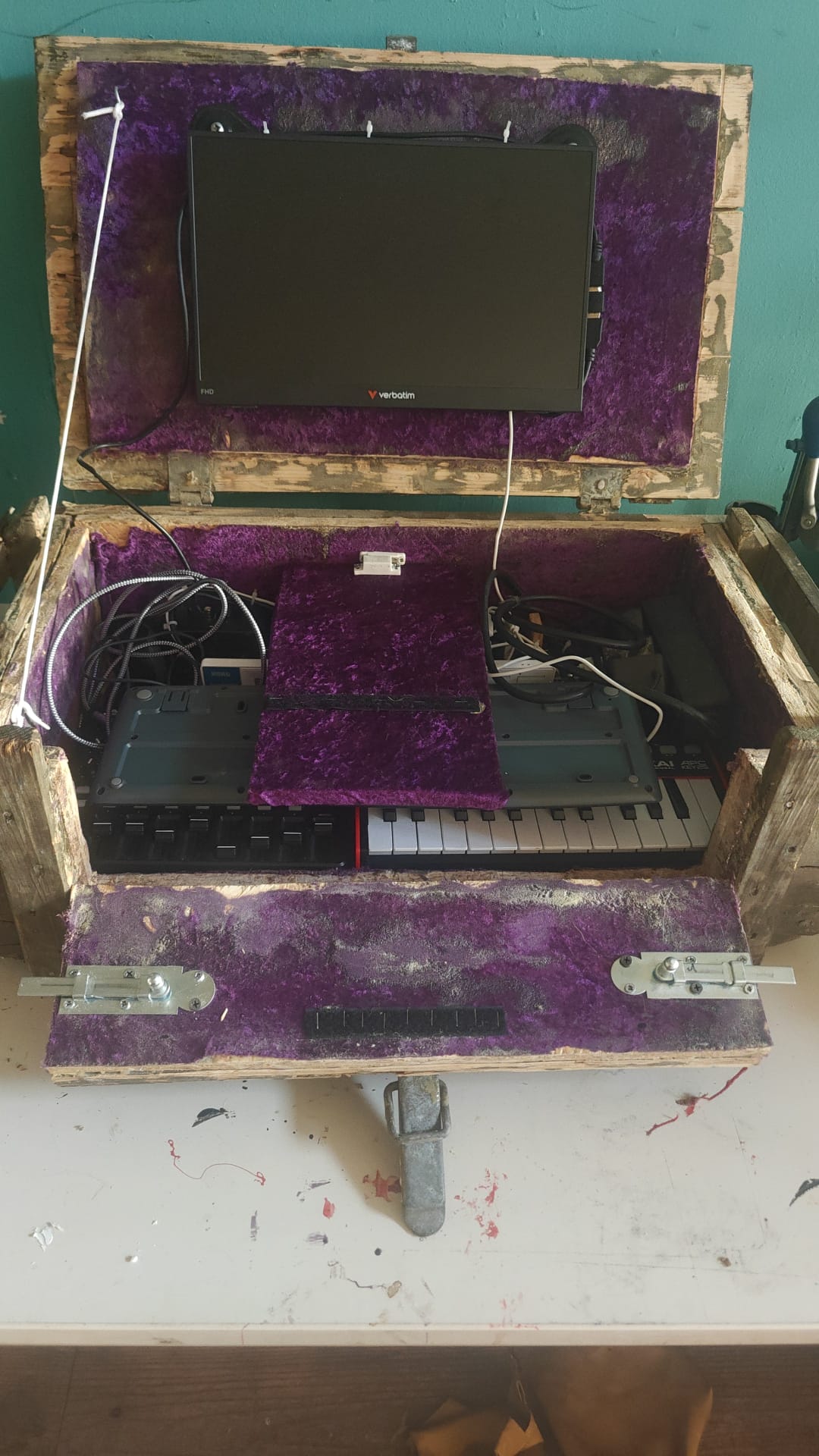
I have uploaded in this thread the photos of how everything collapses down for transport. I am only allowed 2 embeds. so the other two photos will follow in the next thread
No worries, from your videos it is obvious you are using the driver documented here.
We’ll have to look into a way to do some stuff you want, so you won’t have to buy new gear.
Such as collapsing (adjacent?) MIDI channels into a single column. Which gives you a single pad to trigger all sequences of the same channel.
It looks like vangelis did not change in the respect of four columns all triggering all four of the same channel in a row. Since I see all meters going up near the end of your video.
And freeing the MIDI-CC in seqman under some condition.
Things that make sense in an editing session (where you want each pad to address a specific sequence) make less sense in a live setting.
Your videos and explanations are super helpful to understand your workflows and issues.
I think we can consider fixing/improving, at least, some of them.
Step by step.
First, the APC25-mk2 driver. I can read in the documentation:
1.1 The Mixpad mode
This is the default mode, selected automatically on start. You can also change to it pressing SHIFT + VOLUME or SHIFT + PAN. In this mode you can perform the following actions:
Perhaps adding another “pad” mode would solve the problem. let’s call it “CtrlPad” mode. Things would be work like this:
SHIFT + VOLUME => Enter MixPad mode
SHIFT + PAN => Enter CtrlPad mode
In “CtrlPad” mode, the knobs wouldn’t be assigned to mixer faders. Instead, we would have 2 banks of 8 assignable knobs that you can MIDI learn to what ever you like.
It’s a trivial and very reasonable improvement that would solve one of your issues. I’ve created a ticket for this:
I’m considering implementing a mechanism to hide redundant launcher columns (same MIDI channel). In the APC25 and other launcher pads where columns doesn’t contain mixer controls, this has a lot of sense.
In other controllers, like the APC40, this is more challenging because each strip contain mixer and launcher control elements. For these cases, a “chain filtering” approach would be better. Something similar to what we already have in the mackie controller.
Shift+PAN is already taken by a mixpad variant where the knobs perform panning of tge mixer strips.
I am not married to this functionality (did not write it) but others may be.
[EDIT] Maybe cycling modes may be a solution. Pressing Shift-Volume if already in mixpad/volume might bring you to the assignable subsubmode. And then retain that, for when switching back and forth between e.g. device mode and mixpad mode.
And it won’t be two banks if we just ignore the CCs and not consume them, since the banking is built into the driver, not the device, i.e. the device always sends the same (8) CCs.
Hiding chains does make sense in a live setting, but certainly not when editing on the apc key25: they are the entry point to editing the underlying pattern, copying, pasting etcetera.
We would be only hiding repeated columns (chains with same MIDI channel), to avoid redundancy and increase the number of usable pads. Leave this with me
I think we should be very careful before embarking on complex feature changes during a creature freeze.
I can see various ways to “collapse” or hide chains, e.g. we could have a ‘visible’ flag in each chain and an option to hide unchecked chains.
I am still struggling to understand the issues here though. Much of what is described as working okay in Oram should work equally well, if not better in Vangelis.
Let us see some bug reports and feature requests in the issue tracker, as separate tickets so that we can understand the issue and consider how best to resolve them.
As far as I understand the request has some ideas in common with how Reaper handles tracks as folders (while traditional bus sends are also possible), which I honestly like very much. There you can put tracks inside other tracks like folders in a tree view, where lower level tracks send audio to the upper level. In the Reaper mixer then you can collapse/expand sub level tracks. You can even switch the view to pin all top level folder tracks to the left.
Transfered to the OPs idea here you would throw some instrument tracks with single drum hit sampler engines inside a drum top level track and then collapse the single drum hit tracks in the mixer view.
The question if the complexity is well suited for a keyboard extender still remains though, but I quite like the idea.
I think this is awesome, to be able to make a suggestion and be able to have an active conversation about it. I am happy enough with it being considered for maybe future possible releases, I’m pretty realistic about how development works and would be pretty surprised if there was already a direct rollout of the suggestion. I’m fairly comfortable in the world of “using the tools you have”. And am already very happy with those tools. The power and abilities that I have available to me currently would be unreachable for an enthusiastic hobbyist without dropping huge amounts of money.
I’m hoping to have some more time this weekend to continue to play around the system along with the suggestion taken from this post. And I am happy to help out where ever I can (I am pretty useless with coding, even if it would be “fun” to learn if I had the spare time to dive into that rabbit hole.
A lot of people in my circles tend towards sampler/assemblers/looper machines like the Korg ElectrtIbe for composition and/or live sets. A small side quest of mine is to promote the Zynthian system as a viable alternative, especially for those that are a bit technically inclined and are comfortable with steep learning curves.