Asking people who want to test out new features to get on the testing branch for that purpose is fine, as long as you warn them to back up their production files first, explain the risk involved and give them the correct instructions on how to make the change.
One thing I’m wondering is, if I want to get involved in developing on this, how I would switch it to my own branches over on my own repo. I guess I’d be using the ssh terminal instead of the web interface for that? Because the web interface only has the branches on the official repo.
Oh yeah, and I don’t know quite where to report this but while the assembly instructions on the v5 kit are pretty great, there are still one or two minor errors in it, such as referring to a rounded rectangular hole as “square”
You would use ssh to configure the git repros used so that they pointed at your own then you could continue to use webconf. For example, to switch zynthian-ui to your own repro you might change the url = https://github.com/zynthian/zynthian-ui.git line in /zynthian/zynthian-ui/.git/config and do the appropriate pull / fetch operations.
I tend to use ssh for adhoc git operations during dev and use webconf to test the update process works but I am doing a lot of dev so need the more advanced git features.
Fork the zynthian several repositories to your own github environment and work on your own forks of the repos which you simply use the relevant checkout command on the repo on your zynthian to pull and push your code as it develops.
If do use this within vsc (Microsoft’s Visual Studio Code) which handles it all very impressively, and you get handy facilities with things like debuggers . . .
You then Put in a Pull request so that what you have done can be merged into the relevant trunks if it meets the standards of the Benevolent dictator. But as both of us know his rule is … direct.
I wonder if it would be possible to mount scp or sftp shares to the Windows file system using WSL2? Microsoft has been doing its classic “Embrace, Extend and Extinguish” thing more aggressively of late by building an entire Linux subsystem into Windows, so maybe that could work. But it would be a hassle compared to just supporting SMB.
I’d prefer to subscribe to an issue for this rather than bugging you every couple weeks about whether that feature’s ready to test.
I haven’t actually had time to play with it much but it’s really annoying that when I try to scroll a menu with the touchscreen, it often instead selects whatever I happened to have touched closest to instead of scrolling like I intended. Maybe there’s some adjustment that could be made for that? I realize Zynthian doesn’t have a giant corporation behind it like Android does so maybe gesture recognition on the touchscreen is expecting too much but it’d still be nice to have since intuitively, it feels like you should be able to scroll with the touchscreen.
Tcouch-scrolling should work quite decently with any capacitive touchscreen. With resistive ones the response is not so good and we can’t do much more because of the limited nature of this technology. Anyway, don’t expect the same feeling you have with an android phone, you must adapt your gestures to the limited zynthian’s touch-algorithms.
Current behaviour is to not select anything when dragging or swapping in the list. If your finger leaves the display surface and retouch, you could get an undesired selection. This is quite similar to normal behaviour in mobile phones, so, please, send a video showing the annoying behaviour.
Regarding the “other subject”, i still couldn’t finish the SysEx sender tool. I will try to have “something working” to test in the next days, so you have a xmas present from zynthian developers
Did this ever get done? Seems like a major “shut up and take my money” kind of product cause it would really help me out significantly. I have low vision so ideally I’d like this thing mounted right at eye level so I can get my face really close to its little screen as needed. I’m also still interested in a travel case that can hold the power adapter.
Also, any progress on the SysEx message sending feature?
I don’t know if I mentioned this but, in addition to sending out SysEx messages, it’d be nice to be able to receive / record them as .syx files to the micro SD card right on the Zynthian device as well so that any new settings I create on the Reface keyboards could be easily saved. I can just do that with my PC and then transfer over to the Zynthian I guess, but it’d be nice to eliminate extra steps where possible.
(later edit) I never actually found out how to set up the MIDI signal routing. (control which keyboard controls which other keyboard I’ve got) I’ve still had all my keyboards plugged into the Raspberry PI Zero device I built before I bought the Zynthian. The Zynthian has just kind of been sitting there, which isn’t good. It should be handling the MIDI signal routing. How do I set that up?
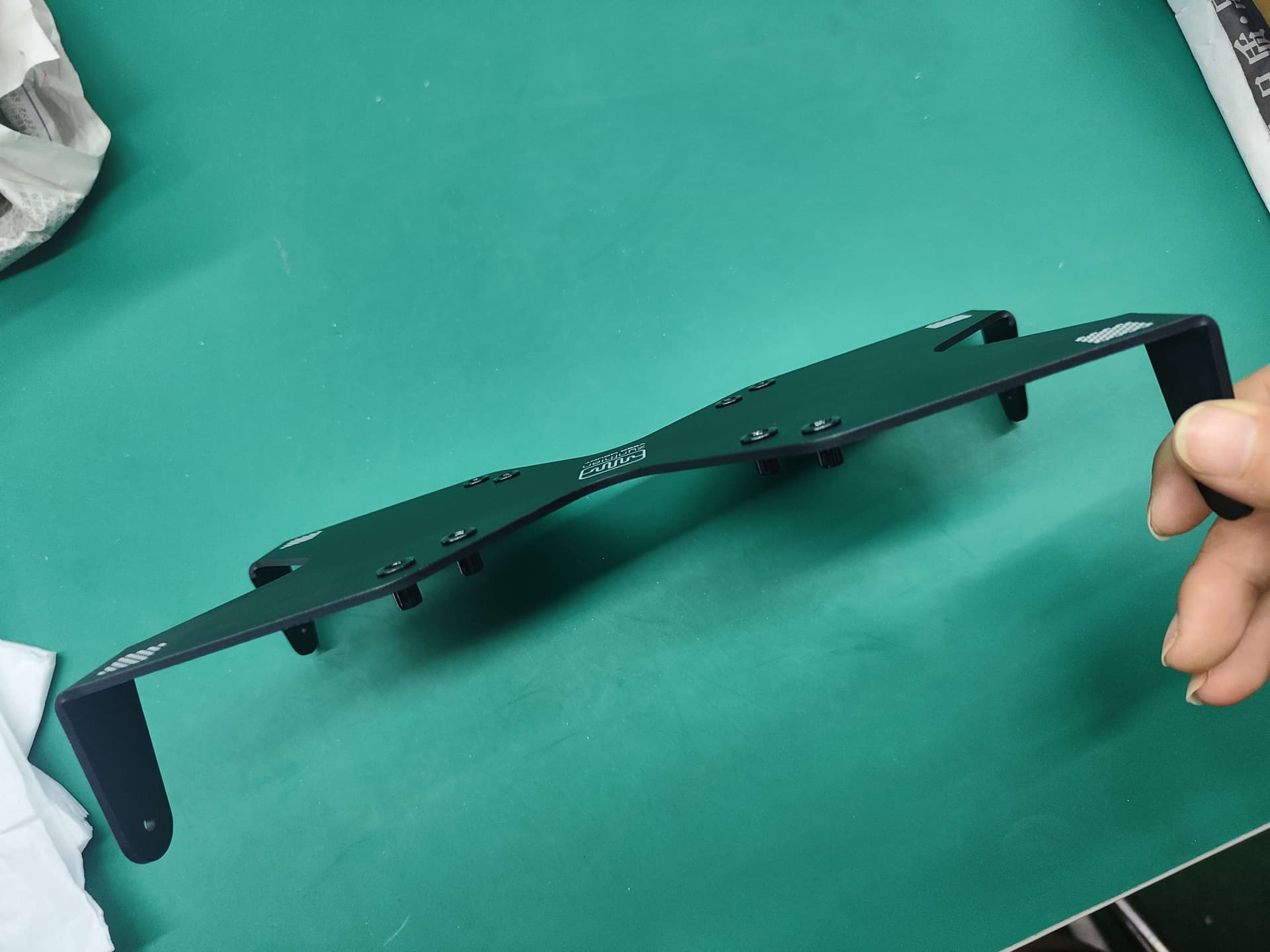
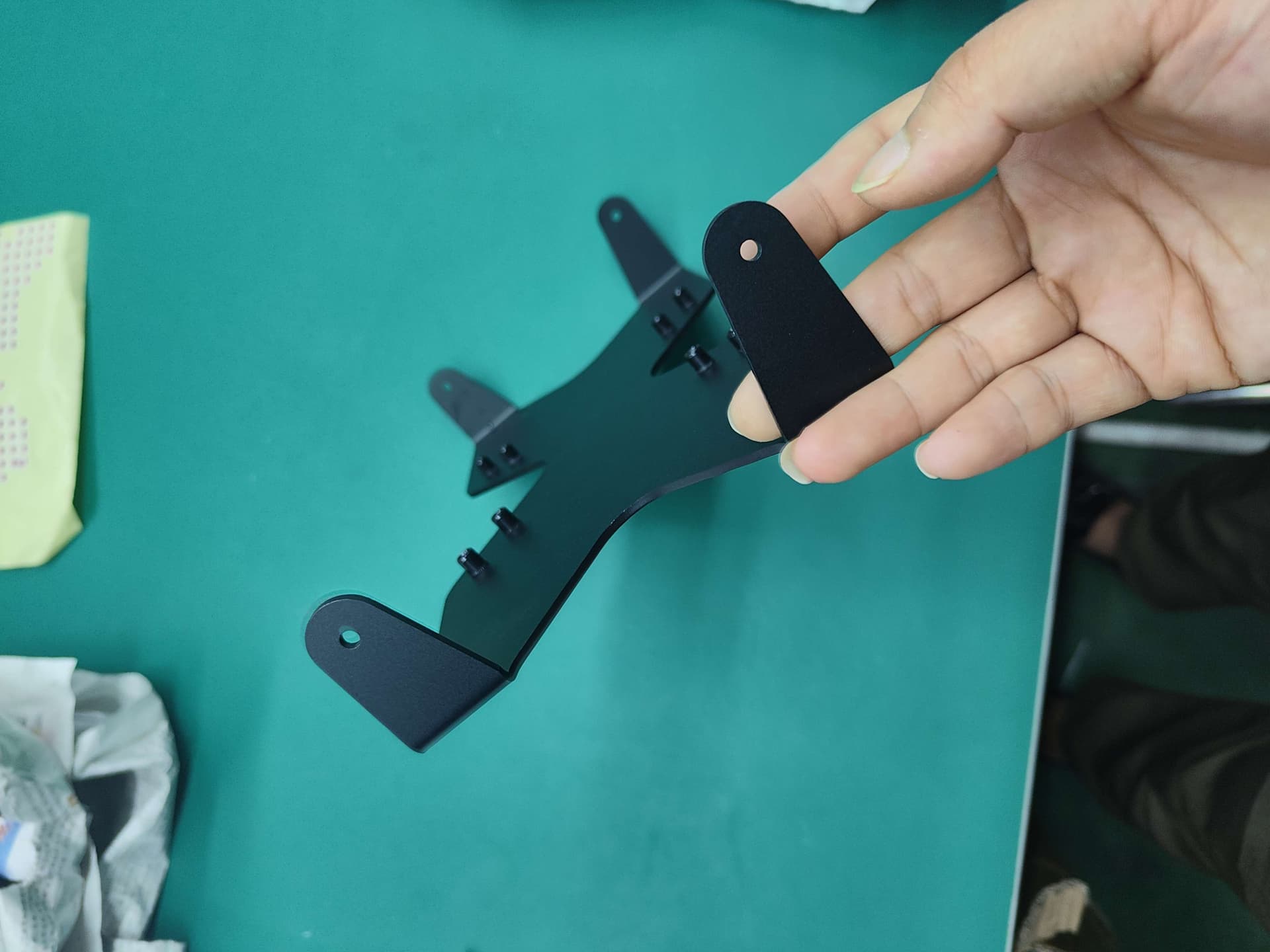
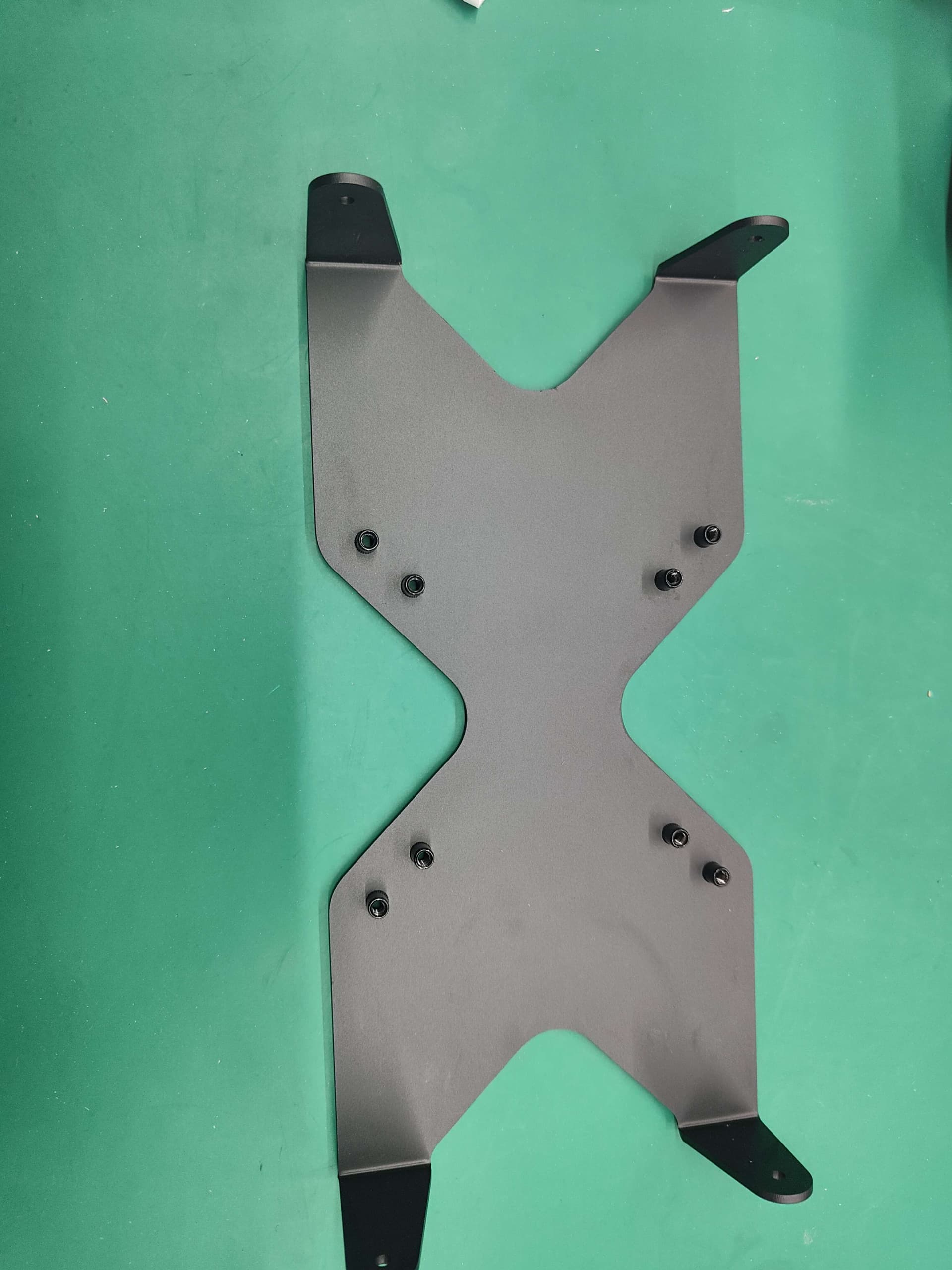
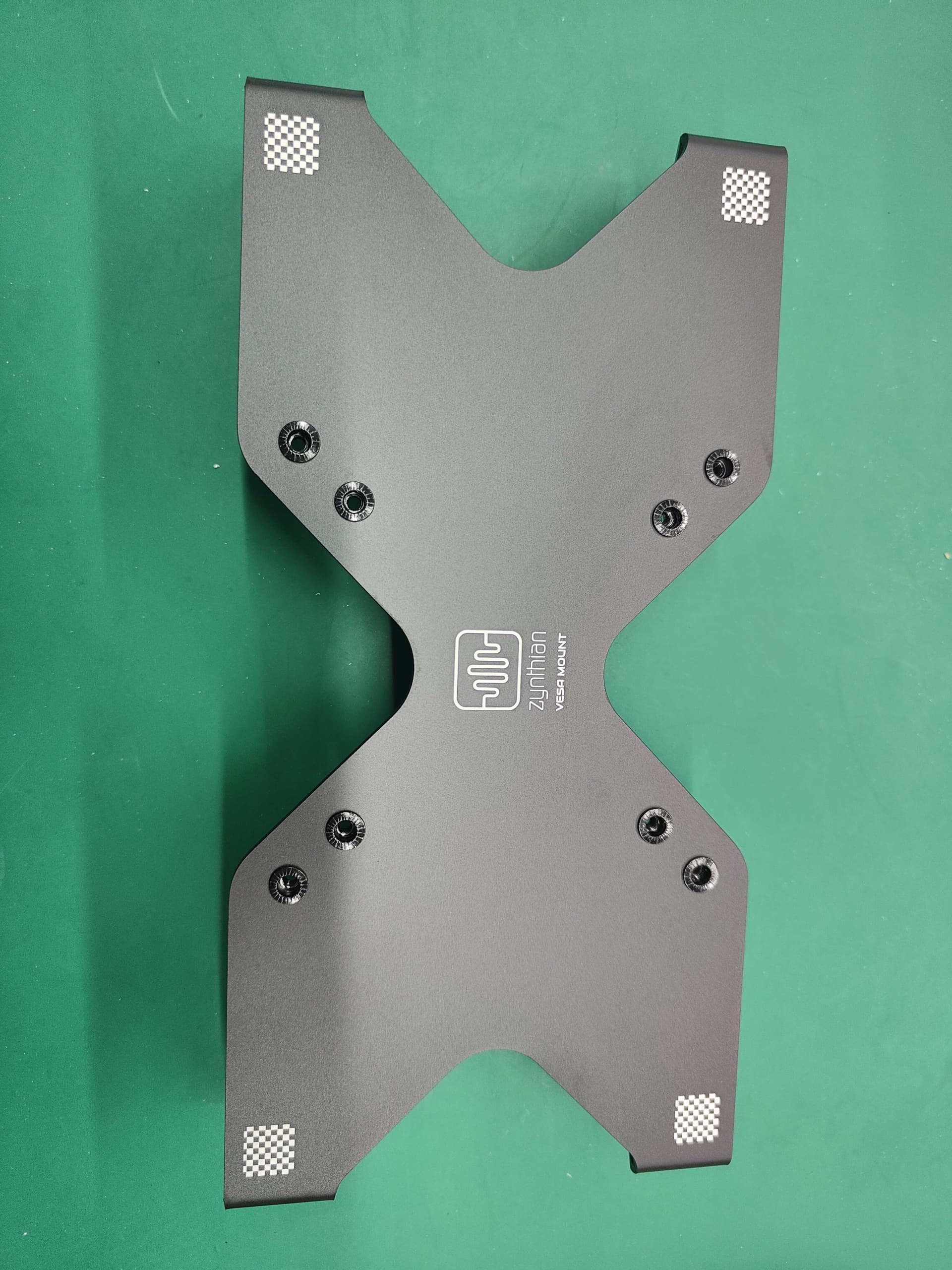
The VESA mount gadget is in production right now and it will be available as soon as we receive the parts from our provider.
The travel-case is being designed, so it will take a little bit more. I will show some images as soon we have something to show.
As i told you, i have something working, but it’s only basic SysEx sending that allow to select a SysEx file from a list and send it to a MIDI device. I hope to include this basic SysEx sending tool in the next software release. Receiving is not implemented yet.
Current testing branch should be capable of routing MIDI as you need. If not, the current development branch will do it for sure. If you could explain your detailed needs regarding MIDI routing, i will try to guide you for configuring your setup.
I just pushed into testing a first implementation of the “SysEx sender”.
You will find it in the “Special” engines list.
After creating a chain with it, you have to select the receiver device from the “Chain options → MIDI routing” screen. You can check several devices.
When selecting a preset (sysex file), it’s sent inmediately to the receiving device(s). Currently, no feedback is given after this and you will get an empty control screen. This must be improved with something more useful and beauty, of course.
You can use the webconf tool for managing SysEX files. They are managed as presets of the “SysEx Manager” engine. If you want to do it manually, take this tips into account:
You must upload the SysEx files into this folder:
/zynthian/zynthian-my-data/presets/sysex/<subdir>
Extension MUST be “syx” or “SYX”.
SysEx files must be placed inside subdirectories (banks).
As subdirectory name (bank name), the “MIDI device name” could be a good choice (for instance).
Currently you can’t nest several directory levels. This could be limiting if you have lot of SysEx files for the same device and will be improved in a next revision. Perhaps we could “enforce” the device name as a first subdir level, allowing a second “bank level” for each device.
BTW, i’ve not forgotten about your proposal of integrating a SAMBA server into zynthian
I haven’t got to try any of this yet but I hope to soon.
VESA mounting gadget: I’m excited to get it! But just to make sure I understand what this does: how do I know whether or not any other product (like what I’d see on Amazon) is going to be compatible? (let me attach this) Is it just automatically compatible if it says it does VESA or if not, how do I tell?
SysEx: having the SysEx preset transmission work at all is good, but to really get the full benefit of the Yamaha Reface DX Legacy Project, I’d want to be able to have a subfolder for the presets from each of the other devices that the Reface DX can emulate under the Reface DX folder, and I might even want to sort those in additional subfolders by type of preset within those subfolders as well, so having arbitrary levels of subfolders which can handle thousands of presets would be really important for this. Some way to search by filename would be a nice-to-have also. (example: type the word “brass” to see all presets with “brass” in the file name)
MIDI routing: Just to reiterate, here’s the equipment I’ve got:
Yamaha Reface DX, YC, CP and CS. (all four Reface keyboards)
Casio CDP-S360 Keyboard (to use as a controller because it was the cheapest way to get 88 fully weighted keys)
Alesis Vortex Wireless 2 keytar (MIDI controller)
Tascam Model 12 (mixer for audio)
Raspberry PI Zero (MIDI repeater)
Zynthian v5 (new: not used yet, but intended to replace the Raspberry PI Zero)
I haven’t actually started using the Zynthian v5 for MIDI routing yet: I’ve still been using my Raspberry PI Zero with a little script on it to repeat all MIDI signals from any connected MIDI device to all other connected MIDI devices. Most recently using that, I have worked out how to set each of the Reface keyboards to be on its own MIDI channel for both sending and receiving and I set up the Vortex so that program changes cause it to change which MIDI channel it transmits notes on, allowing me to change programs on the Vortex to change which Reface I’m controlling with it. However, the MIDI implementation on the Casio CDP-S360 is rather limiting: it allows me to change which MIDI channel it transmits to, but doesn’t allow me to limit which MIDI channels it receives on, resulting in it playing any MIDI notes it receives on any channel. So the first thing I’d like to figure out on the Zynthian v5 is how to make everything transmit to everything EXCEPT the Casio CDP-S360, which would be allowed to transmit notes but not allowed to receive notes. Also, some way to change which MIDI channel the notes that come in from the Casio CDP-S360 will be transmitted to the other devices on.
One solution I have thought of more recently for browsing presets is to connect my phone to one of the Zynthian’s USB ports and then set it to transmit MIDI over USB. Then I could browse all the presets on my phone’s micro SD card and use the Syx-Lib app to transmit the presets.
But it would be nicer to be able to manage it all right on the Zynthian itself of course. I should be trying that soon. I’ve been sick this month so music related projects mostly stopped for while.
I never got word back on how to do this. Didn’t matter until now because I was sick and not in a good condition to work on this but I’ve been trying to navigate Zynthian’s menus today and not having much luck. How do I make it retransmit signals that come in from external devices back out to other external devices?
I am really angry and frustrated right now because I’ve essentially wasted my whole day. Nothing I’ve tried today has worked right. I don’t think it’s the Zynthian actually: I think it’s that Alesis Vortex Wireless 2 keytar I’ve got which I’m trying to use as a controller. The app Alesis gives for editing presets for it is a piece of crap, constantly forcing you to use the mouse to scroll through awkward tiny little dropdowns that don’t show all the options without scrolling even though there’s only like eight options. (You should be able to type numbers for what you want and press “tab” to go to the next option real fast) I’ve tried to set it so that the different presets transmit to different MIDI channels and that used to work before today. Now I just don’t know what’s going on or how to diagnose any of this. What the hell.
On the Zynthian, which I think probably isn’t my main problem, I do run into some issues. Whose bright idea was it to have any text anywhere ever be sideways? It’s bad enough trying to squint at the Zynthian’s little screen with my reading glasses: making the text on some screens sideways is just lunacy.
Is there any way I can hook up a bigger screen, at least temporarily? I think I might be able to navigate a few menus I’m already familiar with on a little screen like this but learning it is being a real pain on the tiny screen.