Yes confirmed, turning select-encoder clockwise direction lets the selection move to the left.
And always after booting, the midi clock is switched off again.
Heelo there…
On Reaper, the keyboard looks like a piano keyboard…
Yes, the “black keys” row touches the white keys and passes beneath, but that’s not disturbing…
To me, it’s easier, to find each note, than an alternace of 2 black rows, 3 black rows, 2 black crows, 3 black roses…
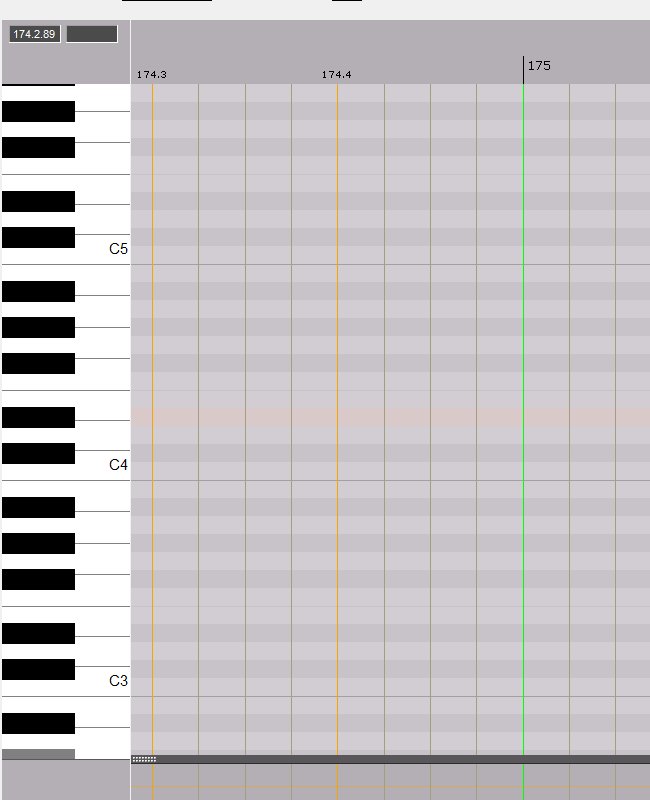
"But, you will say, on Caustic, it’s an alternance of 2 and 3 black rows, and it never disturbed you "…
That’s right… Maybe because there are not so many… Or maybe because we very soon get used to them…
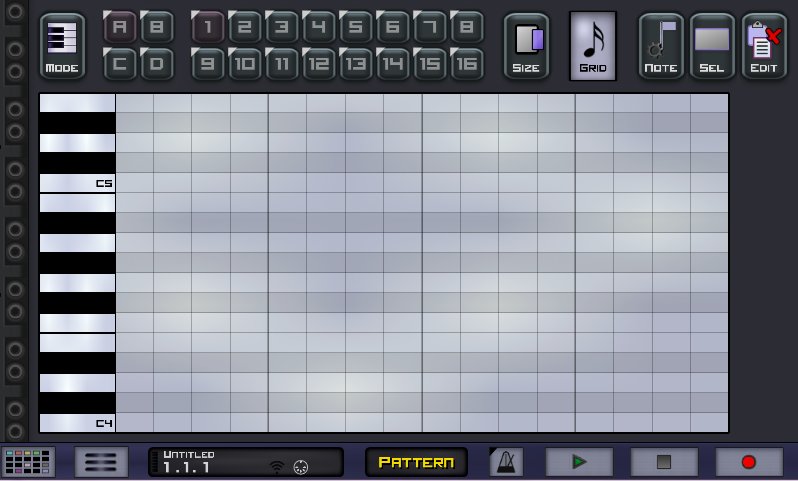
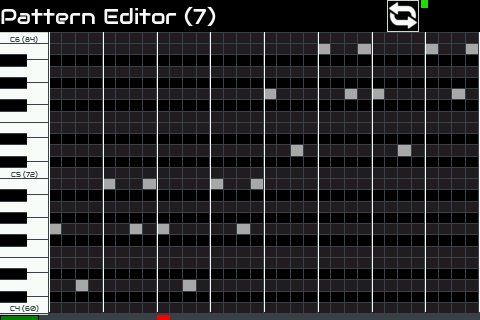
But better than deciding once ofrever, what about a setting page where the user could decide ? Piano keyboard style, or black and white rows…
This is what it would look like…
Have a nice evening you all…

What with the wyleu perpetual player piano demands, we are already into the territory of about 4 or 5 admin page items.
To sort all cases you’d need to be able to move the keyboard to face the west in your examples, which would involve the reversing of the grid layout, with lowest note of the virtual pianists keyboard to the left.
It could certainly be done. The skill is writing up the github feature request
1 Like
To me, reversing the keyboard (if that is what @wyleu meant) seems unlogical…
High notes would be low, and low notes would be high…
“The first will be the last…”
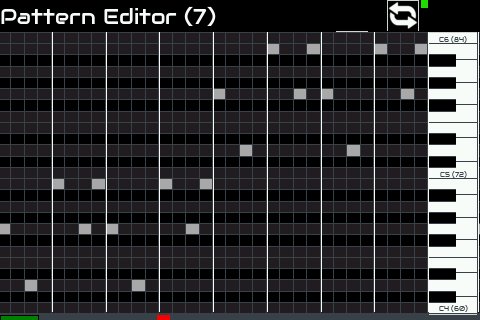
I also thought about placing the keyboard on the right end of the screen and then it would need no reversing, but that doesn’t look nice, to me…
@le51 My encoders don’t go left and right, they go clockwise and anticlockwise  (And that is anticlockwise not counter-clockwise because they live in England!) Have you tried turning your screen upside down?
I will fix it in the next update. I am doing some reworking of the code so it may be a little while, maybe hours!!!
Regarding pad triggers, they are really not at all usable. I am working on them at the moment but please don’t bother with them for now. I hope to provide something worth playing with within the next few days.
@opus.quatre I have added P36 to the requirements list but I need to concentrate on core functionality so this cosmetic change which will take some time will have to wait a while. I have added horizontal lines at ‘C’ octave intervals.
@spurkopf I can confirm MIDI clock is disabled. @jofemodo will you please look at that?
@jofemodo I know the parameter editor needs attention. I am about to look at that. I know what I need to do but just have been putting it off because it needs an empty head to fill with the logic and my head is too full. I need to purge it.
3 Likes
I totally understand and approve the fact that cosmetics are not a priority… of course…
Wesh wesh 
Also made with zynthian + stepseq
Never get bothered 
2 Likes
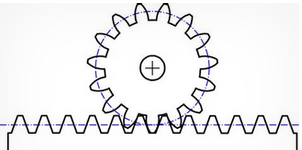
Rotation to translation … 
2 Likes
Rotation is relative. I had a fruitless conversation with a school teacher who had told us the earth rotates anticlockwise. She couldn’t grasp the concept of looking at the earth from the south pole rather than the north pole. She eventually moved on when I held up my hand, rotated it and asked her which way it was rotating then told her that it was magically rotating the opposite direction for me!!!
4 Likes
@MrDham I’m sorry but, is your image not a rotation to transaction ?
The lesson that your teacher may not understand something and have a concept wrong is probably one of the most useful things you can learn.
1 Like
translation is the correct term, it just has several meanings in English.
I swear I typed “translation”… it’s my cellphone who replaced my word…
He always does…
I have a couple of posters with promises of samples but as yet nothing, that you could throw off the zynthian towers battlements if it would help . . .
Update:
- Reverse direction of step encoder
- Fixes issue with duplicate menu entries
- Adds horizontal tramlines at octave boundary
- Fixes parameters being reset when opening parameter editor, e.g. tempo
[Edit] - @jofemodo fixed MIDI clock getting disabled
There is some other work in there which will change things like the pads but still work in progress. I managed to update and overwrite a load of work - grrrr! Tip: Don’t use Zynthian update mechanism whilst working on code - it overwrites the code! (Luckily I am using Notepad++ FTP plugin so could recover some files from my laptop’s cache.)
@jofemodo This probably meets your requirements to merge to master, unless you find more issues!!! 
Remember this is still alpha and much functionality is missing, flawed and / or likely to change.
1 Like
Hi @riban!
What about jitter? Could you check if it’s solved?
BTW, i was jamming a little bit, using MIDI filter rules to get 2 layers sequenced:
Regards,
7 Likes
Makeshift multitrack sequencing! Very clever! I applaud! 
1 Like
Ups! It’s really near 
… but now when you get out the stepsequencer screen, transport stops. It should continue to play until user stop it.
Regards,
And we need an overall stop/start button in or near status to allow the zynthian midi play infrastructure to be started and stopped whilst in any other screen. A sequence will, presumably, be started and stopped whilst someone wants to play with parameters, they would probably want to start from that screen . . .
Don’t we have a long push on NE (LS) mapped to move into step sequencer? That’s a good thing, but we have no remaining short keypresses to take us back to the parameter page after a sequence tweak, Aaaah !! Long press on the NE(LS) takes you back. VERY NICE!
So in fact the NE(LS) encoder can do all that for you.
1/ Long Press NE (LS) to get into sequencer
2/ Short Press NE(LS) to start Sequence
3/ LONG Press NE(LS) to go back to parameter page . . .
It’s almost the equivalent of the layer list shuffle but for sequence components.
The sequence press matrix . . . ( A table  )
)
| Encoder | Compass | Short Press | Bold Press | Long Press | Encoder Function |
|---|---|---|---|---|---|
| LS | NE | Toggle Sequence Play | — | Alsa Mixer | Sequence Menu |
| SELECT | SE | Toggle Note | — | Power On/Off | Time Axis |
| BACK | SW | Back to Zynth Main | — | — | Note Axis |
| CH | NW | Seq Menu | — | Back to Zynth Selected page… | Velocity |
Hold on a minute somebody has done magic …? 
The long press on NE ( LS) in normal parameter modes kicks across to step sequence after the long press time, you don’t have to let go… Now that feels Sooo much better . .
— Wasn’t that meant to be hard …?
1 Like
Difficult we can do. . The impossible may take a little longer. 
3 Likes