Since I do not speak python still: wouldn’t it be fantastic to translate this kind of sub class behaviour to the launchpad range inheriting from the mini mk3?
The general idea is indeed to factor this out so similar products can use it.
Given time and need this will happen some day.
I think the only thing the launchpad mk3 range is not sharing is this:
I just don’t know how to implement this.
We already have some generic base classes, like the zynpad and mixer classes that already abstract most of the functionality and complexity.
When I wrote the “launchpad mini mk3” and “launchpad mini (mk2)” drivers, i considered having a common “launchpad” subclass, but realized that it wasn’t worth the effort. Perhaps now, with 5 launchpad drivers in the family, this decision could be revised.
Regards,
1 Like
I think it is beneficial to have a common workflow for similar devices with the option of other (custom) workflows. If we each write our own driver for our own particular workflow then we can end up with very similar devices behaving very differently.
2 Likes
Fixed the remaining issues in this Pull Request.
3 Likes
Great timing, my new MK2 is arriving in the mail this afternoon.
3 Likes
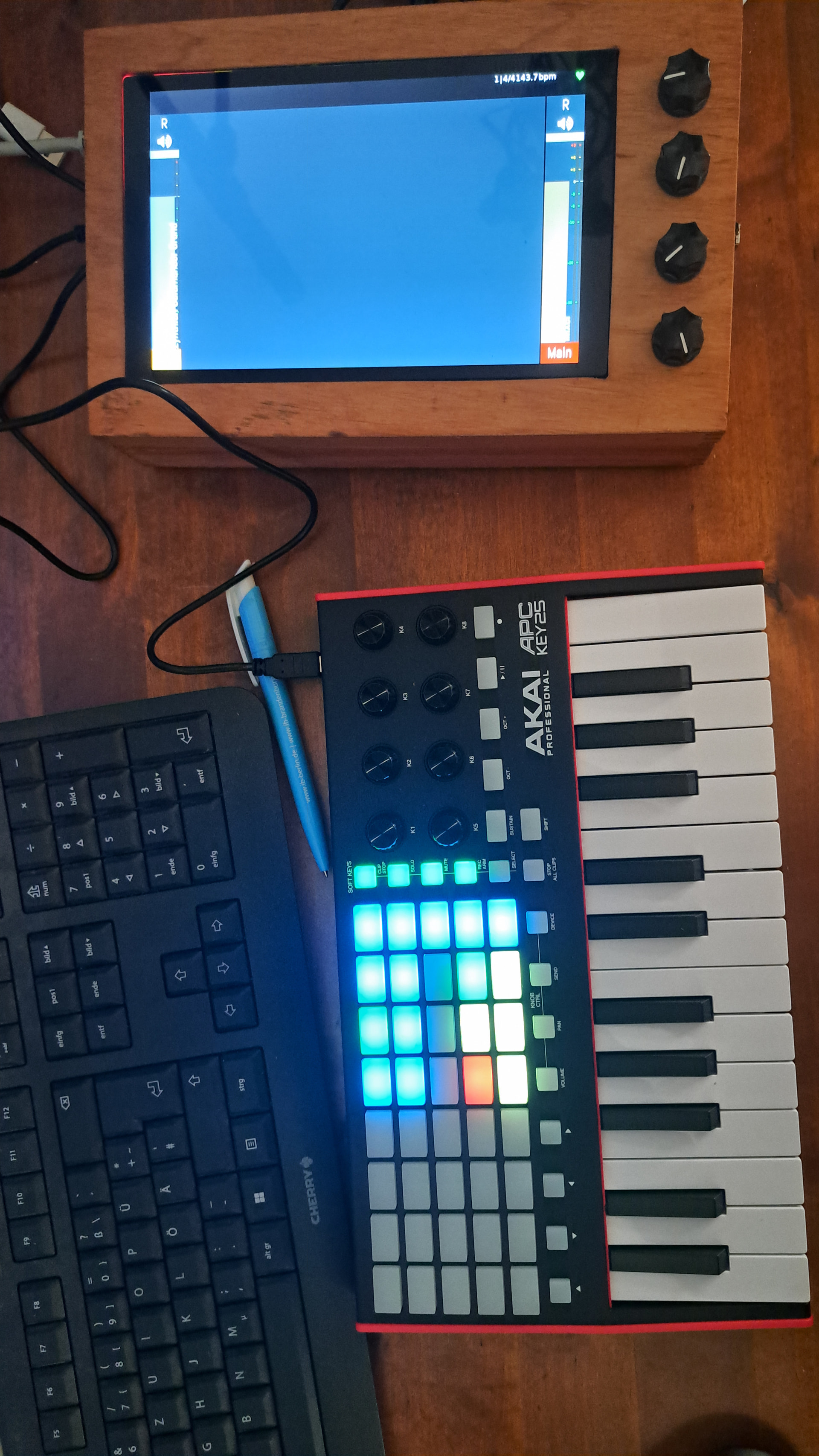
You really don’t think you are getting away with such triumphalism without paying a small musical due do you…?
1 Like
@wyleu, you just introduced the very interesting and thoughtful perspective that someone could build and enhance a zynthian device in order to actually play music with it instead of just for the purpose of self-referencially just building it and I promise I’ll contemplate about this.
5 Likes
Use a zynthian to make music? What a great idea. I should try that… 
3 Likes
I mean, in a world where your refrigerator can order food over the internet and your toaster has a jamba subscription to download ringtones, what else can really shock us?
2 Likes
‘interesting and thoughtful perspective that someone could build and enhance a zynthian device in order to actually play music’
Yes, it’s an effect i am fully aware of myself and ive watched the various versions of zynthian and the people who use them respond in different ways…As the machine has become more capable I suspect that it has become a little more intimidating in this regard and as is said on the rather toungue in cheek wiki entry we are trying to encourage people across that divide.
It also helps makes tools like record and workflow more useful and gets people to use what is at heart a musical instrument to make music.
I have seen so many projects and indeed proffessional ( it normally means paid) bits of kit being presented but with little actual examples of people using them, so Jofe and I talked about how this might be addressed and this is the mechanism we came up with…
Never, once many…
I will now go off, reluctantly, to taste tonights rook soup on the communities behalf…
I suspect i wull require several samplings to ensure its truly awful enough for our next communal gathering…
Chris@wyleu.
2 Likes
I’ll definitely send some  in. Though the first things I’ll have to do regarding this new toy above is to first test and understand the UI functions it provides and get in touch with @oscaracena and/or @niels, these brave people who took care of writing and adapting the driver.
First thing I noticed yesterday was that when in the sequencer UI, zynthian receives information from button presses on the controller (piano roll keys are lighting up), even when in device mode. Also the tempo button seems not to work right now.
Other than that, this driver seems to be really next level, and might be capable of stellar musical interaction after you learned all the [shift]+[padwithoutlabel] combinations there are.
1 Like
Button presses (note 0-39) should not be sent anywhere near that area, of that is so, it’s a routing issue in Zynthian itself.
Tempo button and other stuff is fixed. Please update. Note that @jofemodo just changed which knobs now act like the native encoders: it has become the top row 1-4 instead of the v4 squared layout
This is great!
I also changed the way the knob-switches work. They now work like V5 knob-switches instead of the old-style V4 knob-switches. So the APC Key25 Device mode fully works like a V5.
@niels and others, i hope the knob layout change is not too disturbing for you. I took these decision because APC Key25’s top-row knobs are labeled as K1-K4, matching the V5 labeling (1-4).
Regards,
1 Like
Not to me.
I was actually inclined to change this too, even though I am on a v4 myself.
Maybe we can free up the bottom row (again) for Midi Learn in Device Mode.
I think there is less chance of accidentally touching those knobs now.
Hands please.
1 Like
I also appreciate the change. Afaik the former configuration was also not matching the v4 layout, because it was
12
34
instead of
13
24
right?
More improvements in APC Key25 drivers:
- Simplify knob management code.
- Add “PAD+CTRL” mode (shift+SEND) that maps active chain’s “favorite” controllers to knobs.
- Shift + knob => Fine knob adjustment
- STOP_ALL_CLIPS + knob1 => Main level & pan.
- Device mode => Bottom row knobs send CC for MIDI learning.
@niels , could you test with the “mk1 version”?
I will update wiki documentation ASAP.
Regards
1 Like