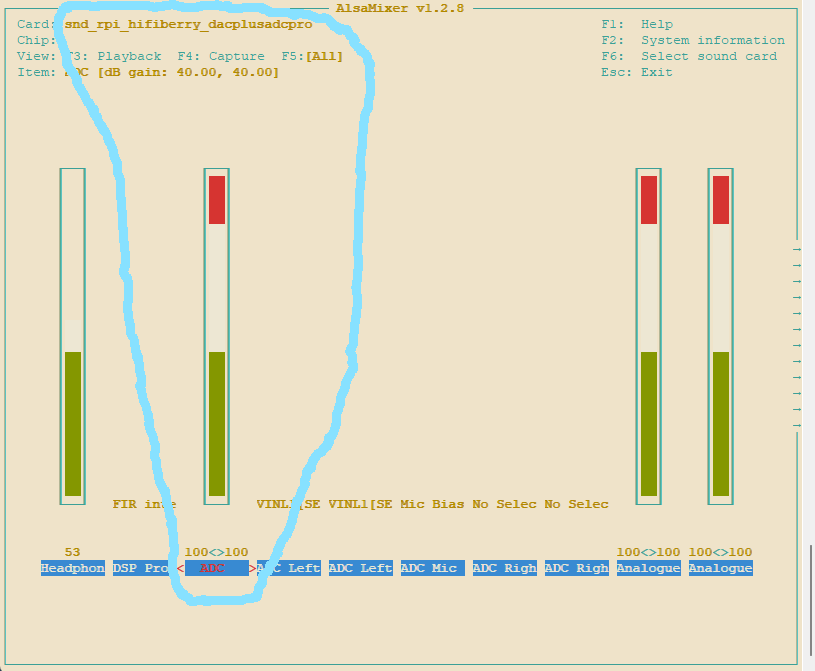
I’m experiencing a problem with adding an audio chain.
The input gain is extremely high so even without signal the static sounds very loud.
I found out this is caused by the ALSA gain setting. By default it is set to 100 (40.00 dB gain). This is far and far too much for normal use.
I can dial this back to an acceptable level ( 0.00 dB gain) with alsamixer but this is not saved, not even when I use alsactl store. After a reboot the gain is back again at 40dB.
Does anyone else see this same behaviour? Or know what can be done about this? Of course I can try to add an amixer command during startup, but perhaps there is a better way.
This happens on both my V5.1 kit and on my V5 clone.
No need - it should already be integrated in zynthian. Go to “Audio Levels”, e.g. by pressing the “MIX | LEVEL” button (toggles between mixer and audio levels views) then change the level there. This should be saved with a snapshot if “Audio Levels on Snapshots” is enabled in admin menu.
This recipe works for ORAM. I have not tested it in Vangelis (it has different snapshot format)
For those in the same boat as me who want to replace the unworkable, high default gain values in all snapshots for neutral ones, you can use the following command.
Go to the snapshots directory cd /zynthian/zynthian-my-data/snapshots
Make backup of current directory (for safety) cp -R 000/ 000B/
go to current directory cd 000
Replace all 40dB input gain settings with 0dB settings sed -i "s/\"PGA_Gain_Left\": {\"value\": 104}, \"PGA_Gain_Right\": {\"value\": 104},/\"PGA_Gain_Left\": {\"value\": 24}, \"PGA_Gain_Right\": {\"value\": 24},/g" *.zss
(this is all on one line).
If you have multiple snapshot directories, repeat for all.
EDIT:
If you also want the output volume limited to 50% you can use this: