Big Files on external storage

Hello everybody.

I tried to use the LinuxSampler and it seems very high quality but on SD storage it’s tricky

So I formatted in FAT32 a USB3 Samsung 1To SSD Drive

I connected to Zynthian via SSH and made

(venv) root@zynthian:~# cd /media
(venv) root@zynthian:/media# ls
root
(venv) root@zynthian:/media# cd root
(venv) root@zynthian:/media/root# ls
sda1-ata-Samsung_Portable
(venv) root@zynthian:/media/root# cd s*
(venv) root@zynthian:/media/root/sda1-ata-Samsung_Portable# ls
zynthian
(venv) root@zynthian:/media/root/sda1-ata-Samsung_Portable# ls
(venv) root@zynthian:/media/root/sda1-ata-Samsung_Portable# mkdir zynthian
(venv) root@zynthian:/media/root/sda1-ata-Samsung_Portable# cd z*
(venv) root@zynthian:/media/root/sda1-ata-Samsung_Portable/zynthian# mkdir zynthian-my-data
(venv) root@zynthian:/media/root/sda1-ata-Samsung_Portable/zynthian# cd z*
(venv) root@zynthian:/media/root/sda1-ata-Samsung_Portable/zynthian/zynthian-my-data# mkdir soundfonts
(venv) root@zynthian:/media/root/sda1-ata-Samsung_Portable/zynthian/zynthian-my-data# cd s*
(venv) root@zynthian:/media/root/sda1-ata-Samsung_Portable/zynthian/zynthian-my-data/soundfonts# mkdir gig
(venv) root@zynthian:/media/root/sda1-ata-Samsung_Portable/zynthian/zynthian-my-data/soundfonts# cd gig
(venv) root@zynthian:/media/root/sda1-ata-Samsung_Portable/zynthian/zynthian-my-data/soundfonts/gig# mkdir AL1
(venv) root@zynthian:/media/root/sda1-ata-Samsung_Portable/zynthian/zynthian-my-data/soundfonts/gig# ls
AL1
(venv) root@zynthian:/media/root/sda1-ata-Samsung_Portable/zynthian/zynthian-my-data/soundfonts/gig#

But when I go to WebConf to upload gig files

I only see

under “LinuxSampler:SFZ,GIG”

“USB>sda1-ata-Samsung_Portable”

and on next line

“zynthian”

but this folder is empty

I also have

SD>User GIG (with one GIG file that I put in the zynthian-my-data folder of the SD card

with folder AL1 (that i made for testing)

SD>System SFZ

Am I doing something wrong (very possible) and did someone managed to have big files on external SSD Drive

Thank You

Alain
Try creating folders for banks and storing the GIG files inside.

Regards,

Hello jofemodo

Thank you for quick answer but this is what I did

Since it is not possible to make new banks with WebConf

I created a folder named AL1 in SSH

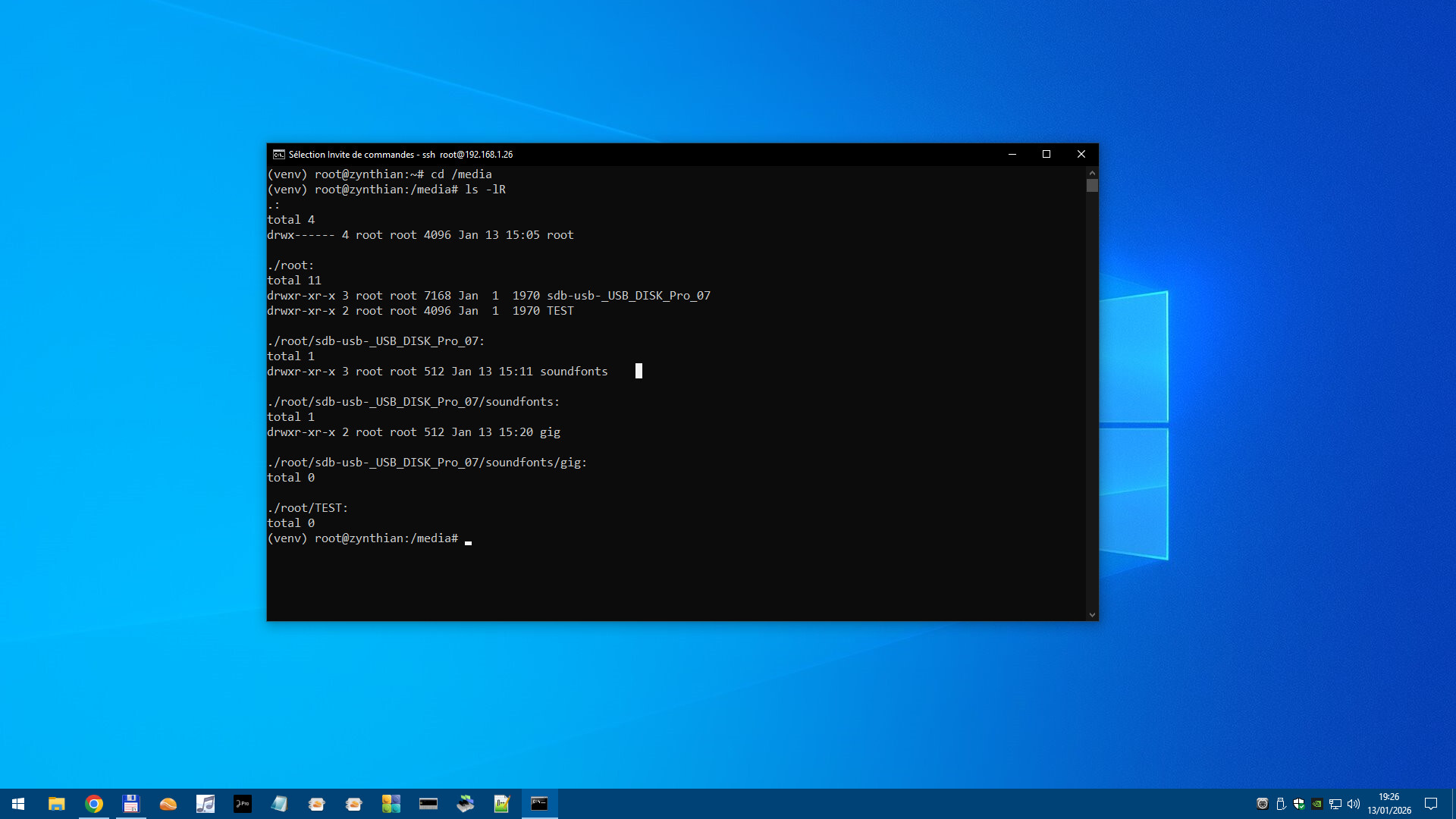
(venv) root@zynthian:~# (venv) root@zynthian:~# ls -lR /media
/media:
total 4
drwx------ 3 root root 4096 Jan 13 10:37 root

/media/root:
total 32
drwxr-xr-x 3 root root 32768 Jan 1 1970 sda1-ata-Samsung_Portable

/media/root/sda1-ata-Samsung_Portable:
total 32
drwxr-xr-x 3 root root 32768 Jan 13 08:58 zynthian

/media/root/sda1-ata-Samsung_Portable/zynthian:
total 32
drwxr-xr-x 3 root root 32768 Jan 13 08:59 zynthian-my-data

/media/root/sda1-ata-Samsung_Portable/zynthian/zynthian-my-data:
total 32
drwxr-xr-x 3 root root 32768 Jan 13 08:59 soundfonts

/media/root/sda1-ata-Samsung_Portable/zynthian/zynthian-my-data/soundfonts:
total 32
drwxr-xr-x 3 root root 32768 Jan 13 08:59 gig

/media/root/sda1-ata-Samsung_Portable/zynthian/zynthian-my-data/soundfonts/gig:
total 32
drwxr-xr-x 2 root root 32768 Jan 13 10:41 AL1

/media/root/sda1-ata-Samsung_Portable/zynthian/zynthian-my-data/soundfonts/gig/AL1:
total 15520
-rwxr-xr-x 1 root root 15868086 Feb 5 2009 Church_Bells.gig
(venv) root@zynthian:~#

So I should have “Church_Bells.gig” available

but when I go to WebConf , only zynthian folder is seen under

USB>sda1-ata-Samsung_Portable

and if I open this folder nothing under

If i make the same operation in the zynthian-my-data folder of the SD card I can see the gig Bank and the gig file and it is available on the zynthian UI

Maybe there is a limit for SSD drive size (It is a 1 To (1000 Go !!) SSD drive)

or a string limit for the naming of the bank ??

Thank you

Alain

I tried with a USB stick formatted in FAT32 instead of the Samsung SSD Drive and it is the same problem

In WebConf ,I get

USB>sdb-usb-_USB_DISK_Pro_07

and only under that

zynthian (folder which is empty)

I have seen in Wiki

The search path for presets and soundfonts automatically includes the /media/usb0 directory if a drive is mounted at usb0

so maybe it’s the problem since in /media I have

(venv) root@zynthian:/media/root/sdb-usb-_USB_DISK_Pro_07/zynthian/zynthian-my-data/soundfonts/gig#

I do not know enough of Linux if it’s possible to make a kind of alias for usb0

Thank you for reading

Alain

Perhaps there is some issue with webconf accessing to soundfonts in external storage.
Anyway, can you access the files from the zynthian-UI?

Regards,

Hi @AL1-1956 ,

Why have you created all those subdirectories on your SSD and USB stick?

The directory /zynthian with all its subdirectories like zynthian-my-data already exists at the highest level of your SD card, the same level as /media. There is no need to create these directories on USB.
I remember that on external storage (USB drive) only limited subdirectories are supported.

You can try to remove all subdirectories from USB (Format it and give it a meaningful name right away), and create only one subdirectory:

cd /media/root/[your_USB_drive_label]
mkdir sfz

and copy the samples to this sfz directory.
Now look in Webconf if you see them.

Kind regards,
Hans.

It would be easier to show the problem if I knew how to insert screenshots

of the UI (with VNC)

of my SSH session

of the WebConf

but I do not know how to insert screenshots in the discourse forum

Alain

I don’t know if this will apply to your setup, but if I want to bring something from webconf to the forum, I use the PrtSc key (almost all PC keyboards have it) to place the current screen on the clipboard, then after starting the editor to do the post on the forum I just use Ctrl-V and it appears in the editor.

So it seems I misunderstood the following

The directory structure must strictly follow the structure of the main /zynthian/zynthian-my-data directory outlined on Accessing Zynthian from your computer.

If I understand right I have to make the same structure that the one that exists UNDER

/zynthian/zynthian-my-data

So now I deleted everything and have now the following structure on my USB Stick

(venv) root@zynthian:/media/root/sdb-usb-_USB_DISK_Pro_07/soundfonts/gig#

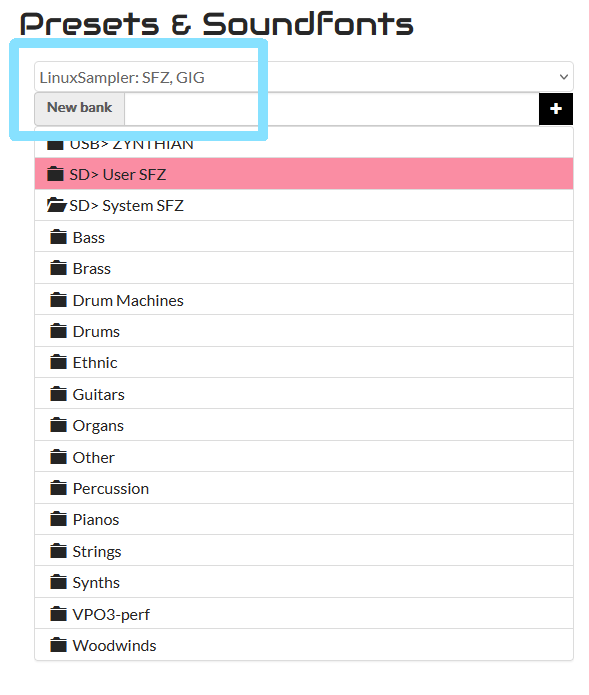
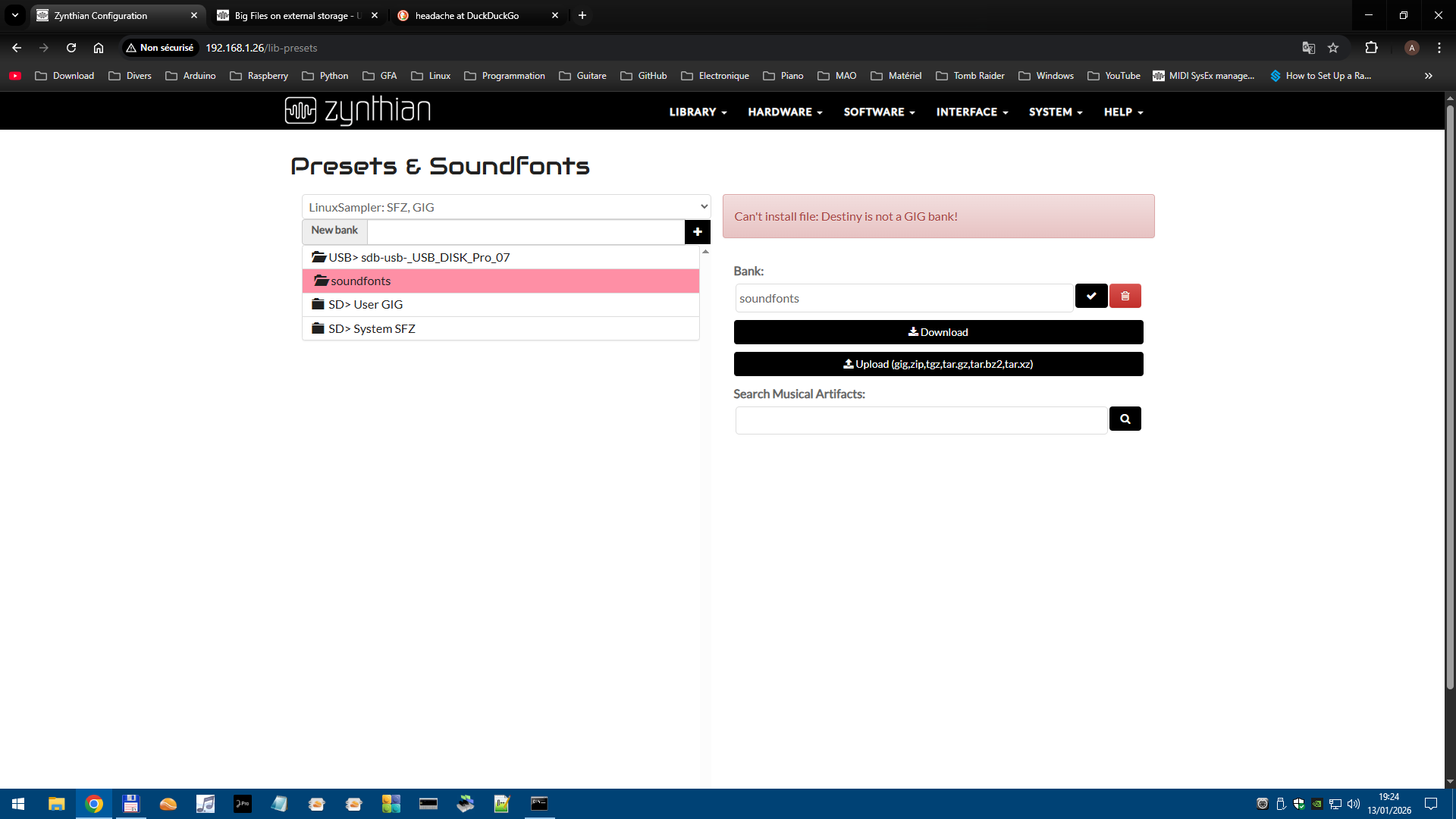
But when I go to WebConf I see for LinuxSampler

============================================================

“SD>User GIG”

and under that

“AL1”

and under that 9 files

“Church_Bells.gig#0

..

“Church_Bells.gig#8

And when I go to zynthian I can load these files and hear them

===============================================

“SD>System SFZ (which is OK)

===============================================

USB>sdb-_USB_DISK_Pro_07 (my USB Stick)

and under that

Soundfonts

and under that nothing

If I try to upload my Church_Bells.gig file with Soundfonts selected (with pink bar) I get this

error “Can’t install file: Destiny is not a GIG bank!”

so I am very confused and beginning to have a head-acke

Okay thank you for the tip , so this is what I get in webconf

and this is what I get in SSH window

1 Like

Hi @AL1-1956.

So if I understand you correct, the GIG files work.
That’s good.

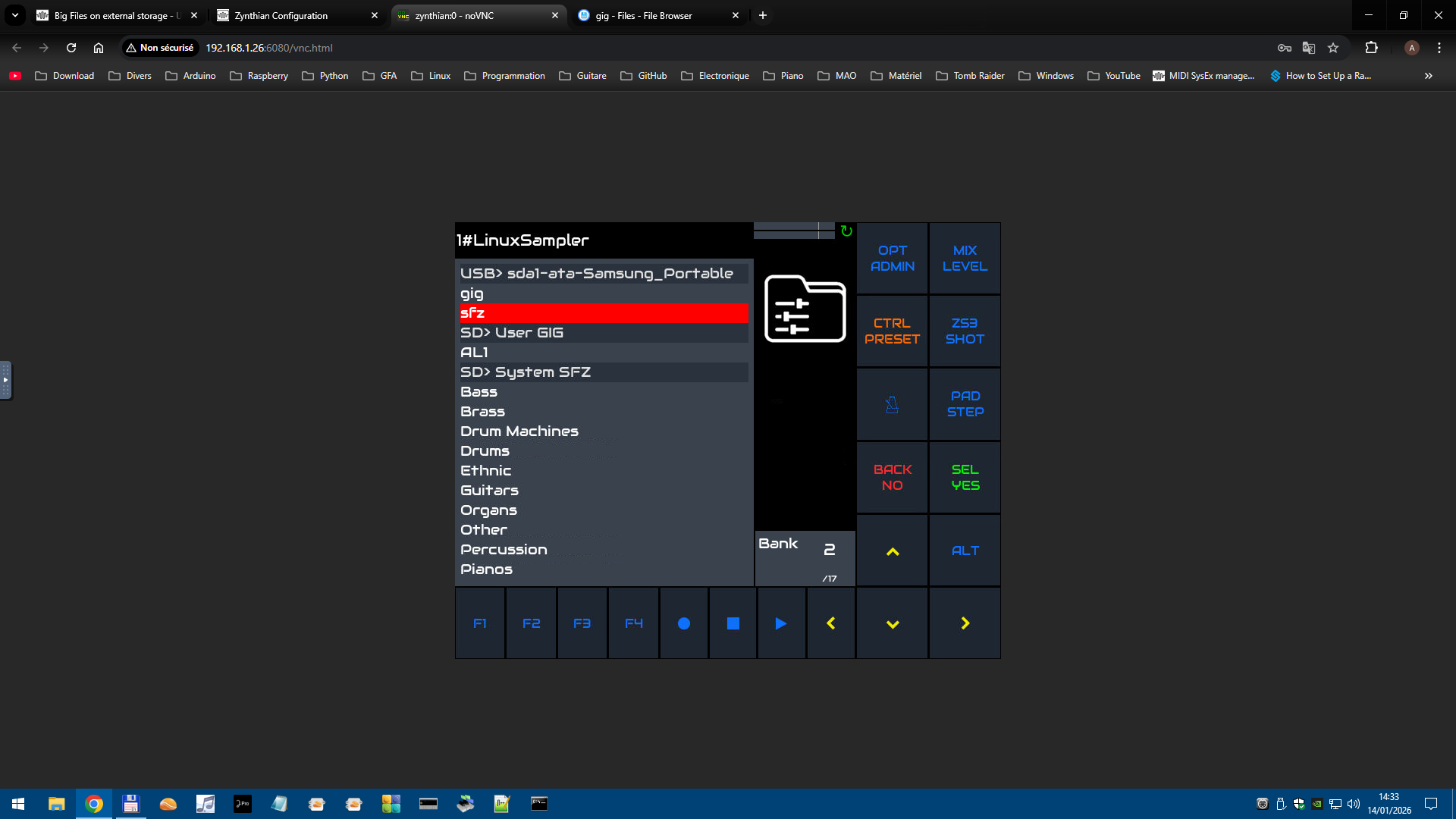
Have you selected LinuxSampler in top of the list (blue rectangle)? The list only shows files that are available for the engine you select:

Also limit yourself to one directory deep (sfz). Don’t try to make a neat structure until it works with only one level.

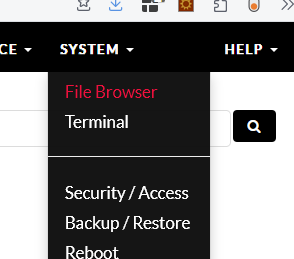
As far as uploads from webconf are concerned, that has never worked for me. I always use the filebrowser:

I understand. Better stop now, have a good nights sleep and try again tomorrow.

Okay

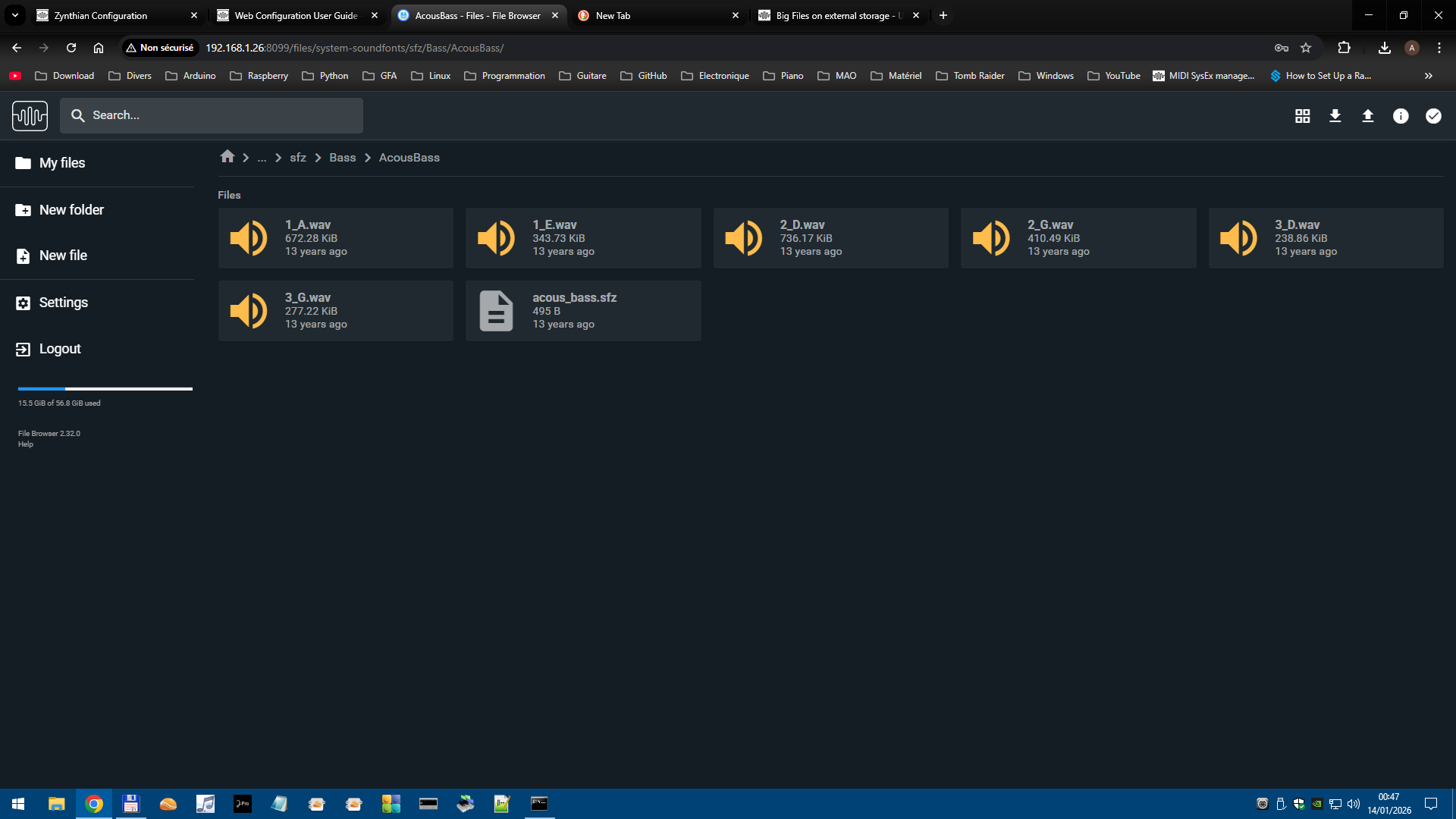
I tried with the File Browser to make a copy of one of the SFZ folder AcousBass

So i deleted everything on my USB stick and created folder soundfonts and under it sfz

and i tried to copy AcousBass to this folder

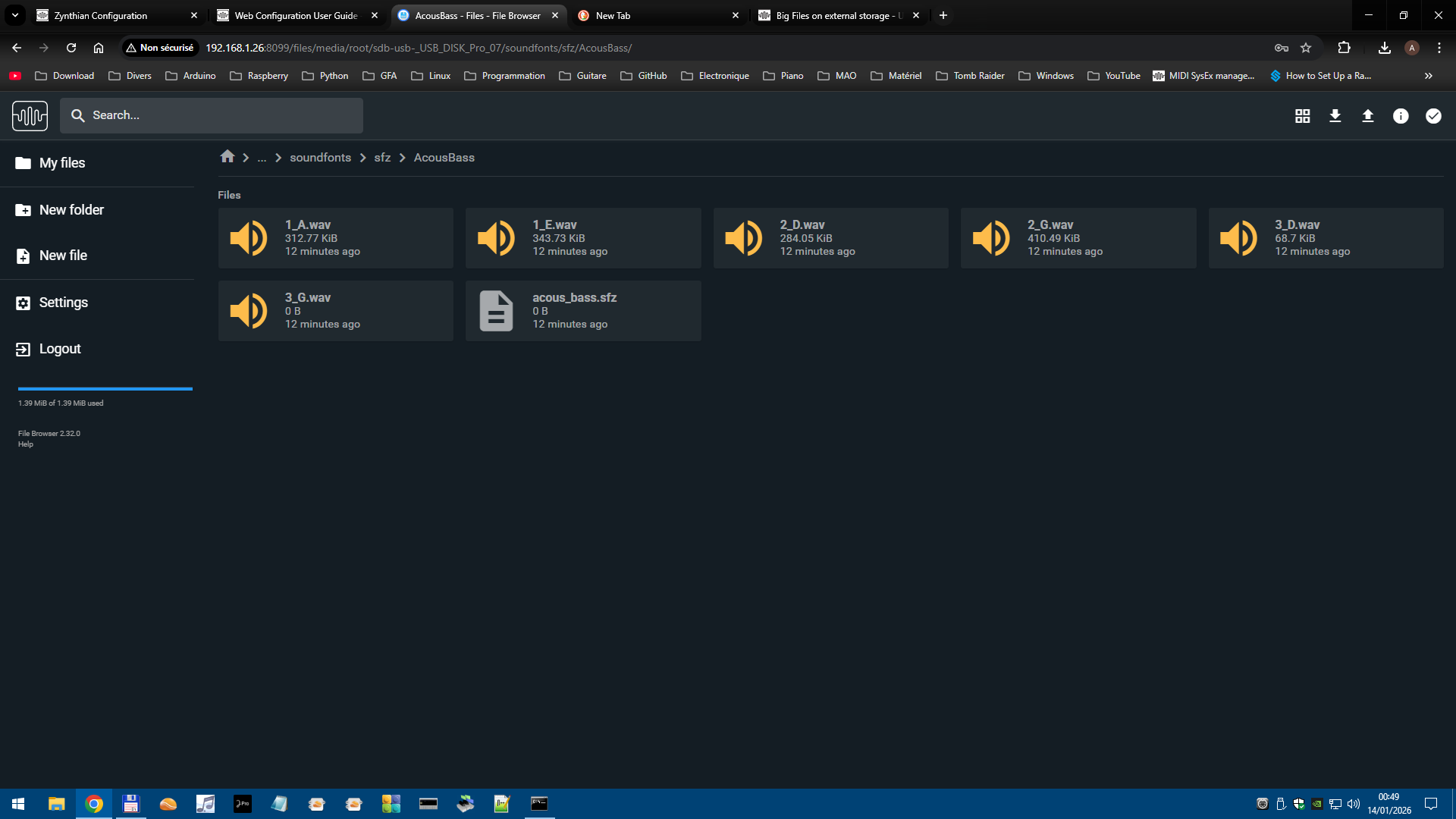
It seemed to work but the files are incomplete

this is AcousBass in the Zynthian sfz system folder

and this is what I get in the sfz folder on the USB stick

so not working …:woozy_face:

@AL1-1956

You might want to check the formatting of the USB Drive it shows as being only 1.39MB in size and full.

Chris

2 Likes

Don’t create soundfonts, only sfz in the root of the stick. If that works, experiment with multi-level folders.

If you can see the sfz in Zynthian GUI but you don’t hear anything, try using SFIZZ instead of LinuxSampler.
LinuxSampler is very picky and sometimes unreliable.

1 Like

Hello HansR

Big Big Big Thanks

I removed the USB stick and connected the SSD 1To Samsung Drive

directely at the “root” of the SSD I created 2 folders one called sfz and one called gig

in the sfz folder I put AcousBass folder from zynthian default sfz folder

in the gig folder I put Church_Bells.gig (my gig test file)

And I see both in Webconf and

tata…

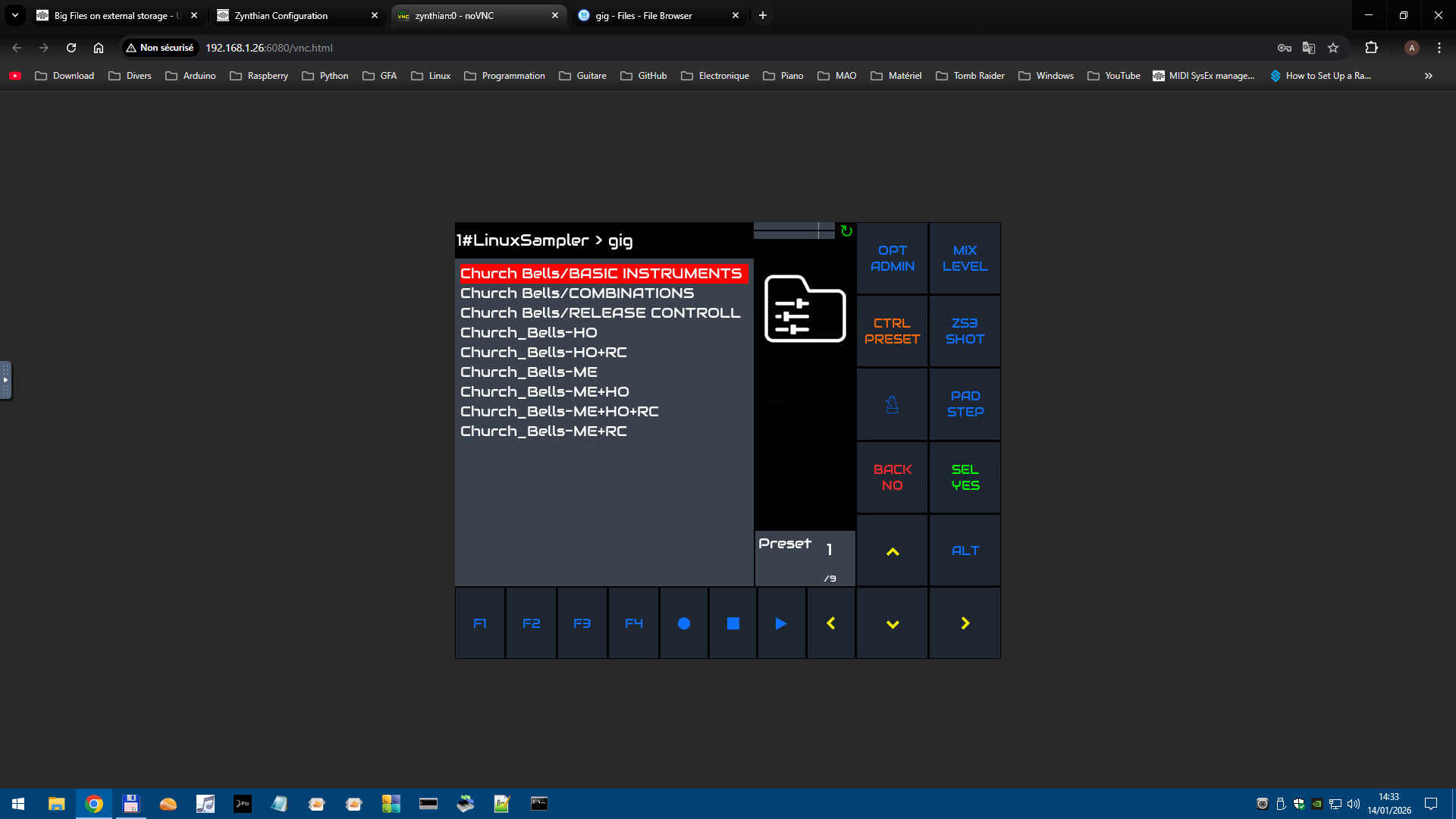
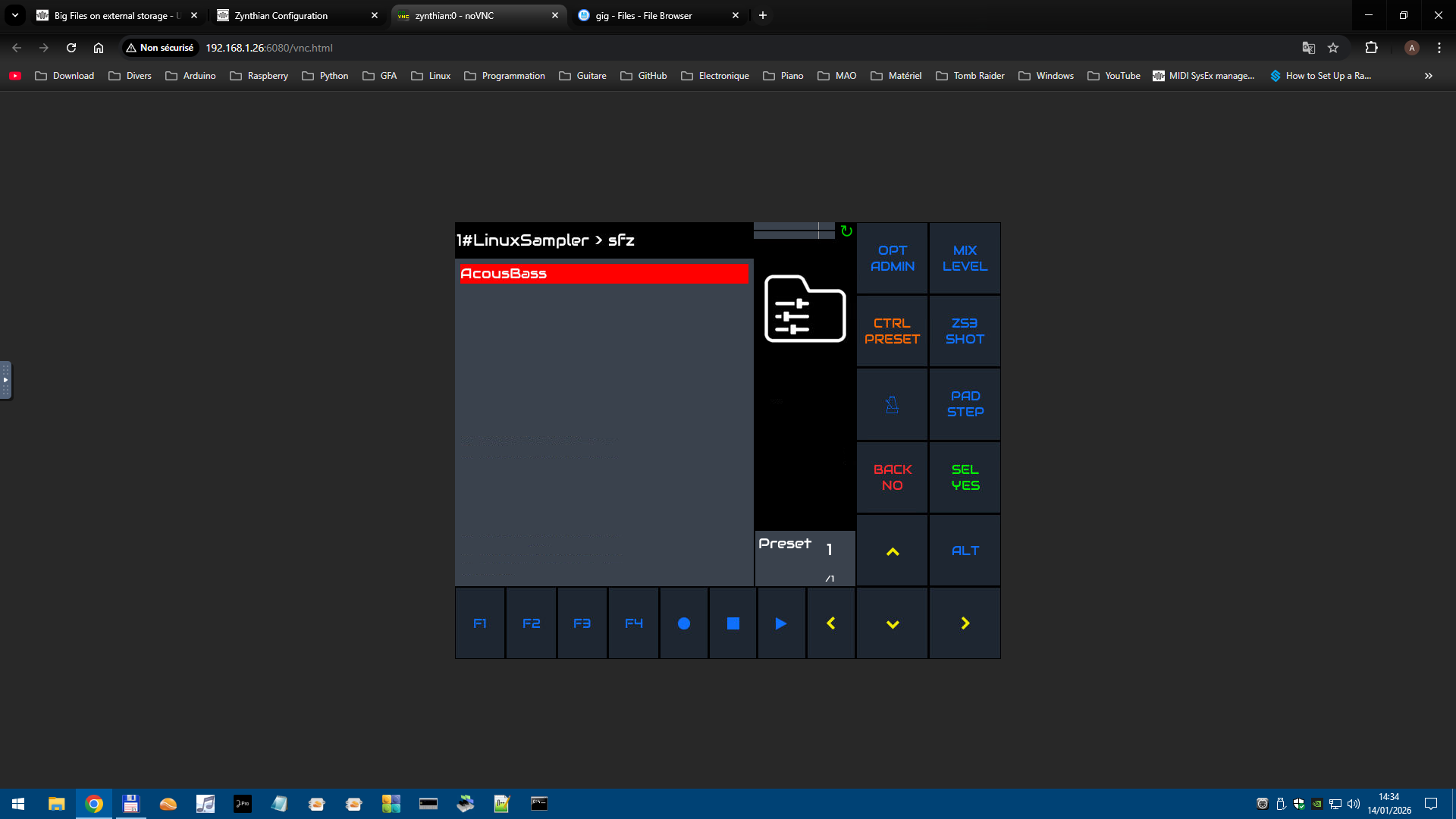
I see them both in the zynthian UI

2 Likes

Thanks a lot , with my nearly 70 yo eyes I did not notice that

I removed the rotten USB Stick and connected the shiny SSD Samsung Drive :winking_face_with_tongue:

2 Likes