Ok, so it’s pretty easy. The hard bit is sorting out the new buster vnc server which has changed from vnc4server to tigervnc-server. If you do apt install vnc4server you then have to edit /etc/vnc.conf. Add the line $SecurityTypes = "None". You probably want to comment out the line starting $geometry as it’s set to huge.
Then run vncserver It now shouldn’t ask you for a password and launch the server listening at display :1. This is localhost connection only so if you want to use a standard vnc viewer you will have to tunnel through ssh.
Then
git clone https://github.com/novnc/noVNC.git
cd noVNC
./utils/launch.sh --vnc localhost:1
This will throw up
root@zynthian:~/noVNC# ./utils/launch.sh --vnc localhost:1
Warning: could not find self.pem
Using local websockify at /root/noVNC/utils/websockify/run
Starting webserver and WebSockets proxy on port 6080
websockify/websocket.py:30: UserWarning: no 'numpy' module, HyBi protocol will be slower
  warnings.warn("no 'numpy' module, HyBi protocol will be slower")
WebSocket server settings:
  - Listen on :6080
  - Web server. Web root: /root/noVNC
  - No SSL/TLS support (no cert file)
  - proxying from :6080 to localhost:1


Navigate to this URL:

    http://zynthian:6080/vnc.html?host=zynthian&port=6080

Press Ctrl-C to exit
Browse to the url and hit connect. You should get a big black screen.
Connect another ssh session to the zynth and run something like DISPLAY=:1 zynaddsubfx and the gui should launch in the web page.
I’ll leave proper full integration as an exercise for the reader.
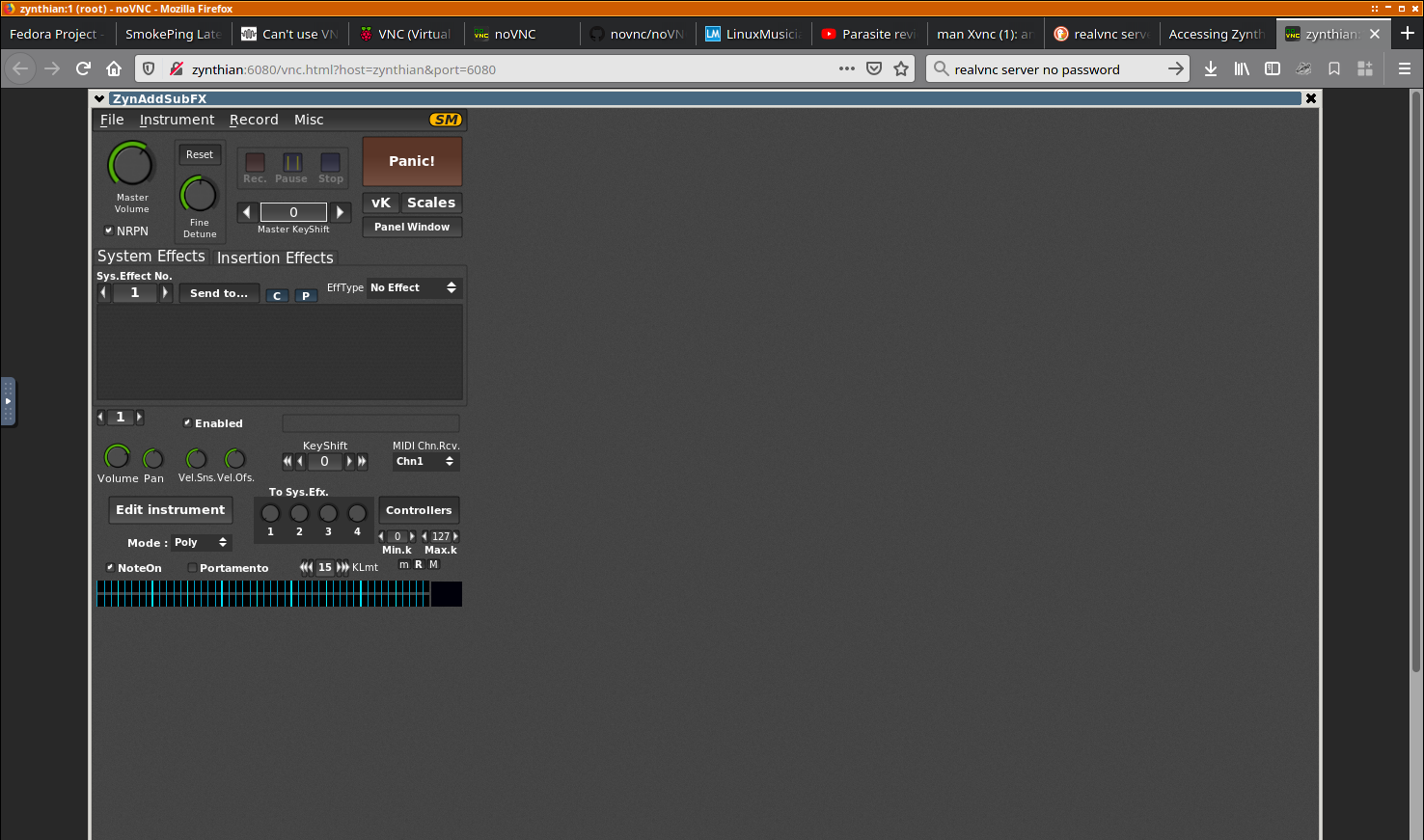
edit: I think the wm being used in that screenshot is matchbox. If you install blackbox you might get a nice wm.