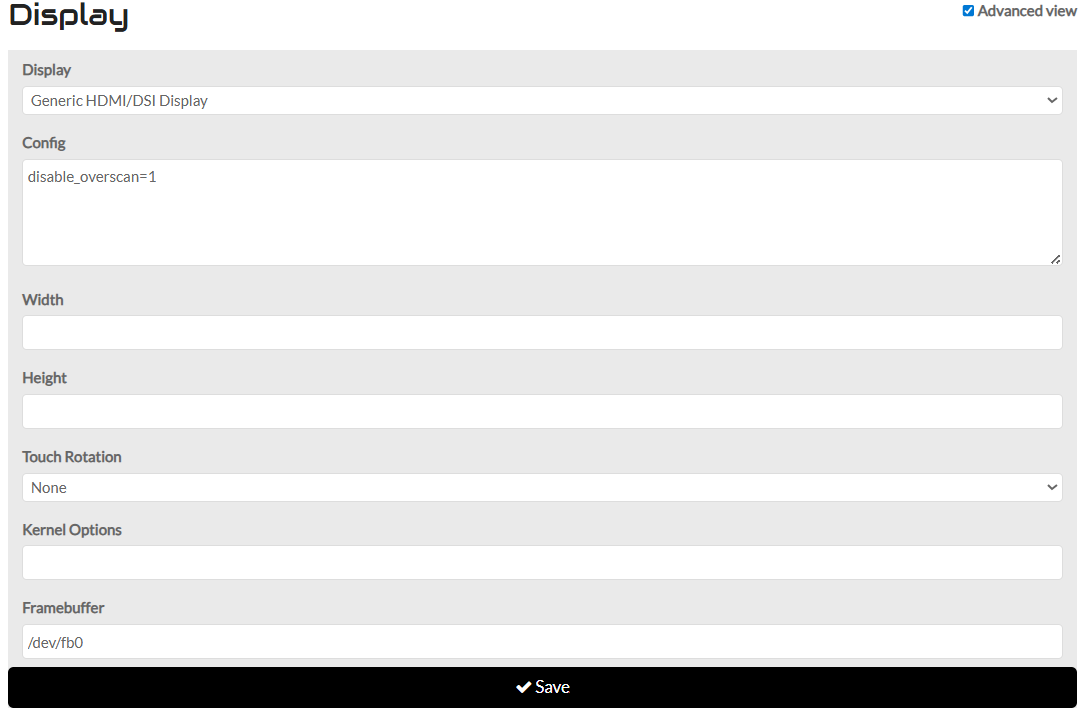
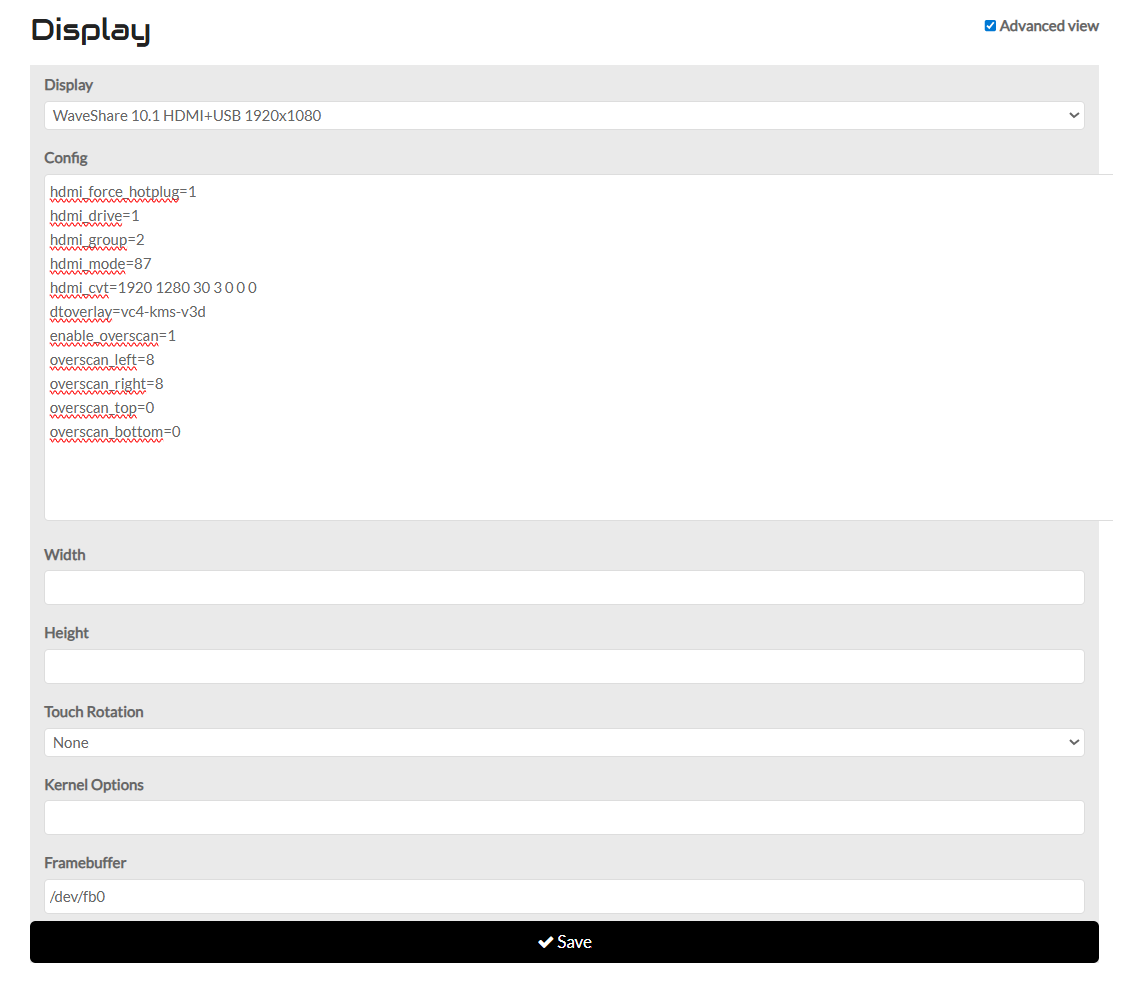
I’m writing to follow up on the UI freeze issue I’m experiencing on my Pi 5 + Minix SF10T setup. I’ve been doing some deep diagnostics to help narrow this down.
Key Findings:
Hardware seems stable: My setup works perfectly in Oram. The issue is specific to Vangelis.
Reproducibility: It happens consistently not only with the OPT button but also when touching an instrument chain to access its options. Essentially, any interaction that triggers “Chain Options” causes a crash.
Log Evidence: When it happens, I see EXIT STATUS => 101 and the X server connection is lost. I also noticed repeated multitouch warnings: 'Touch' object has no attribute 'y_root'.
Question: Could you explain how the “Chain Options” logic (or the GUI event handling) differs between Oram and Vangelis? It seems like Vangelis is much more sensitive to touch events in this specific context.
I am more than willing to run further tests, patch files, or collect specific debug data if you point me in the right direction. My goal is to get this resolved not just for me, but for other users with similar setups.
Do bold touch OPT/ADMIN shows admin menú? In my case It does as expected and not freezing the ui. This IS really confusing: short touch fails and bold touch work.
I checked, and can report that in my case bold (or long) pressing OPT and Chain Manager does not make any difference: it freezes the GUI and isolates the cursor action from anything than pointing.
It is plausible that your issues relate to how multitouch is managed in zynthian. Try rolling back to before the last significant change to multitouch with this command:
That is great! Now we need to figure out what breaks it. This could be labourious, but I know you are both willing to put in the effort to resolve this…
The previous command has reverted to immediately before the last change to multitouch and this command rolls it forward one step to immediately after that change. This will help us to see if it is this change that triggered the issue.
doesn’t work neither using Generic HDMI nor Wavesahare (is the profile that worked for me in Oram changing resolution to match my Minix sf10t).
Another weird things that is happening is, when rebooting, the splash image presented is Oram, despite is branch Vangelis.
Finally, I want you to consider if it’s worth it if the patch to multitouch that I use, maybe usefull for others (in case that this not break functionality for official kits or other supported hardware). This patch makes easy to configure some types of touch interfaces without the need to tweak/configure anything else)
#!/bin/bash
echo “— Configuración Maestra: Detección y Parcheo Blindado —”
sed -i ‘s/if idev_caps[ecodes.EV_ABS][ecodes.ABS_Z][0] == ecodes.ABS_MT_SLOT:/if ecodes.EV_ABS in idev_caps and ecodes.ABS_MT_SLOT in idev_caps[ecodes.EV_ABS]:/’ “$DRIVER_PATH”
5. Aplicar tu Parche de Robustez (Probado)
sed -i ‘s/logging.info(f"Multitouch device {self.device_name} disconnected")/logging.warning(“Táctil perdido… Reintentando en 2s”); import time; time.sleep(2); self.open_device()/’ “$DRIVER_PATH”
sed -i ‘/break/d’ “$DRIVER_PATH”
echo “— Aplicado con éxito —”
systemctl restart zynthian
I suspect this may be caused by vc4-kms-v3d overlay which significantaly changes the interface to the display. Is this actually required for your screen? This setting enables 3D (kinda GPU) functionality that zynthian does not use.
This does not look like the right way to implement this. If there is an advantage to using this modification then we should put it in the code, not dynamically patch the code. I need more info on what this is actually doing and why. I think you described this in another thread or issue ticket.
YES, now it works! The keypad is always on and touching the upper right corner doesn’t toggle it. Furthermore, there is obviously no Chain Manager call from bold pressing the top bar.
But finally OPT shows the chain manager, and chains can be added and edited!
The next step is to review the changes that trigger this issue. I have already highlighted that vc4-kms-v3d is not currently supported nor required by zynthian so it will be good to remove that from the equation. I will look for that elusive “time” to do further investigation…
Alright! So, for the time being I will leave this touchscreen custom build as it is, obviously ignoring the recycle sign that would restore Vangelis to the testing state with the video issue. Right?
And, of course, later I will re-assemble the other custom setup based on Raspberry Pi500+ with HDMI and mouse, and apply the same roll-back command.
Hi @riban, this is part of the multitouch.py code that I’ve patched.
line patched is:
if ecodes.EV_ABS in idev_caps and ecodes.ABS_MT_SLOT in idev_caps[ecodes.EV_ABS]:
and these ones:
logging.warning(“Táctil perdido… Reintentando en 2s”)
import time time.sleep(2)
self.open_device()
This is how it looks like.
def open_device(self):
“”" Open the input device to allow multitouch driver to capture events.
    event - tk touch event

    Disable xinput for the touch device to avoid double events.
    Start event processing thread.
    Disable multitouch detection. (After one touch we know whether there is an input that supports multitouch)
    """

    for device in glob("/dev/input/event*"):
        try:
            idev = InputDevice(device)
            idev_caps = idev.capabilities()
            # Look for the first device supporting multi-touch
            if ecodes.EV_ABS in idev_caps and ecodes.ABS_MT_SLOT in idev_caps[ecodes.EV_ABS]:
                self.max_x = idev_caps[ecodes.EV_ABS][ecodes.ABS_X][1].max
                self.max_y = idev_caps[ecodes.EV_ABS][ecodes.ABS_Y][1].max
                self._f_device = open(device, 'rb', self.EVENT_SIZE)
                for libinput in self.xinput("--list").split("\n"):
                    if idev.name in libinput and "slave  pointer" in libinput:
                        device_id = libinput.split("id=")[1].split()[0]
                        self.xinput("disable", device_id)
                self.device_name = idev.name
        except:
            pass
    self.detect = False
    if self._f_device:
        self.thread = Thread(target=self._run, name="Multitouch")
        self.thread.start()

def _run(self):
    """Event processing thread"""

    self._running = True
    logging.info(f"Starting multitouch on '{self.device_name}'")
    while self._running:
        try:
            r, w, x = select([self._f_device], [], [], 1)
            if r and r[0]:
                event = self._f_device.read(self.EVENT_SIZE)
                (tv_sec, tv_usec, type, code, value) = struct.unpack(
                    self.EVENT_FORMAT, event)
                self._evdev_event_queue.put(TouchEvent(
                    tv_sec + (tv_usec / 1000000), type, code, value))
                if type == ecodes.EV_SYN:
                    self._process_evdev_events()
        except OSError:
            # Touchscreen driver may have been unloaded so stop thread and enable detection of multitouch (on next xinpu>
            logging.warning("Táctil perdido... Reintentando en 2s"); import time; time.sleep(2); self.open_device()
    self.detect = True
With this patch my touch interface works as near native one.
 Weird indeed. Not sure about it, probably tried also bold presses, but will check anyway.