Learned about this LV2 capable plugin via Dusk Audio releases Chord Analyzer, a FREE real-time chord detection plugin - Bedroom Producers Blog
Unclear if it is meaningful for Zynthian.
Learned about this LV2 capable plugin via Dusk Audio releases Chord Analyzer, a FREE real-time chord detection plugin - Bedroom Producers Blog
Unclear if it is meaningful for Zynthian.
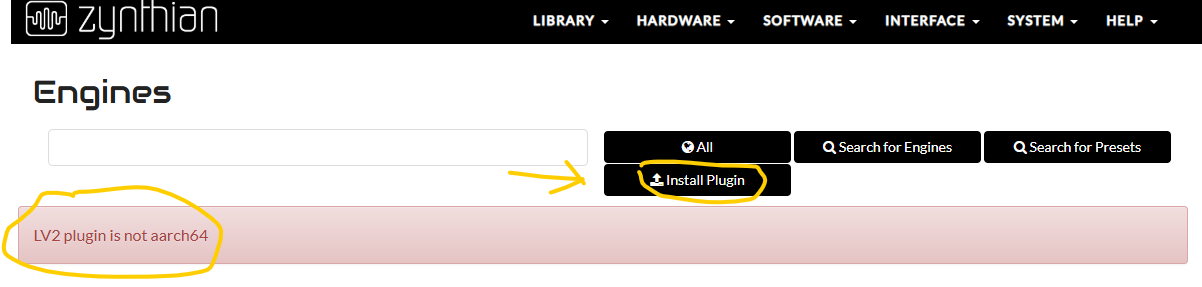
I tried the new install plugin functionality in webconf. It gives me a clear error message:
Is the best idea to request they include this architecture in the build?
Yep. You could ask the developers to generate aarch64 binaries in the build.
Regards,
Excellent news!
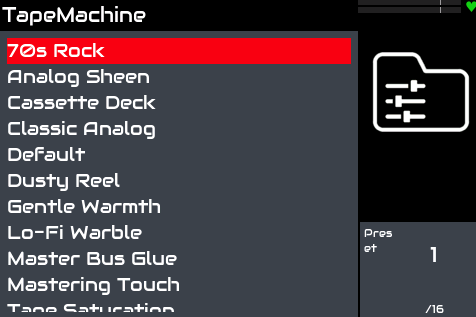
The Dusk Audio Plugins (GPL-3.0 licensed) can now be tested on Zynthian. Thanks to Marc Korte for adding the required builds so swiftly! We can now use a Gentle Warmth preset  and more.
I tested 3 of them so far, feel free to test more!
Also, as I am toying around here, I am curious to real world feedback on the quality of these plugins vs other stock plugins.
Tested with https://github.com/dusk-audio/dusk-audio-plugins/releases
Plugin docs: https://dusk-audio.github.io/
Installation:
Zynthian webconf > Software > Engines > Install Plugin
Upload the zip for the plugin you wish to install which you can download from https://github.com/dusk-audio/dusk-audio-plugins/releases.
Test results of Chord Analyzer and some extra plugins are great!
Notes from the project:
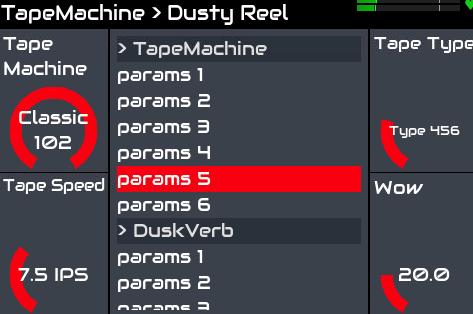
Tape Machine v1.0.6: tapemachine-linux-arm64.zip
Installation: OK, installed to Audio Effects > Other > Tape Machine (we can change this later through configuration)
Works!
Presets are available
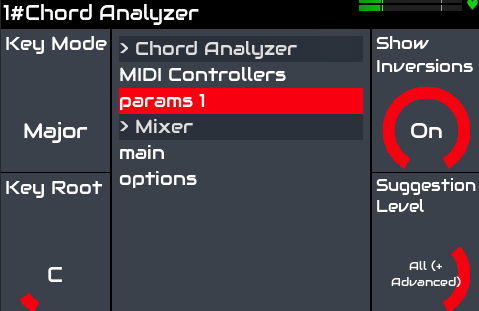
Chord Analyzer v1.0.1: chord-analyzer-linux-arm64.zip
Installation: OK, installed to MIDI Instrument > Synth
Tested by playing from MIDI keyboard: works!
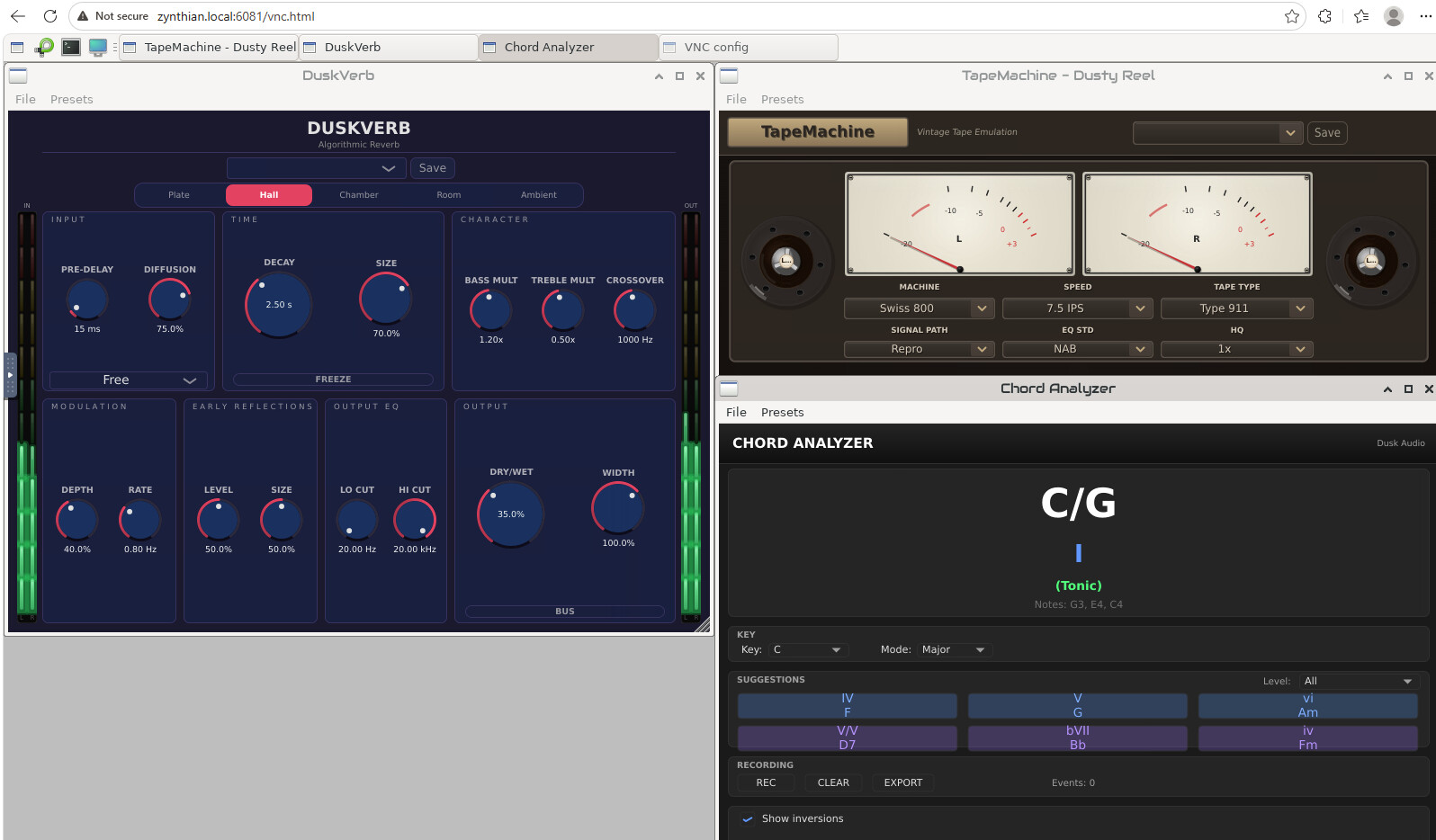
On the Zynthian’s Engine screen connected via VNC you can see the detected chords, on the Zynthian you can configure
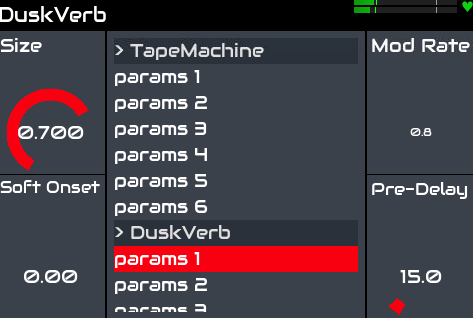
Dusk Verb v0.3.1: duskverb-linux-arm64.zip
Installation: OK, installed to Audio Effect > Other > DuskVerb (we can change this later through configuration)
Works!
I don’t see any presets out of the box, unclear if expected.
Engines VNC view:
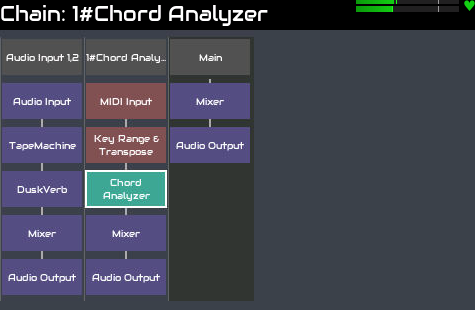
On the Zynthian:
I don’t see the images 
Replaced the copy-pasted images, I hope that fixes it.
One issue I see is that in these plugins , there is both a Bypass uppercase (On, Off), and bypass lowercase (inline, bypass) setting. Only the latter does the bypass. Is this an issue with the released plugins?
The lowercase bypass is a feature we have added to jalv which allows us to bypass the plugin within jalv. This is available to all audio plugins. I thought I had done some work to avoid duplicates, i.e. if there is a bypass in the plugin’s controls then don’t show the jalv bypass but I think that only happens if the control is called “bypass” (case insensitive) but the control symbol for tapemachine is “tapemachine_bypass”. I do not see this control presented on the naitive plugin GUI. If it is not working I would recommend reporting upstream.
I’m not sure the point of that issue report. I thought the problem was that bypass doesn’t work.
Ouch, I seem to have misread that part, I’ll update.
Hi @jawn
I would like to try the chord analyzer. Can you tell me how to install it in Oram stable? That does not have an install plugin option in webconf (in fact, nothing installs via webconf in Oram). Can I just put the unzipped file in the lv2 subdirectory and then search for engines?
Kind regards,
Hans.
I’m afraid I don’t know how.
I think this would be exactly what you do, and the directory would be certainly /zynthian/zynthian-plugins/lv2 (lacking a better option).
I’m not sure the vangelis webconf installation method does exactly this.
Thanks @hannesmenzel. It works. Lately there is an extra reboot necessary after adding an lv2 like this.
@jawn, it’s a very nice addition. Sometimes I ask myself if I remember a chord correctly and this works very good. I suppose there is no option to show the chord (without the bells and whistles) on the UI? That would be very handy. VNC is not always available.
That would be preferred indeed. However I don’t know what would need to be done on Zynthian and/or plugin side to achieve this.
I was about to sleep last night and I think I dreamed of a small screen overlay displaying chord names on the flow. Something like minimized Google Maps directions or a widget. That could even be a useful functionality for other plugins or other Zynthian live data that would benefit from such a peek.
Programming a specific UI widget is needed for this, but it’s not difficult at all. A basic one can be done in a 1-2 hours. Perhaps less.
Regards,
@cfausto an overlay already exists for the PureData patch Zynscope. Note it only works when VNC is enabled, but no VNC connection is needed.