Highly recommended to ignore this post if you’re questioning the use of this!
Hi,
I got an external Blu-ray/DVD/Audio-CD USB-connecting device at a thrift store. Use case: to rip a CD from time to time, from a Windows machine.
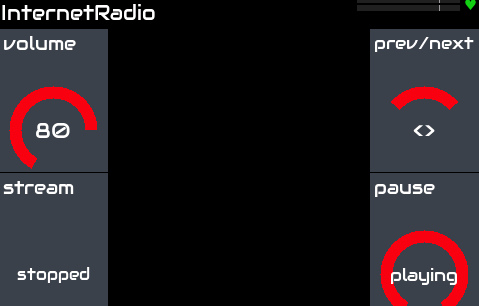
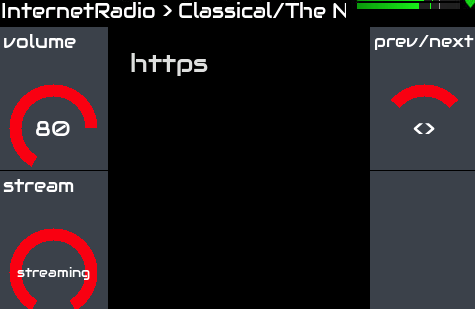
This got me thinking, would it be supported by Raspberry Pi, even better in a Zynthian setup? It would be a nice gadget to be able to spin an ad hoc CD, listen to it whirl, let the warmth of the laser give that nice edge - you know the drill… Kind of like having the already working Internet Radio player in the background.
What’s working: mplayer is installed in Zynthian out of the box.
Here’s an attempt to start audio CD playback:
(venv) root@zynthian:~# mplayer cdda://
Failed to read /etc/mplayer/mplayer.conf.local: No such file or directory
Warning unknown option include at line 177
MPlayer 1.5 (C) 2000-2022 MPlayer Team
Can’t open joystick device /dev/input/js0: No such file or directory
Can’t init input joystick
do_connect: could not connect to socket
connect: No such file or directory
Failed to open LIRC support. You will not be able to use your remote control.

Playing cdda://.
Found audio CD with 12 tracks.
rawaudio file format detected.

Track 1

Opening audio decoder: [pcm] Uncompressed PCM audio decoder
AUDIO: 44100 Hz, 2 ch, s16le, 1411.2 kbit/100.00% (ratio: 176400->176400)
Selected audio codec: [pcm] afm: pcm (Uncompressed PCM)

AO: [alsa] 44100Hz 2ch s16le (2 bytes per sample)
Video: no video
Starting playback…
A:  15.5 (15.4) of 2428.7 (40:28.6)  0.1%
[AO_ALSA] Write error: Broken pipe
[AO_ALSA] Trying to reset soundcard.
A:  27.4 (27.4) of 2428.7 (40:28.6) 10.7%

MPlayer interrupted by signal 2 in module: play_audio
A:  27.5 (27.4) of 2428.7 (40:28.6) 10.7%
So it seems like the device is supported, however ALSA isn’t happy (obvious as Zynthian is already using it).
Stopping the zynthian service didn’t help either.
So while all this is a quick experiment and I am ready to let it go, I am wondering if there’s an easy way to get this working after all.
This could be added to the Internet player which uses VLC. It would need a preset that sent the commandadd cdda:///dev/sr0 then use ‘play’, ‘stop’, ‘eject’, etc. commands.
I just don’t understand why you call this “experiment from the 80s”
Over the past couple of years, I’ve used Exact Audio Copy (EAC) hundreds of times to rip my CD collection, so now I can stream everything at home through the Lyrion Music Server - to my TV, my phone, or a few PiCorePlayers which saved a couple of HiFiBerry DACs from being used in Zynthian builds…
And yes, it already crossed my mind that it could be neat to stream it to Zynthian, as background audio, good for play-along practising, etc
Strangely, when I look at the internet radio plugin today on latest vangelis, it seems the default list of radio stations is not being loaded. Instead the middle section is blank.
I also can’t seem to find the /presets/inet_radio/presets.json file that should be written in the my data directory.
(venv) root@zynthian:/zynthian/zynthian-my-data/presets# ls lv2 mod-ui pianoteq puredata sysex TAL-U-No-LX zynaddsubfx
Is this working for others, and if so, is it still working if you remove the file (assuming you haven’t changed it)? It should be written if missing (code).
UPDATE: I forgot “““ is a multiline comment so it seems the file above is not written anymore.
UPDATE 2: when I re-enable the writing of a missing preset file it fails, workaround: manually create the directory/zynthian/zynthian-my-data/presets/inet_radio
Then the json is created again and the plugin works as expected
@jawn, I explored a bit and did some testing as well.
Now I’m able to stream (with limitations) from my LMS to Zynthian.
For that to happen, I set a Internet Radio preset “http://my_Lyrion_server_address:9000/stream.mp3”
Stop/start streaming toggles the appearance of Zynthian (VLC) in my server’s players list.
For now just .mp3, but maybe this can be improved (flac would be nice). I’ll sneak around a bit more.
I wonder if this brings some hints to your exploration.
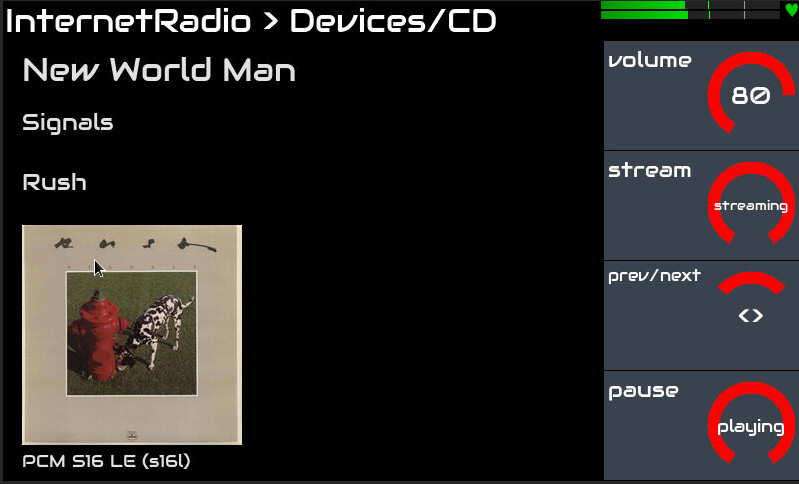
I have a patch for Internet Radio player to add CD but it doesn’t recover from the CD being ejected so needs more work to make this sufficiently robust. But I am able to play a CD and it shows some metadata too…
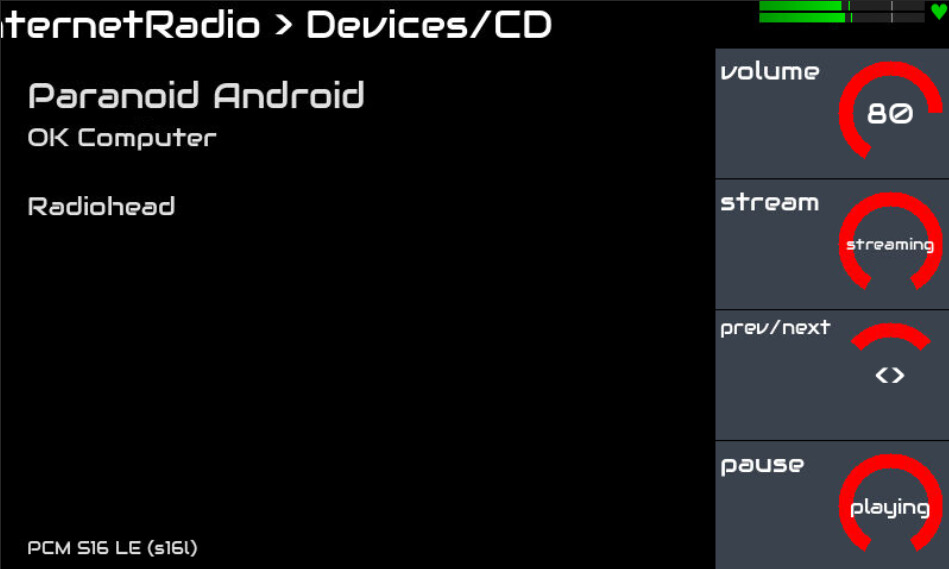
I pushed my patch to Vangelis. It does work (thanks @jawn for proving this) but it is still only a PoC. What works:
Detects if a CD drive is connected (only checks /dev/sr0) and shows Bank “Device”, Preset “CD” of found.
stream toggles play (from start of track).
prev/next play the previous and next tracks on the CD. (Wraps at end, i.e. next from last track will play first track and vice versa.)
pause toggles pause/play.
random enables random track selection.
Ejecting the CD whilst playing tends to break things. I haven’t looked into this yet. (Anyone else is invited to try to fix this!)
I also fixed some layout issues with the display. The title is now fixed to one line, i.e. does not wrap. It will truncate if too long. (I would like to scroll it but didn’t have time today to do that.)
Info occupies most of the display and wraps text. If it is too long it is likely to bleed into the bottom text.
Bitrate, CODEC and channels are at the bottom of the sceen.
[Edit] Pausing before ejecting works. Changing disc does not update the metada, i.e. you still see the names for the previous disc. I need to see if there is a way to detect CD changes which may fix both of these issues.
VLC has an annoying feature that when a stream closes, it ends its jack client. Internet Radio processor copes with this by detecting the change of state and reconnecting the new client when it starts. This is okay for a slow operation like changing radio channel but it is intrusive when switching tracks on a CD. (Yes! It restarts the jack client between CD tracks!!!) I have spent some time today trying to optimise this bit of the code but it is kinda fruitless because the problem is with the intrinsic design of VLC. Even a fully optimised solution would put holes in the audio of continuous tracks (think concept album) and every jack client and graph change triggers xruns.
I have found that mpv may be a suitable replacement for vlc. I can’t remember all the reasons I switched to vlc but it gave some significant benefit and I was able to work around its issues. It looks like I can do all the same things with mpv:
Play internet streams (I haven’t tried them all yet).
CLI for control (as well as direct keybinding control.
Switch streams (without restarting jack client).
Play CDs (yay!).
Get meta data from the stream.
Control volume, stream, prev/next, pause, random.
It doesn’t download artwork (like vlc does) but that was a feature I just added because it looked pretty and was low-hanging fruit. It isn’t essential and there are ways to do that. Similarly vlc will fetch CD details (title , track names, etc.) which mpv does not but this can be done with other modules if required, e.g. querying MusicBrainz.
I have managed stop it unexpectedly by providing an invalid URL so I would need to watch this… but that is detail! I will look to see if mpv is a better implementation. I haven’t tested gapless audio yet but suspect it will work (at least better than vlc).
Oh dear! The version of mpv in Debian 12 is 0.35. (0.4 in Debian 13). Current release is 0.41. The version we have is prone to failure, especially when using a CDROM drive and even more especially if that CDROM is suboptimal. (It has been a long standing issue in linux (that I had hoped was resolved) that a hardware io device that becomes unresponsive can impact the OS dramatically.) Also, this version does not allow navigation of tracks within a CD. The application sees the separate tracks but combines them into a single stream. You can move through this stream forwards and backwards and play it at different speeds without changing pitch (which is pretty cool) but you can’t jump from track 1 to track 2 which is the behaviour one would expect. I think this might be resolved in later versions.
Compiling later versions is proving challenging due to unmet dependencies.
I like mpv as a contender for our general audio playing as it handles files and streams nicely but it may not be such a good solution for playing CDs, at least not this version.
[Edit] There may be a workaround for CD tracks. I can jump to specific time in the stream so if I can deduce the start time of each track then I may be able to use this to skip to next/previous track… but there may be undefined silence between tracks.
 - you know the drill… Kind of like having the already working Internet Radio player in the background.
 .
.