Hi all I’m new to this and need some help…I just built my V5.1 and had it running without issues. I went to web config and tried to enable more engines but not all appeared on my Zynthian even after they are enabled. I tried to start from scratch and only enabled the ones I wanted but I can’t even enable LinuxSampler and Pianoteq at the same time! Is it a common issue for this kind of engines conflicting each other? Is there a fix for this? Please help! Thank you!
Hello @denischeung , welcome! Congrats on successfully building your V5.1. I’m not aware of this being a common or even a known issue.
You certainly should be able to enable multiple engines at the same time. Pianoteq of course will deliberately have (I believe) a random silence issue after a while if it is in ‘demo’ mode AKA unlicensed.
Are you running Oram stable, and have you updated the software?
Which engines are you trying to enable, and what do you mean by “conflicting each other”?
Can you post a screencap or a picture of the webconf main screen or ‘dashboard’ please.
1 Like
Hi @tunagenes thank you so much for your reply. Yes I am running Oram stable 2506.1 and have updated the software. In web config, I clearly have LinuxSampler and Pianoteq enabled (by default it was already enabled), but on my Zynthian v5.1 they and some other engines which were enabled by default did not appear under MIDI Instrument/Synth (see pics). So I guess some engines are in conflict with each other, you can’t enable them at the same time. Is there a fix for this?
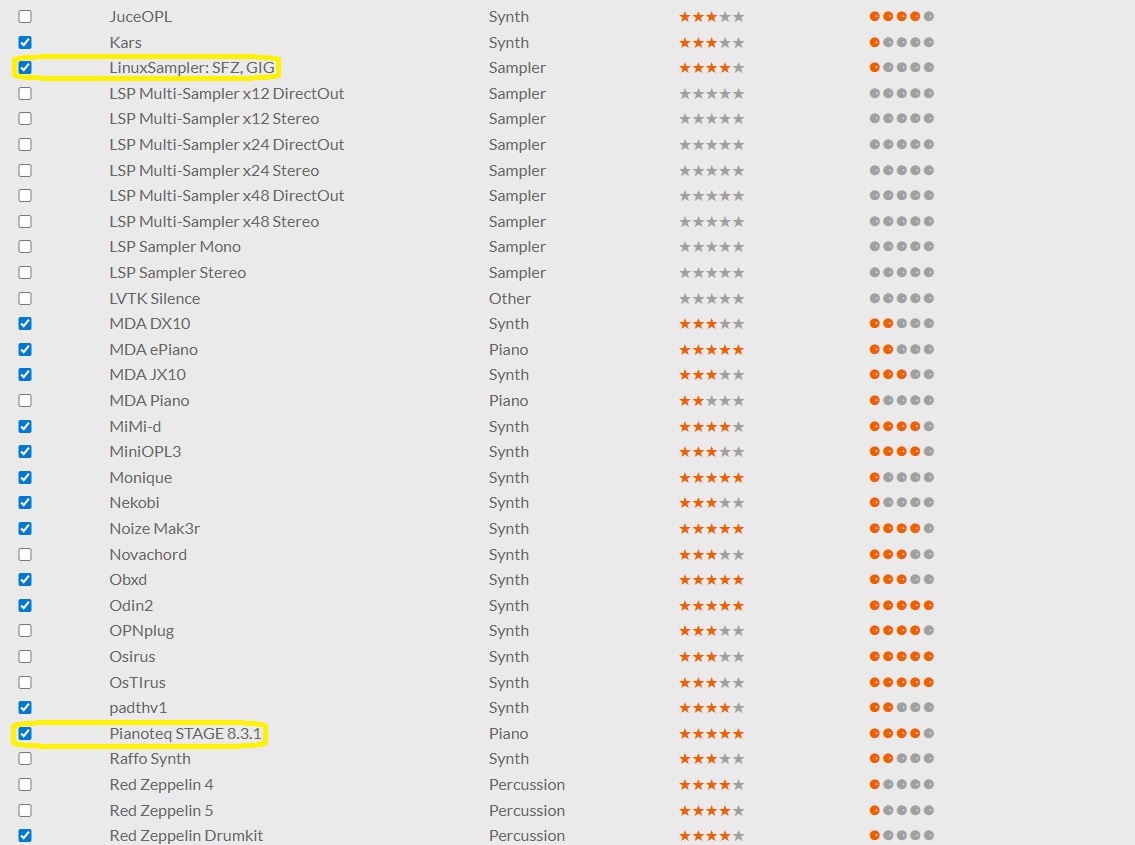
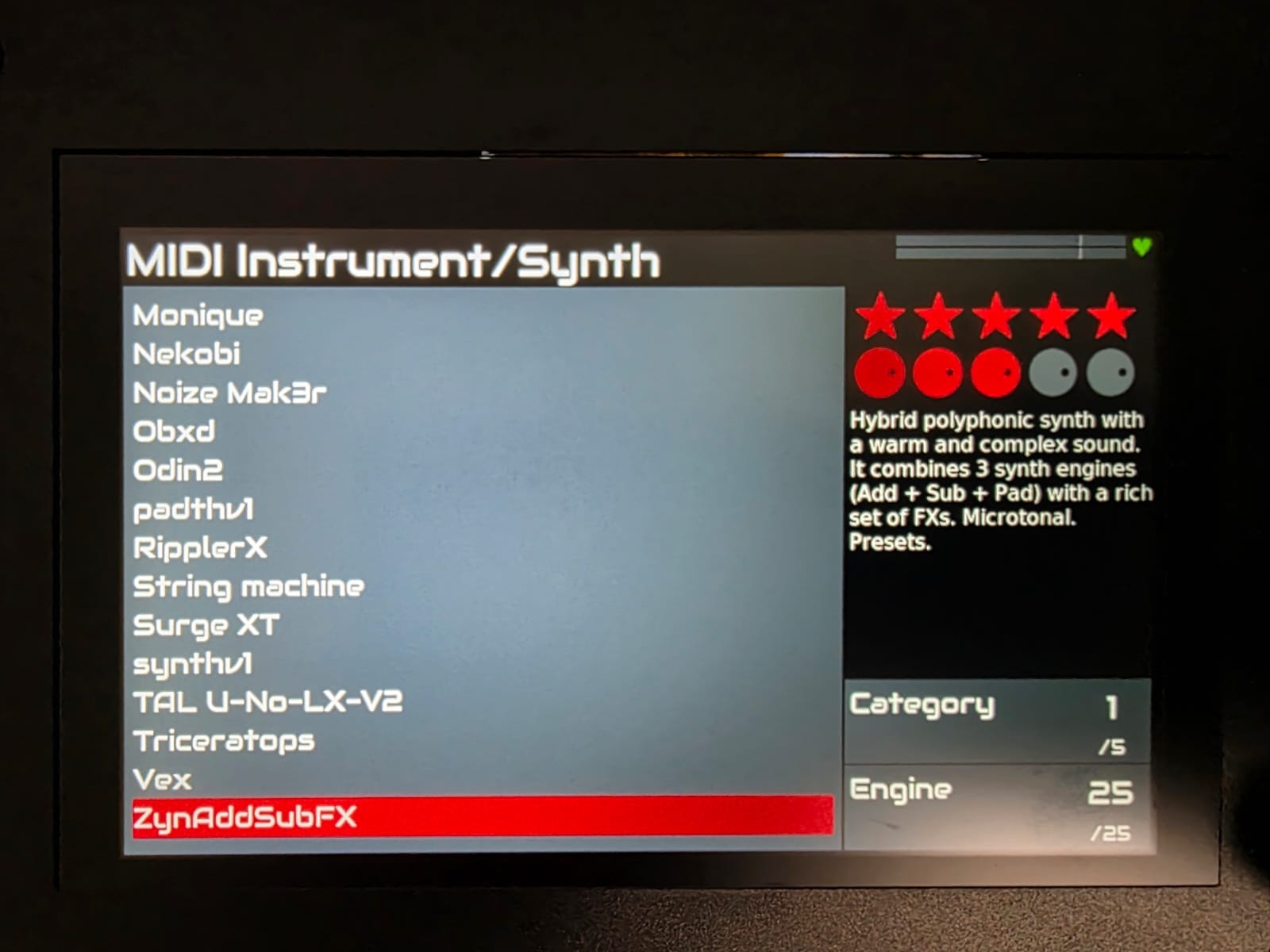
1 Like
Ah, it’s a very common problem that people don’t realize there are different categories of instruments. So Pianos and Synths and Samplers are different categories,
See the Oram User’s Guide, or just try turning the “3rd” encoder.
https://wiki.zynthian.org/index.php/Engines
2 Likes
oh I got it now, thank you so much for your help!
4 Likes