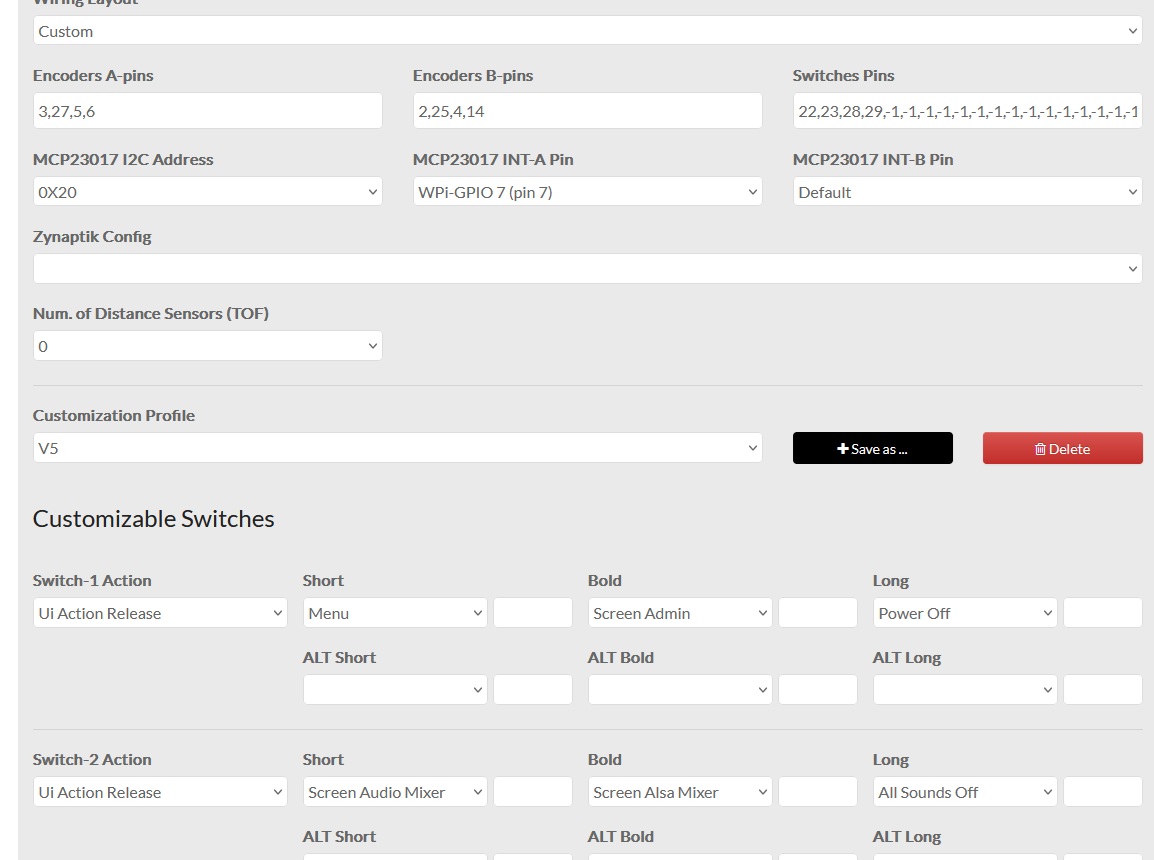
The legendary Zynthian geniuses know Lanfranco doesn’t understand much about these things, and they’ll be patient with me. I switched from Vangelis to Oram, and after a few months back to Vangelis, and now the encoders work, but the switches no longer work. My Zynthian uses an MCP 23008, and I’m using the V5 configuration on a Raspberry Pi 5. The encoders and switches have always worked, along with the touch screen. I tried running the gpio readall command, but I get an error. Has something changed in the language?
I’m attaching an image of my configuration… the INT pin of the MCP23008 is on pin 7 of the Raspberry Pi. Thanks for any help.
P.S.
The encoders are connected directly to the GPIO, so I assume the problem is in the MCP communication…
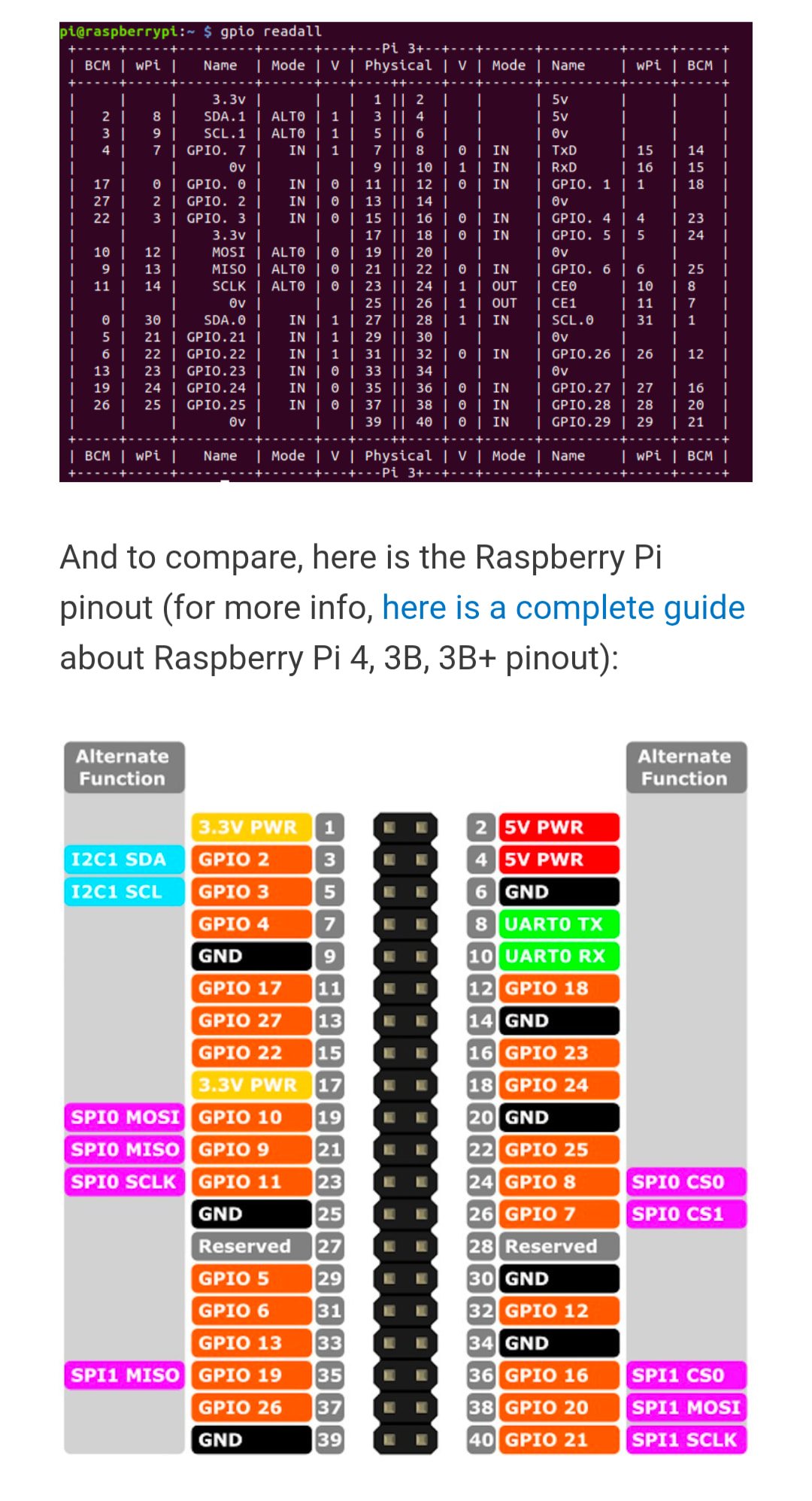
Hi @Lanfranco , can you double check you are using the wiringPi numbers? And maybe also first retest with a config of just one connected button instead of the full config?
So the wiringPi numbers are the ones in the wPi columns below.
Thanks @jawn ,I have this GPIO schematic, but to be honest, I used my connection diagram from the Raspberry P4 (my first Zynthian) on the P5 and it always worked perfectly. I obviously wondered why, but for a couple of seconds… not being a good computer scientist, when I saw that it worked I stopped asking questions…
Has something changed in the language???
I read that the MCP 23008 is no longer compatible with the new OS?
Hi @wyleu, I have an MCP 23017 in the drawer but I remember that I was unable to get it to work.. is there any modification I need to make for it to work? I’m assembling it now.
This confirms the 12c connection but doesn’t really extend to testing either the interrupts or the encoder switch wiring.
The only tool easily to hand to actually check functionality is the zynthian itself and that’s a bit all or nothing in such situations.
We would really like an intermediate tools to exercise the various registers of the MCP34017 to reveal more relevant information.
There is the rabit hole mentioned here ..
Apparently on recent devices there is a problem with using A7 & B7 as inputs.
Hi @wyleu, my MCP23017 is already mounted on a circuit board. After moving, I don’t have the space to create a PCB with my CNC. I’m connecting it now and seeing if it works. Thanks a lot to you and @jawn .
Thanks, I need more info. The pins to write on Webconf for MCP Int 1 are 100, 101, 102, 103, 104, 105, 106, and 107, then those for int 2 continue with 108-115? I don’t remember.