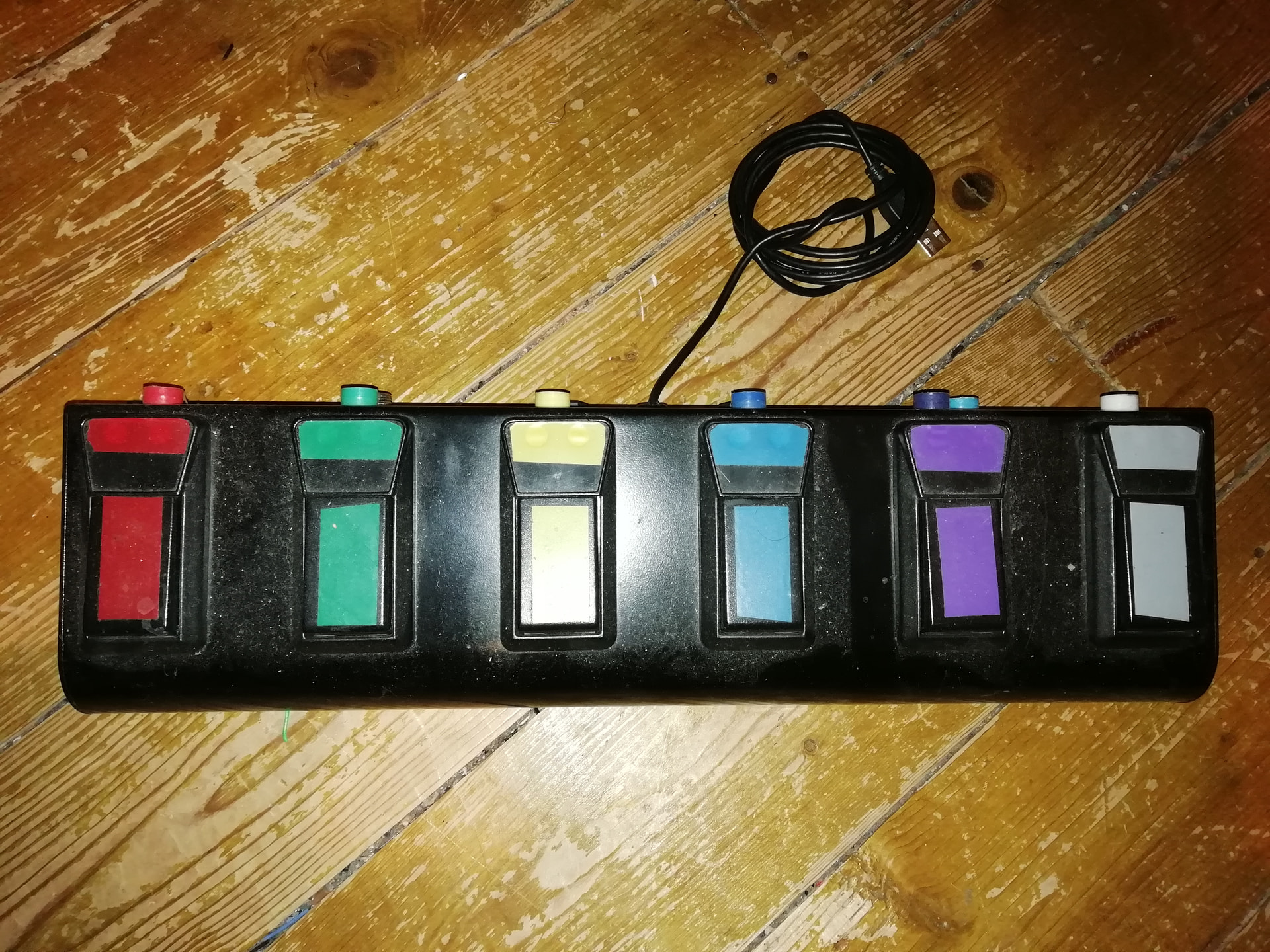
Yesterday I found an HID footcontroller that is intended for transcription software at a thrift store, for just a few bucks. It’s got three pedals: two small ones at each side, and a broad one in the middle. It’s mighty sturdy.
Of course, my immediate thought was to control Zynthian with it.
For simple stuff I can make a udev rule and so on to present it as a keyboard. But the stuff I’d like to control are at least the following:
cycle through zs3’s
rec/overdub sooperlooper (or trigger the single pedal control - of which I don’t like the pause function - but that’d be another issue of its own).
cycle through sooperlooper loops
The first of this could be done by adding a CUIA to cycle (zs3_next stops at the end now). But the rest are more difficult (tied to a specific processor which may not even be available).
So I thought about presenting this as a USB device to the Zynthian (outputting note on and off events, or cc 0 and 127 values), so that:
it could do midi-learning, and/or:
I could write a device controller for it.
The last would mean I could e.g. use the left pedal to cycle through modes, getting all kinds of stuff done.
Now I can’t seem to find out how to present this as a USB Midi device, so that Zynthian recognizes it as such. Kernel driver writing is something I’ve never explored, and would like to steer clear of.
Does anybody here have any tricks up their sleeve, or alternative solutions that could be cleaner or of more use to more people? Generic HID->MIDI layer, ctrldev drivers for virtual MIDI devices? HID-ctrldev? Anyone want to use a joystick for pitch-bend? Adding a CUIA that issues MIDI CC events to current chain/global?
I did it with a converted Bugera footpedal board and a Blue Pill STM32 chip. Even managed to drive some WS2813 RGB LED’s which echoed the overall colour scheme. . .
I had plans for zynthian ctrldev, but I discovered the reason the pedals were so cheap was because the switches didn’t properly make it they were tilted. Took the wind out of the project .
If you want to do things via USB Blue Pills are good but I now prefer Pi Picos. Either will allow you to open multiple usb components so you can have a QWERTY Interface, MIDI & UART all over the same USB connector, and still programme it that way in the Pico’s case.
optional CC value for keyup. If no param for keyup given, no event fired on keyup.
Is something like this feasible to be implemented @riban , @jofemodo ? If so I can make a feature request (and maybe have a go at it, time permitting).
Are we talking about sending MIDI CC, triggered by a computer (not musical, e.g. QWERTY) keyboard using Keyboard Binding? This is already possible, although the syntax is odd (and probably flawed)!
Action = ZYN_CC
Params = CHAN, CC, , VALUE
The same value is sent on press and release. This feels like an implementation for something else from which the keybindings benefits so may not be optimal - but see if it gives you want you want.
I put a dummy value in but empty should also work. The code around this is a bit odd so I had to work out a config that would work with the code. We may tweak the code to be more sensible if we agree a requirement that does not break other workflows.
[Edit] The 2nd param is the press value. The 3rd param is the release value. Nothing to change. It works as requested. I just didn’t understand the way the code was written.
I made a project (entirely written using vibecode) to use my PS4 controller to control Zynthian. It can both emit MIDI notes/CC and send CUIA commands.
It’s still quite experimental, but it should help in some way.
How it works
HID input (src/ps4/ps4_input.c) polls the DS4 controller via HIDAPI and converts raw reports into higher-level events like button presses, axis movement, and touchpad positions.
Mappings (src/app/zynps4.c) load a config file (per mode) and translate those events into actions:
MIDI Notes / CC / Pitch Bend over JACK.
CUIA commands via OSC UDP to Zynthian on port 1370.
Mode switching is handled internally: holding PS enters “change mode” and the DPAD picks one of four configs.
Just tested it. Used values ZYN_CC 0,4,127,0 for KeyD, globally MIDI-learned SooperLooper Single Pedal to CC 4.
ZYN_CC 0,5,127,0 for KeyS. Globally MIDI-learned SL next loop to CC 5.
And bound KeyF to next zs3.
And udevved the device to Send S, D and F.
And it works! No lag. Well, still gotta really record some stuff, but it looks fine.
I first started with function keys (F10, F11 and F12), but although these could be bound to other CUIA, they did not work with ZYN_CC (no MIDI event fired).
Note I only yet tested that with Oram.
I think it could be nice to have a ‘cycle chains’ CUIA.
Cycling zs3s I have also got as a concept. Don’t know whether to better overload or redefine ZS3_PREV/ZS3_PREV or add an extra CUIA ZS3_CYCLE.
I’ve just tested on Oram - no lag. And then back to Vangelis, again around 4 seconds lag. And then i found out that it was because i had no value for parameter 3 (empty) and that caused the lag. So now - no lag in Vangelis. Third (probably all) parameters needs a value
You update to vangelis using webconf, and then you set the touch interface to the right side, in the display settings screen. I’m not at a computer right now, hopefully that answers your question.
edit: Here’s @lanfranco ‘s post re turning on the touch screen buttons on the right and bottom:
Hopefully the link works, I’ve had trouble with that lately…
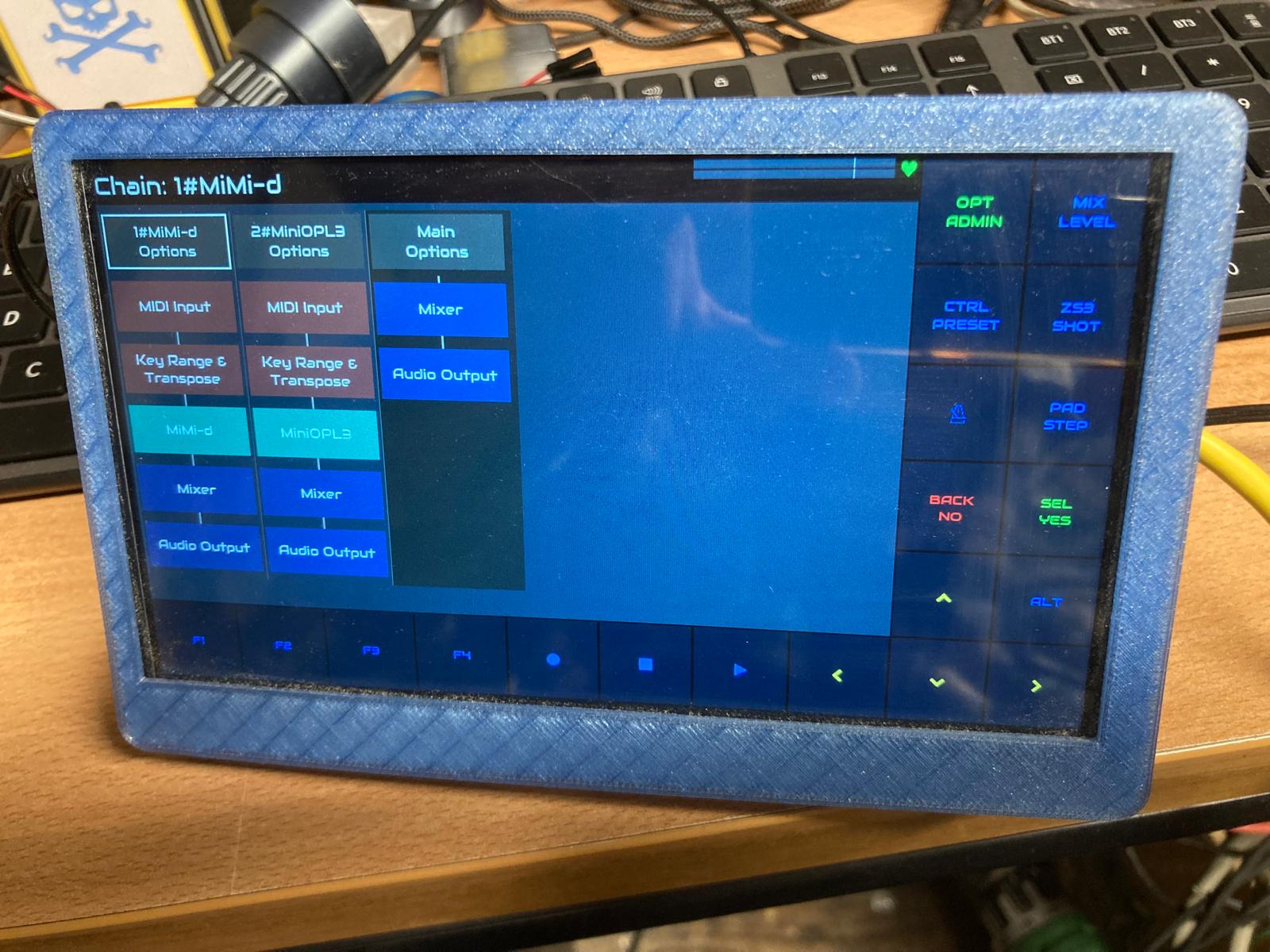
It depends on what you mean by, “look like this”. If you just want the buttons around the edge then there is no need to move to Vangelis, this view is available in Oram. In webconf, INTERFACE->UI Options, select Touch Navigation=V5 keypad at left and to change HARDWARE->Wiring Customization Profile=V5 Zynface. If you want the chain manager view (graphical blocks representing the chains) then that is only in Vangelis.
I am slowly wrapping my head around the new Vangelis interface, on one of my customs Pi5 Zynths, to try and do some testing. At the moment I am controlling the screen operations with a mouse, but once come to terms with the new functional concept, I will surely arm one of my keypads with pots through CUIA key-bindings.
As of now, if I enable touch navigation and V5 left/right keypad concurrently, I get Software Error on update+reboot. Should I also activate the V5 Zynface wiring profile, even if I’m not working on a touchscreen?
Furthermore, the behaviour of the cursor on-screen seems rather unpredictable, and very different from Oram, to the point that I have to use keyboard key-bindings to reach most Vangelis functions.