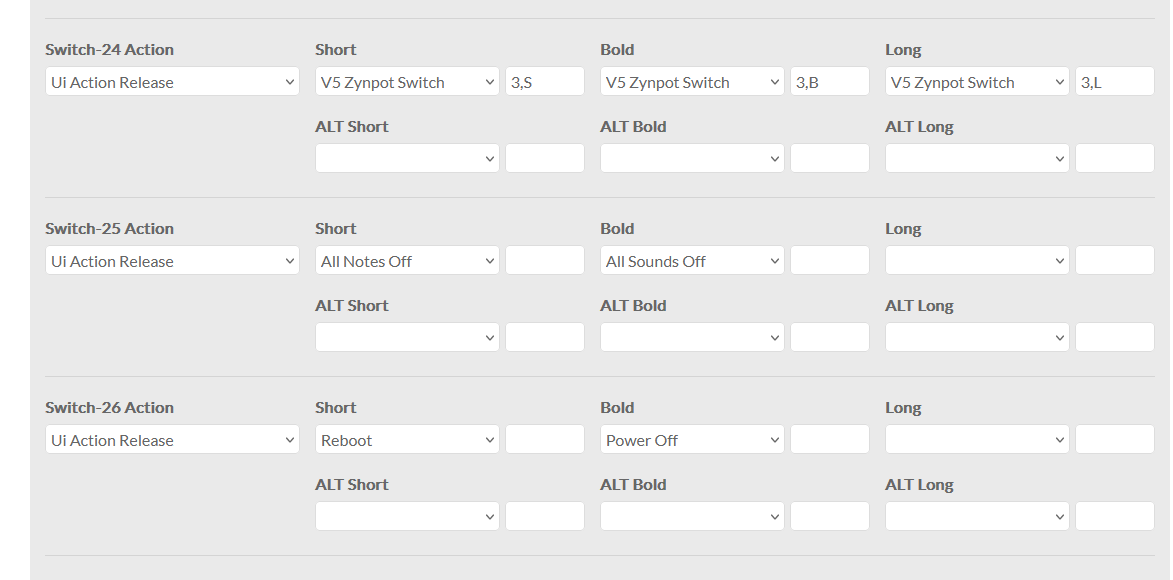
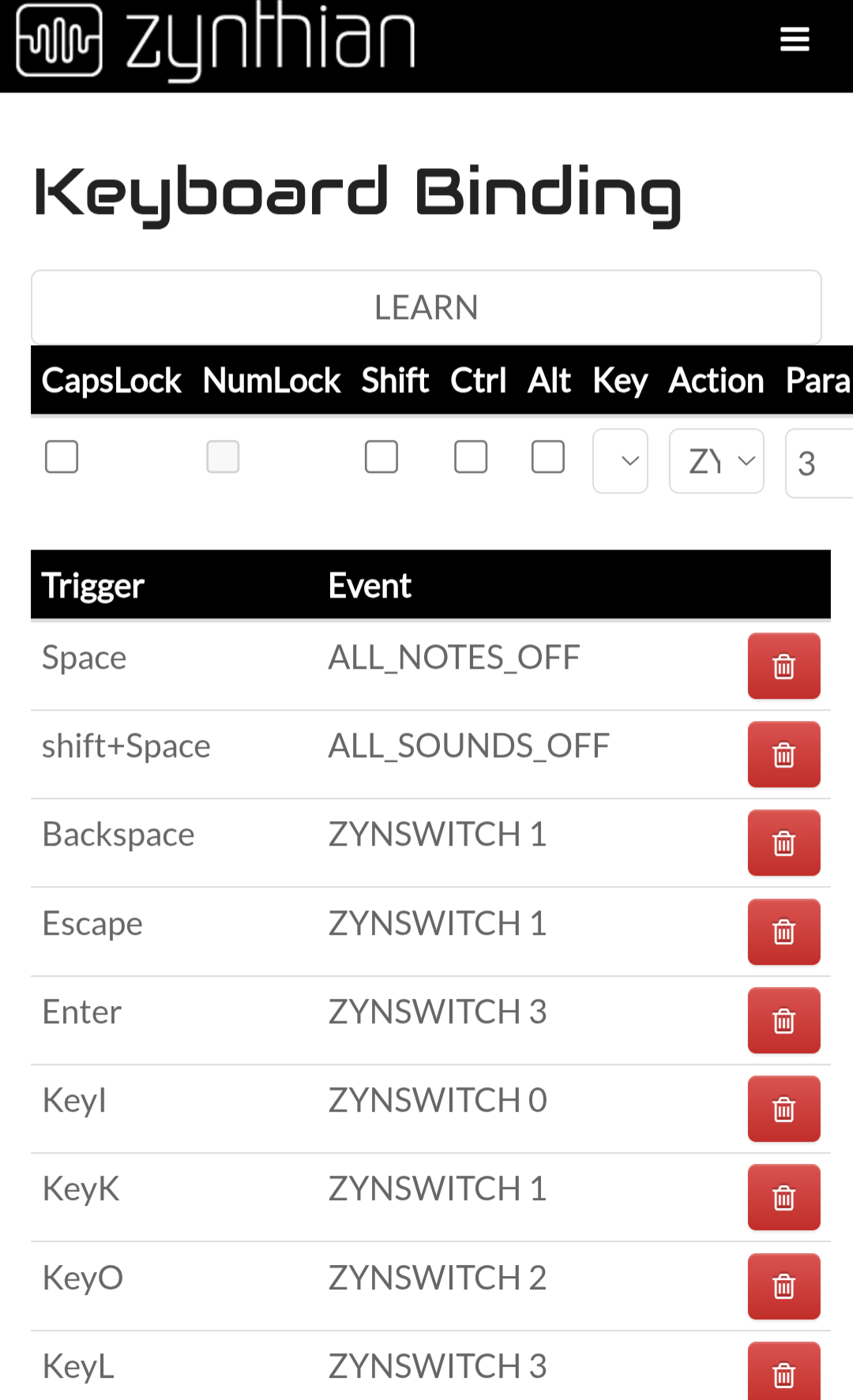
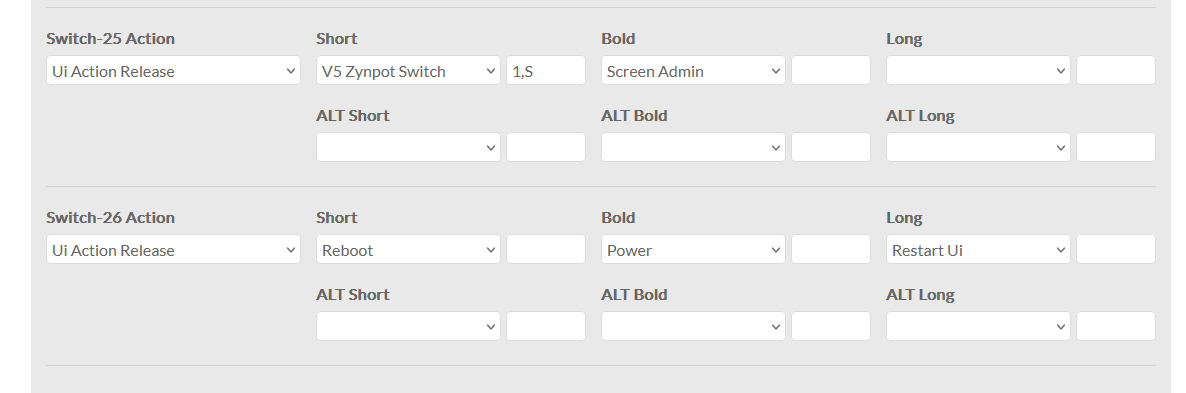
Is there a reason there are only 26 actions defined in Webconf/Hardware/Wiring for V5 wiring? Of course, only looking at the number of buttons on a V5 kit that is enough, but the Wiring table is not only a description for V5, but also a linking table for USB keypads. It connects a keypress to a Zynthian action.
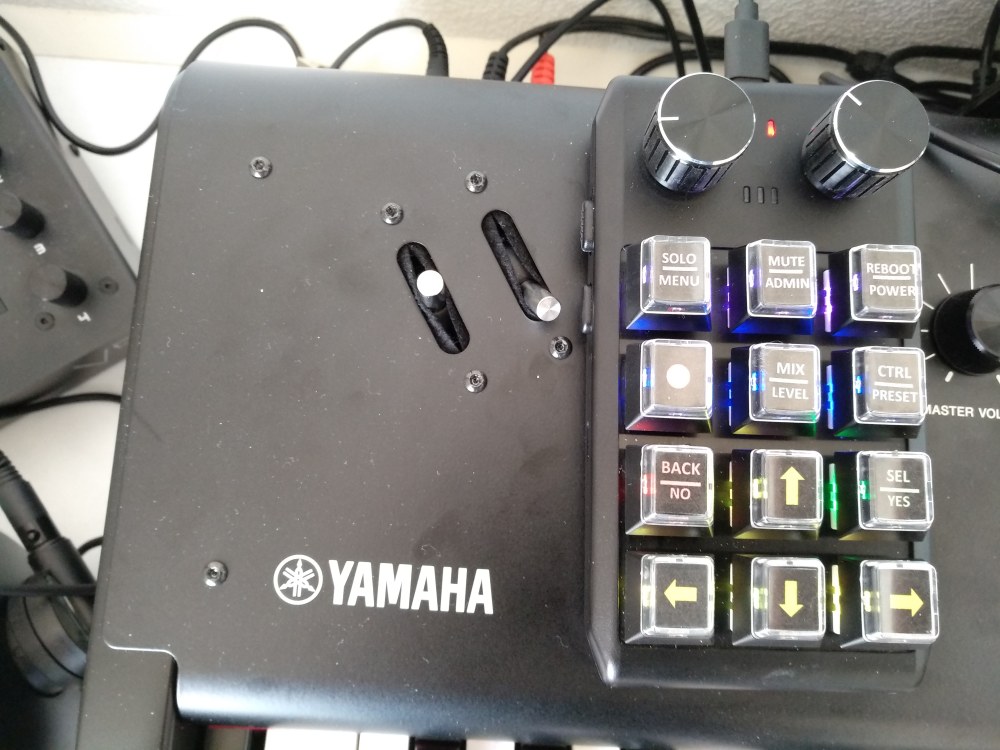
For my keypad, I want to reorder some actions to fit in the limited space of the keypad. I have two spare slots (25 and 26) in the wiring table, but I would like to have some more.
From memory: the actions are determined by the number of custom Switches GPIOs on the wiring configuration. For a predefined kit like V5 this is hard coded, but you should be able to extend with a custom setup.
Indeed, the quantity of hardware button actions is defined by the quantity of buttons defined and you can extend this with dummy “-1” entries but…
HID keyboard actions are mapped separately. You can set a HID key to mimic a hardware button but you can also configure it to perform the action directly. The former is mostly to allow a hardware button configuration to be mimicked by HID events.
I know that. But the config table is not only used to describe the V5, it is also a table that connects the Keyboard Bindings (Webconf-Interface-UI Key binding) to the inner workings of Zynthian. If the Keyboard Bindings refer to ZYNSWITCH 29, the working of ZYNSWITCH 29 is described in the Hardware Wiring table. And it is possible in the Keyboard Bindings to define a button that is not present on the V5. Fortunately there are now 2 spares, but a few more would be welcome.
Of course I could define a completely new table for my V5, but I would rather not do that.
Well, actually I selected the V5 wiring because I have a V5
I use the keypad on top of my CP73 as a remote control, but because space is limited I had to reorder some of the commands, and I would rather keep the original rubber V5 buttons working as they were.
That is (partly) correct. But the actual definitions for the top 3 buttons (and the encoders) are in wiring config.
Keyboard bindings only allow to select a button or an action, but no short/bold selection with different actions