Issue with V4 stereo audio input

Hello good folks :slight_smile:,

This is partly a follow-up to a previous solved subject, but from an evolved perspective:

Context: the polysynth with mono output mentioned in the previous thread is now joined by a sibling. Thanks to a clever software solution, which I will not expand on here, I am able to drive the twin instruments with a variety of interesting poly/dual/split combinations, as a substantial 16-voice analog contraption.

I want to use my V4, which is perfectly suited in terms of size and physical controls, as a convenient FX processor. My routing design is two audio chains slightly panned L-R, each receiving a mono input (respectively Input 1 and Input 2 only), sent to Main Mixbus and spread in a stereo field, after appropriate ambience and spectral audio treatment.

Problem: irrespective of the type of cabling employed - duly reflected by the setting in the Hifiberry 1 and 2 input mode of the Audio Levels (Admin) screen - I get a loud humming noise on the Left channel/Input 1, either with balanced TRS or unbalanced TR cables. The issue persists if I switch the audio sources, exchanging which synth goes to the Left and Right audio inputs: the hum keeps on coming from Hifiberry audio 1/L. The only way I manage to get rid of the noise is if I configure both audio inputs as TRS (in Audio Levels), but in this way I lose completely the audio from the instrument on the Left/1 channel.

I have checked that the result doesn’t change if I arm a stereo Audio Chain with both L+R audio inputs, or I set two audio chains to mono mode, in both cases possibly having to renounce the ability to pan and spread a double stereo signal with FX, which is my primary goal anyway.

Where should I look to solve this strange issue? Is there something wrong with my audio routing? Am I intercepting unwanted interferences with 3 mt cables?(unlikely, because they are of good quality and well shielded, and the problem stands with TRS balanced wiring).

Before stripping down my V4 to possibly look into a hardware failure of the ADC section, which I would probably lack the technical expertise in electronics to do, I wonder if there is a simpler answer to this malfunction, or possibly an ALSA software misconfiguration.

Thanks for any possible bit of advice.

Cheers :rainbow:

1 Like

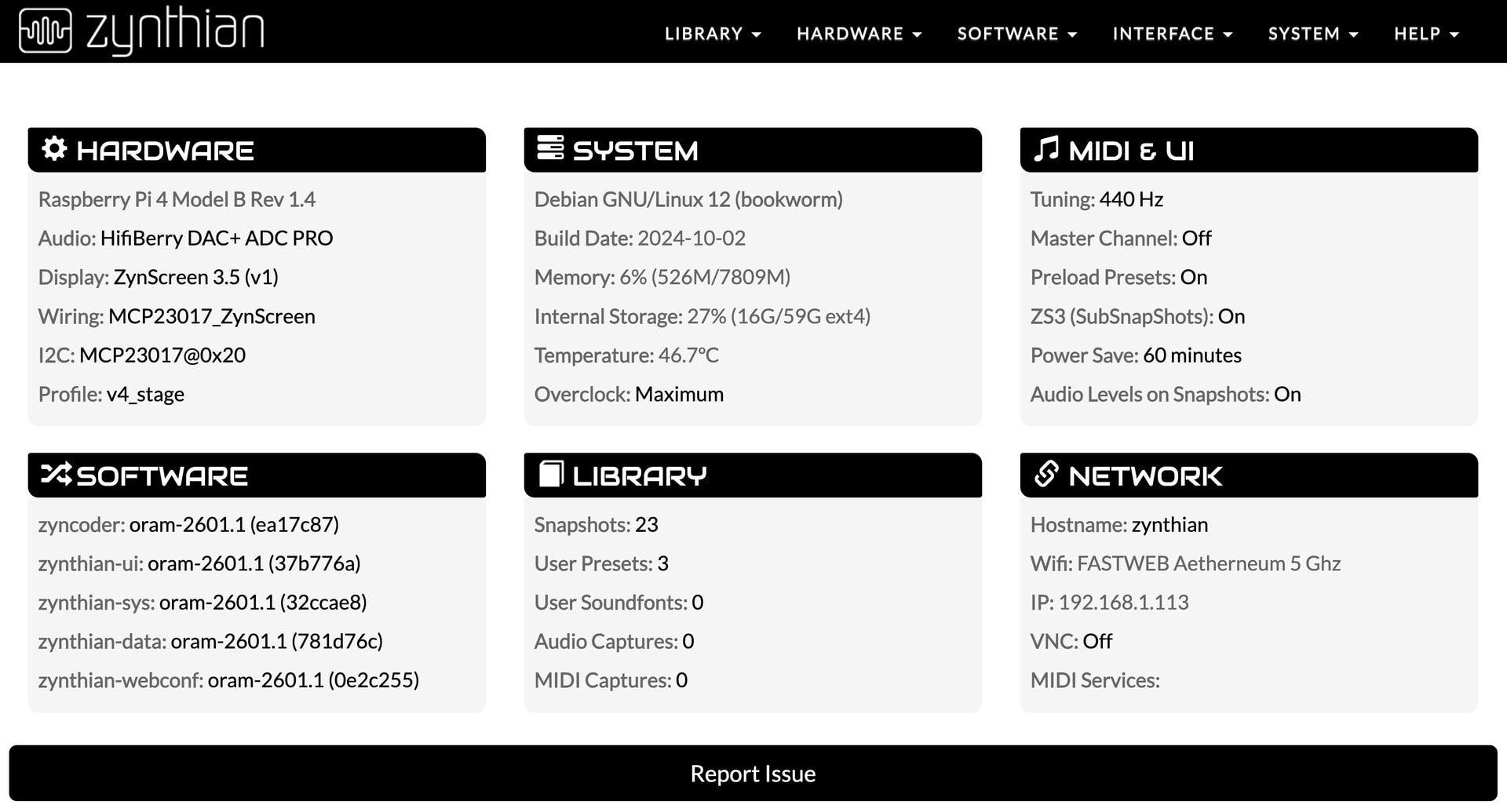
Addendum: forgot to specify that the V4 is on latest Oram Stable 2601.1.

As a side note, and to avoid possibly wasting uselessly someone’s time, I checked that the two synths mono outputs work as expected (without any hum or noise) if connected directly to the mixer, or to the audio inputs of an audio interface.

So, by exclusion, the issue is necessarily somewhere in the V4, either in my audio routing (that I double-checked and seems alright) or in the internal audio hardware. I will have to open it, and peruse if some cabling appears to be wrongly/poorly connected. Otherwise it might be, unfortunately, a Hifiberry hardware failure. Let’s see :slight_smile:

What is the value of the input mode in the alsa mixer view? Is it the same for both inputs?

Yes @riban, I set in the same way the two input channels. Be it TRS mono or TR unbalanced, or even TS unbalanced (which wouldn’t be the case anyway with my cables), I configure the two audio channels equally. The only way I get rid of the (loud) noise is setting both inputs as TRS, thus losing the left channel. Furthermore, the issue appears unrelated to the intensity of the 1-2 input gain.

Later from home I will attach here the snapshot with the audio routing.

Cheers.

That doesn’t make sense to me. What cables are you using? I would expect a TS cable between each each device and each zynthian input to work. So two cables: one from synth 1 to zynthian left input and one from synth 2 to zynthian input 2. What happens if you configure both inputs as TRS or TS and only connect one cable to input 1?

Indeed, it feels to me completely inexplicable as well. As stated in the original post, I have tried with both unbalanced and TRS balanced mono cables. I’m not at home, but seem to remember that I already tried to connect only channel 1 or 2, with the same humming result on channel 1. I will check it later.

Regards :rainbow:

I am away from home this week so can’t listen to my devices but I have a V4 with external synth (VZ-1) connected to input 1 without hum or buzz. I am sure I have configured the input as both TS & TRS. I tend to use the T+R setting which allows for mono TS connection but also stereo-to-mono of a TRS stereo cable. Both of these have worked well for me.

Try connecting each of your synths, one at a time to input 1 with nothing connected to input 2. You may find that they behave differently which would give us another clue.

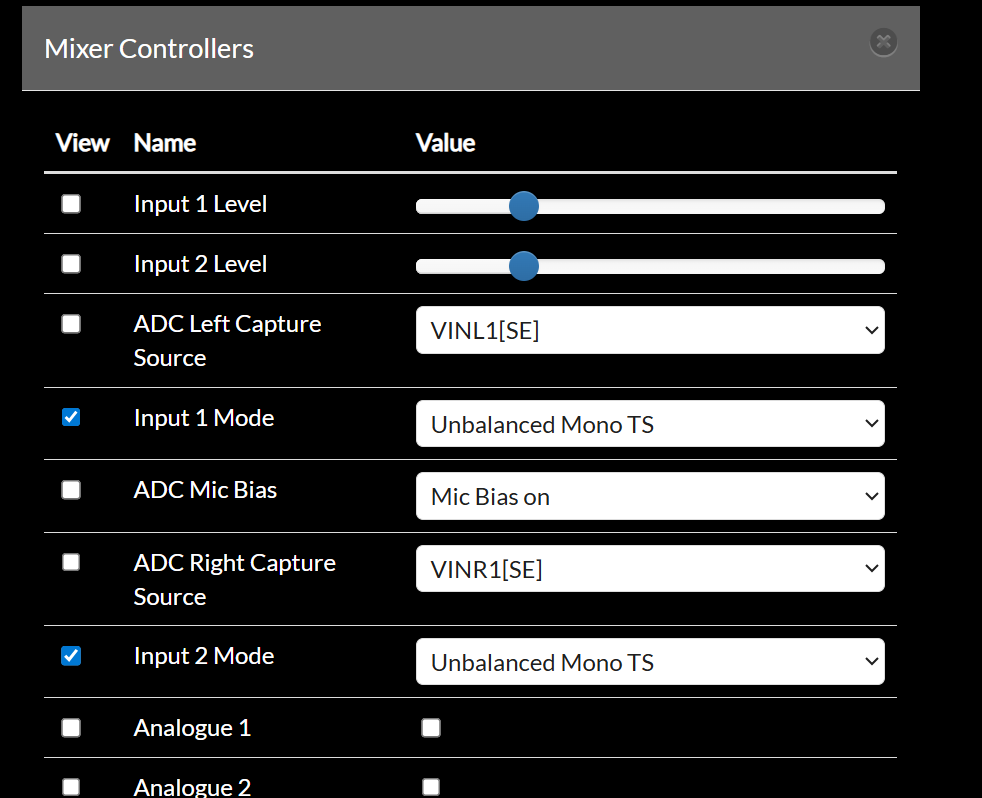
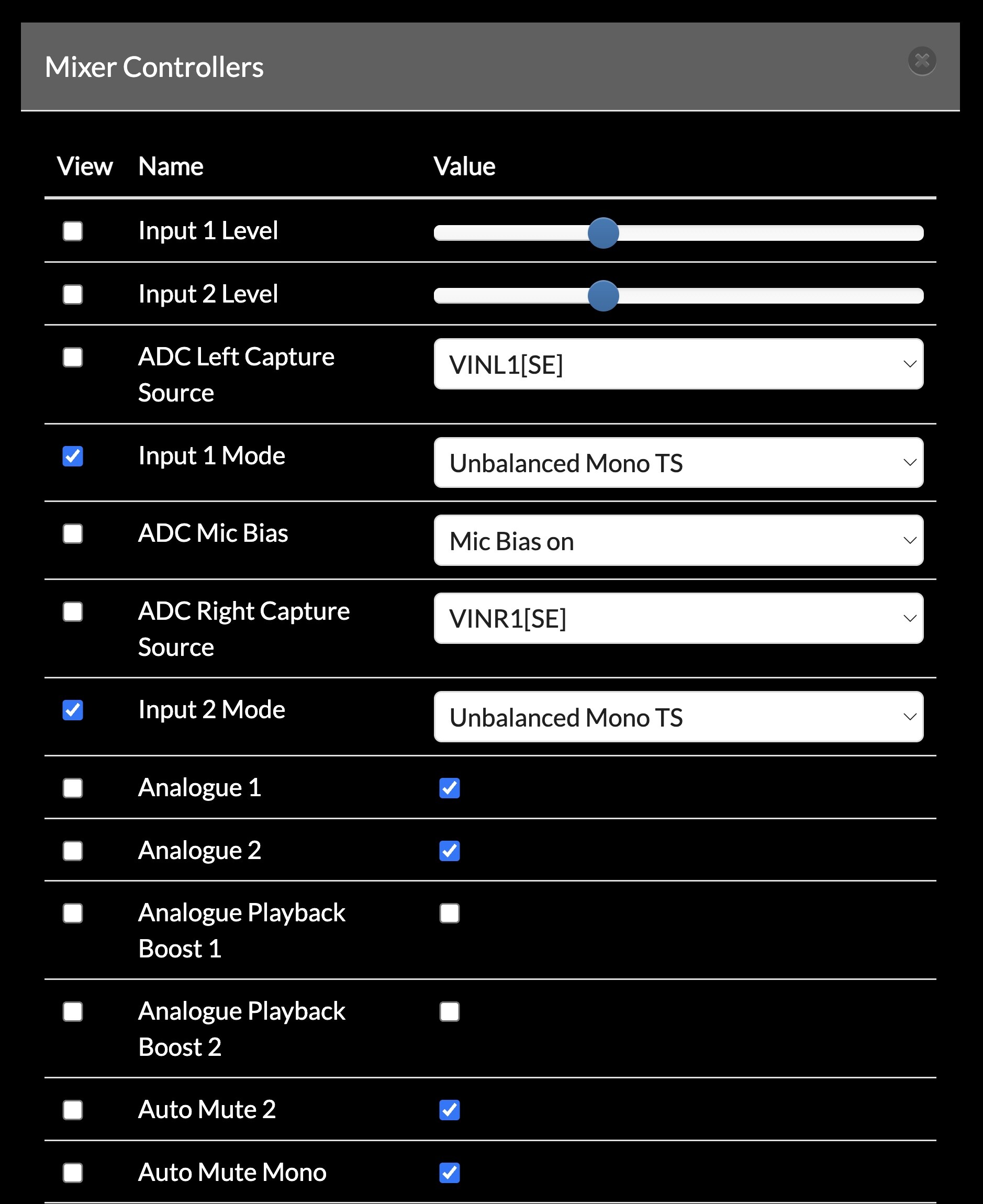
[Edit] Also look at the alsa settings for the soundcard in webconf. Not all controls are exposed to the UI by default and there may be a misconfiguration of a hidden control. You can adjust each control from webconf and you can expose and hide each from the UI.

This is how my V5 is configured:

but I think the V4 (that I cannot access its webconf today) has VINL2[SE]+VINL1[SE] which I think means:

  • VINL2: line input 2 (ring)
  • SE: single ended
  • VINL1[SE]: line input 1 (tip) single ended

It has been a while since I played with this so my memory of the actual settings may be off, but basically I want the tip and ring to sum for each input so that a TS mono cable will give mono (tip + nothing) and a stereo TRS (stereo TRS to 2x mono TS) cable witll sum the stereo source (tip + ring) to a mono input.

[Edit] Check out this post: Audio levels for dummies - #5 by riban

2 Likes

By the way (not directly related to the topic, sorry), is it possible to expose an alsa option to control the output level for the stereo out together?

Update: connecting just one synth to either Ch 1/Left or Ch 2/Right does not change the issue of the loud humming: Ch1/Left returns a strong background noise and Ch 2/Right is clean.

Furthermore, the only Audio Levels setting that allows to hear both channels is TS unbalanced on both 1 and 2, but - as pointed out - Ch 1/Left sounds overwhelmed by a booming hum, irrespective of the input gain levels. I am using Cordial CCI 3 PP mono unbalanced (TS) cables.

See attached the system dashboard on webconf, the ALSA mixer settings (that appear just like @riban’s) and the audio+FX routing snapshot.

Best regards :slightly_smiling_face:

020-Stereo 16 voice_double polysynth FX.zss (7.1 KB)

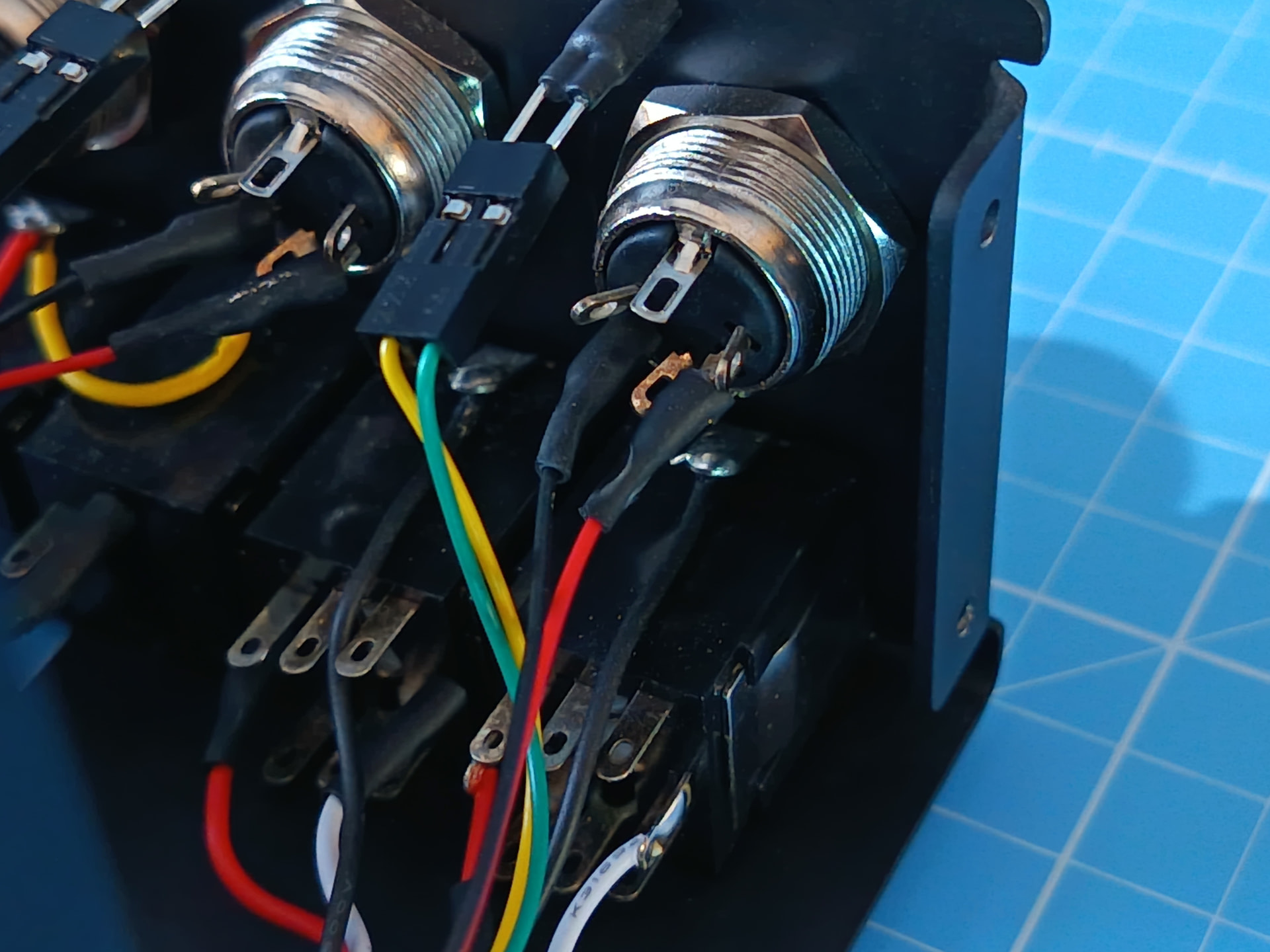
I would check for a dry joint on the socket soldering. Reflow the joint with a little fresh solder. Do so for all three joints.

1 Like

Thanks @riban. At this point, I too was starting to suspect that there might be some menial electrical defect in the audio input connectors. Will check tomorrow, and put some fresh solder on the joints.

Hum is usually made by ground loops or power supplies.

Or by loose ground connections on audio inputs.
This I’d test and check functional before going on.

Are signal levels OK? That is input not excessively amplifying while output of the sending device is attenuated? Turn up output and attenuated input can help attenuating stray hum.

If you use only class 2 no earth power supplies, you may find a solution with turning around some the mains plugs. With 3 devices you have 8 combinations of turned or not turned mains plug.

There could also be a defective power supply that has an excessive discharge current path to mains. To find this, unplug one power supply after the other until hum disappears, beginning the furthest away from the device with the humming output, if that device has others connected to inputs. Or make an Riso test from power supply output to L and N on all power supplies, for which you need to ask a technician who uses a device tester that measures Riso with 250V testing voltage.

1 Like

Hi @fussl,

Thanks for the heads-up :+1:. Of course, I’ve owned a fair share of stereo and audio equipment across the years, thus - in a context different from a V4 official kit - my first suspicion would have been towards a faulty electrical connection in the audio signal path.

Nevertheless, in this case I tended to exclude in the first place an internal audio hardware malfunction, also because the input section of this device is practically in mint conditions after assembly (which of course doesn’t completely rule out oxidations of circuitry in six years).

It also dawned on me that it could be a power supply issue, albeit quite strange because otherwise I would have had a series of other related malfunctions.

Anyway, thank you for the detailed and technically impressive list of hardware checks, which I will perform and let you know what I discover!

Best :rainbow:

I would have suggested looking for ground loops, etc. but the symptoms don’t support that. Using the same audio source, plugged into different input jacks without changing anything else gives different behaviour. That would point to an issue with the grounding of one of the connectors (left). It is plausible (but I think unlikely) that this is a hardware design issue with the audio interface but is more likely to be a dry joint in the ground connection of that socket. You could partially test for this by connecting two TRS cables, one to each input, not plugged to anything at the other end and measure impeadance between the sleeve of the two flying cables. This should be zero ohms. You could also measure the impeadance between sleeve and tip, and between sleeve and ring of each which should show comparable results (left and right), i.e. if you get 600 ohms on left you should see 600 ohms on right. (Those are just fabricated values - your measurments are likely to be much higher.) Also perform tests with each of the outputs disconnected (nothing plugged in) as there may be an issue with one of these that affects the input. (Again - unlikely but plausible.)

2 Likes

Thank you @riban, for this further set of potential liabilities of the V4 audio input section. My candid hope is that opening it and cleaning accurately the visible circuitry of the input section might suffice, to get a nominal signal on the left channel.

I’m afraid I don’t have at my disposal the electronic workshops tools mentioned in the latest posts, but I guess I can borrow them from an electrical tinkerer friend :wink:.

I will let you know something once I have removed the front enclosure of my V4.

Regards.

As for this, forgot to mention that, in order to maximise the signal/noise ratio, I had already set the input gains (1 and 2) to a reasonable 10 dB, living both output gains at the default normalised value of 100. Indeed, even varying to the extreme the two input gains, the humming noise issue is unaffected, since it only changes in absolute intensity following the amplified signal.

Cheers! :rainbow:

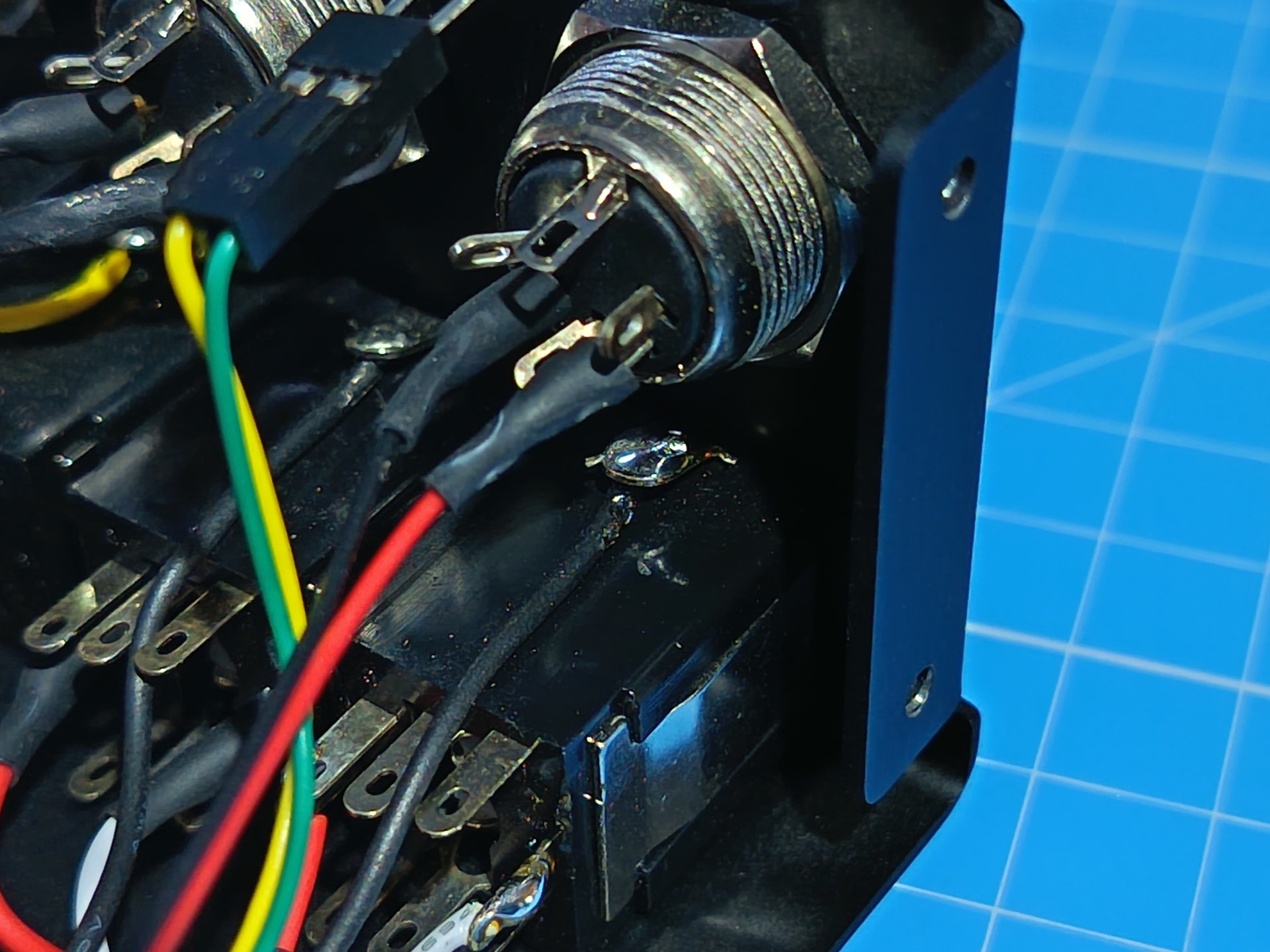
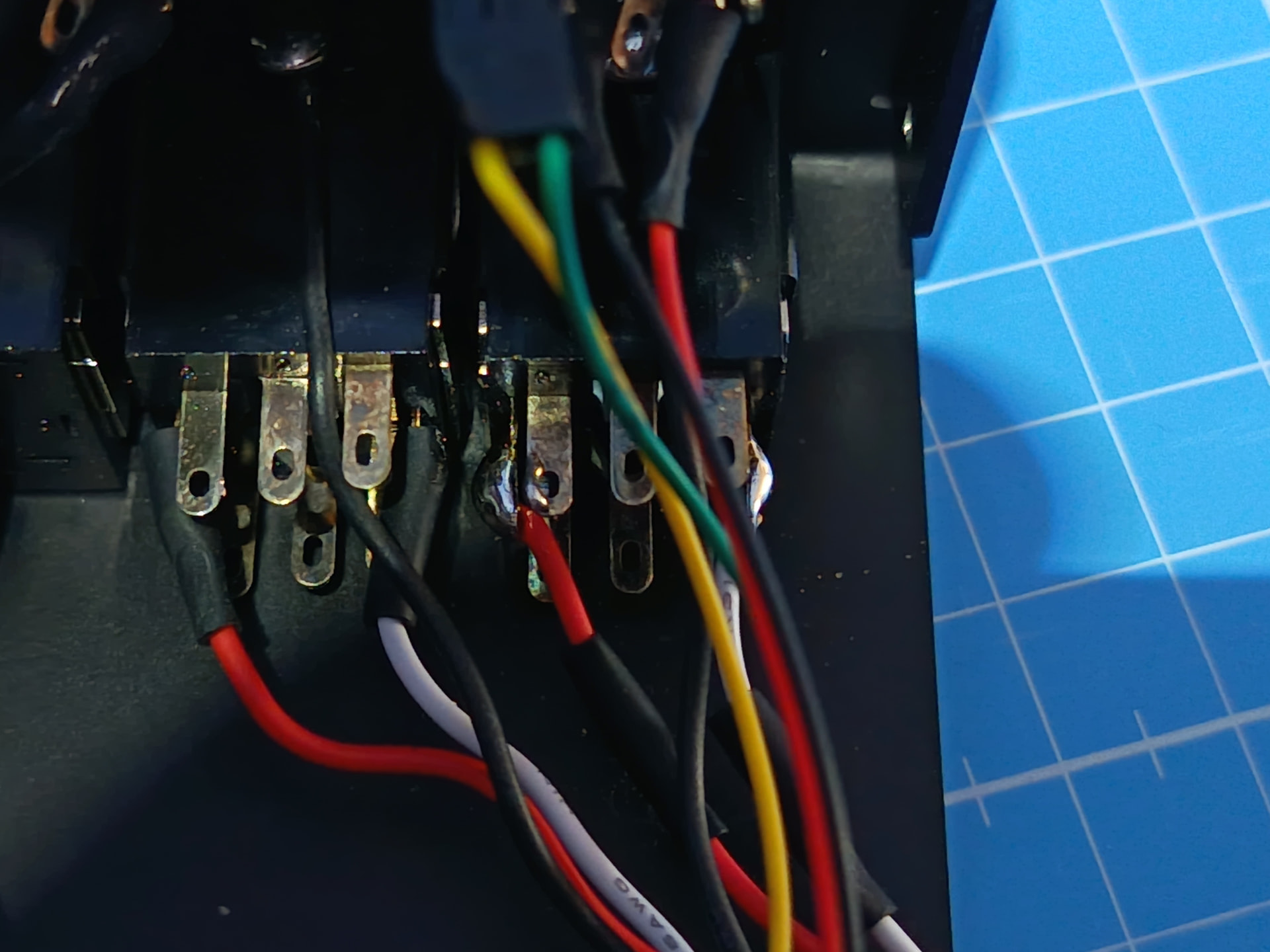
Outcome -

  • On the positive side: it is now ascertained that the source of the humming was the left channel input’s electrical wiring.
  • On the negative side: with my galactically mediocre soldering abilities, it seems that I managed to fry the Left socket innards or establish some brilliantly creative short circuit somewhere.
  • Result: now the audio input section of the V4 is finally crystal silent, but channel 1/L input is dead: long live Channel One!

@jofemodo, do you maybe have left in stock a replacement audio input socket for V4, with its red and white wiring and the black PCB connector? I am not sure that I could reliably source and solder all the right bits on my own.

Thanks to everyone for the offered advice anyway (yes I know @wyleu, this requires a Cardinal-size portion complete with espiatory nails and teeth).

Cheers :wink: :rainbow:

1 Like

Just as long as we understand the rules, ludicrous thou they are!