Be warned that this changes will be overwritten by updates.
@christmat, we need this yaml file to be placed somewhere in the config directory.
Regards
Be warned that this changes will be overwritten by updates.
@christmat, we need this yaml file to be placed somewhere in the config directory.
Regards
Thanks for the heads up @jofemodo. Also curious how you’ll be able to add an extra yaml file or configure your own, once the code is released.
@jofemodo
My PR has been updated to include a sensible location (I hope)…
I felt that the location for the mackiecontrol config files (profiles) goes here…
/zynthian/zynthian-sys/config/ctrldev-profiles/mackiectrl/
The default settings file is now Mackie Universal and not Beheringer X-Touch
When the driver is loaded for the first time a copy of the Mackie Universal Settings file is copied the the user folder, @jawn This is where you can do persistant changes.
/zynthian/zynthian-my-data/files/ctrldev-profiles/mackiectrl/mackiecontrol.yaml
Thanks, I’ll check it when this PR is merged. With the current latest vangelis I don’t see the new behaviour yet.
I just tested with the Behringer Motör 61 and it works nicely. If you have a Behringer Motör and want to try the mackie driver, please, dont’ forget:
1.) You must power your keyboard from the power supply to get the motorized faders to work. Powering from USB is not enough!!
2.) Check the Motör’s user guide to know about the details of Mackie Control integration. Specially this:
MC Mode Assignment Table
| MOTÖR | MC |
|---|---|
| Faders 1-8 | Faders 1-8 |
| Master Fader (9) | Master Fader (9) |
| Encoders 1-8 | V-Pots 1-8 |
| Pads 1-8 | No MC mode assignment (Pads keep the original assignments from the “Standard MIDI Mode”) |
| Transport Section (<<, >>, Stop, Play, Loop, Rec) | Transport Section (<<, >>, Stop, Play, Cycle, Rec) |
| Sustain Pedal | User Switch 1 (rear input) |
| Expression Pedal | External Control (rear input) |
| Pitch Bend Wheel | No MC Mode assignment (keeps “Pitch Bend”) |
| Modulation Wheel | No MC Mode assignment (keeps original assignment from “Standard MIDI Mode”) |
| Fader Banks 1-8 | V-POT Assign Track |
| Fader Banks 9-16 | V-POT Assign Send |
| Fader Banks 17-24 | V-POT Assign Pan/Surround |
| Fader Banks 25-32 | V-POT Assign Plug-IN |
| Encoder Banks 1-8 | V-POT Assign EQ |
| Encoder Banks 9-16 | V-POT Assign Instrument |
| Encoder Banks 17-24 | FADER BANKS Bank < |
| Encoder Banks 25-32 | FADER BANKS Bank > |
| Pad Banks 1-8 | No MC Mode assignment (same function as in “Standard MIDI Mode”) |
| Pad Banks 9-16 | No MC Mode assignment (same function as in “Standard MIDI Mode”) |
| Pad Banks 17-24 | No MC Mode assignment (same function as in “Standard MIDI Mode”) |
| Pad Banks 25-32 | No MC Mode assignment (same function as in “Standard MIDI Mode”) |
| Keys + all other buttons/controls | No MC mode assignment |
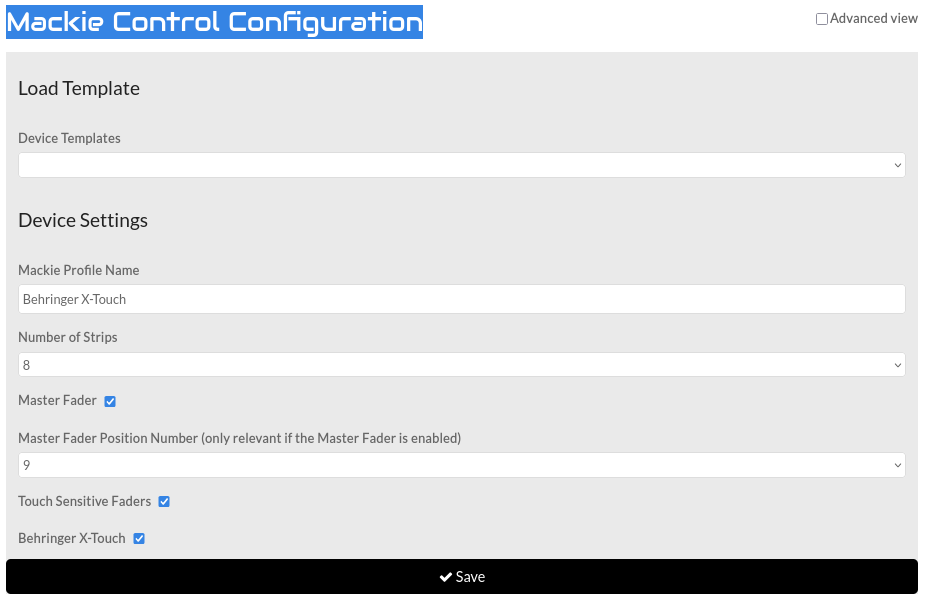
For those that are looking to customize there own Mackie Controllers and don’t want to edit a yaml file or understand programming, I’ve written Mackie Controller Configuration Tool for the WebUI.
I’ve add a Pull Request so it might take some time.
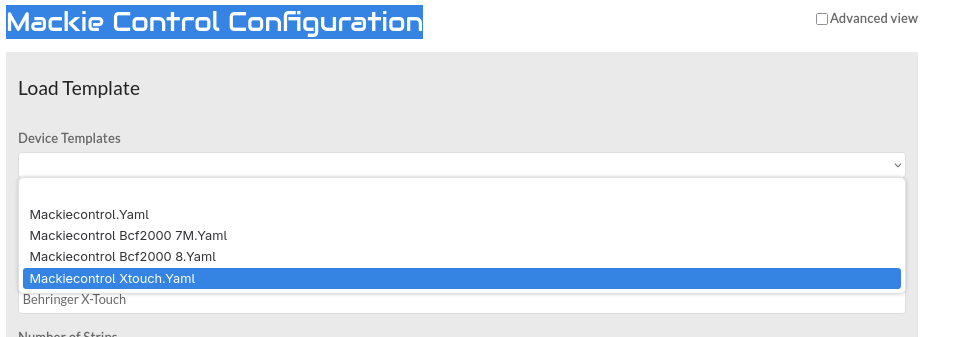
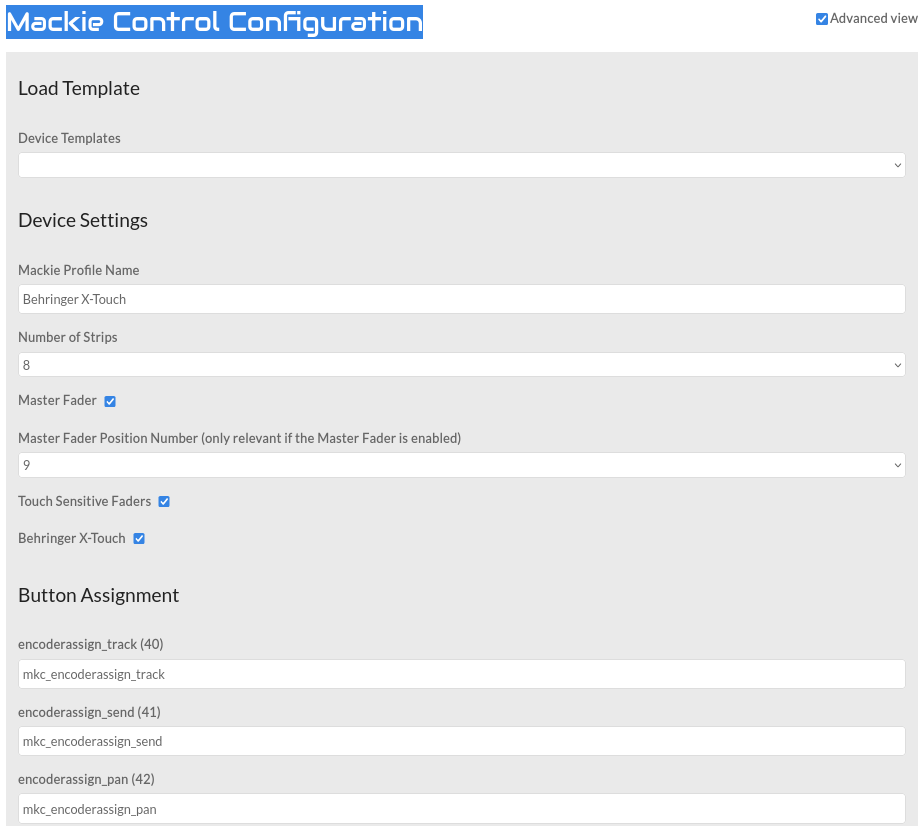
Here’s some screenshots…
Load Templates from $ZYNTHIAN_UI_DIR/zyngine/ctrldev/mackiecontrol/ path
There’s also an advanced view…
Thanks @chrismat! Link to your pull request below:
Is it possible to get this in the e.g. vangelis branch for easy testing?
It’s merged now! Thanks @chrismat !
Enjoy!
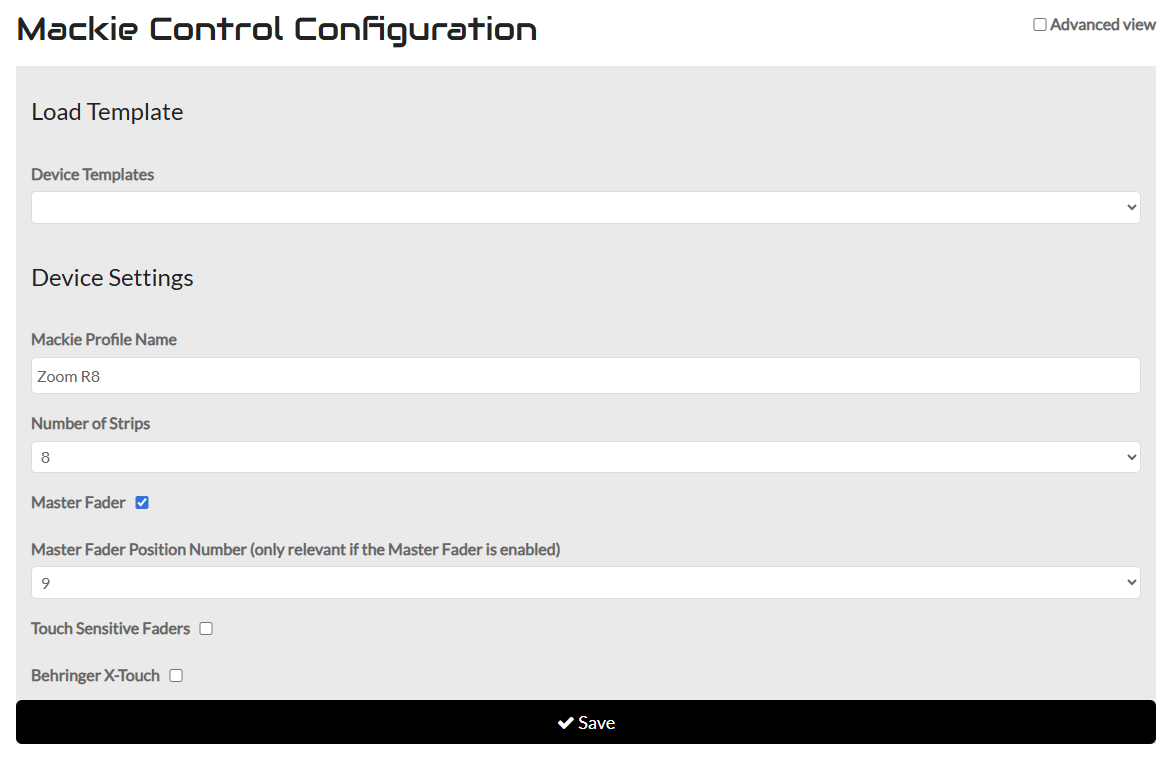
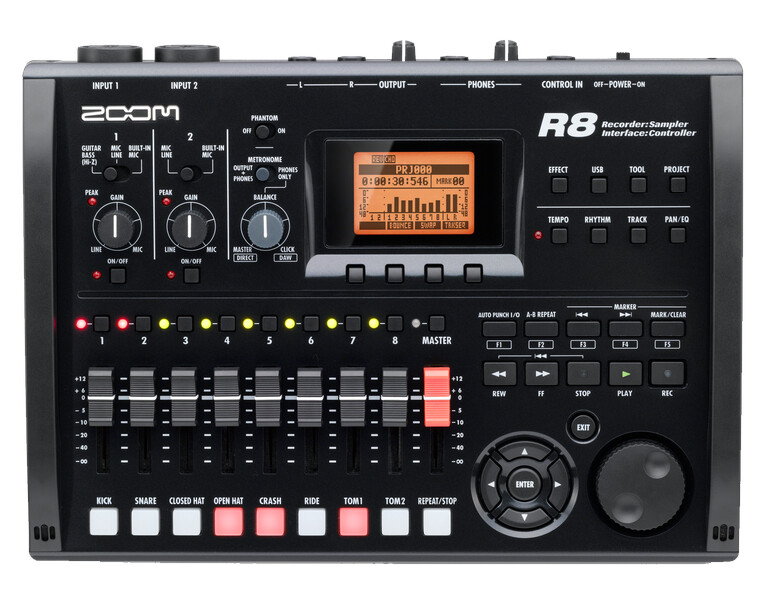
Integration of Zoom R8 is working.
Since it has 8 regular + 1 master fader, configure accordingly:
Tested:
The two button rows above the jog wheel seem to work though I don’t know all use cases.
Found this issue for all existing device mappings: Fix forward button mapping for Mackie control by jawn · Pull Request #542 · zynthian/zynthian-ui
Unfortunately the following don’t send MIDI messages so can’t be used:
Thanks for the feedback, really good test.
Also for finding the typo error, well spoted. At the moment there is no function behind ffwd (fast forward) and frwd (fast rewind). Please could someone give me a tip if you know where this could work in the zynthian design.
That’s a real shame particularly the enter button
Perhaps you would like to PR your template file so that others could easily select it from the WebUI 
Done, I have added it to the same PR.
Hi all, is anything else needed to get this PR merged?
Best wishes
Update, tested Mackie control with Zoom R8 configuration in latest vangelis and it works.
Updated the Wiki: Supported plug & play MIDI controllers - ZynthianWiki. Feel free to enhance.