I need your help about how to open MIDI-learn for a parameter in VANGELIS
my Zynthian has touch only interface
Do you have these onscreen buttons? Otherwise do you know how to enter the OPT/ADMIN menu? (I guess touching the title bar)
Then you might try OPT (Chains menu) → the grey top menu entry of the chain you want to learn → MIDI learn → Enter MIDI learn → Move virtual encoder → learn.
2 Likes
I have an Audio+MIDI chain I want to do MIDI learn for. (It’s an audio FX that takes MIDI input; the audio input is the output of another chain. That part is working.)
When I click the “Chain Options” box on the chain I want to do MIDI learn, I get a Chain Options menu with the following:
> Processors
Add MIDI-FX processor
Add Audio-FX processor
Clean MIDI Learn
> Chain
Move Chain
Rename Chain
Export chain as snapshot …
Remove Chain
There’s no MIDI Learn.
MIDI learn is a processor option, not a chain option. Because this is mentioned in a topic about touch only in Vangelis I will reiterate the MIDI learn process for this platform:
- Show Control View for a chain, e.g. SELECT from Mixer View.
- Bold press the parameter control you wish to MIDI learn.
- Select either “Chain learn…” or “Global learn…”.
- Send MIDI CC.
Your control is now bound to the MIDI CC and channel that was sent.
4 Likes
Bingo! Thanks! If that worked on Oram, I just never noticed it, and always got there some other way. But I like this way.
So, this screen in the ORAM MIDI learning mixer disappeared In Vangelis, here’s what happens: if I use the Option menu and choose the volume knob, it works. But, for example, if I assign a fader to each channel, the fader will only work if the channel is selected.
I have already tried several configurations, using channel 1 for example, and assigning different MIDI CCs to each track. In ORAM this works perfectly. In Vangelis, it doesn’t.
My Zynthian is based on V4. Is there any solution for this?
I tested with two different controllers (SMC Mixer and KFX-CR9), and both show exactly the same behavior, so it doesn’t seem to be a hardware issue.
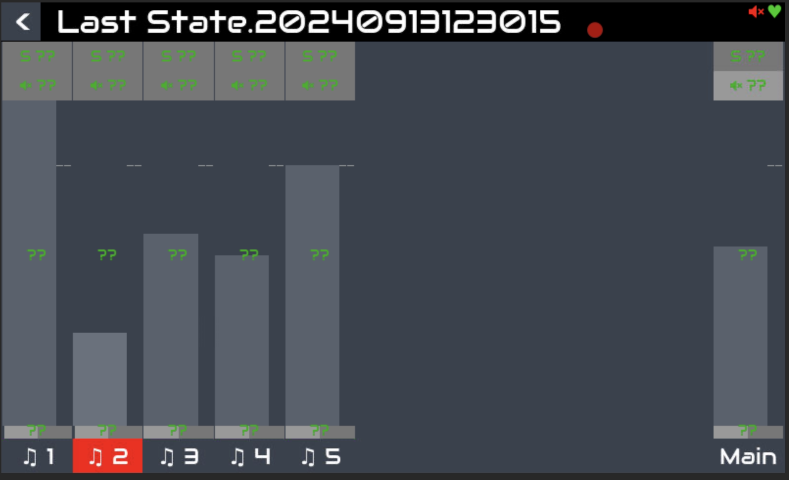
I think what you have to look for is Global MIDI learn to get what you want.
2 Likes
It worked, my friend; I spent five days trying to find it. Thank you very much.
3 Likes