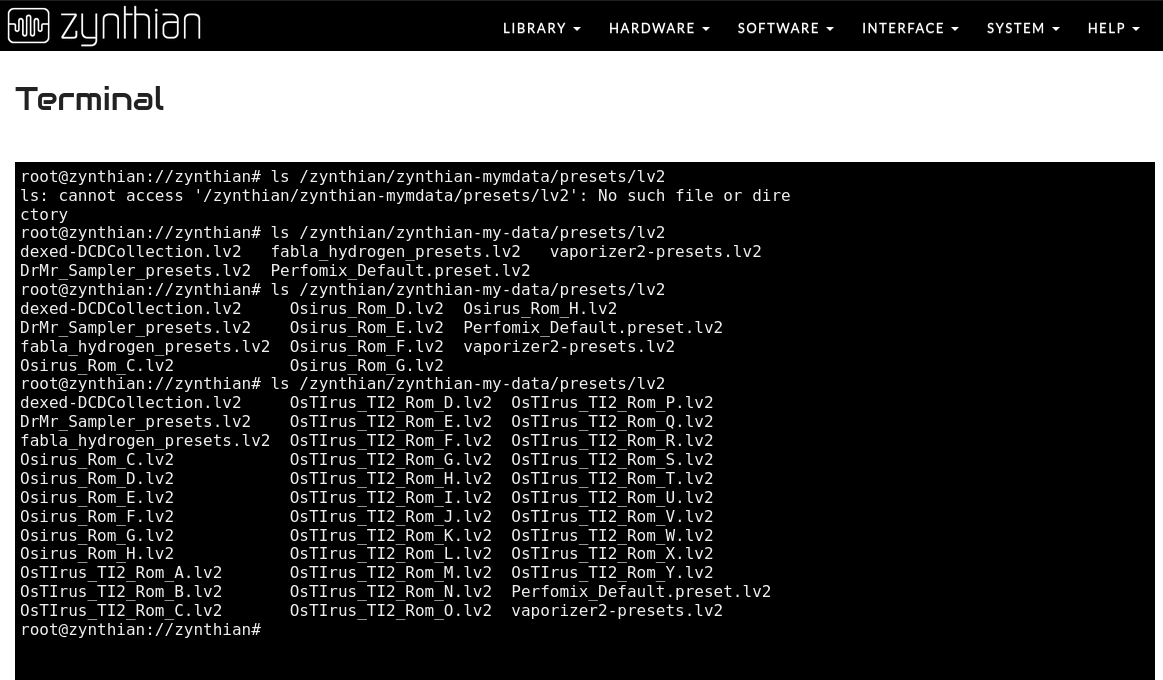
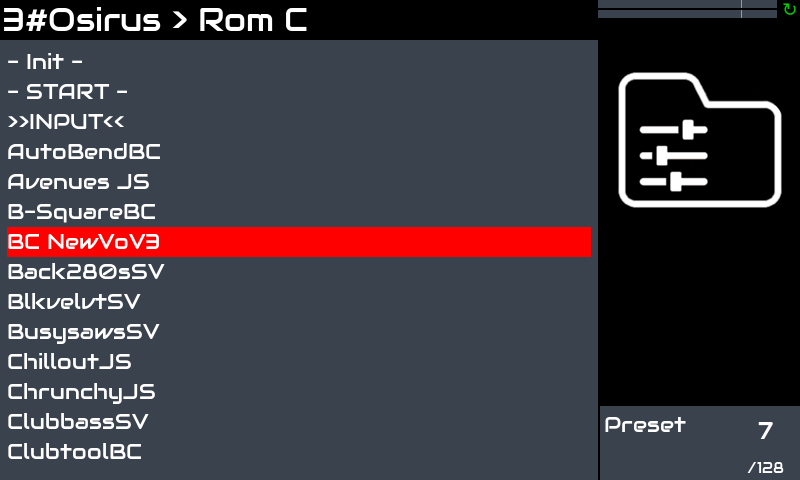
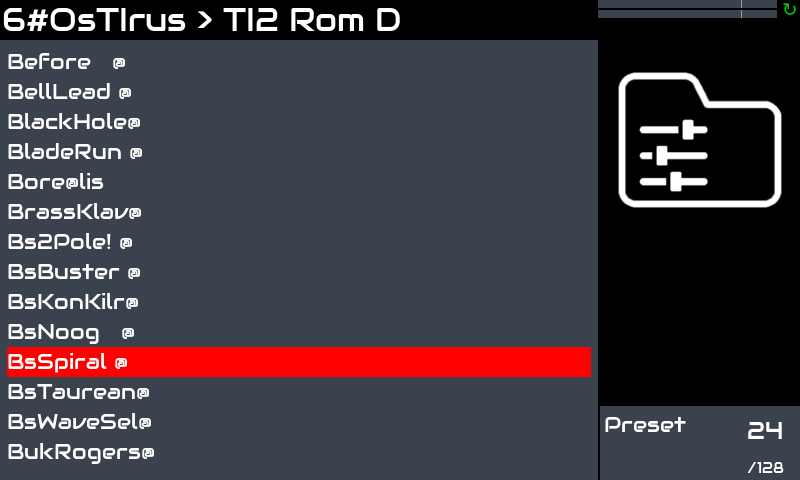
A swift update on TUS emus no longer showing up on Oram 2601.1 after update from 2511.3. This installation is on a Pi500+, otherwise working fine with the previously mentioned provisions (activating manually webconf on console, and using a LAN-to-USB adapter instead of an ethernet cable on the RJ45 port).
If the engines are not shown in the list, then they are probably not installed in your image. Probably something was wrong while updating (WIFI signal or some kind of bad connection issue).
It definitely worked at the second attempt!
There seems to be a sort of occasional and temporary data clogging upon resolving https://os.zynthian.org, but it may well be an issue with the Pi500+ Lan connection or Ethernet circuitry.
After having searched for engines and presets and rebooted the TUS plugins appeared, and I could enable and instantiate them in chains.
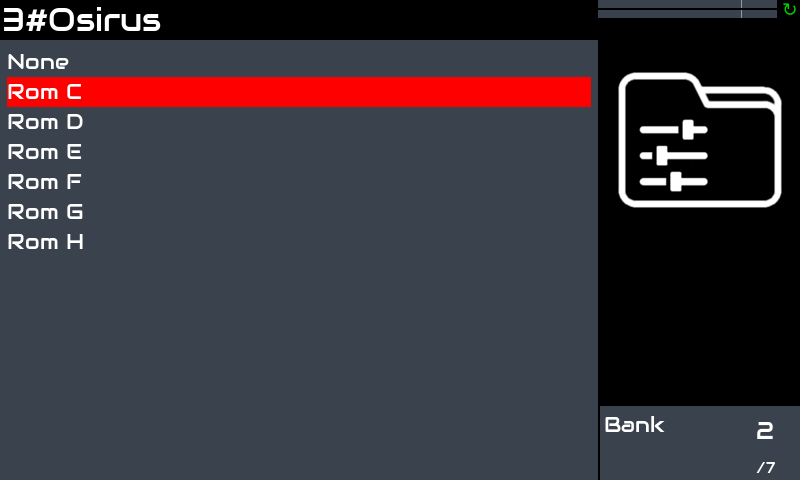
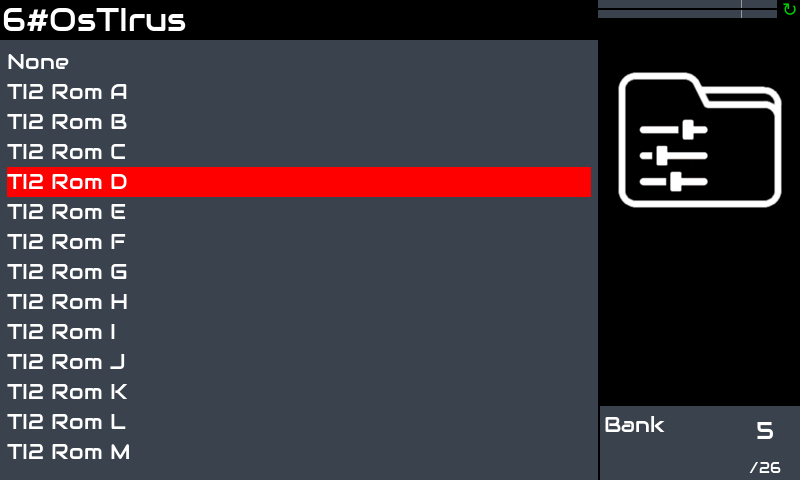
The remaining issue is with the Osirus and OsTIrus presets, which don’t show up on the Zynthian GUI, even after reinstalling for precaution the respective ROMs.
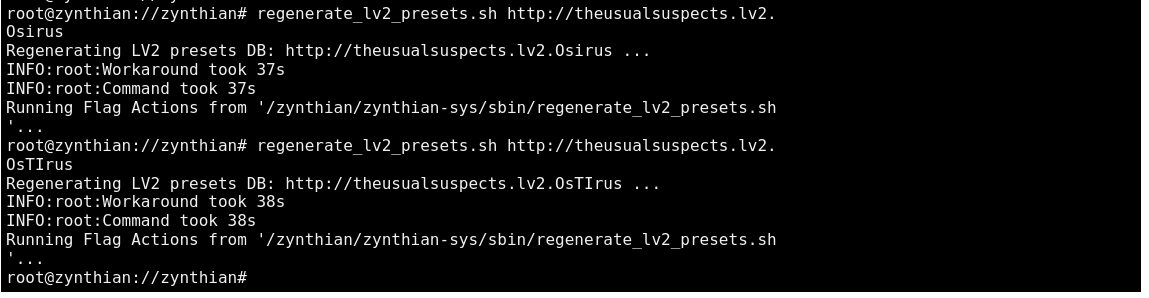
The presets regeneration command which I used to employ in such cases:
as a matter of fact I ran the engines before searching for presets, having already the required Osirus/Ostirus ROMs installed in the appropriate places, but it didn’t make any difference.
Of course, I performed the search for presets routine both before and after having instantiated a plugin.
Anyway, I reinstalled the ROMs via the appropriate DSP56300 upload tab on webconf, not manually or using the file browser.
I am aware enough, at this point, of the way the TUS emus work on the Z, since it is one of my fave topics, but re-checking the relevant past threads does certainly no harm!
I will check in:
and possibly erase everything contained, before associating anew a plugin to a chain, thus trying to (auto)-generate presets again.
After that I rebooted, searched for engines and presets, rebooted, started from an empty snapshot, instantiated Osirus and OsTIrus (with no presets shown on the Z GUI), checked them on VNC (presets available), erased all chains, rebooted again, created two new chains with the two synths.
Result: no Osirus and OsTIrus presets visible on the Z, patches available to select and play on VCN.
This error message is well known and It has been already explained. It’s not causing any issue. It’s just an error message due to a log file created by JE 8086 in a wrong place. It’s ugly, but It doesn"t harm. Please, ignore or delete the log file, but It will be receeated each time you run JE8086, sorry..
I’ve this error message too in my zynths and everything works OK
First of all, thank you for your time, and the generous well documented advice.
I easily agree with all your suggested steps, which I indeed recognise as the ones by now well established around here, in order to get automatically the TUS emulators working on the Zynth. Good to know that the cursory error with the JE8086 installation log is non-relevant.
As for Osirus/Ostirus specifically, I guess that there might have been either a minor code transfer issue, in the 2511 to 2601 update process, or something specific related to possible vagaries of the Pi500+ net ICs department.
Anyway, and as you maybe remember, updating to 2601 was a bit troublesome also on one of my other custom Pi5 Zynths, so it can also be that this update introduced some hidden but significant changes in the data structure.
Yesterday the regeneration commands triggered the by now notorious (but apparently unsubstantial)
esp_jit.log/manifest.ttl error,
but reconstructed anyway the presets folder structure and files in /zynthian/zynthian-my-data/presets/lv2/
Notwithstanding this, the presets aren’t visibile in the GUI.
Anyway, and since this TUS emus installation procedures are anything but cutting-edge stuff and rather customary by now, I am afraid that something went south also with this Oram update. Speaking of which, but I guess I already know the answer, does a system backup+restore through webconf recover the GUI customisation and saved key-bindings?
Sometimes, music technology devices cast their spell irrespective of human intervention, or intention…
This afternoon, back from work, I switched on the Pi500+/Oram 2601.1 and, all of a sudden, the Osirus and OsTIrus presets were there, upon arming two chains on a blank-slate new snapshot.
What baffles me is that yesterday evening I reinstalled the TUS plugins, deleted presets, regenerated them, searched for engines and presets, rebooted and created new chains quite a few times, without any result up to the umpteenth system restart.
Quite strange and unfathomable: is this a magic of the benevolent Zynthianic spirit?
I think it’s an evil spirit. It has found a new victim, me
One of my zynths works fine, presets are shown, but the other only shows default.
Everything else is the same. Presets are in the right directory, regenerate scripts have run, zynthian restarted, no errors in syslog but no presets.
I guess I just have to wait until it goes away to haunt another poor soul
Hello! Thank you very much! I tried loading presets for other synthesizers—the “usual suspects”—this way, but unfortunately, it didn’t work. Does this only work with Osirus and Ostirus?
Created a chain with Xenia in Zynthian and opened VNC; the synthesizer was working, and all presets were present
Opened the terminal and entered regenerate_lv2_presets.sh ``http://theusualsuspects.lv2.Xenia; after the line “Running Flag Actions from ‘/zynthian/zynthian-sys/sbin/regenerate_lv2_presets.sh ‘…” appeared, I rebooted the device
Selected the Xenia chain, pressed OPT, then selected “Scan for new presets,” then deleted the chain and re-added it. After this step, the presets appeared in Osirus and OsTIrus
Only Osirus, OsTirus and VirtualJV have integrated their presets in the UI.
Xenia, Vavra and JE8086 don’t have their presets integrated into the UI. They don’t have support for LV2 program change.