New stable tag release: Oram-2601

Hi @zynthianers!

We have a new tag release: Oram 2601

This is the download link for the SD-image:

https://os.zynthian.org/2026-01-27-zynthianos-oram-2601-stable.img.xz

It’s mostly a bugfix release with little or none new features. You probably know we are putting all our development efforts in the Vangelis branch :wink:

This is the incomplete list of the more important changes:

  • Fix some issues with MIDI learning
  • Add some hardcoded MIDI parameters for JV-880
  • Fix zoom in zynsampler
  • Add direct access to Main Chain: ALT mode + CTRL (see this)
  • Improvements in bluetooth management to work better with some external controllers.
  • Fix detection of negative and bipolar control range in controllers.
  • Allow routing MIDI output from audio2MIDI processors (i.e. Onset Trigger) (see this)
  • Implement Analog Beat tracking with beat & tempo syncing. (see this)
  • Fix C library so webconf can work without jack daemon (having a sound card configured).
  • Increase step sequencer PPQN from 24 to 96 (internally it’s much higher!)
  • Add JE8086 emulator
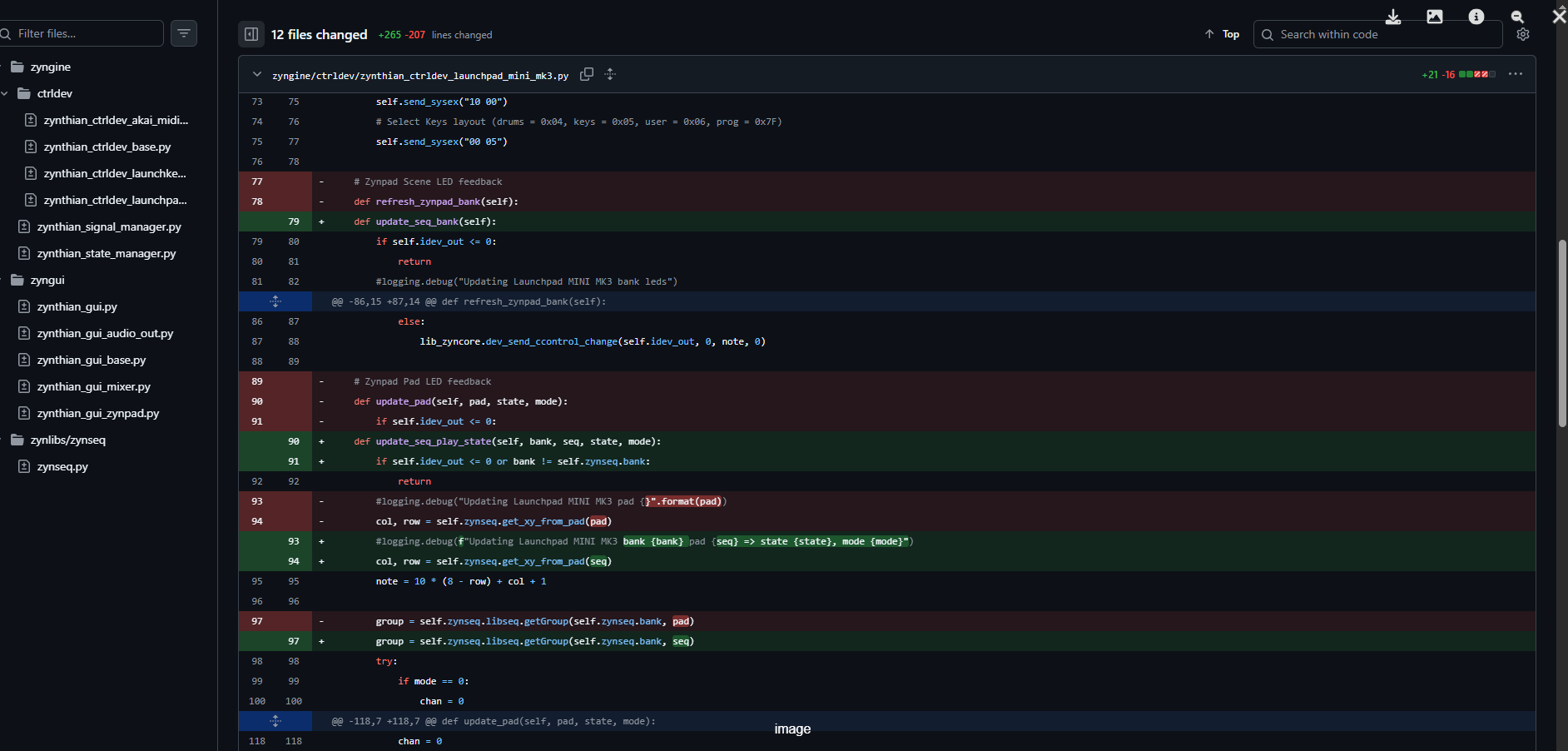
  • Fix & improve ctrldev driver for Launchpad Pro MK3 (thanks @AL1-1956 !)
  • A lot of little adjustments and fixes

For more details, please, check the git log.

Enjoy!
9 Likes

Thank You jofemodo for the kind words

I do not know if other people use members of the LaunchPAD family

but if so the drivers for those devices have not been updated when the signaling process has been implemented

so drivers for that family of devices still use the old functions

as was told in the NEW: Control-device manager + controller device "drivers" thread

I only own LP mini MK3 and LP Pro MK3 so I cannot test drivers for other LP

Regards

Alain

I noticed this while fixing the apckey drivers (why is this purple? - let’s find out.. Aahh!). This will really help in using SooperLooper in a basic setup. The fact you had to get past other chains tp get to main (thereby changing instrument) annoyed me to bits in the past (but I made do nonetheless).

Thanks!

2 Likes

You got the idea :wink:

Hi

Thanks for the update.

I know you got lot of work on vangelis but it could be good to have the « on/off » for the effects processors.

Thanks

Do you mean bypass? This is only in Vangelis. Oram does not have the architecture for this.

1 Like

The Software equivalent of a switch can be a little more involved than one might think.

Ok thanks, yes i mean bypass.

I saw it in vangelis.

Thanks

Putting the switch is easy, it’s the wiring behind what is hard to do :love_you_gesture:

Thanks as ever @jofemodo and @riban, for the liberally delivered hard work :folded_hands:. This fix alone is worth saving a lot of head-scratching and troubleshooting, while customising special Zynthian installations.
Only issue, I happen not to be able to update from installed Orams 2511 to the latest 2601 release, on either my official (upgraded) V5.1 or the two other custom/tailored Zynthians on Pi5, one of which if the recent Pi500+ keyboard computer.

Simply, on the three of them the Zynth on Webconf seems locked on Oram 2511.3, without any need (green recycling symbol) or will to be upgraded. Is maybe the 2601 meant exclusively to be burned on system media new from scratch?

Regards :slight_smile:

1 Like

Change to Oram staging to get the new versión.

1 Like

For my custom Zynthian:
Raspberry Pi 5 Model B Rev 1.0
Audio: JustBoom DAC
Display: Generic HDMI/DSI Display
Wiring: TOUCH_ONLY
I2C: Not detected
Profile: v5

I reflashed the OS (Oram 2601) and I changed version to Vangelis

zyncoder: vangelis (2e0799e)
zynthian-ui: vangelis (7eca762)
zynthian-sys: vangelis (019e70c)
zynthian-data: vangelis (781d76c)
zynthian-webconf: vangelis (0e2c255)

when I reboot before switching off there is this error:

IP 192.168.32.19 SegFault (1)
ZYNTHIAN Error

but at reboot all seems ok

The segfault is a known issue that I am investigating.

1 Like

ok

other point to fix that I found

VirtualJV presets not available from consolle: impossible also after:

the same for Osirus presets
P.S. fixed in this way:
1-loaded Osirus
2-chosen a preset from VMC
3-save the snapshot
4-reboot
5-load the snapshot
6-chose preset
but the choice of presets is still tricky

2 Likes

Hi @jofemodo, @riban and @zynthianers possibly concerned.

Unfortunately, switching to Oram Staging - since Oram Stable 2601.1 didn’t happen to show as an available version on webconf - sent my Pi5 + Argon Neo case with nvme + Hifiberry DAC8X + Waveshare 16" + programmable keypad in an infinite loop, of extremely slow reboots, snapshot errors, various missing engines (no DSP563XX anymore), non-saved new snapshots and ultimately in a straight system crash with IP:192.XXX.XXX.X.XXX Control I/O Error.

I can reach the Zynthian via Termius/Console, but I am unable to launch Webconf, either with zynthian.local or the direct IP address.
I have re-activated the webconf service with:

sudo systemctl restart zynthian-webconf

but to no avail.

Alas, reconfiguring this specific Zynthian installation, that worked like a charm, will require a great deal of time, like tinkering with the innards of the Argon case, inserting a newly flashed Oram on SD, configuring the peripherals and color scheme, re-customising from scratch the CUIA keypad association and, ultimately, using the SD-to-nvme @riban’s script for transferring ZynthianOS to SSD.

Is there a way to recover the system access, in order to possibly attempt a change of repository, through terminal CLI?

What a mess…

Thanks anyway.


This is the system components state declared by the SSH console:

zynthian-ui: oram-2601.1 (37b776)
zynthian-webconf: oram-2601.1 (0e2c25)
zyncoder: oram-2601.1 (ea17c8)
zynthian-sys: oram-2601.1 (32ccae)
zynthian-data: oram-2601.1 (781d76)

EDIT: I managed to copy on SFTP to an external computer the content of /zynthian/zynthian-my-data, thus recovering the saved snapshots. The system is still hanged on a Control I/O error and impossible to reach through webconf.

Hello @jofemodo,

Just a brief update to let you know that I’ve rolled up my sleeves, reinstalling from scratch Oram on nvme. Thus, I already solved the problem of the faulty update to Stable 2601.1, resetting my custom Pi5 Zynthian almost to its identical former state, with all of its previous snapshots in place. It just remains to transfer back the emulator ROMs to their pertaining folders, and to set my custom style/colour scheme.

Regards :rainbow:

1 Like

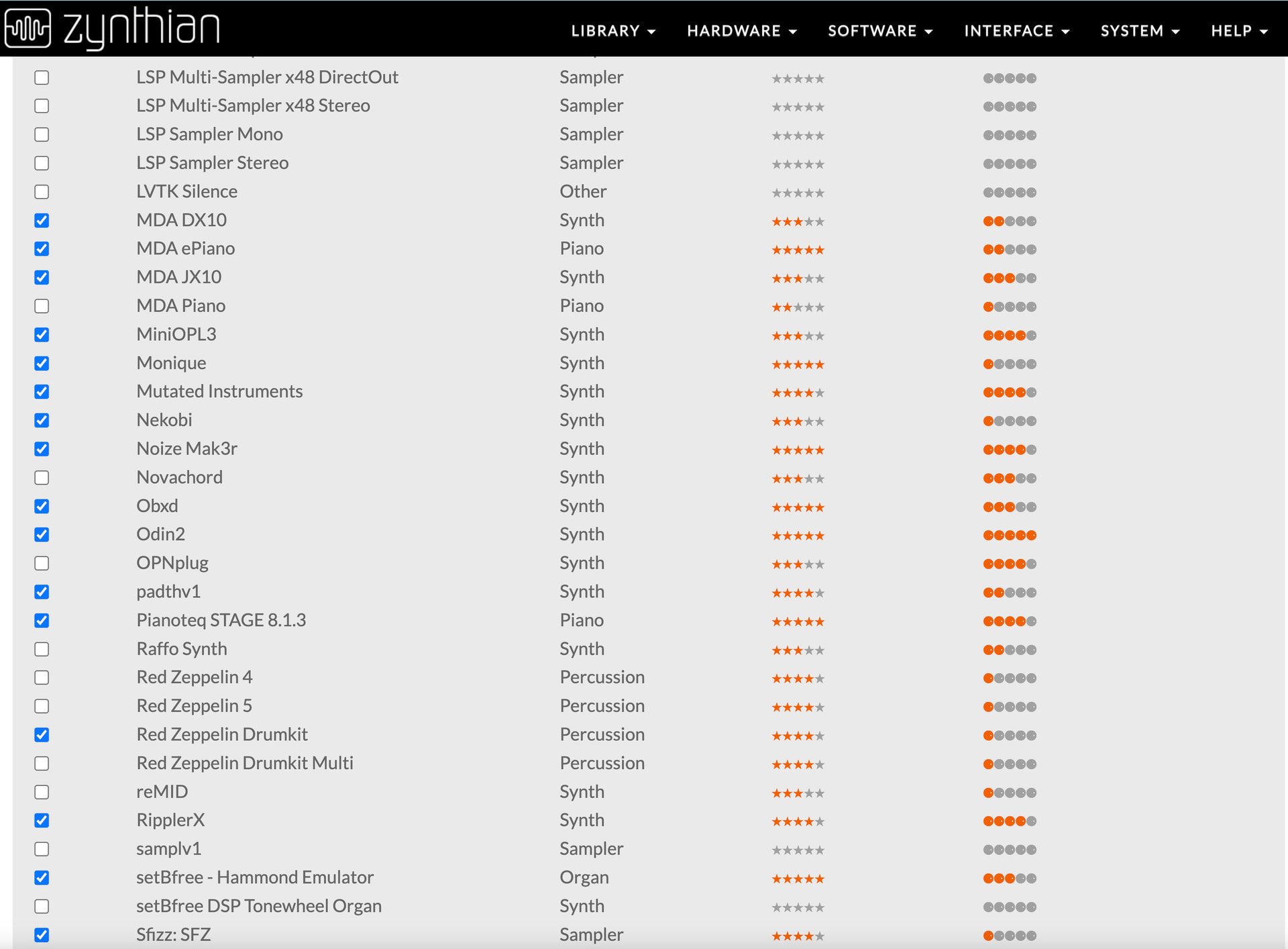
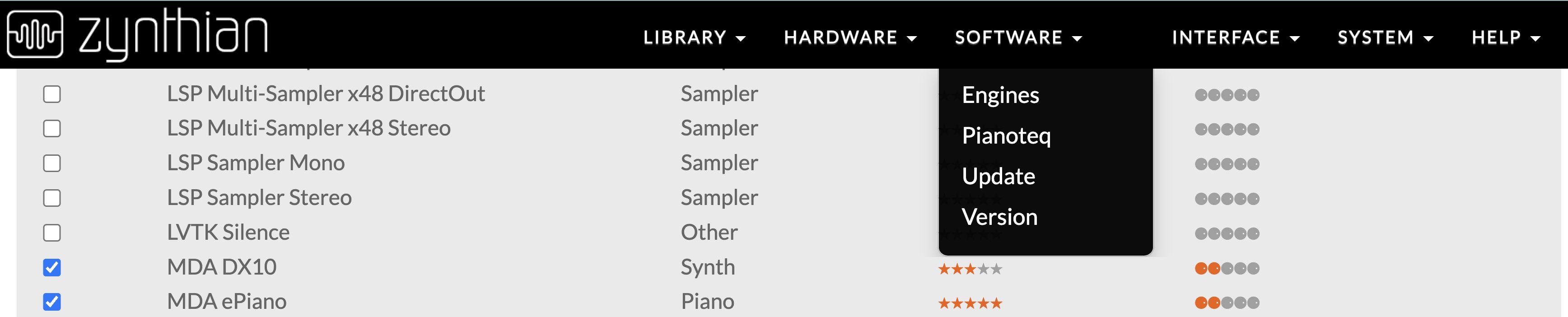
I would just add that the successful auto-update to Oram Stable 2601.1 on one of my other Pi5 Zynths led, as in the screenshots from my previous post, to the disappearance of all the T.U.S. emus from the webconf engines repository (Osirus, Ostirus, Vavra, Xenia and JE8086 do not show). Indeed, the DSP56300 entry has also vanished from the Software drop-down menu.

Just to let you know…

Cheers :slightly_smiling_face:

Have you tried to enable the engines?

Regards

Hi,

I wish I could, :wink:

As a matter of fact, no TUS engine is shown in the Software > Engines webconf tab (see attached pic) - also no JE8086 visible.

Furthermore, there seemed to be a recurring issue during the update process from 2511.3 to 2601.1 with:

/zynthian/zynthian-my-data/presets/lv2/esp_jit.log/manifest.ttl

apparently non-existent.

I would add that, in my other new-from-scratch installation of Oram Latest from repo (recovering a faulty update - see above), Virtual JV presets had to be regenerated upstream to be visible on the GUI, and Osirus/Ostirus presets are not visible even after having searched for engines and presets.

Searching for banks/presets on the GUI (apparently a new chain function: nice addition!) solves the issue only temporarily, since after saving snapshot the patch selection is not retained in the chain.

Regards :slightly_smiling_face:

no more SegFault (1)
ZYNTHIAN Error

with
zyncoder: vangelis (2e0799e)
zynthian-ui: vangelis (5b32a34)
zynthian-sys: vangelis (019e70c)
zynthian-data: vangelis (781d76c)
zynthian-webconf: vangelis (0e2c255)