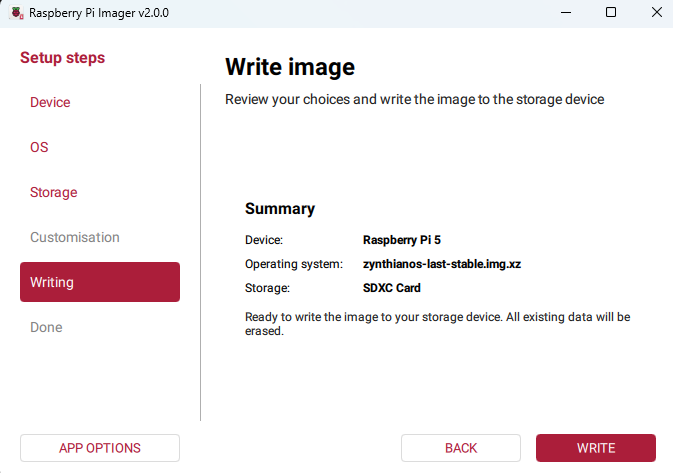
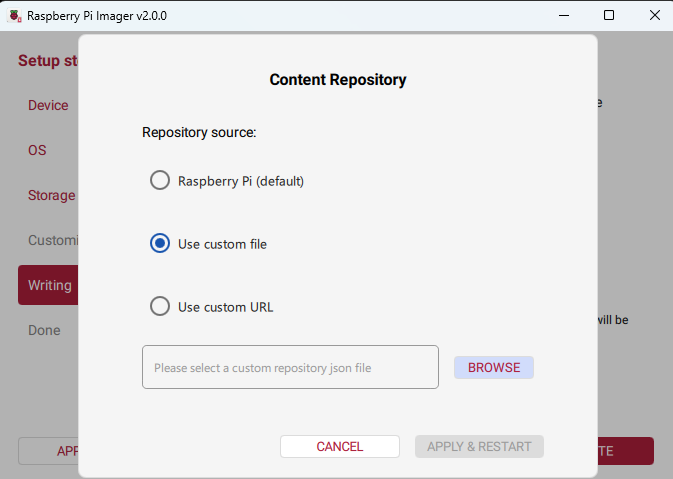
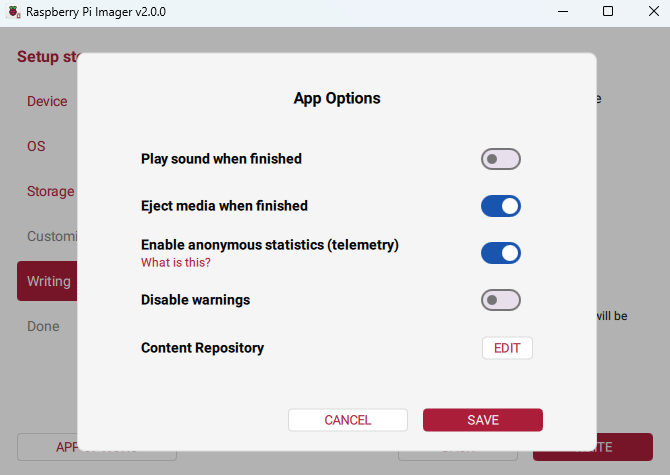
The impact when using Zynthian images: you cannot apply any customisation settings any more as this is a custom image. This change is by design, and a work around is to create an online or offline repository. Details here.
Hi @jawn! It looks neat and polished after all. If I read correctly your screenshots, PI Imager 2.0 should be still able to flash a custom OS image as it is, as long as you choose it as custom file. Right?
It’s a total dog. You can’t run it on a Pi5 it just has greyed out buttons. An entire evening wasted on this hand holding ninny programme that just used to work.
That is worrying. I haven’t used yet Imager 2.0, but read on forums that there happen to be various OS-device restrictions, in that, except obviously Raspberry OS itself, not every custom or selectable operating system seems to be freely flashable for each Pi model.
Is this maybe the case with Pi5 + Oram/Vangelis (it would be highly problematic for us)? Or it just happens if you run Imager on a Raspberry, and not on an external PC/Mac/Linux?
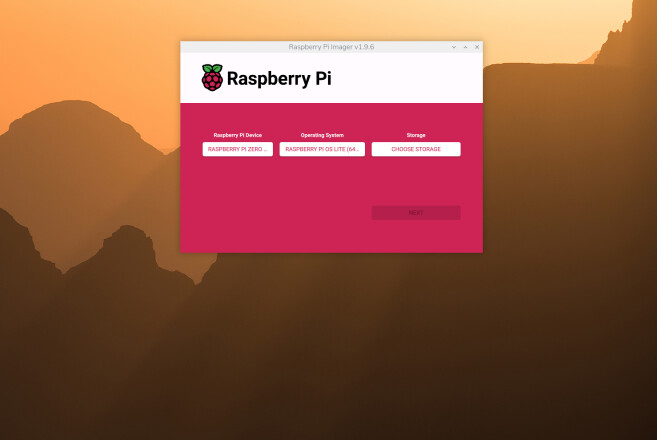
(Or use sudo dpkg -i ./rpi-imager_1.9.6_arm64.deb if apt complains about dependencies.)
Verify the version:
Launch Raspberry Pi Imager from the menu (under Accessories) or run rpi-imager --version in the terminal.
====================
Notes
This installs version 1.9.6 directly from the official source.
Future sudo apt update && sudo apt upgrade commands may try to upgrade it back to the latest repository version (currently lower than 2.0.x in some cases, but it could update later). To prevent auto-upgrades, you can hold the package:
sudo apt-mark hold rpi-imager
Cached images or settings from the newer version may persist in ~/.local/share/rpi-imager/, but they shouldn’t cause issues.
If you encounter dependency errors, run
sudo apt --fix-broken install.
This method works reliably on Raspberry Pi 5, as confirmed by community usage of similar GitHub .deb installs.
I’ve just burnt a Pi Zero 2W successfully this way….
Thanks @wyleu for the detailed failsafe procedure, which I’m likely to implement on an upcoming Xmas holidays new Raspberry installation.
Speaking of festive season presents, what about sending a tanker of steaming hot and freshly stewed rook soup to the genius designers of Imager 2.0, with compliments from the Zynth community?



 Merry Xmas
