Using a Behringer 1820 the Midi just functioned. It’s not related to the audio settings, bu I suggest a look in the Webconf MIDI settings, just to see what the zynth believes is visible.
Running
aconnect - l
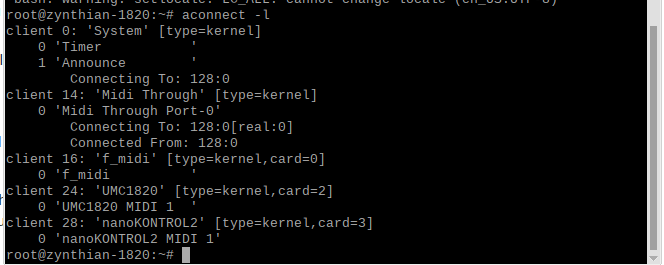
on the zynth command line will reveal what devices are available in the Midi alsa world and by extention what is available to jack.

and pressing the plus symbol (+)
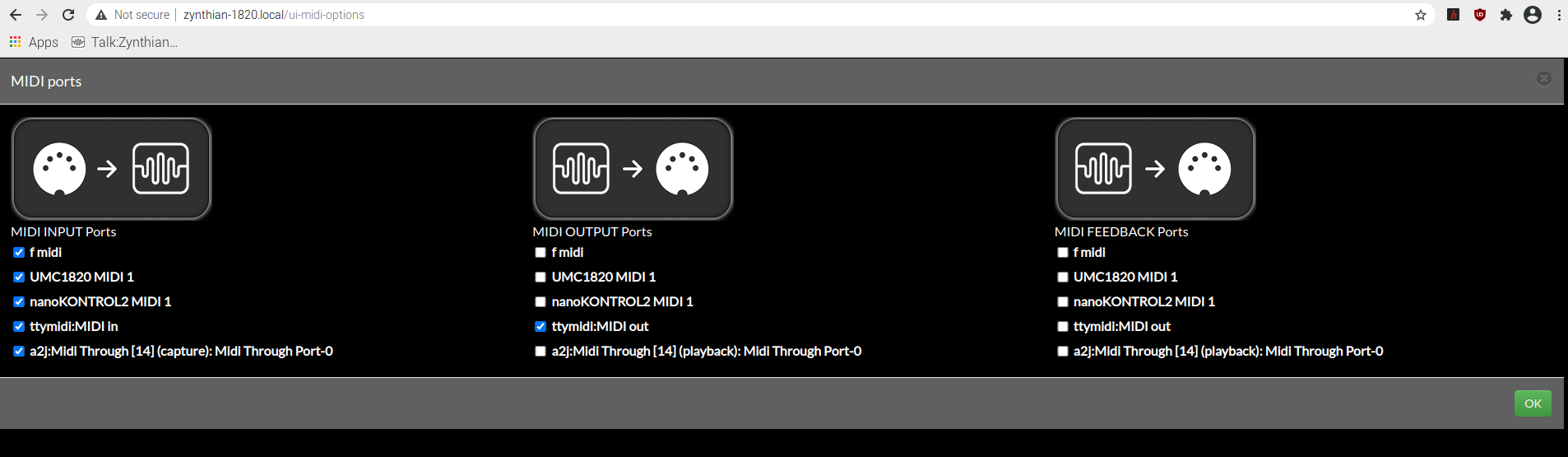
The audio settings are derived from
aplay - l
in a similar way. The command line values are parameters for jackd and are defined in Jack’s not particularly helpful documentation. The most important thing to realise is that the default behaviour selects devices by number and these can change on startup or devices present or sometimes just the colour of the last car that past, so it’s really the name you need for webconf as this sets the link emphatically. The rest are rate settings or similar.
Pipewire is certainly of interest, because it looks like a component that will break throu the one audio device limit that are imposed at the moment. I posted a thread with one of my normally evasive experiments using a USB 1/4" jack to USB and a hifiberry card but the two clocks drifted and clicks occurred, so that’s as far as it directly went, but we’ve certainly discussed it informally.
So I suggest you use the command line to ensure the MIDI port is detected because without that you might have a broken midi port, and if that’s not the case make sure it’s seen by alsa and then progress with patchage and Jack commands to see what you can and can’t see.
Hope this helps.