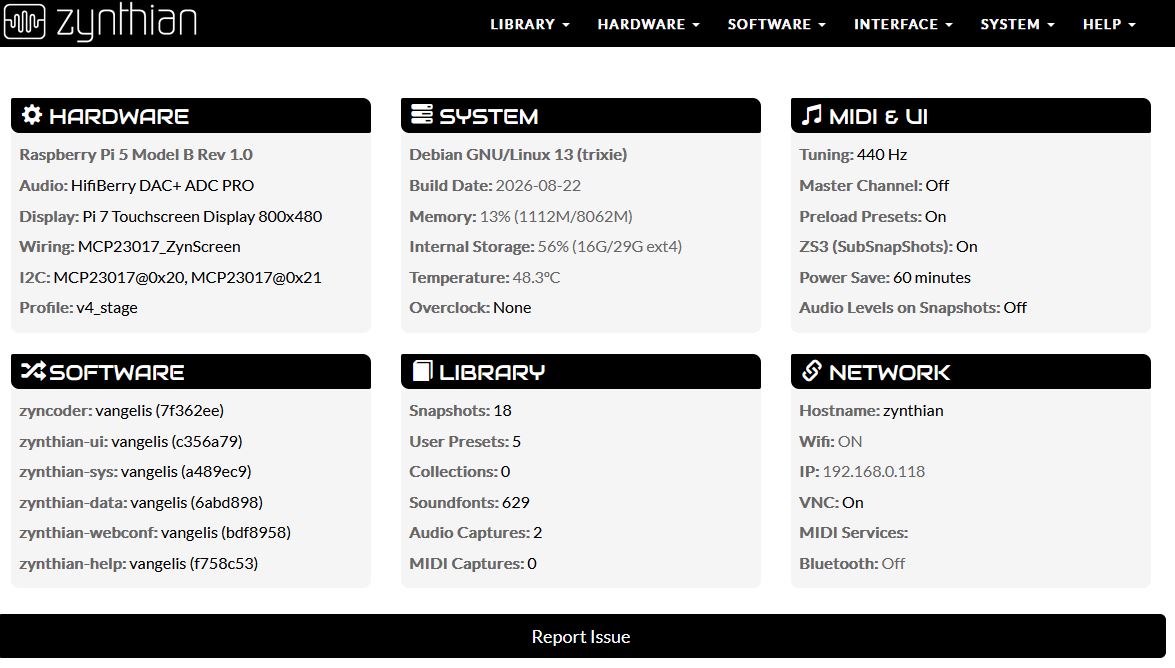
Normally I do the updating from the screen on the zynthian, but today I ran it from webconf.
I noticed some lines and I wonder if they represent a problem.
Like the last line in:
The following packages will be upgraded:
raspberrypi-sys-mods
1 upgraded, 0 newly installed, 0 to remove and 2 not upgraded.
and in:
Building dependency tree…
Reading state information…
0 upgraded, 0 newly installed, 0 to remove and 2 not upgraded.
and here:
Updating zynthian-help…
./update_zynthian_code.sh: line 86: cd: /zynthian/zynthian-help: No such file or directory
Updated 0 paths from the index
Regenerating engines DB: engines …
INFO:root:Command took 14s
Running Flag Actions from ‘/zynthian/zynthian-sys/scripts/update_zynthian.sh’…
I did as you suggested, but got a lot errors. So I decided to burn the SD with 2026-08-22-zynthianos-vangelis-2608-beta.img again and did the update software there after.
I got a lot of messages like
Regenerating LV2 presets DB: https://butoba.net/homepage/mimid.html` … error: failed to open file /zynthian/zynthian-plugins/lv2-presets/pitch_it_up_noise_rvb.ttl/manifest.ttl (Not a directory) `` lilv_world_load_file(): error: Error loading filefile:///zynthian/zynthian-plugins/lv2-presets/pitch_it_up_noise_rvb.ttl/manifest.ttl’ `lilv_world_load_bundle(): error: Error reading file:///zynthian/zynthian-plugins/lv2-presets/pitch_it_up_noise_rvb.ttl/manifest.ttl ` `error: failed to open file /zynthian/zynthian-plugins/lv2-presets/high_pass_transition.ttl/manifest.ttl (Not a directory) ` lilv_world_load_file(): error: Error loading file `file:///zynthian/zynthian-plugins/lv2-presets/high_pass_transition.ttl/manifest.ttl’ ``
and
Regenerating engines DB: engines ... error: failed to open file /zynthian/zynthian-plugins/lv2-presets/pitch_it_up_noise_rvb.ttl/manifest.ttl (Not a directory) lilv_world_load_file(): error: Error loading file `file:///zynthian/zynthian-plugins/lv2-presets/pitch_it_up_noise_rvb.ttl/manifest.ttl' lilv_world_load_bundle(): error: Error reading file:///zynthian/zynthian-plugins/lv2-presets/pitch_it_up_noise_rvb.ttl/manifest.ttl
Those lines look like normal package-manager summary output rather than an error. “1 upgraded” means one installed package changed, while “0 newly installed” and “0 to remove” are just counts. “2 not upgraded” usually means two packages were held back because their dependency changes were not included in that run; it is worth checking the earlier lines for the exact names and any held-package notice. If the command finished with a successful exit status and the Zynthian still boots and behaves normally, I would not treat that summary alone as a problem. I’d only investigate further if the same packages stay back across updates or the log includes an explicit error or failed configuration step.
I am very happy with my zynthian rigg, but I do not like orange warnings during updates.
In the past days, I have done a lot of updates and even started with a clean SD card a few times.
After the update_zyn.sh command I keep getting errors like
sed: can't read /zynthian/zynthian-plugins/lv2-presets/*/*.ttl: No such file or directory
and in the color orange:
Regenerating engines DB: engines ... error: failed to open file /zynthian/zynthian-plugins/lv2-presets/pitch_it_up_noise_rvb.ttl/manifest.ttl (Not a directory) lilv_world_load_file(): error: Error loading file `file:///zynthian/zynthian-plugins/lv2-presets/pitch_it_up_noise_rvb.ttl/manifest.ttl' lilv_world_load_bundle(): error: Error reading file:///zynthian/zynthian-plugins/lv2-presets/pitch_it_up_noise
I have sfizz with the Salamander grand, the vaporizer2 and the Ultramaster - KR 106. All seem to work well.
The system is connected with a cable to my network, but since I live in the rural area of northern Sweden, I must rely on Starlink for internet.
I have very basic knowledge of Linux and could find out that before I could run updates_zyn.sh --from 20260901, I had first to go to zynthian-sys/scripts and there type sudo ./updates_zyn.sh --from 20260901 to make it do something.
Well, I think i found the problem and solve it.
Please, update and test. If you already tried to solve this by yourself, i’m not 100% sure of the result, because i had to make some assumptions about files and dirs. Anyway i tried to write the code as agnostic as possible, so probably things wont be worst after updating, and hopefully, the issues will be fixed.