Sub-snapshots not saving information reliably

I have a Zynthian setup for my band where I have 12 different chains all setup on the same snapshot responding to two keyboards on MIDI channels 1 and 2 respectively. I use sub-snapshots (ZS3s) to mute or unmute the various chains so that I can go quickly between “electric piano and organ” and “piano and strings” or whatever combination I need for each song.

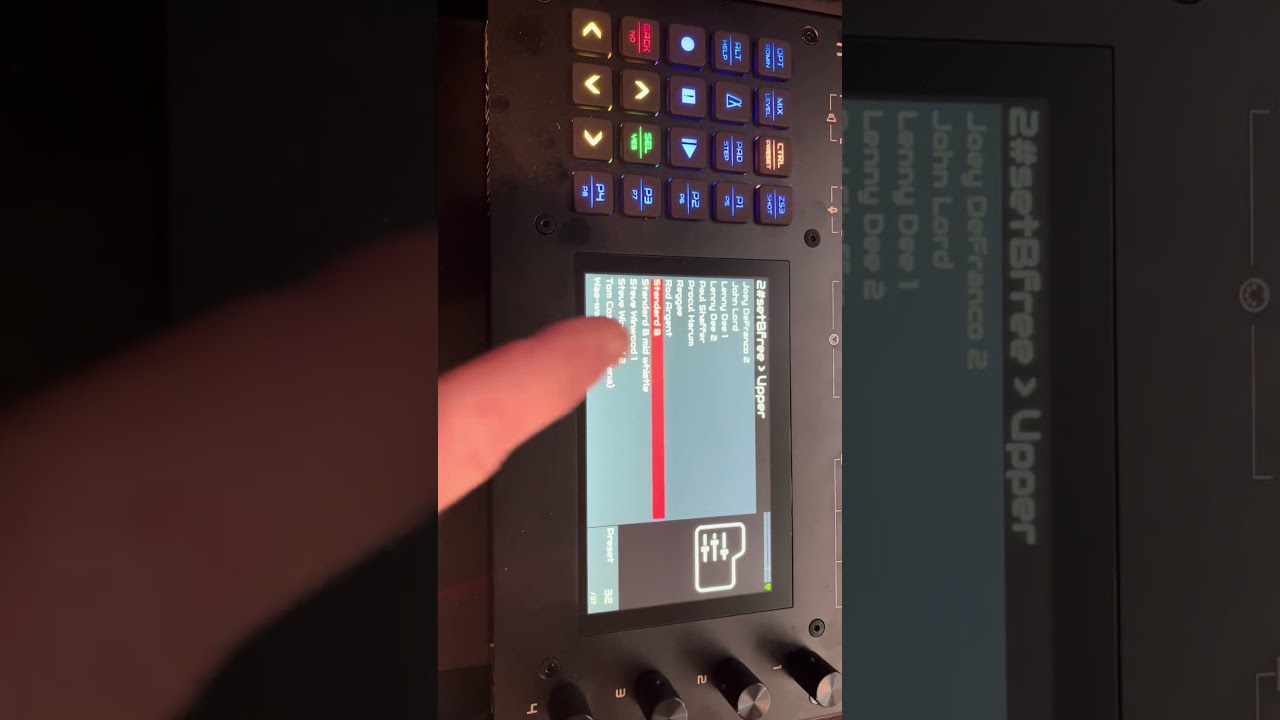
I want to switch between different organ sounds on the Set B Free engine for the different songs we play. Since you cannot have the Set B Free engine added more than once, I am trying to use sub-snapshots to save the presets for this engine. This is leading to a lot of issues.

First, I’m noticing that often the volume for the Set B Free chain gets set to zero when I select the ZS3. I can set the volume back to what it needs to be, but when my band plays we go from song to song quickly and so I may not have time to get the level set again before that song needs to start.

I notice even more strange behavior when I use ForScore to send MIDI program change messages to set the ZS3s. For example, the chain might be transposed up an octave when I never requested any note transposition.

I’m wondering whether the community has any recommendations on how to setup these sub-snapshots so that they are 100% reliable. I keep saving and overwriting the ZS3s to try and correct the sound levels and setups, but each time I select the ZS3 I have to expect that it’s going to load things in a random way. I am not sure I can depend on this in performance.

I have confirmed that I have Audio Levels on Snapshots turned On and ZS3 (SubSnapShots) On. Are there any other settings I should investigate? Should i try hand-coding the snapshot file to fix this?

Thanks in advance!
TK
I checked the MIDI log for DIN 5 MIDI and saw that it is sending some extra messages along with the program change:

CH#16 CONTROL_CHANGE 0 => 0
CH#16 CONTROL_CHANGE 32 => 0
CH#16 PROGRAM_CHANGE 11

Might the issue be that the iPad is sending these control change messages in addition to the program chance?

I also turned off “audio levels on snapshots” to see if perhaps this will behave more reliably.

Hi @tkc !
Your ipad is sending bank change messages and this is probably the cause of the issues. Please, try with program change alone

Anyway, send your snapshots so we can test with It

Also, why are you using Channel 16? Did you enable MIDI master channel? Why? if so, please don’t use master Channel for ZS3.

Thanks

2 Likes

Thanks @jofemodo. I have attached my snapshot. I’m trying to do this with just one snapshot and using ZS3s to switch between the different configurations and presets:

001-scs experimental.zss (468.8 KB)

I am using channel 16 because I didn’t want to conflict with channels 1 and 2 that I’m using for my instruments. I’m not using a master channel. I’m also not trying to send bank changes, just program changes from ForScore, but it seems it is sending control change messages as well.

Try to avoid the control change messages, please.

Regards,

1 Like

I am not intentionally sending bank changes, only program changes, but perhaps there is a setting in ForScore that is sending these bank changes. Also, it’s possible that something is being lost in translation from the iPad to the USB-C hub to the USB MIDI cable. For now, I’m going to abandon the iPad/ForScore automation and focus instead on just getting the ZS3s to load reliably.

Is there anything you’re able to see in the snapshot I sent you that would send confusing messages to Zynthian when selecting certain ZS3s? I’m wondering if in general this approach of having 12 different chains that I mute or unmute based on which song I’m doing is a viable one.

The biggest challenge I’m facing now is that the setBFree engine does not seem to respond predictably to ZS3 changes to the preset. If it were possible to have more than one setBFree chain in a configuration that would solve the problem, but once you add it to one chain you cannot add it a second time.

Thanks again for your help!

I recorded a video that shows the issue I am currently having with ZS3s and the setBFree presets:

I have attached my snapshot file here:

001-scs experimental.zss (642.4 KB)

Steps to Reproduce:

  1. Select ZS3 “0/11”. The Zynthian will load the correct preset for the setBFree engine, “Fredriks tfn 1”.
  2. Select ZS3 “0/10”. The Zynthian will load “Standard B” as the preset for the setBFree engine, but it is not the right sound for “Standard B.”
  3. Go into the mixer
  4. Select the setBFree engine.
  5. Select Preset. “Standard B” will already be selected.
  6. Reselect “Standard B”. Play another note and notice that the sound changes immediately.
  7. Select ZS3.
  8. Select the “0/10” sub-snapshot.
  9. Select Option.
  10. Select Overwrite. The reconfirmed “Snapshot B” sound should be saved as the preset for this snapshot.
  11. Select “0/11”. Zynthian correctly loads the “Fredriks tfn 1” preset.
  12. Select “0/10”. Zynthian again loads the wrong sound for “Standard B.”

I reviewed the snapshot file and could not see where the preset values are being stored, though I assume they must be there.

Please let me know if you have any recommendations on how to consistently switch presets for the setBFree engine using ZS3s.

Thanks!
TK

1 Like

Hi @tkc !

I’ve loaded your snapshot in Vangelis branch. You don’t say what version you are using, so i assume you are reporting for Vangelis, the testing version.

This is the observed behaviour following the steps you describe:

When loading ZS3 0/11, setBfree loads the “Booker T Jones” preset, not “standard B” :wink:

I’ve noted the drawbars are very different in the saved ZS3s respect to the original presets. All drawbars changes are saved in ZS3s and applied when you restore it, so it’s normal the loaded ZS3 sounds very different to the original preset if you saved with modified drawbars.

I tried the steps 7 to 12 and it works for me. Saving standard B without modifications as ZS3 0/10 and restoring gets the original sound.

I attach the snapshot after re-saving the ZS3s:

0/10 => Standard B
0/11 => Fredriks tfn 1

both without modifications
001-scs experimental.zss (661.1 KB)
.

Regards,

3 Likes

Thanks @jofemodo, much appreciated! In answer to your question, I am running the stable version of Oram downloaded from here. I’m not adventerous enough with my live performance setup to be running Vangelis!

I restored the snapshot to my Zynthian and confirmed that the snapshot is correctly preserved when I switch between 0/11 and 0/10.

Question: Is there an easy way to revert a preset back to its default? For the organ sounds my goal is to use the original drawbar settings for each preset.

I’m still working through some other sub-snapshot issues, but only when I trigger the program changes via ForScore, not when I select them directly in the Zynthian UI. I assume these issues have to do with what ForScore is sending in addition to the program change. It doesn’t seem I can configure this, so I may just look into an alternate iOS application to send program changes.

Thanks again for your help!

Regards,
TK

Reload the preset from presets menu :wink:

You could try setting up a MIDi rule to block the annoying messages. For instance, you could block CC0 and CC32 coming from MIDI channel 16 like this:

IGNORE CH#15 CC#0
IGNORE CH#15 CC#32

Regards

2 Likes

I am trying once again to figure out why zs3s load with mixers on certain channels set to the wrong volume (either 0 or 100) when invoked by MIDI program changes sent by my iPad using ForScore over a DIN-5 MIDI cable. The same zs3s load normally when called by the zynthian directly. This only occurs when I am using my iPad.

I have attached my latest zss file exhibiting this behavior.

007-SCS Newest.zss (1.5 MB)

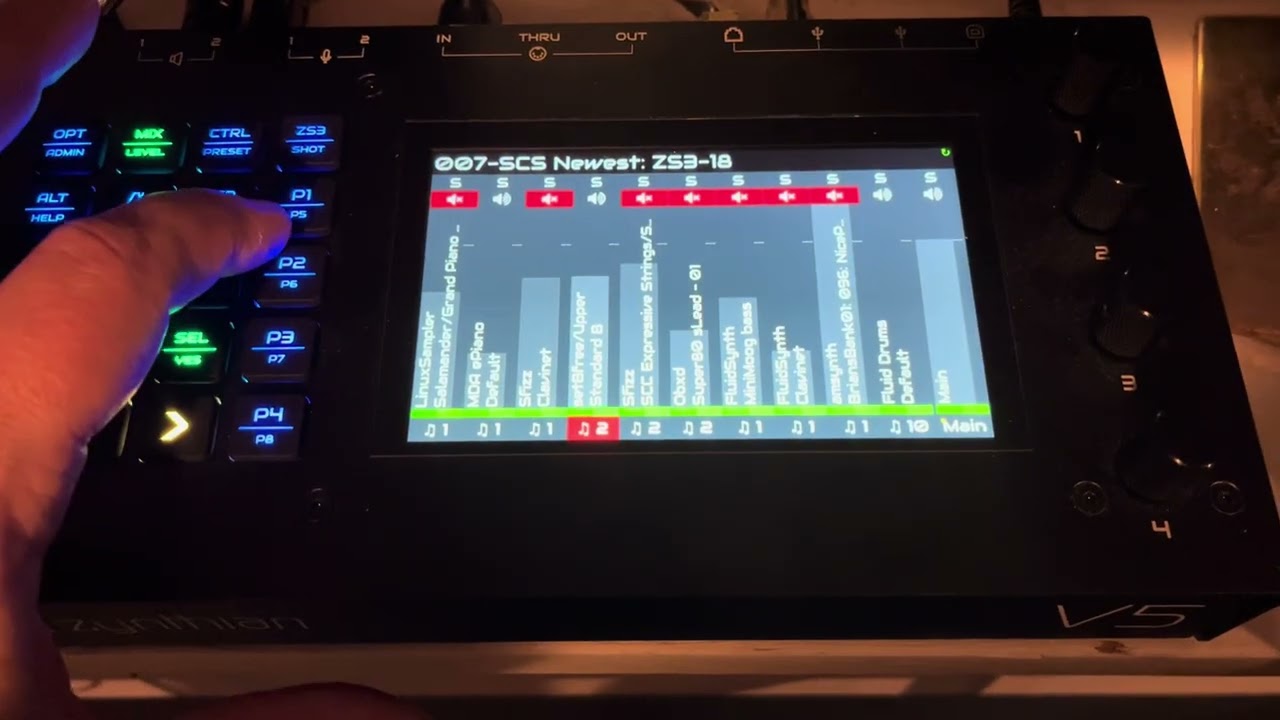
The problem most often occurs when loading the zs3 labeled “The Truth” (0/29). The 9th chain in mixer order from the left, “am synth BriansBank01: 096: Nice Poly 12”, should have a volume of -9.90 db, and it does when I load it from the Zynthian UI directly. When I load it by sending a program change of 31 from my iPad over the DIN-5 MIDI cable, the volume shoots up to 100% (0.0 db).

When viewing the MIDI log, the only MIDI messages captured from DIN-5 MIDI are the following program change and control change messages:

  • CH#01 CONTROL_CHANGE 0 => 0
  • CH#01 CONTROL_CHANGE 32 => 0
  • CH#01 PROGRAM_CHANGE 31

I have added the following MIDI filter rules:

  • IGNORE CC#0
  • IGNORE CC#32

I have re-saved the zs3 snapshot many times with the correct volume settings. No matter what, if I send program change 31 over my iPad, the volume for “am synth BriansBank01: 096: Nice Poly 12” gets set to 100 percent. I have come to the conclusion that either the iPad is somehow sending some other control change (but then why wouldn’t it show up in the log?), or that when I invoke the zs3 from the Zynthian directly, it is running some other configuration load than what gets called when invoked by a MIDI program change. I’m leaning towards the latter, since a value of 100 to me indicates some sort of “default” that is being inserted in place of an actual stored value. Could it perhaps be that the zs3s config settings are called in a different order when invoked from a MIDI program change versus selected in the Zynthian UI?

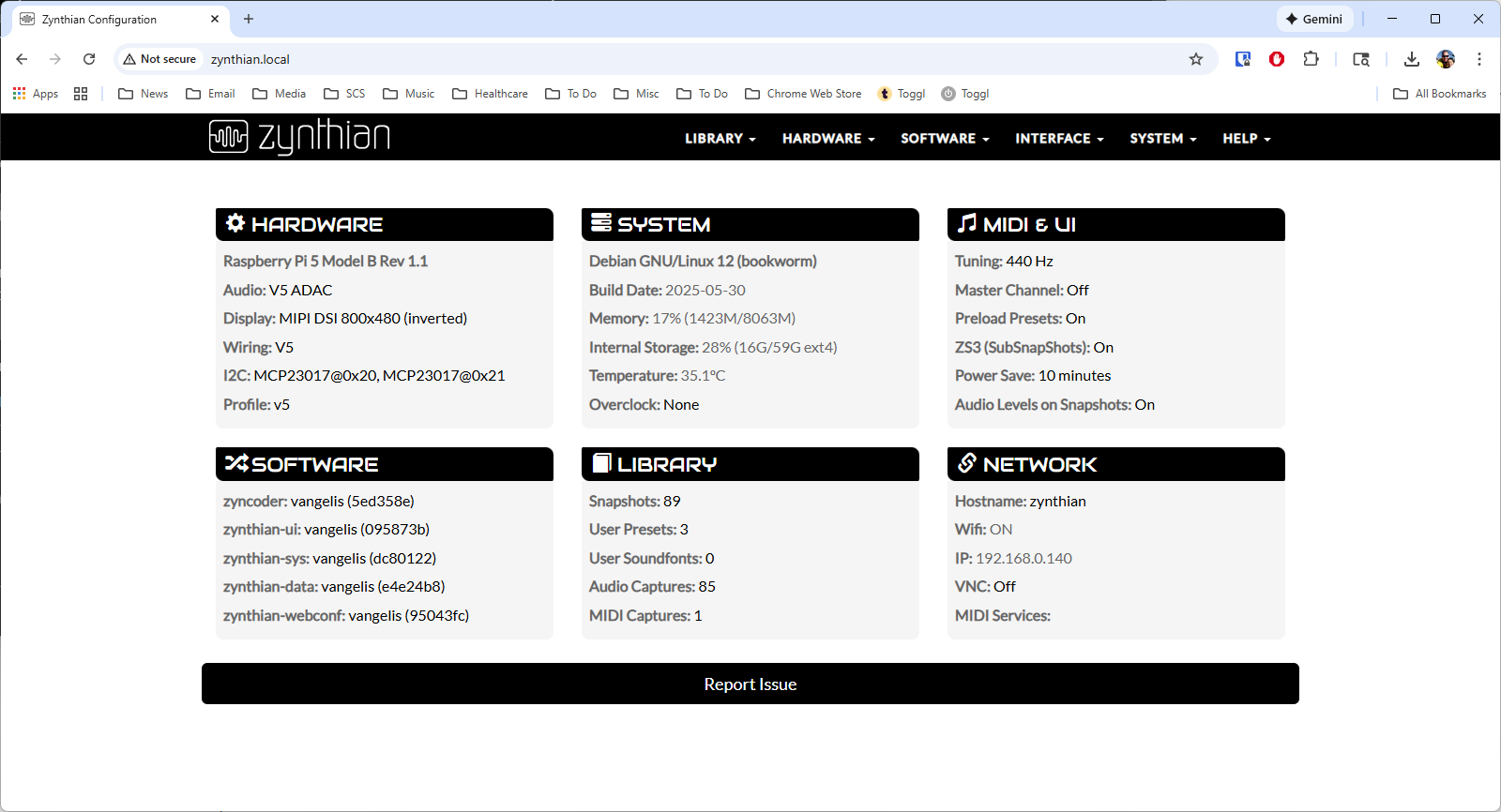
I have spent many hours troubleshooting this. I am using the Vangelis build, which I have otherwise found to be the most stable setup. Here is the web conf showing all of my configurations:

I realize this may seem like a minor issue, but getting volume levels set correctly in songs that I’m loading in performance is extremely important. I don’t have time to adjust things between songs, as the goal is to go quickly from song to song with no breaks. I can do this if I use my iPad to trigger the zs3 changes (via ForScore). I cannot do this nearly as easily by selecting the zs3s from the Zynthian interface. I am also just generally concerned about what other “surprises” there may be in my zss snapshot as I go through loading other zs3s, if I don’t have any explanation as to why these volume levels are getting distorted.

I’m open to other suggestions for how I may save these snapshots if there are more manageable methods that other folks have used. Thanks in advance for your time and consideration.

Regards,
TK

1 Like

Hi @tkc!

Let’s try to find the problem. Some questions tat would help me with the diagnose:

  • Does the the issue happen if you learn the same zs3 to a different program number?

  • Have you tried to use other device for sending the program change? Just to test.

  • Finally, have you tried learning the zs3 to one of the F1-F4 buttons in the V5? They send program change internally.

Regards

Thanks @jofemodo . I’ve answered your questions below:

Does the the issue happen if you learn the same zs3 to a different program number?

Yes, I’ve tried saving it as an entirely different zs3 with a different program change number. The same behavior occurs when I try to send the program change using my iPad.

Have you tried to use other device for sending the program change? Just to test.

I don’t have a way of testing this with another device.

Finally, have you tried learning the zs3 to one of the F1-F4 buttons in the V5? They send program change internally.

I created new zs3s for F1 and F2 and those seem to work fine. I may just change my setup to use the F1-F8 keys instead of using my iPad.

I have also ordered a new MIDI cable, one that plugs directly into the USB-C port. The setup I’m using now has a dongle connected to the iPad and a USB-A to MIDI cable from the dongle to the Zynthian. The new cable go directly from the iPad to the Zynthian.

1 Like

Why not a USB cable type A/B? or C/B you have a V5, with USB type B conector, right?

No need to use MIDI converters.

Regards

1 Like

I tried plugging my iPad (USB-C) directly to the USB-A port on the Zynthian, but it wouldn’t receive signals from the iPad. I don’t own a USB-C to USB-B cable. I read that unless the cable specifies otherwise, the iPad assumes that it can only receive MIDI information; it does not send MIDI information to the Zynthian. The only cables I’ve found to work are ones that have DIN-5 MIDI connectors (and obviously it seems I’m having issues with those as well).

@jofemodo,

I tried the new cable and it exhibits the same behavior as before, setting the volume of chains 9 and 10 to the maximum volume. If I reselect the zs3, the volume of chains 9 and 10 go back to what they should be.

I’ve noticed now that once this behavior occurs, I also get the same behavior when I select the zs3s with the mapped F1 and F2 buttons on the Zynthian. I’ve created a video demonstrating the issue:

This therefore looks to be something that has to do with how the zs3 is loaded by the Zynthian, not related to how the iPad is sending the signal. Somehow, on the initial load of the zs3, the chain volume levels are being set either to the maximum or to zero. Performing the load a second time sets the volumes to their normal levels.

Please let me know if I can provide anything else to help troubleshoot what may be going on here. Thanks again for your time.

TK

1 Like

It looks like I have found a workaround! I can set my iPad to send the same program change twice each time the score loads. Because each zs3 loads so quickly, sending two “program 26” changes takes as long as one, so at least I can configure my songs to reliably load each zs3 and its correct volume levels.

I would still like to know what is causing the zs3 to not load the volume levels correctly the first time, but at least this will allow me to get ready for the gig on Saturday.

2 Likes

Hi @tkc!

I’ve tried to learn your ZS3s (PC31 and others) to the F buttons, but i can’t reproduce the issue. It works for me. I’m using latest vangelis.
Please, could you send me the latest snapshot you use for recording the video?

Thanks

Thanks @jofemodo for looking into this. I’ve attached my snapshot where I’m getting the behavior I described in the video. Let me know if you have any additional questions.

Regards,

TK

008-Snapshot where F1 and F2 are mapped to zs3s with invalid chain volumes.zss (429.5 KB)

Hi @tkc !

Your snapshot works perfectly OK for me. I’m using V5.1 with latest Vangelis and i can change ZS3 with F1 & F2 without issues. Faders are restored always to the right level.

I didn’'t do nothing special. Simply load your snapshot.

Are you sure your zynthian is updated? How old is your SD image? Are you using latest SD image? A screenshot from webconf dashboard could help.

Regards