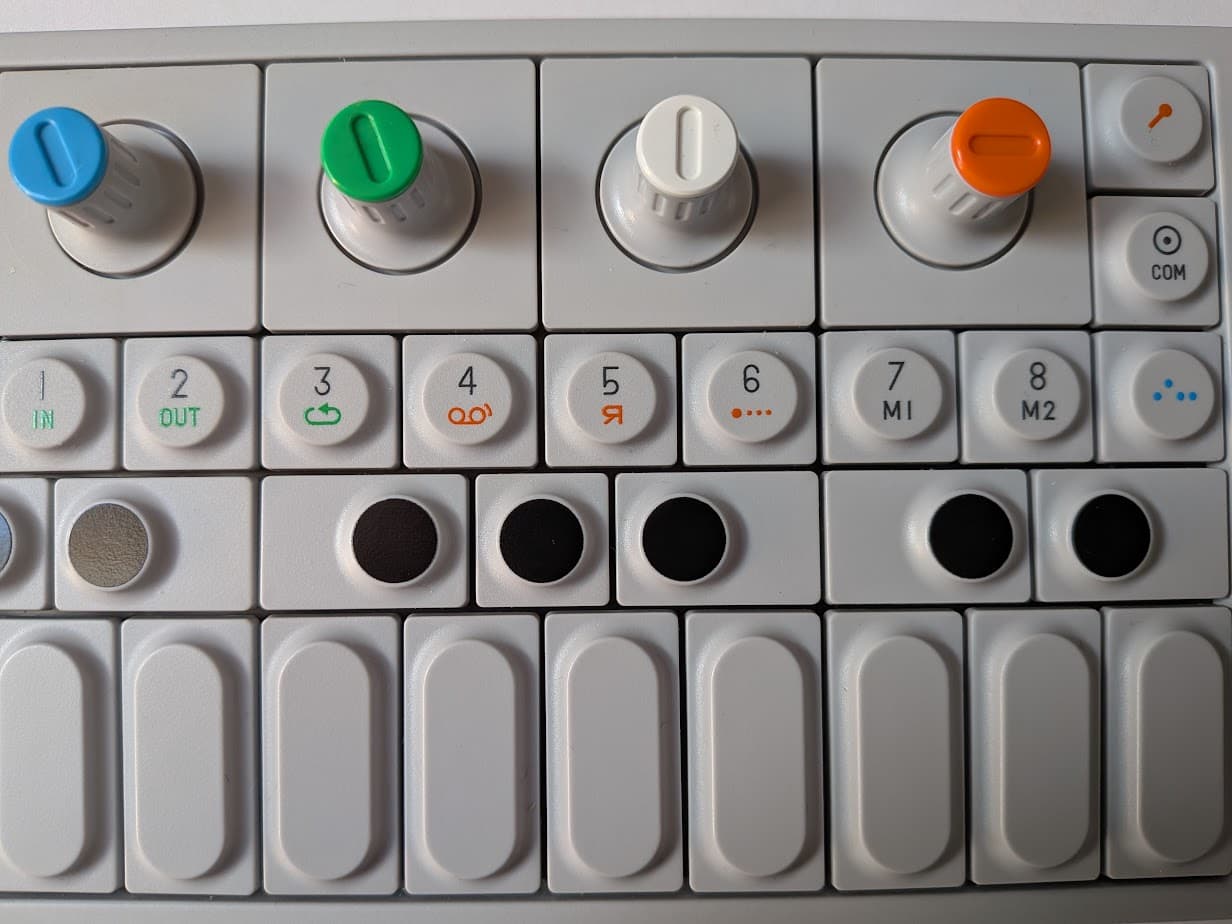
I would like to map the rotating encoders of an OP-1 to simulate those in the V4 or V5 style kit. I see here that this was not supported yet - is this still true? If not mappable, would I be able to solve this with a driver?
Long version, what works
To fake an official zynthian kit while reusing gear I already have as part of my GAS project, I looked for something that had at least 4 rotary encoders with switches.
I almost gave up until I remembered this gadget lurking in a corner: an original OP-1 (so not the updated Field version). And yes, it has 4 colorful rotary encoders with switches.
Is this overkill to use as a controller for a zynthian? Probably. Does it matter? Not to me, as I can still use it for other purposes and I already have it.
Recipe I have so far:
Connect OP-1 to Raspberry Pi (zynthian) via USB
Power on both OP-1 and Pi
Set OP-1 to COM mode: press Shift + COM
then Choose the T2 button (the large 2 below the text CTRL) to enable MIDI controller mode.
Here’s is a first version of a ctrldev driver for the Teenage Engineering OP-1 Original. Feedback is welcome before I submit a PR for it. For now, only the basics are mapped:
encoder rotation
encoder button push (and release, so short/bold/long works as expected)
tempo
play/record toggle
arrows up-down, left-right
Notes:
Tested on latest vangelis.
Tested with latest firmware version 246.
Designed to work with OP-1 in MIDI Mode:
On OP-1, press Shift+COM
Choose CTRL (Button T2)
Press Shift button to verify knobs are sending relative CC, change with blue encoder if needed.
Press Shift button to verify <> buttons are sending MIDI CC, change with white encoder if desired. Set to Octave ± if this behavior is preferred.
 project, I looked for something that had at least 4 rotary encoders with switches.