I definitely concur with this idea @riban. It would be much easier to operate than it is now, and it would expose in a synthetic view a configurable arrangement of processors. This is one of the UI sections that would benefit from a shift towards an ideographic design.
2 Likes
Hi @Aethermind
Yes, you are right about the UI shifting paradigm, although I’ve experienced nice UX and effective productive enviroments being ruined a few times, for the sake of new UI bells and whistles…
I was just trying to add to the reflection the perception of Zynthian beginners, who definitely face a steep learning curve before being proficient, so they favor simple processess for the basic functionality.
I already realized that one of the aspects I need to grasp more intuitively is the short/bold/long push underlying logic, that’s where I often get lost during interaction.
As for the “protected environment”, if I got it right, you propose a audioless Zynthian explorable with keyboard/mouse. That’s a great hint! I may temporarily decommission one of my piCorePlayers for this purpose 
Thank you for your great feedback!
Merry Xmas 
Yes indeed @stojos,
Paradoxically, the more the available video matrix increases (thus theoretically allowing for larger fonts, cleaner boxes and more neatly arranged visual information) the tinier the characters and icons are becoming. I deem it a consequence in UI design culture of the Internet-propelled tendency to deliver as much information as possible in every screen layout, which brings perceptual disorientation of the user and both visual and intellectual fatigue, in managing multi-tasked operations more or less obligatorily.
I believe that the technological push in the video compartment of computers, and the software industry development model, are also responsible for the constant deterioration of the UI quality of professional apps, all across the board and not only in the music software segment: too frequent program releases, too many screen standards to accomodate, too little investment in polishing the existing code listening to users’ requests, too many new functions layered on an already overgrown app, while letting standing issues of major relevance as they are (because fixing the existing code is complex, costly and requires a stable programming staff with little turn-over).
Best regards
2 Likes
I would suggest arranging the chain blocks vertically in the grid. This would make better use of the display area and probably improve readability, helping to have bigger and more readable labels for the blocks, reducing scrolling, etc. Also, vertical scrolling is “more natural”. I would avoid horizontal scroll as much as possible, although it could be needed when there are a bunch of blocks in parallel. Anyway, this is less common than having blocks in series.
My 2 cents 
1 Like
FYI, you can be relaxed about the zynthian UI future. Priority is and always will be audio/MIDI processing. We could add some icons to improve UX. We could improve chain managing by using a grid/block approach, etc. But we are not following, for sure, the “bells and whistles” way. Graphic austerity is part of zynthian DNA and i would push for this keeps going like this. You can forget about animations, nice fade effects and graphic transitions, etc.
All the best,
7 Likes
Oh, are there any changes intended for the physical UI? Like how v5 has the encoders all on the right of the screen vs v4 which had 2 per side? Are the positions of the buttons meaningful or intended to change in future? (I’m making a front panel you see )
Personally, I’d love a LESS graphic UI for the sequencer but I’m not holding my breath for anyone else to agree with me.
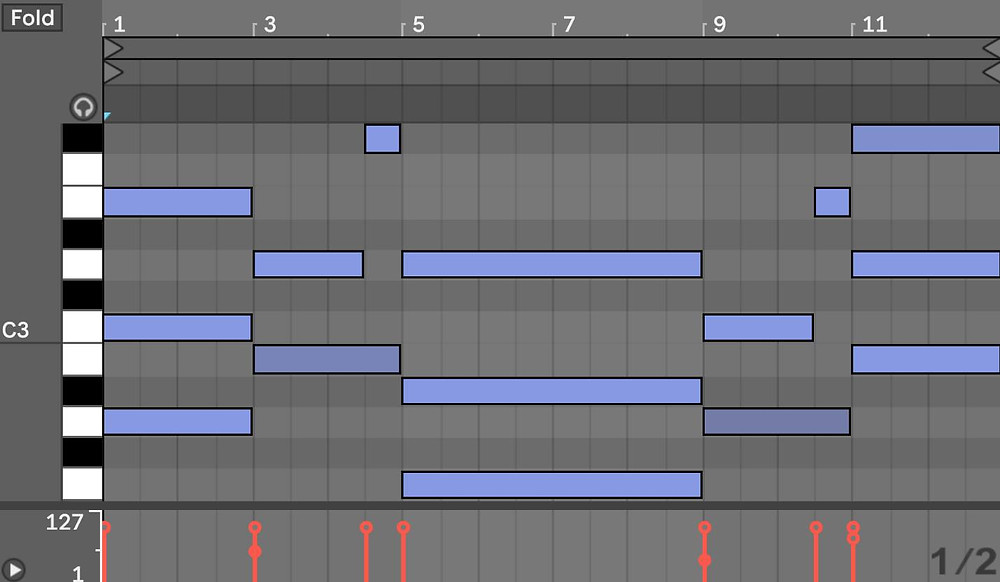
No thank you.

Yes, please!
The Linn-designed MPCs and their immediate successors (the 2000 and 2000xl, actually my favorites) got it just right with their combination of stepping through time and editing the data on each step as a plain text list.
1 Like
I would call the more text based view-interface a “tracker” and I think there is some desire for it as an alternative view of the sequencer. I’d certainly like to see it!
1 Like
Trackers are cool too, but a very different way of working. A pure event list style sequencer is closer to a CSound score file than a tracker and isn’t my favorite (although CSound scores were the only kind of sequencing other than trackers that did much for me until I got a cheap MPC2000xl back around 2010) The MPC2000 is still by far the fastest and most intuitive/creative way to sequence for me and I did more and better music when it was the center of my setup than I ever did before or since. The big difference between that and event list sequencers like the Atari screenshot I posted is that instead of seeing a full even list with the time of each even displayed, you step through your pattern (either a ticka t a time or muliple ticks determined by the quantize setting) and see an ordered list of events that occur on that tick. It’s really elegant, because it gives you the freedom and low level control of an event list but doesn’t force you to keep track of timing yourself - there’s a concept of a timeline even if it’s only represented by bar/beat/tick values instead of an actual graphic timeline.
Piano rolls are fine for getting a high level overview and more coarse editing, and a plain event list is the fastest way to do really precise, low level editing but the 90s MPC way (and plenty of other 80s and 90s hardware sequencers - the MPCs just did it the best out of any I’ve gotten to use IMO) is a perfect balance between the two.
Trackers are more like the ultimate step sequencer, and that’s a whole other world (I’d love to have some kind of tracker module in the Zynthian but I also feel like using a tracker withut a full QWERTY keyboard kind of defeats the purpose a bit, as fun as stuff like Sunvox and LSDJ can be).
I guess my broader point is that I feel like MIDI is more suited to text based editing than graphical editing most of the time.
1 Like
If we look at UI of popular guitar fx processors with small screen such as line-6 helix or fractal axe-fx they do what you are describing @riban. They all use blocks inside the chain to represent each fx and link them together (they can also branch inside the single chain which we can’t currently).
They often do not have any label on the block and use a different colour to represent the type of the fx so that user know what are the main participants in the chain. Name and fx parameters are only displayed when block is selected by encoder. In this way they combine current two zynthian screens: “chain options” (where is the current view of all fx as a list) and “chain controls” (where are the all controls for all fxs). Only first three or four parameters are presented (depending how many encoders are on device) but another set of parameters are selected by left/right arrows (in our case it would be top/down).
If block is encoder clicked then it is disabled/enabled. When block is disabled its colour is transparent.
If block is bold clicked you have fx options (move, remove etc). Options are often not presented as lists as we do and often each encoder has assigned options to quickly do. Again if there are more options than encoders then arrows are used to select a new group of options.
There is also a special first and last block that is represented as a circle. If you select that one and bold click you have options for input/output ( in our case it would be midi or audio inputs and output options).
Finally you have merge and split small blocks that enable merging/spliting branches where you can control how to split or merge (e.g send only left channel to new branch) or merge with different volume etc.
They often comes with predifined 6 empty blocks so that user can simple select them to set fx. That is more user friendly then not having them and instead selecting existing fx block and then bold click for options and finally select add fx pre or add fx post option.
Here is a link of line-6 hx stomp manual and cheat sheets where you can see some of ideas how to effectively manage fxs with a small screen, 5 encoders and 4 additional buttons. I am
not saying that we should do the same but there could be some good ideas that we did not think about and are applicable for our hardware config.
[edit] Forgot to say that current zynthian screen flow is more appropriate for original zynthian use case which is a primarily synth instrument where most controls are inside a single instrument and there are only few additional fxs. What I described here is more appropriate for sound synthesis with many fxs with small number of parameters. If we develop this we should keep both and have option to set chain with one or another view so that user can select what view is more appropriate.
We can provide parallel and series paths through a chain. We are not intending to change this behaviour.
I would prefer a consistent workflow that suits most users. A way to view the chain as graphical blocks with as much info and direct control is good but I anticipate the need to dive into each block for its full control because we have some plugins that have lots (and lots…) of controls. I don’t see too much difference between our control view with pages of encoders and the control used by line-6. We need to be mindful of the V4 and touch workflows that do not have sufficient touch + encoders + switches to implement the line-6 workflow.
There are of course good ideas that we can borrow from our friends in other places and I did play with a hx stomp once so have seen how they do things. I would like to use some of those ideas but in a way that integrates well into the zynthian workflow.
As I understand, you can only run a single set of effects in parallel. You can not branch into two subchains with a different number of effects in each subchain that are configure in series. The only way in zynthian to branch audio into multiple sub branches of fxs is to use multiple chains but then the view that we are talking about here will not show everything - only what is in selected chain.
I am on holiday and don’t have access to zynthian to check this so please forgive me if I am wrong.
Yes, this is correct. We allow effects to be placed in parallel and for those parallel effects to be placed in series with others but, to get a parallel path of series effects requires multiple chains. I feel this is a fair approach because a chain is a series of linked things. Some of those things may be parallel sets of effects but the chain as an entity is a serial set of links. I appreciate that things like the hx stomp do it differently but they don’t provide the flexibility and power that zynthian’s chains provides. You can do everything that the hx stomp does within zynthian, and more. It is just done differently.
I only played with the hs stomp for an evening, just before my friend sold it. (I wasn’t sufficiently impressed to buy it from him but did learn lessons for zynthian’s design.) So I haven’t got extensive experience of using it. If there are workflows that provide substantial benefit then I am eager to hear about them.
I fully agree with it and therefore introducing view with fx as boxes is very complex topic.
IMO we should start simple but have some vision for future enhancements.
Presenting FXs as boxes, enable/disable FXs and quick access to specific fx controls (without scrolling through all fx controls) is the main disadvantage to current zynthian interface for guitarists. Branching is not that important. As said before guitarist use case (many fxs with few controls) is very different to original zynthian use case (few processors/fxs with many controls). What is adequate for former is not for later.
Can we create view that both will benefit I doubt. I am more leaning towards having two views and get user to select which one to use and set as default for a chain.
I will try to mockup some wireframes while I am on my next long flight.
1 Like