Use case: MIDI clip launching?

Howdy ho! I’m wondering if this seems like a good use case for Zynthian:

I have a loop sequencer (MC707) that I rather like as my MIDI master, but I would like to trigger some occasional longer MIDI clips as either loops or one-shots. Can zynseq handle this? I would need:

  • 8 tracks corresponding to 8 midi channels, with a number of midi clips per channel.
  • Each channel can play one clip at a time, but the clips play independently. That is, each clip position is quantized by bar to the master clock, but each channel can have a different clip playing at a different bar position.
  • Each clip can be launched by a selectable midi program change message on the respective channel (ideally) or some other arbitrary message like note or cc.
  • Each clip can be either a loop or a one-shot.

Is it possible to set up zynseq this way? There’s a lot of other things that I think would be cool to try out after that is working, but I wouldn’t primarily be interested in audio. I’m looking for something small, so I’m most interested in the v3 hardware.

Thanks for any thoughts!

1 Like

Hi @Voskomm! A veryh warm welcome.

I think what you are describing is all doable…

Zynpad allows you to configure each pad’s sequence with a lot of flexibility but we are working on a change that will restrict this so I will describe the elements that are likely to continue to work.

By default, each pad has a sequence with one track containing one pattern. The track’s MIDI channel is inherited from the pad column, except the last column which is MIDI channel 10. This can all be changed in the menu. Each column of pads have sequences in the same mutually exclusive group, i.e. starting a sequence will stop sequences in the same group at the next sync point. (You can consider sync points as end of bar.)

The default quantity of pads depends on the screen resolution so, on a V3 that would be 4x4. (Zynpad is square, with equal quantity of rows and columns but this will change in the future.) You can change the grid size in the menu so for your use case, you would set the grid size to 8x8. You would then ensure each pad had the MIDI channel you want it to control, e.g. first pad might be MIDI channel 1 to control synths on MIDI channel 1.

You access the patterns by bold SELECT the pad, so you can go in and create MIDI patterns. You talk about “clips” which sounds more like audio than MIDI. Maybe you can clarify what you want to launch.

You can assign a MIDI channel for triggering pads from an external device and you can assigne a MIDI note for each pad. A neater way to do this is to write a device driver which maps the external device to zynseq sequences.

Each sequence may be configured with a variety of start and stop modes, including one-shot and loop.

V3 (often based on RPi3) and V4 (using RPi4) have the same form factor but you could use zynthian mini which aims to keep the form factor small or build a custom device. (My first zynthian had a 2.4” screen.) There are many ideas in the forum on how to build unique devices!

2 Likes

Thank you! I’ll read up on zynpad, sounds like that might be what I’m after. By ‘clip’ I mean a midi sequence limited to a single channel, that can be played freely alongside other clips on their own channels. The MC707 has 8 columns and 16 rows of clips that behave this way, similar to the Ableton session view, which I think also calls them ‘clips’. It sounds like zynpad is meant to be a similar paradigm to the session view?

2 Likes

Indeed, zynpad does a similar job. It is actually really flexible but that makes some of its features complex which can confuse users so we are simplifying (and constraining) the workflow in a fitter release.

Great! I’d love to try out a mini but I don’t have time for a build project right now. I found an old v2 I’ll try this out on and see how it goes. Thanks!

1 Like

Ok, cool I finally had a chance to play around with this on the hardware. I’ve had some success, but some issues also.

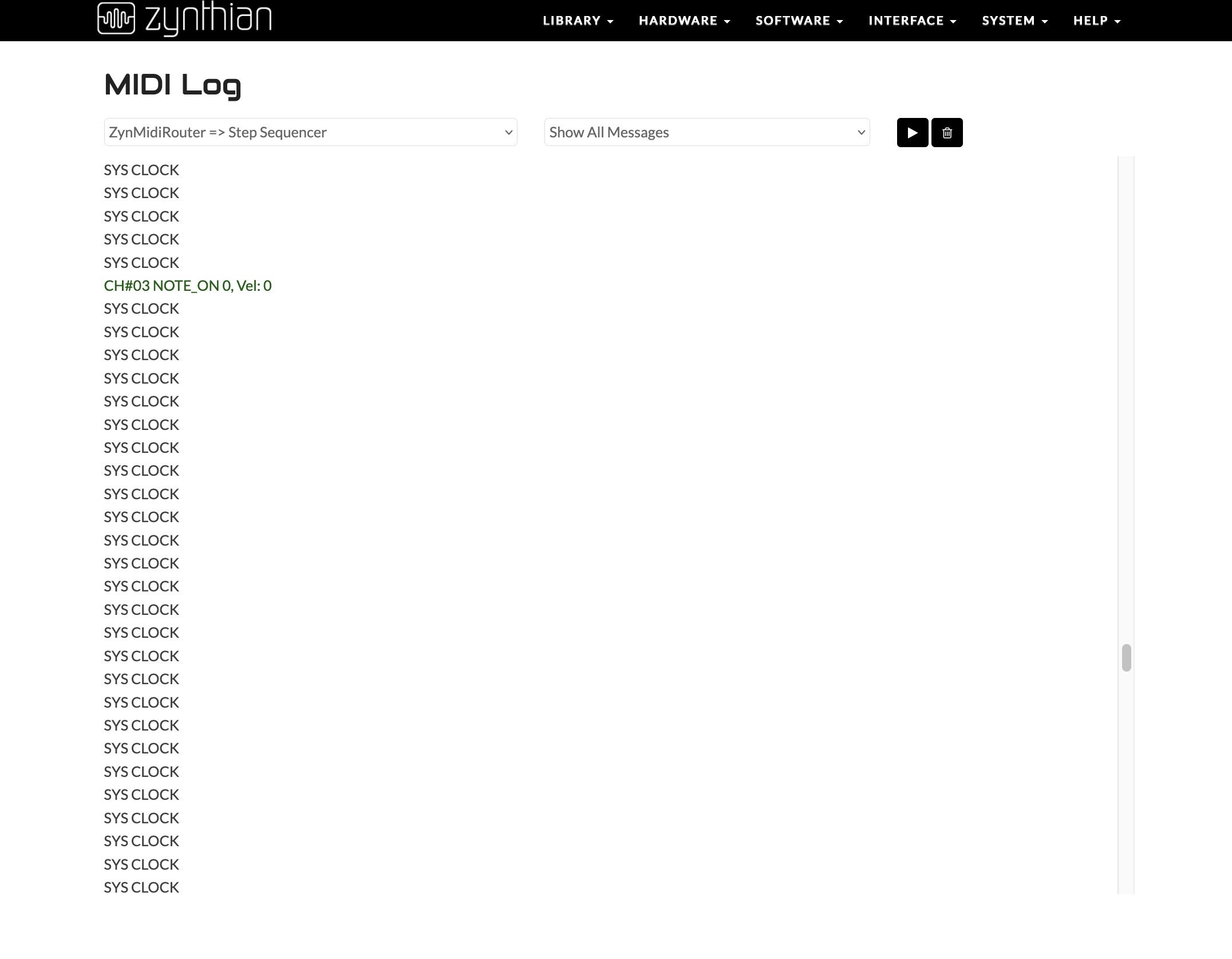
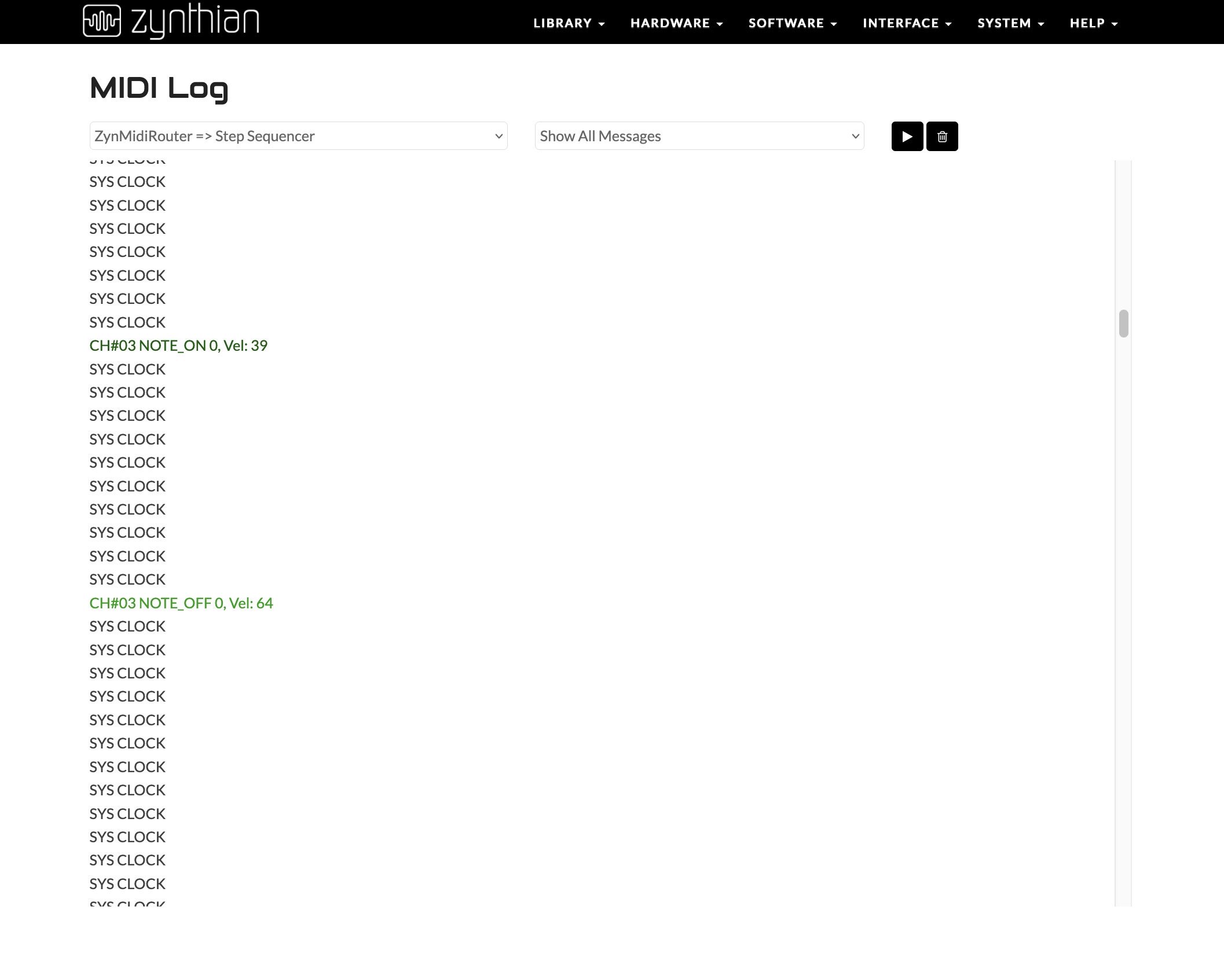
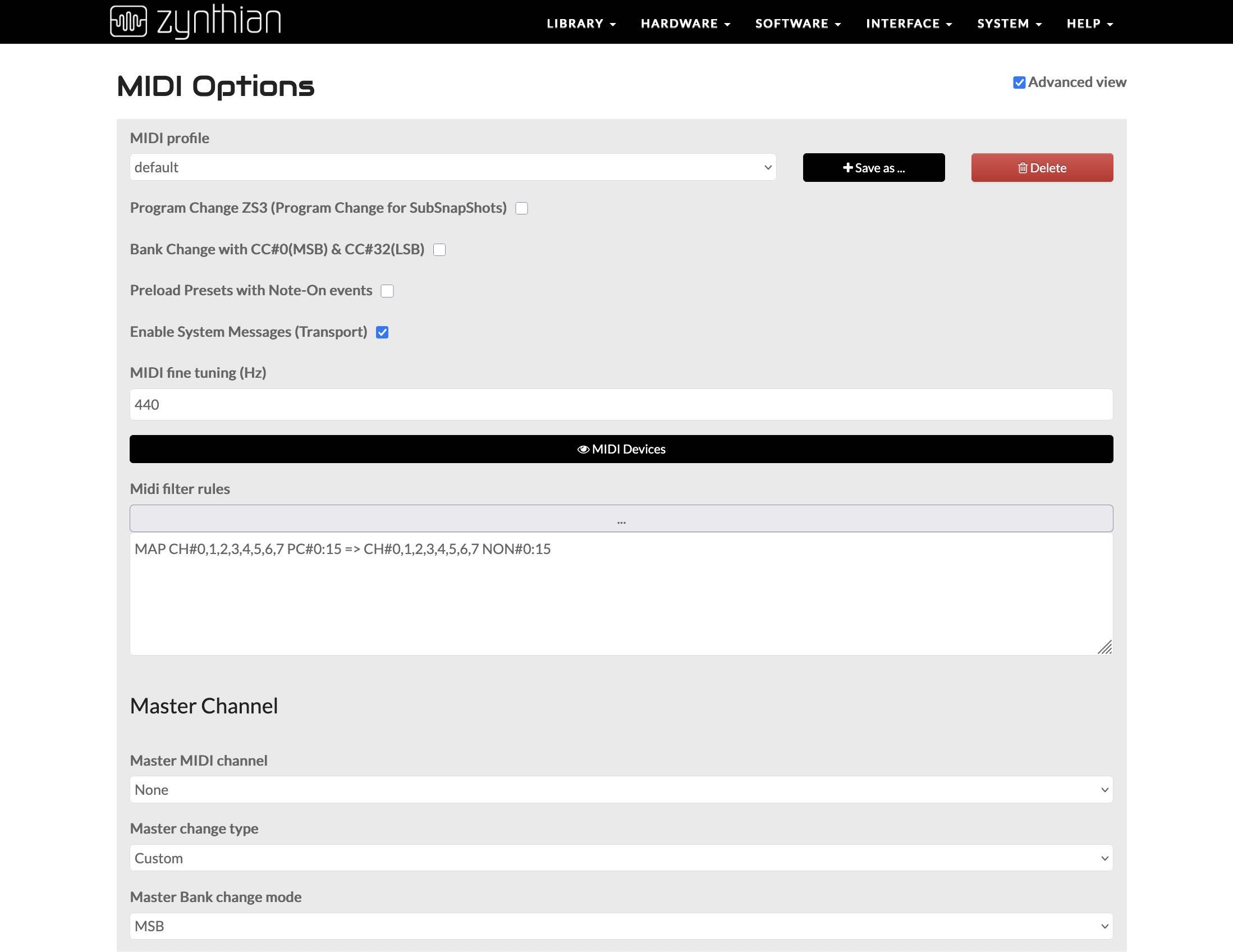
1. In my best case scenario, I would be able to trigger a sequence in ZynPad with a program change message from the MC707. I am able to get a sequence triggered from a MIDI Note message from the MC707, and I’m able to add a MIDI filter to map program change messages to note messages. However, those notes don’t seem to trigger sequences on ZynPad at all. I can see them in the MIDI log, they come through as velocity 0. Is this perhaps the reason, ZynPad doesn’t recognize velocity 0 notes as triggers? Is there a way to map to note-on with a particular velocity? Here’s the filter:

What I get when sending a PC from the MC707 (doesn’t trigger ZynPad):

What I get when sending a note from the MC707 (this does trigger ZynPad):

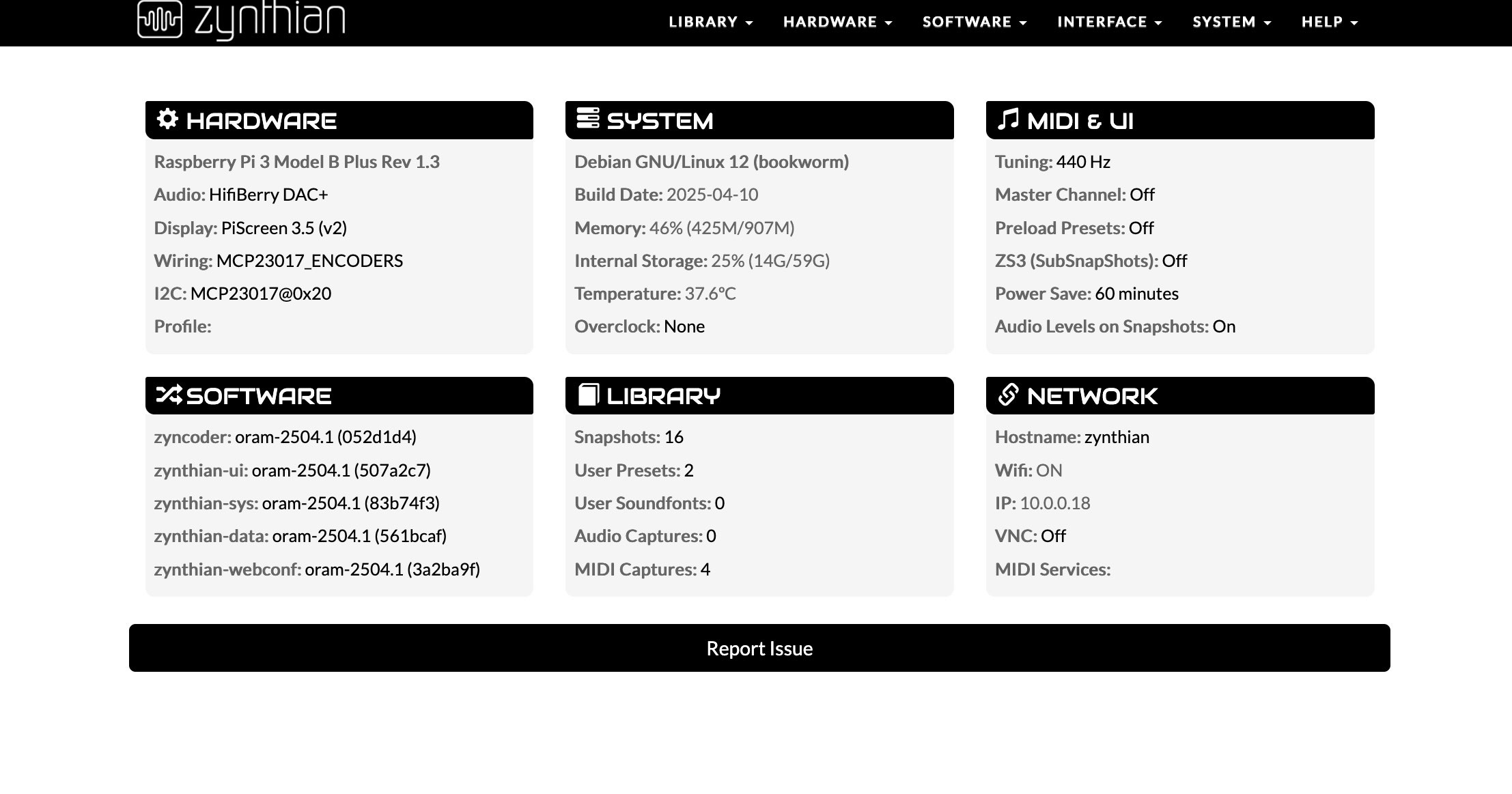
Here’s what I’m running:

2. I notice that after starting a sequence in ZynPad with a note, sending another of the same note will stop the sequence. This isn’t ideal, I would like (and I think this would be a sensible use case) the sequence to re-start from the beginning (nearest quantize interval) when another note-on is received, with an option to assign a MIDI trigger for “stop all” on a particular channel. Is there a way to change this? Willing to potentially do some coding if there isn’t. I believe there is an option for this in Ableton Live, under “Launch Mode” for clips.

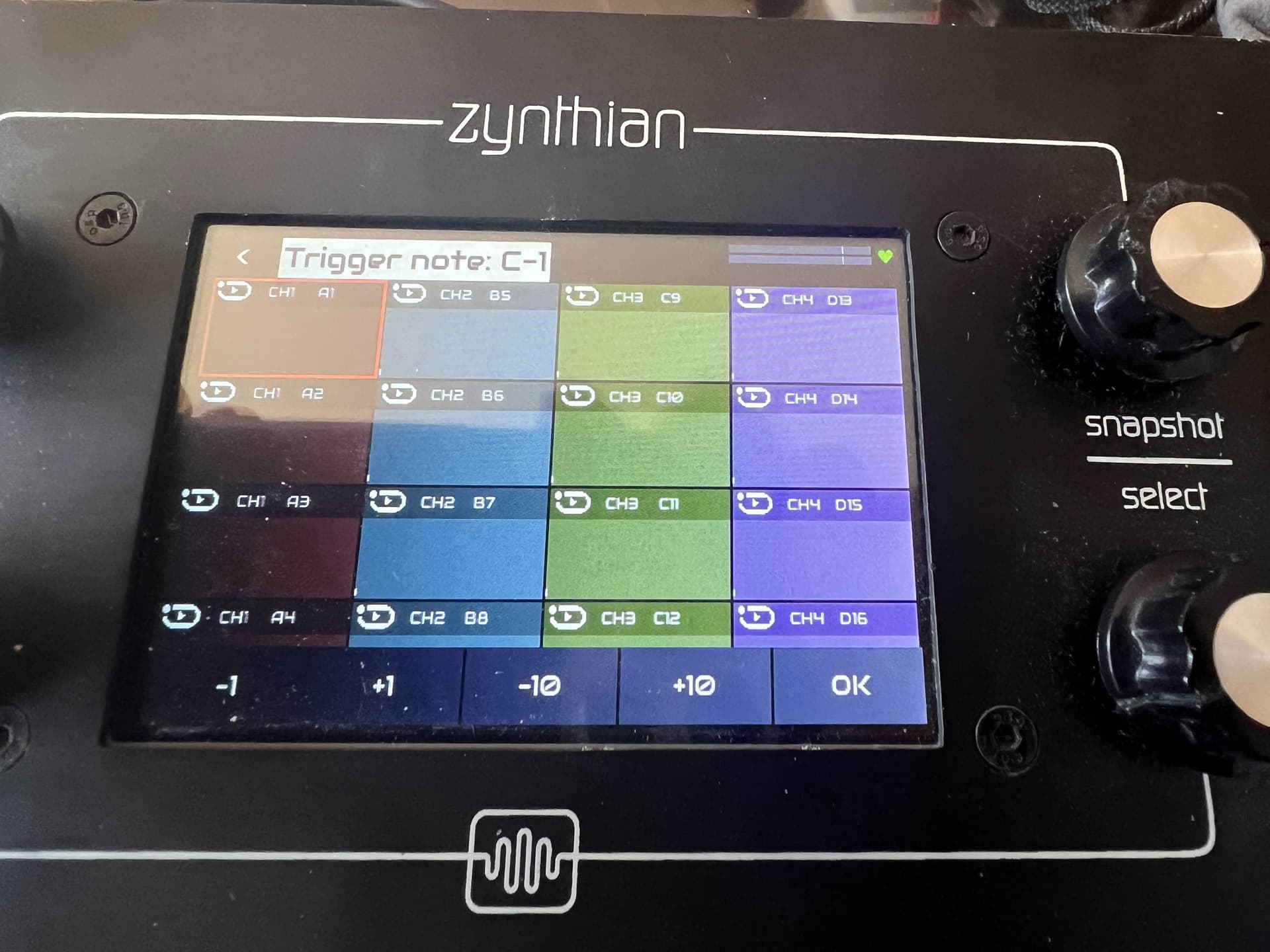
3. There’s a weird UI thing assigning MIDI triggers to pads. When I’m selecting a note with the encoder on this screen:

If I ‘roll over’ a note (ie, I’m rotating the encoder, but haven’t pushed it yet) that has previously been assigned as a trigger for another pad, the trigger note will be removed from that other pad. This clearing from another pad makes sense, but this “clearing-from-old-assigning-to-new” process should not happen until the encoder is clicked. I can work around this, but it is pretty annoying :grinning_face_with_smiling_eyes:

4. Is there a config somewhere that sets the maximum number of beats that a ZynPad sequence can contain? 64 isn’t too bad, but it would be good to have the option to set some very long sequences without workarounds like chaining or scaling.

5. I haven’t tried looping the Zynthian back to the MC707 yet, but I’m not sure how I feel about the ‘feedback tallies’ from the pad MIDI triggers. Certainly it seems like there should be an option to turn that off. Is it possible to filter out just those note velocities (data 1-5) from the outputs?

Thanks for the help!
Can you suggest a resource for this? I’d prefer to stick to DIN midi to keep complication down, but in theory the MC707 has class-compliant MIDI over USB, it might be an option.

Ah, I see it in the wiki/github. I’ll give it a try! The python code looks straightforward enough, seems like it might be good for the launching, at least.