no changes 
Do you mean icons or text? I think the icons look big enough but need my glasses to read the text.
I mean text
I agree the text is small on V4 (3.5" screen) which has more buttons in its main menu (4x4). We can try to increase the text font but that might be challenging with the current sized buttons. We could reduce the columns and have a scrolling grid. We have tried to avoid that.
if a scrolling grid is opted for (not my preference), please let the row or column that’s out of view still be partially visible (peeking above the fold). This gives the user the idea there is something to scroll to.
1 Like
That is generally how I have coded scrolling windows but can’t remember if I did so for the grid menu. We can test that. Also, it may be beneficial to have a scroll indicator like a scrollbar. That definitely isn’t implemented yet
I think it could be enough, maybe reducing the border
@piattica Have you tried the block select in the pattern editor, does it work for you with encoder #2?
Sorry LFO but I never used pattern editor so I suggest you to ask to other users
Are you using V5? It’s knob#3, not knob#2. Alternately you can use F3 button.
It’s explained in the on-screen help, but it’s not yet available for V4 layout, only V5.
Regards,
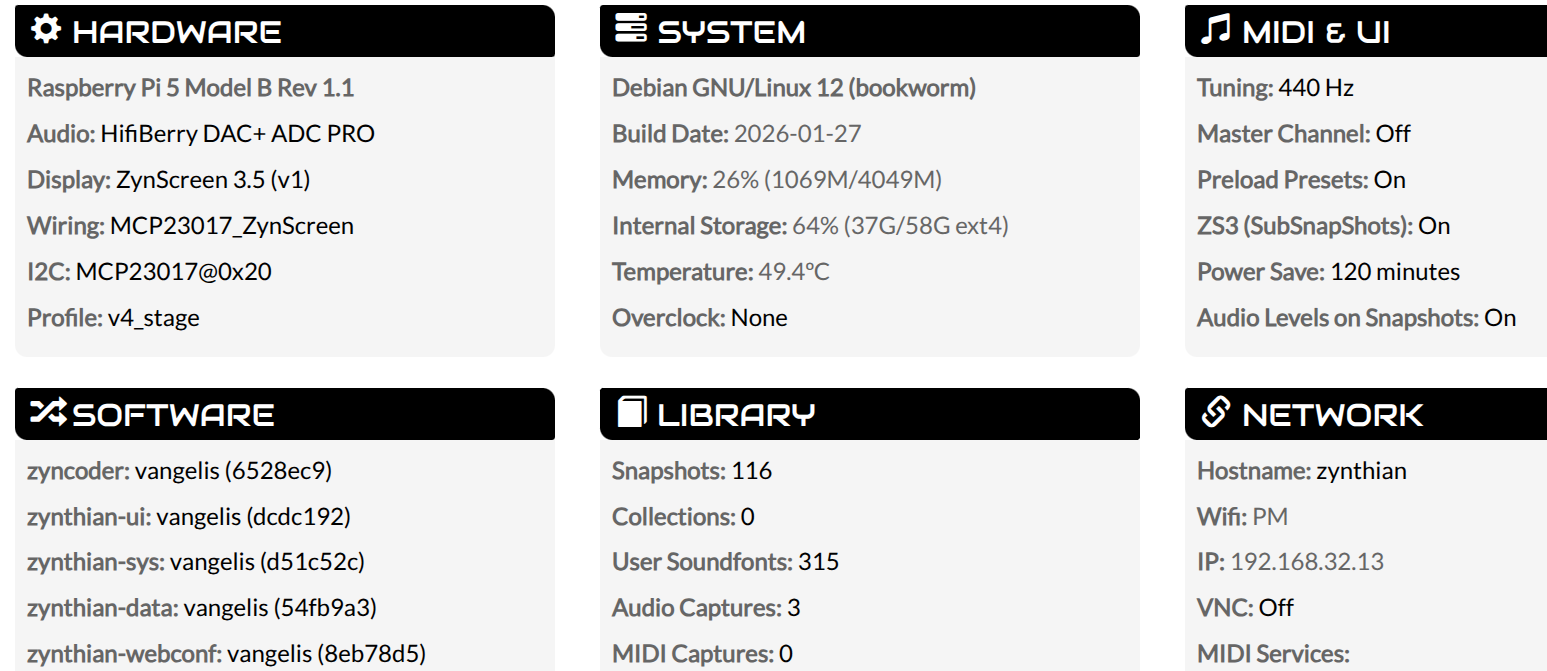
There has been an update to zynthian-sys since then but I don’t think it necessarily touches stuff that would cause your problem. My V4 is working fine after updates.
Today I finally had my zynthian at the rehearsal again and it was much fun. I encountered 2 issues though:
- Cleaning all sequences (via main menu) put all launchers to oneshot mode.
- Copying a sequence to clipboard caused the sequence menu not being available in all clips until reboot. Actually other controls worked, but I had to tap back two times to get to the mixer view again, which leads me to the assumption that the menu probably was open, but invisible?
2 Likes
Fixed both of them!
Regards
2 Likes
I noticed on your webconf dashboard the Pi5 - is this an official V4 that has had a Pi5 installed? I’m not asking because I think that’s a problem, just to clarify what hardware we’re dealing with.
I think it would be worth a try to write a fresh Vangelis image to an sd card, see if it works fresh, then update and see if it fails.
I noticed my encoders stopped working last night and I had run an update. I can’t quite remember the timing of events and I have some fussy wiring so I don’t want to immediately blame software. It didn’t come good after some reboots and checking connections which it usually does so I gave up. I’ll check again this evening.
1 Like
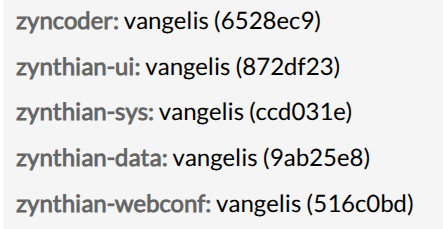
I added to the ticket, we have similar setups. Using an I2C script I used previously to test, I get responses from buttons and rotation. No encoders working any more though 
Sorry, i can’t reproduce the error in my V4 Pi4. I don’t have any V4 Pi5 to test, sorry.
If you want this get solved soon, we need more help from your side.
For instance, did you try to rebuild the zyncoder library by hand? UI logs? Etc.
Regards
Ciao Fernando please tell me step by step what you need.
pls teach me how to do
I found this: could it be ok?
systemctl stop zynthian
cd /zynthian/zyncoder
./build.sh