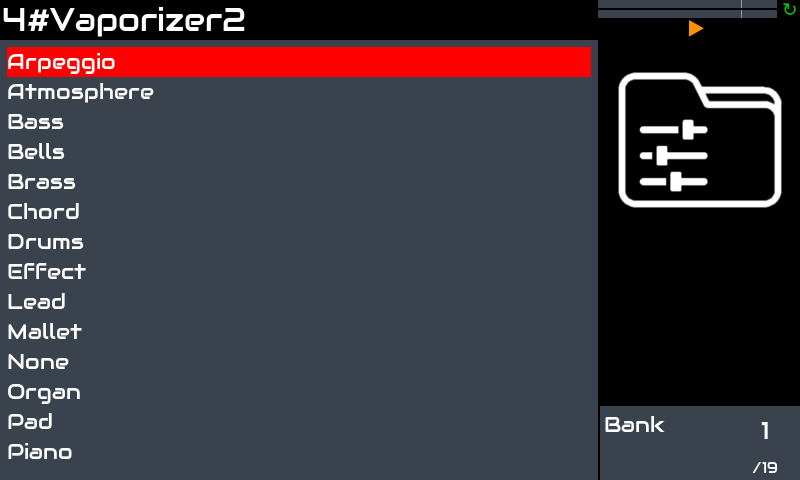
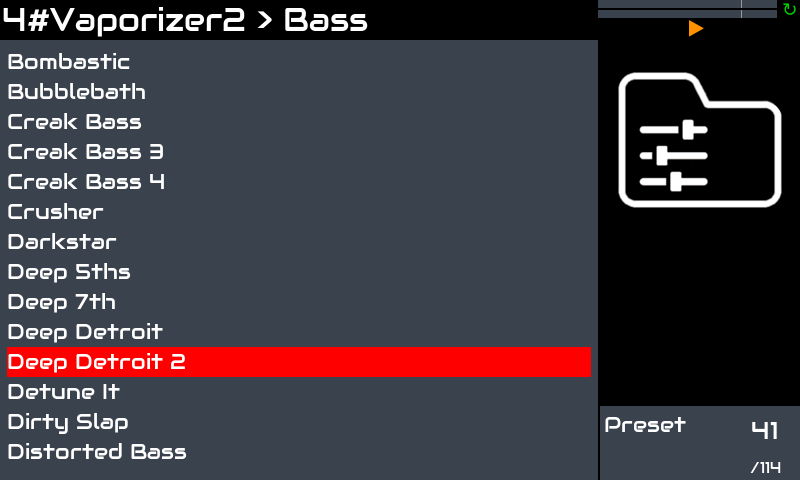
Thanks…
(Sometimes I get scared as if you’re watching everything…  )
)
Cheers,
Maarten
That was the first patch I put into zynthian! 

Where can I learn how to use Jalv?
in its WIKI Page (Jalv - ZynthianWiki):
From the webconf tool (Software->Jalv), you can configure the list of engines enabled for Jalv engine.
You kinda don’t need to. It is a very thin host for LV2. We use it to host plugins and integrate with zynthian controllers. If VNC is enabled then some plugins will show their native GUI in a window on the VNC view with a menu to manage the presets. This is mostly not needed but there is the odd side-case where full integration may not be complete, like this.
I have vaporizer up and running and all the presets available through VNC but I’m not seeing how to save one “And saving the preset in: http://zynthian.local:6080/vnc.html?autoconnect=true&password=opensynth”. Is there some step I might be missing?
Thanks,
HArry
Yeahhh! I just tested and Vaporizer sounds great. I’m working to have the presets available in the zynthian UI ASAP.
If someone could find more free presets, it would be nice. The more the better 
Regards
It really is great!!! (and low on CPU usage!!)
Thanks for making the presets accessible in Zynthian! 
Cheers
We have a little problem with Vaporizer2 … the full factory preset library takes 1 GB.
Nice, but … guauuu!! Perhaps i include a little subset by default and create an “extra package” that can be installed from webconf.
Regards,
It would be very convenient if these large packages could be place on external media (a USB stick).
Then it would not be necessary to reload gigabytes of data when you have to reflash the SD card.
I already do this for soundfonts (in fact I moved the complete zynthian-my-data to USB) and that saves me a lot of time and frustration.
Hi @Jofemodo,
I am very ok with a subset of sounds. I am already very happy that this great synth gets the ‘Zynthian’ status… 
Thanks!
Maarten
Interesting @jofemodo.
Since I didn’t install it yet, what kind of massive wavetable base does require this synth?
Is it maybe, in a sense, akin to Korg’s Wavestate, which can load large sets of multi-samples, for their raw material to be manipulated in a way reminiscent of a full sampler, but within a wavetable instrument’s environment?
at the end this should a useful option to add to this system: to separate data and OS
Well, it’s done in Vangelis!
You can install the vaporizer LV2 plugin calling this script:
$ZYNTHIAN_RECIPE_DIR/install_vaporizer2.sh
Be warned that this will install the preset library too, what takes 1GB. It’s a fantastic collection of presets, so probably you want the full collection if you really want to use the vaporizer.
Anyway, I will move the preset library installation to a separated script that can be called from the webconf “extra packages”. I would leave a few presets by default for testing the engine.
WARNING
Before running the install script, i recommend to remove all vaporizer presets you have installed by your own. You can install later.
Then, you should call this to regenerate the LV2 presets:
regenerate_lv2_presets.sh https://www.vast-dynamics.com/plugins/VASTvaporizer2
Then restart the zynthian UI and create some synth layer with vaporizer.
You must repeat this step when installing new native presets (vvp) or if you delete or reorganize the native presets in disk.
NOTE:
Although this synth engine works really fine, i got some XRUNs when running several instances with VNC enabled. Please, don’t forget to disable VNC if you don’t need it or get XRUNs.
Enjoy!
Ahhh! The demo, of course:
Zynthian V5.1 with 4 x vaporizer chains. 3 of them sequenced with the new vangelis “zynbleton” and the 4th it’s me jamming the wave. Nothing special but much fun!!!
VNC was enabled (i forgot to disabled!) and the 4 chains kept playing without XRUNs. So yes, Vaporizer sounds great and it’s quite light!!
The snapshot:
015-vaporizations.zss (221.6 KB)
Enjoy!
Well, as you probably imagine, now that we have the presets in the UI, it would be nice to have grouped parameters and well sorted, marks for ADSR and filter parameters, etc.
Some volunteer in the crowd? With this fantastic engine, it’s worth the effort! Really!
The best!
If you need any more (!) presets, The Energy Soundbank by HO and The Transformation Soundbank by HO can be found somewhere in KVR and have useful stuff. Also the program seems to be able to deal with subdirs in the presets and tables directories which keeps things a bit tidier. Hoping that preset visability makes it in to Oram as I’m not quite ready to delve into Vangelis…
No. i wasn’ t aware of the latest versión. I will update the script ASAP.
Thanks