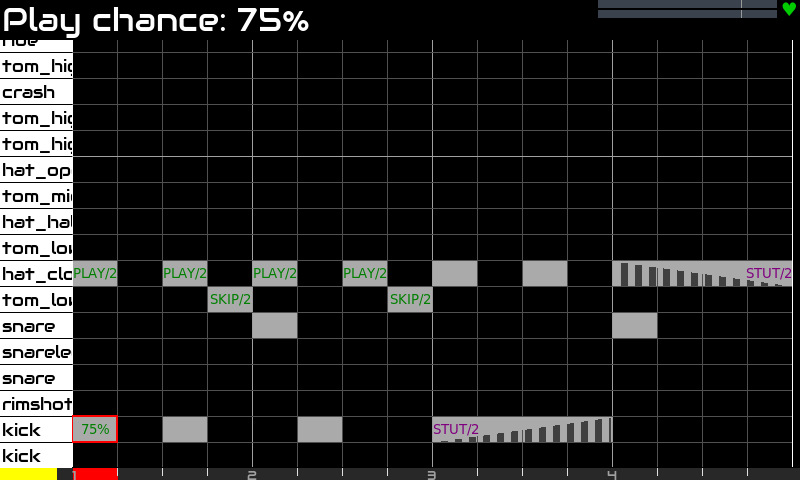
Still a little bit better:
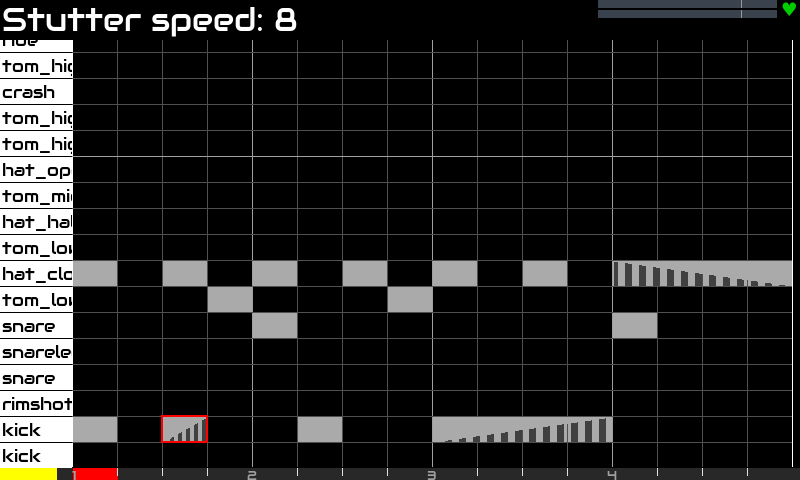
There is a PR from @ronsum awaiting to solve this. I will merge… OK! It’s merged now!
Regards
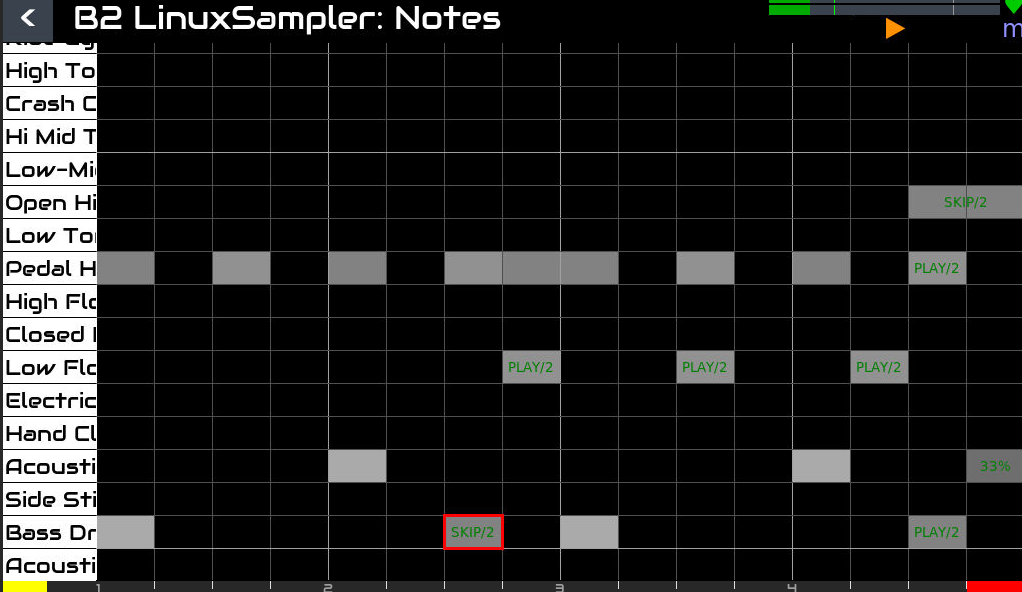
Still a little bit better:
There is a PR from @ronsum awaiting to solve this. I will merge… OK! It’s merged now!
Regards
And still better!
Legend
Note stutter is presented as a sequence of vertical bars
Green Labels: Represent play frequency or chance.
Purple Labels: Represent stutter frequency or chance.
If you apply several chance or freq properties simultaneously, you would only see represented one of them as label. Label priority is:
1.) Play Freq
2.) Play Chance
3.) Stutter Freq
4.) Stutter Chance
If you think a little bit, you will realize that most of times, you would be applying only one of them. Of course, combining is always fun, so … I know is not perfect, but it’s a lot better than we had yesterday, right? 
Enjoy!
Wow, look at you go! 
It’s working mostly ok for me. Some things I noticed:
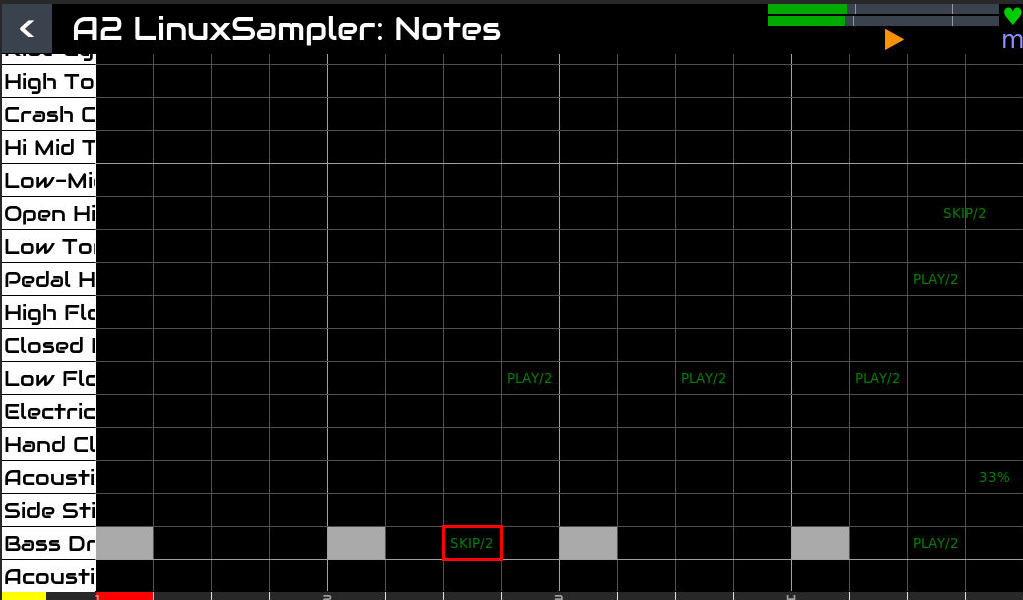
parameter labels seem to ‘ghost’ into their locations until they get overwritten by a new note. I noticed a ‘ghost’ text even in a separate pattern that showed from settings the pattern below (see the summary).
text gets a bit lost when the velocity goes down (and the note rectangle become light grey, the contrast is lost with the green text)
it doesn’t look like every parameter is available to set as ‘default’ with the cursor so you can add new notes with these adjusted params
when you edit a note the whole top bar says ‘note parameters’ and you can’t see what parameter you are editing until you rotate the encoder and it refreshes
Anyway, this is good stuff! This great fun for making drum grooves with some life to them!
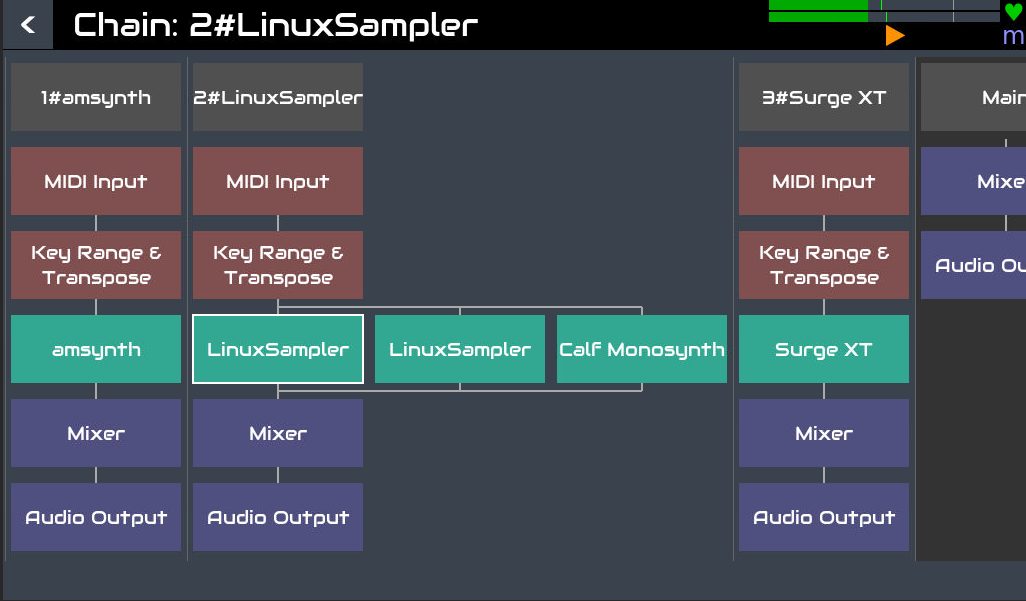
Also a general UI comment: I got in a situation where the linuxsampler drum track stopped triggering after some really long freezes. I tried reloading the sampler (and got error CUIA zynswitch ‘3’ 5 or something like that) but it ended up just adding more synths to the stack and couldn’t figure out how to remove them.
Feb 14 01:01:45 zynthian startx[4295]: File "/zynthian/zynthian-ui/zyngine/zynthian_processor.py", line 119, in set_engine
Feb 14 01:01:45 zynthian startx[4295]: self.engine.add_processor(self)
Feb 14 01:01:45 zynthian startx[4295]: File "/zynthian/zynthian-ui/zyngine/zynthian_engine_linuxsampler.py", line 197, in add_processor
Feb 14 01:01:45 zynthian startx[4295]: self.ls_set_channel(processor)
Feb 14 01:01:45 zynthian startx[4295]: File "/zynthian/zynthian-ui/zyngine/zynthian_engine_linuxsampler.py", line 378, in ls_set_channel
Feb 14 01:01:45 zynthian startx[4295]: if ls_chan_id >= 0:
Feb 14 01:01:45 zynthian startx[4295]: ^^^^^^^^^^^^^^^
Feb 14 01:01:45 zynthian startx[4295]: TypeError: '>=' not supported between instances of 'NoneType' and 'int'
Feb 14 01:04:31 zynthian startx[4295]: ERROR:zynthian_gui_base.init_buttonbar: list index out of range
Feb 14 01:04:31 zynthian startx[4295]: ERROR:zynthian_gui_base.init_buttonbar: list index out of range
That is a bug. I noted this behaviour during development but then could not reproduce so assumed it was fixed. Add a ticket, ideally with as much info on how it was triggered. Reproducing this will be key to fixing it.
These 2 issues are already fixed.
Enjoy!
And these 2 are fixed too.
Regards,
After some days away from my home planet i finally booted and updated Vangelis. Very nice new features in the sequencer. Thanks @jofemodo . It just shows that Christmas is not yet over!
Hi vangelis testers!
Following with the pattern editor improvements, i’m proud to introduce the “block copy/paste” mode:
(Excuse the pop and clicks. It’s not the zynthian. For some reason i can’t get a clean capture from my desktop audio with OBS)
Copy/paste is just the beginning. The more important thing is we have block selection implemented and we can do a lot of things with this.
If the workflow is not clear enough from the video, here the description (V5 only at the moment):
What do you think should be the next steps?
Enjoy!
Whoa this is crazy! I haven’t had time to test anything lately but every change is ticking the boxes for me, again great work 
Looking forward to testing it
Well… I don’t want to push my wishlist (uh of course I do), but imho those 2 would greatly improve usability of the piano roll:
And:
One can dream 
Great news!
Well, maybe adjusting a step parameter for multiple steps in selection at once.
Hello
I am not (yet) on Vangelis , but if I may suggest something it would be to have a way of changing the length of notes in Zynpad because with midi input if you want to input chords for a duration of one bar you have to input chord on the keyboard 16 times while pressing the sustain pedal , (unless I am misunderstanding something)
So it would be nice to have one way of saying to zynthianOS
I want to input a C major chord with C E and G on my external keyboard , and by holding the sustain pedal have a full Cmajor chord for the duration of the bar
My 2 pences..
Alain
Pianoroll key highlighting is now implemented.
Enjoy!
And now pianoroll focus follows MIDI input.
Enjoy!

Ok I need to test this asap
Yes! And move (or cut).
cut & paste is the next.
There’s a nice feature in Ableton live where tapping a note on the piano roll on the left will highlight all entered notes on that row. Could this be combined with the cursor function so that the box will automatically enclose all the notes after pressing a note? Then parameter changes can be applied, nice for quickly editing hi hats
And here is the Cut & Paste:
OK, i couldn’t resist to implement circular scrolling across the steps (aka. horizontal pattern offset) I know i’m not the only one that really wanted this from long time ago, true? 
And this is the improved workflow:
1 - Short push knob#3 => Enter block select mode
2 - Rotate knob#3 and knob#4 to adjust the selection
3.A - Short push knob#4 => Copy selection
3.B - Short push knob#3 => Cut selection
3.C - Bold push knob#4 => Select events and change to EDIT_MULTI mode. Only Velocity and Duration parameters can be MULTI-edited at the moment.
4 - Rotate knob#3 and knob#4 to move the copied block
7 - Short push knob#4 => Paste the block
8 - Repeat 4 & 5 as much as you want
9 - Push back to end
Of course, you can undo/redo at any moment. Simply change to ALT-mode and use the arrow keys:
At the moment, this only works in V5. We still doesn’t have a workflow for V4 or Touch.
Enjoy!
This is quite “touchy”. Perhaps when implementing the touch workflow for “copy/cut & paste” this trick is included.
Anyway, with the current V5 workflow, based in knob operations, it’s really fast to select a single row. Not so fast as touching a note in the pianoroll, but fast-enough to edit hats comfortably 
The best,
A second example to illustrate drums and single row selection:
Regards,