Hi vangelis tester!
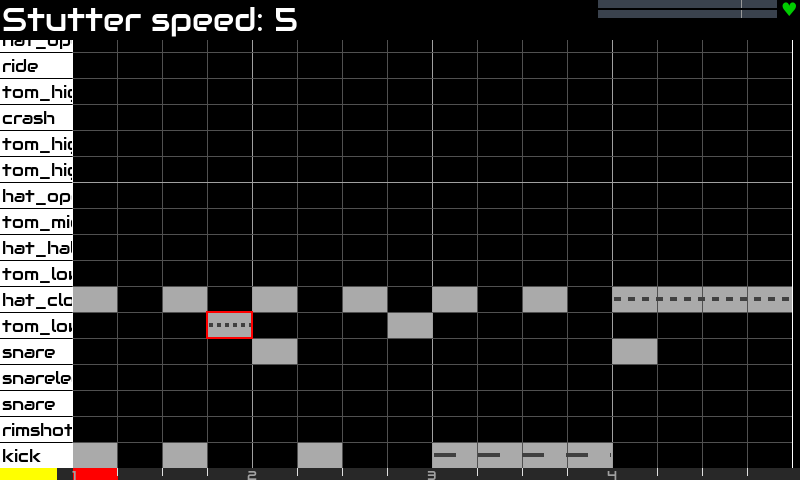
Stutter has been fixed and improved in Vangelis. The new stutter parameters are:
- Stutter Speed => number of retriggers per beat
- Stutter Fade => none, fade-out, fade-in
The results you get now are super cool:
Enjoy!
Hi vangelis tester!
Stutter has been fixed and improved in Vangelis. The new stutter parameters are:
The results you get now are super cool:
Enjoy!
Great, I’ll have a look into it. Does the fade parameter use velocity or step output volume for the fade-in and outs?
It uses note velocity that can be adjusted from patterns editor.

Well, my multiple velocity layers drum SFZs will like that very much!
Hi vangelis testers!
I’ve more new and amazing features for the step sequencer.
There are 4 new note parameters:
They are all very interesting, but the first one is really amazing!! It works like this:
The algorithm changes the speed on every step, keeping each speed level for 1 step. Simple but really effective.
The 2 “frequency” parameters need a bit of attention (labels) to be more usable. I will do ASAP.
Do you want to listen??
Ups!! A bit longer than expected but the groove is really hypnotic (kind of trip-hop) and i couldn’t stop jamming for 4 minutes 
Some comments:


[EDITED]
I forgot to include the snapshot:
016-stutter-jam.zss (149.2 KB)
It works in a updated vangelis with vaporizer2 installed.
Enjoy!
2 posts were split to a new topic: Zynthian JFK (Just For Keys)
This is great! A play frequency or ratio parameter was high on my wish list as a missing piece that would go so well with the probability parameter. This can really stretch a short loop into something with variation that holds interest for longer.
Is there anything in the horizon for indicating notes affected by parameters graphically in the pattern editor/sequencer? (e.g. the small line inside the notes in Logic indicating % of parameter applied) Currently all the notes look the same even when there’s lots of things happening under the hood.
Well, not in the horizon, but in my head. But it’s difficult to “express” all note parameter values inside the little note box. We have to choose. Currently we have:
=> Expressing stutter could be done with a dotted line inside or something like that. Dot-spacing will express speed and dot-size velocity.
=> Expressing chance / frequency inside could be excessive. I would bet to display this info in the title bar when selecting the note (no need to enter edit mode).
But let’s talk about it …
Regards
One possibility might be that there is only one form of displaying the value of the parameter, but the entire pattern changes view whenever you edit one parameter. For example, if you raise one notes probability, the displayed parameter for all notes in pattern switches to probablility, if you afterwards change a notes velocity, the view again changes to velocity (little bit like Surge Stochas does it).
is there, as of now, a way to trigger a clip or phrase by a midi controller? so either via midi learn of via a hardcoded mapping. i’ve searched this thread and the device menus, but came up empty.
awesome work btw. im checking this thread every few days 
Currently in vangelis you need a supported MIDI controller, like “Launchpad mini MK3” or “Akai APC40”.
We have not (yet) re-implemented the note-trigger functionality available in Oram’s zynpad, sorry.
Indeed, i almost completely forgot about it because i never use it.
I will think about it. I never liked to assign every pad separately. It’s a pain to configure and arbitrary assignation is difficult to remember. I would prefer to have a predefined map for the launcher, perhaps an universal ctrldev driver with some config options to specify MIDI channel and key range.
@riban do you have some thoughts about this?
Regards,
I had thought of this. I wonder if we have a configurable device driver that can be learned or configured.
Though unrelated, the Mackie driver provides an example of a highly configurable one.
Even just a symbol, like a dot inside the note rectangle to show something is happening to the note. Then to find specifics, you could for example place the cursor on top of the note and the top bar will show the info like you say.
The other way could be a bar graph underneath the notes that can be toggled which is a typical DAW approach.
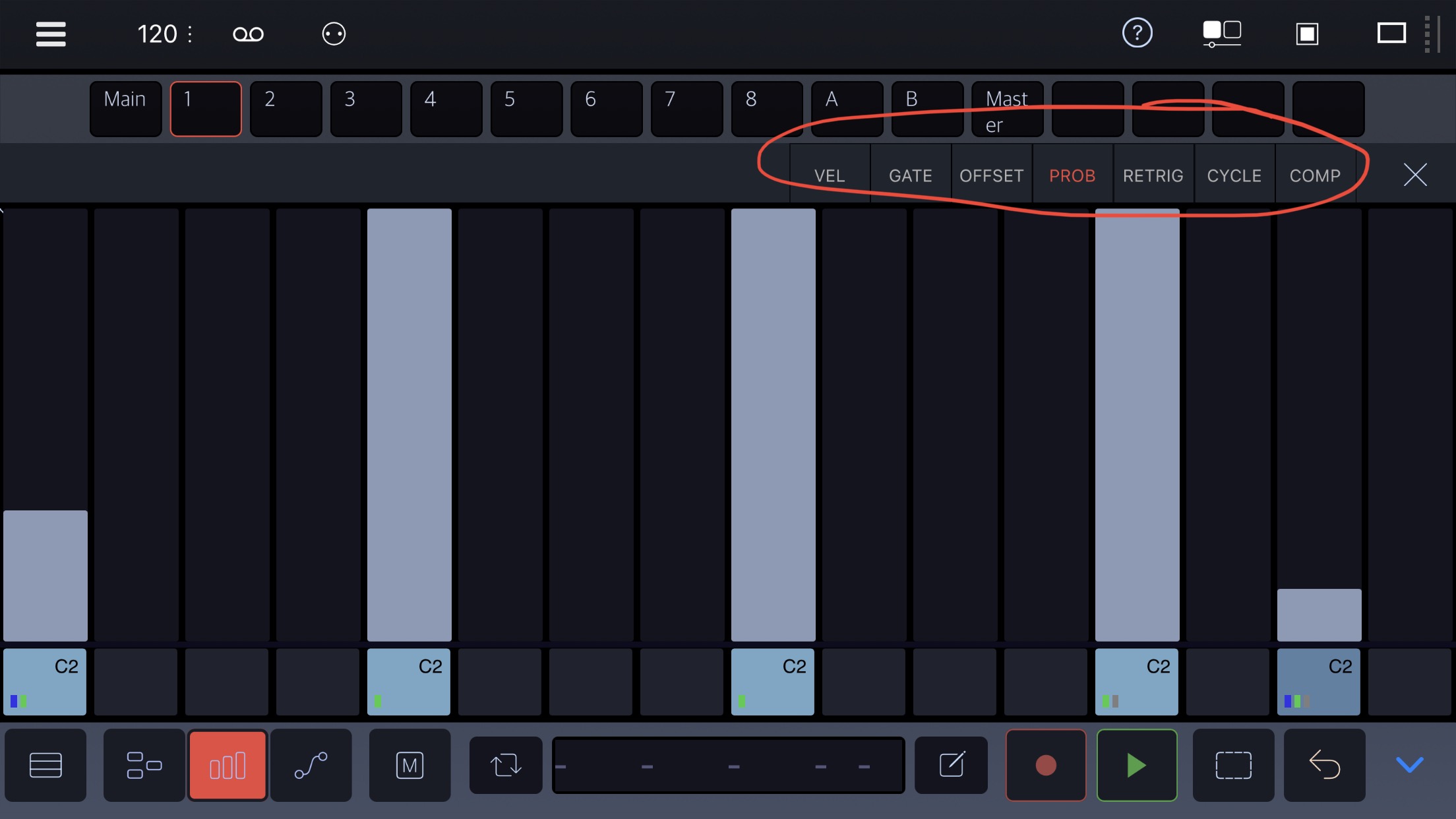
If anyone has used Drambo, it has a very fast and accessible parameter adjustment screen where you can swipe between the different parameters at the top corner of the screen and the bar graph underneath updates to show levels. I just looked again now, it also uses different coloured dots on the note to show different parameters are applied.
ah, got it, thanks
i did screw around with the note-trigger stuff on oram, but ran into limitation essentially trying to configure something similar to zynbleton.
for now, im happy poking around in the device drivers
As i always like to get the low hanging fruit, i just added a dashed line for stutter. The dash inter-spacing changes with the stutter speed. Quite cool and self-explanatory:
Of course, i keep thinking on this …
Regards,
Is there a way to change multiple step parameters at once? Like one parameter for all steps of a specific note (suitable also for all steps of let’s say the hihat) or even all notes of a pattern?
Today I tried to change stutter probability and speed for 8 hihat hits in a pattern and it took me like 2 minutes or so.
Implementation wise: is encoder 1 in use at the moment? It could just switch (directly or for any bold push/alt) between current step, all steps of a note, all steps of a subdivision, all steps of pattern. Or alternatively use a horizontally and vertically editable marquee selection tool? Like press-rotate or alt-rotate encoder 4 expands the marquee horizontally, press-rotate or alt-rotate encoder 3 likewise vertically?
Question would be of course if it would change multiple parameter at once to 1) a common value or 2) alter all values relatively to the old one.
By the way I am really sorry for my multiple post edits, its just that I always get new ideas when pressing the “save edit” button…
There are globa editl (bold knob#4 from edit mode) for duration and velocity.
I don’t see very useful editing globally stutter or play chance. It would be useful for a selection of notes, but we don’t have a mechanism for selecting a group of notes, yet …
Regards
It could be useful for editing tonal patterns. For percussive patterns editing per note value would be more valuable probably. But anyways, an easy way to edit any parameter for a set of steps (vertically, horizontally, global, per selection) would be great and would fit any need of multiple parameter editing of different usefulness.
Speaking of usefulness: I love the new filter response widget. I would probably take away the numerical values of kHz and dB, as far as I’m right that the widget data is derived from arbitrary normalized parameter values between 0 .. 1, so the exact unit values may be misleading.