I think that too is implemented… but we are working on improving it.
Ahh, great, didn’t spot it yesterday. Back from work later this evening will check! 

I’m sorry if this is answered before or something, but i just can figure it out;
I’m trying to send MIDIclock to my external synth, a minibrute. Sometimes it receives clock, sometimes not. I know that there has been some problems, and some work done on clock. Should it work now?
If so, the question is what am i doing wrong.
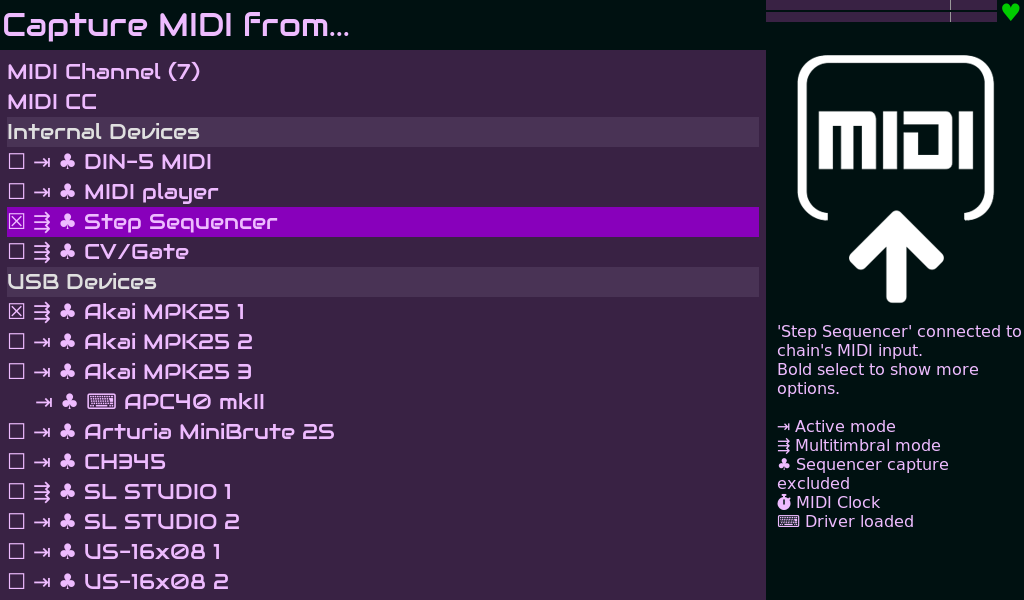
Here is mi Midi input setting in the chain:
And here is my midi output setting:
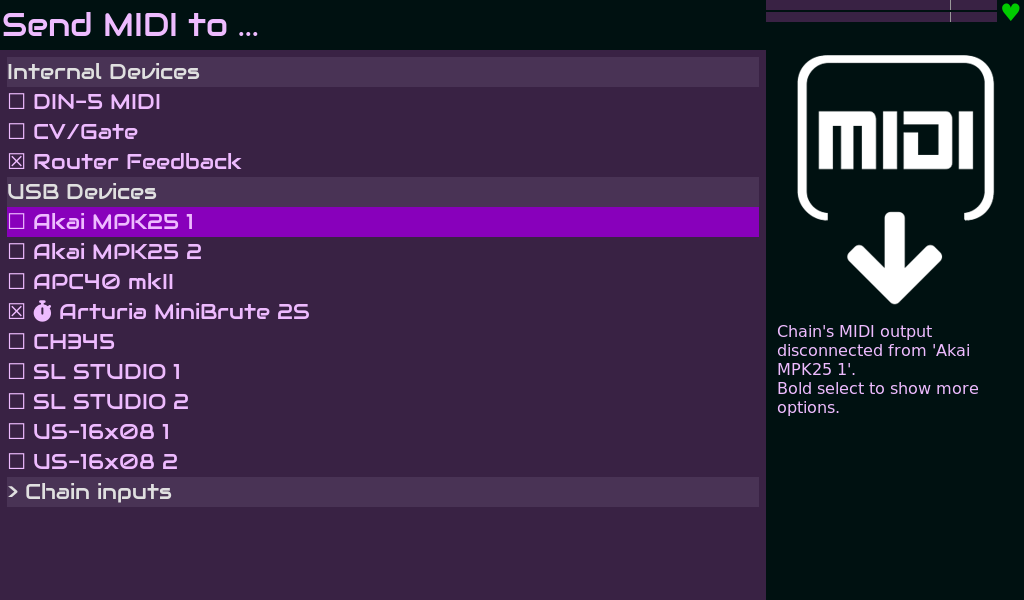
Where clock i set to send. But now it does not. Why?
Setup:
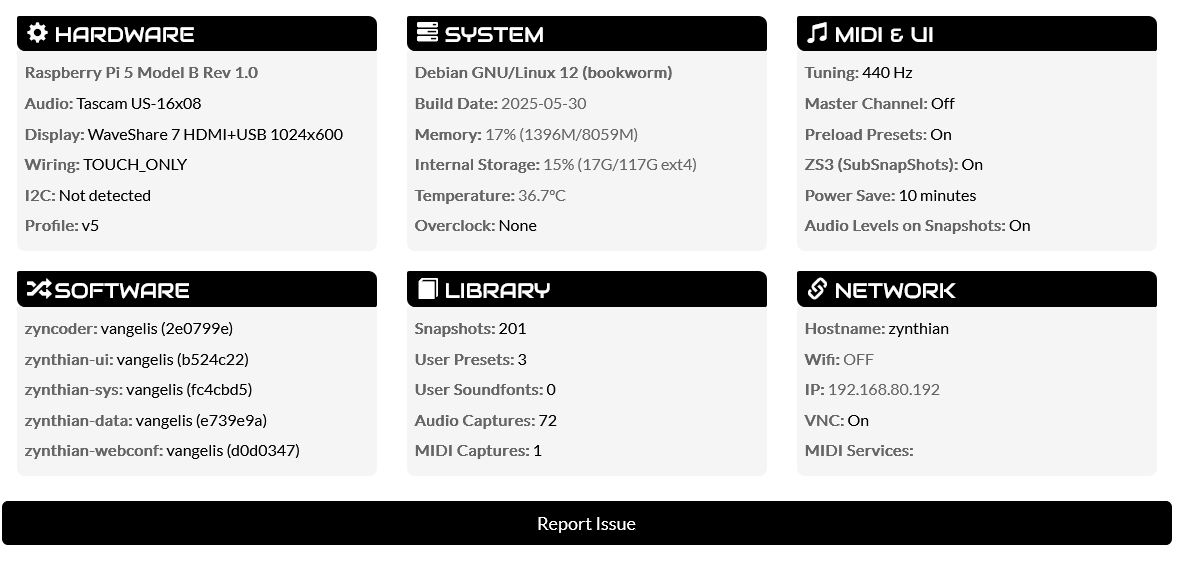
Attached snap:
012-minib clock2.zss (57.7 KB)
Also today i get the BPM controller in Metronome, but yesterday i got the ppq setting on the same controller instead
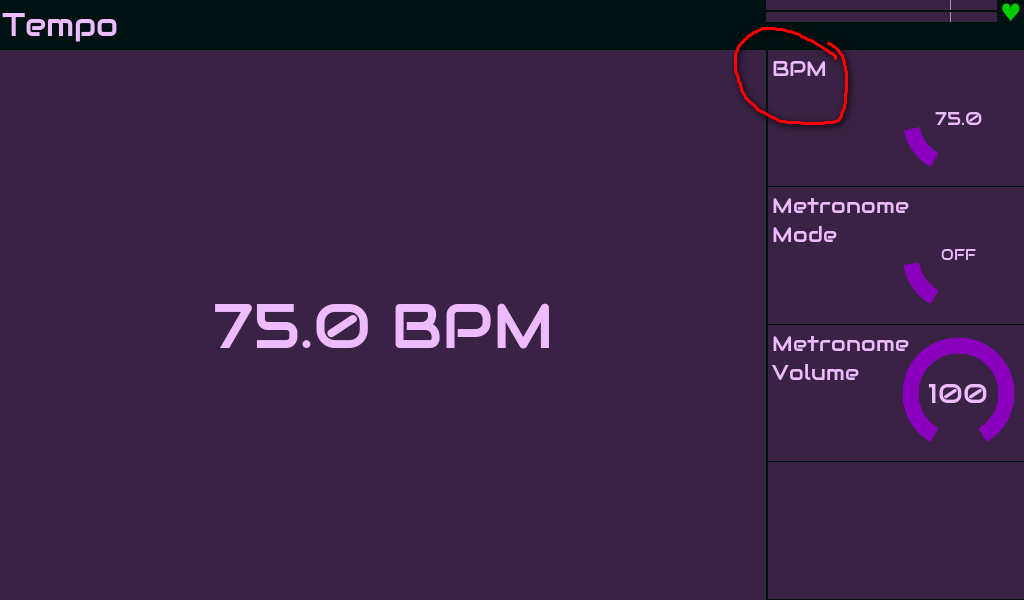
What goes on with that? Work in progress?
Regards,
Hi, don’t know if this is still relevant as of now, but I have used successfully this console command on a specific Z build, where webconf didn’t seem to be readily available when connecting from an external computer:
sudo systemctl restart zynthian-webconf
After that, the service should turn out to be active when checked with:
sudo systemctl status zynthian-webconf
This depends on whether you are using external MIDI clock or internal clock:
- If you are using external MIDI clock, you will see the PPQN selector.
- If you are using internal clock, then you see the BPM selector.
Regards,
2 Likes
For sending the MIDI clock to a MIDI device:
- access the MIDI Out from admin menu
- access the device options by bold clicking on it
- check the “Send MIDI clock” option
Regards:
1 Like
Thanks, but this i have done all ready…
Is there a setting for this. There were earlier a setting for internal, internal/send, and some other options - under the metronome. But not anymore…
The clock is sent when the transport is running. You can run transport either by playing a sequence or by setting the metronome to always run. (Running metronome will play transport.) There is a special metronome option just for this scenario which may have seemed odd: “SILENT”. This allows you to run the transport (and hence send MIDI clock) continually without the need for metronome sound.
2 Likes
Internal / external clock is now automatically detected by selection of the MIDI input clock. This is a mutually exclusive selection, i.e. only one MIDI input will accept MIDI clock and can be disabled for all to use internal clock.
1 Like
That’s a good explanation for this odd setting
But i have tested with both sequencer running (with and without the chain capturing sequencer clock) and with metronome running. I understand that it should not be necessary to specify anything with MIDI clock in the MIDI input section?
MIDI input defines… input! If you set a MIDI input to use MIDI clock then the internal sequence (and all timing) is driven from that MIDI input. It sounds like your requirement is to not use external MIDI input so ensure all your MIDI inputs have MIDI clock disabled so that the clock generator is internal.
MIDI Output devices may send MIDI clock. Enable MIDI clock on each output that you want to send MIDI clock to.
Enable clock by playing a sequence or enabling the metronome. (MIDI (SMF) player should also do this but I didn’t test after the last refactor.)
Well thanks for all the help.
And i now see that “THERE CAN BE ONLY ONE” midi clock input. If you set an additional one the first will unhook itself!
I played a little wiTh settings and had the Minibrute sending it’s clock to Zynseq. When i removed the clock from MIDIinput and put it back on MIDIoutput it was back to my situation. BUT THEN i hit the play button on the MInibrute sequencer, and then the minibrute captured the clock from Zynseq, and is doing it still. I will reboot and test if its back to not working and update here!
EDIT: As expected; i rebooted the system, and again i had to start Transport on the minibrute to get it to listen to the Midiclock from the Z. I do not know why, and i can live with it, so i guess i’ll be fine with that.Thanks
1 Like
Less soup for you for the colours!
Maybe just a little less, it’s more a coincidence than any
Of course. It doesn’t have sense to have several clocks! The results would be dissapoointing, at least 
MIDI clock input is a MIDI input coming from a MIDI input device. I can’t find a better place for this config to be.
Regards
I had a limitation in my understanding - it confused me that there was so many midi clocks to choose from in the input section. Also it sort of confuses me that these settings are done in a specific chain chain, and yet it is a global setting.
Yes i agree - i was trying to say something else, but no matter now anyways
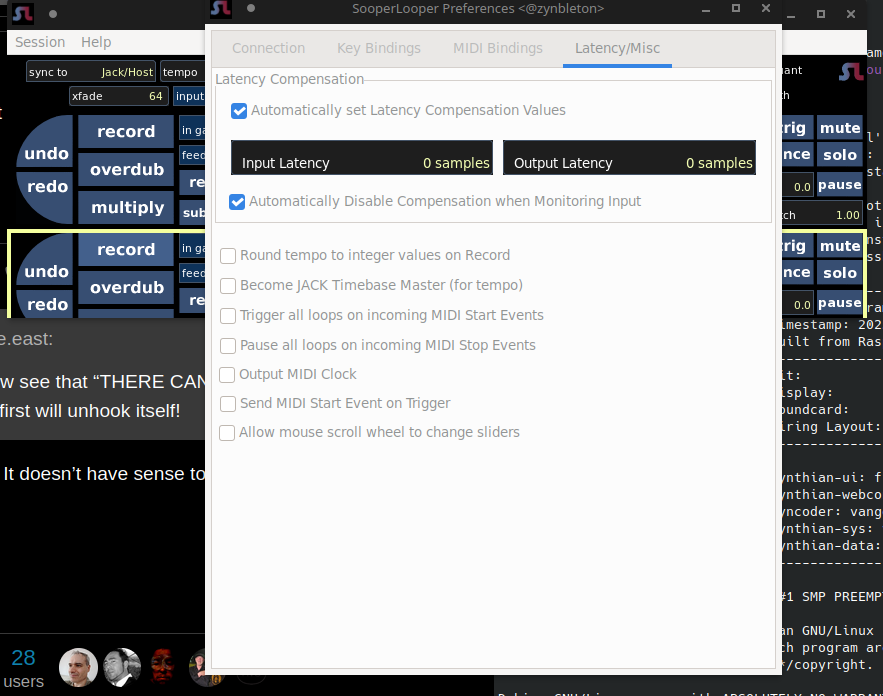
Now, of course, I desire the impossible: letting SooperLooper dictate clock for the sequencer. Imagine a song started with just voice, live, and then you hit a pad to start a pre-programmed drum beat synced to this loop.
The SL engine could send midi clock (and other related stuff). But to let this dictate sequencer BPM would probably mean some in-between device, receiving SL clock (if at all possible) and sending it back to Zynthian.