@jofemodo Can you please help with this configuration issue?
I am using the latest Vangelis Beta
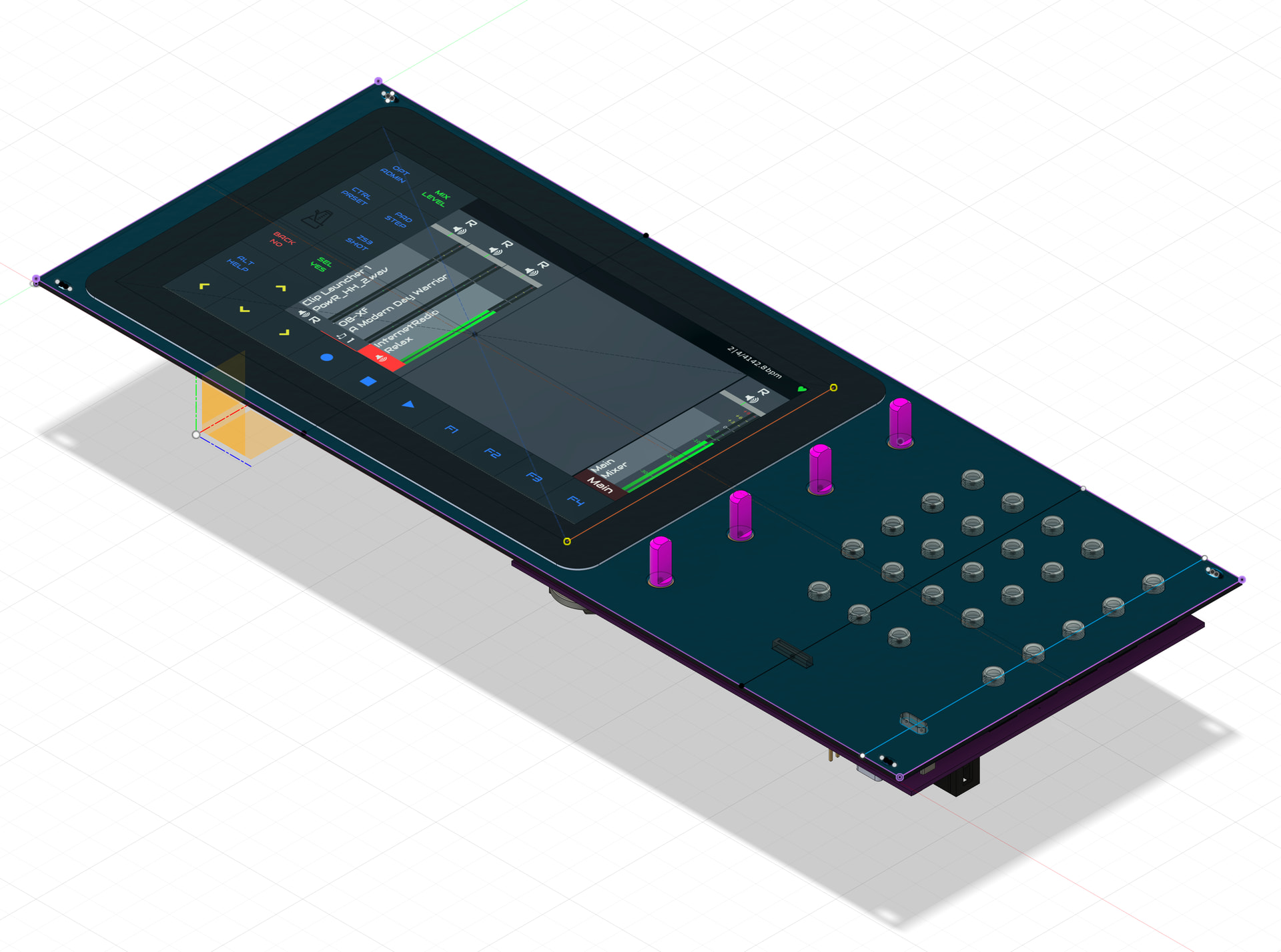
Zynthian Rack CAD 2026-08-061920×1427 291 KB
I have made Eurorack version of Zynthian V5, it uses a RPi Touch 7" display, RPi5 and a custom PCB with combined V5 architecture Encoder/MIDI/Audio, together with Zynface CV/Gates and Eurorack power rails. This will fit into a 64HP Eurorack.
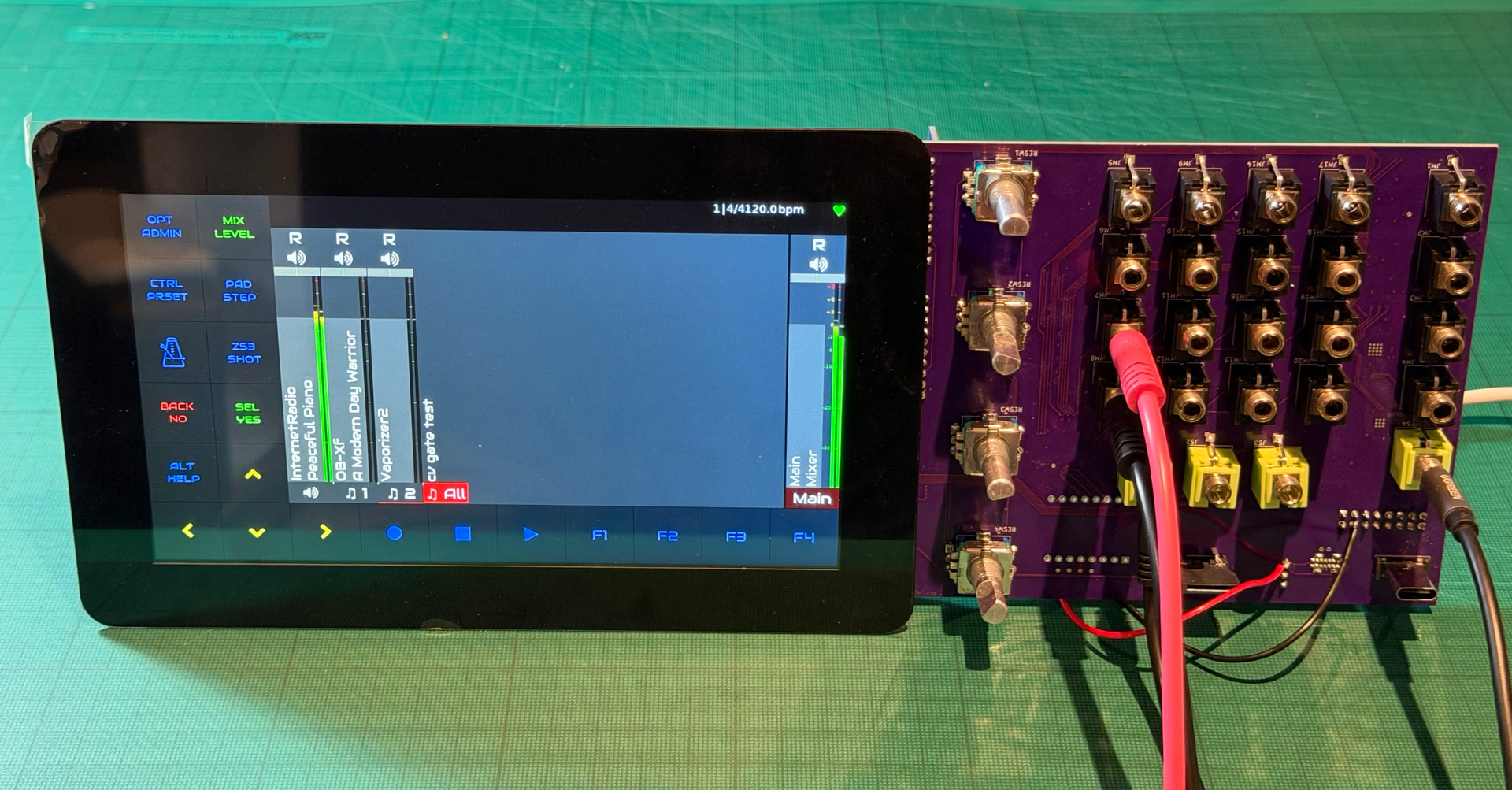
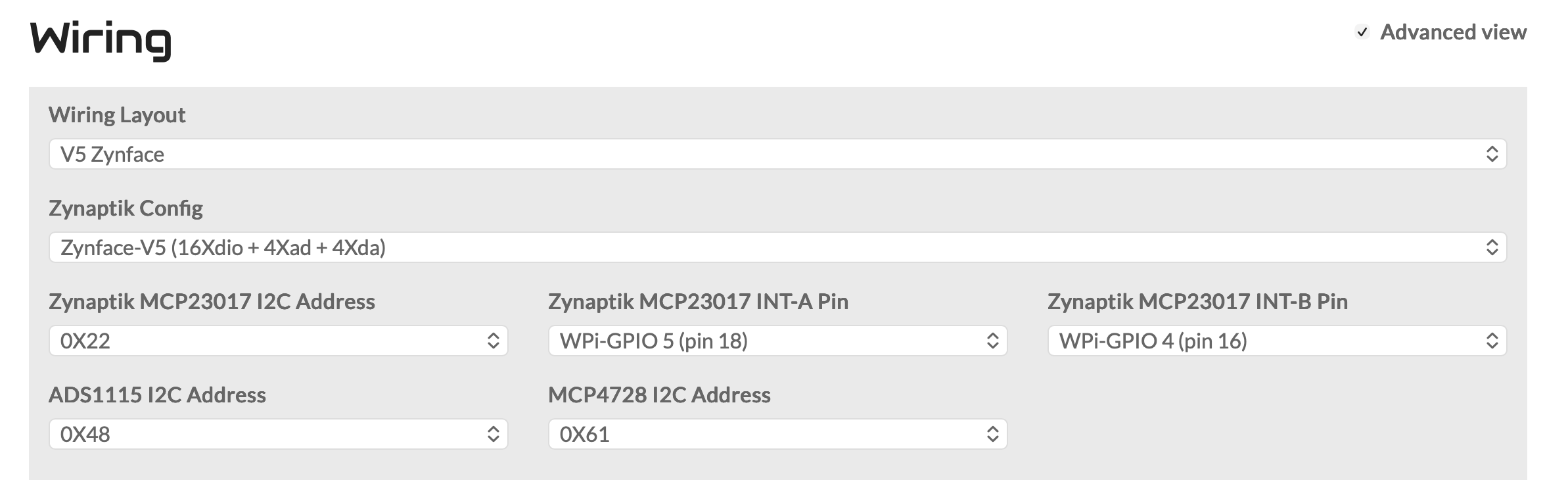
I am testing the first board using the ‘Custom’ setting in WebConf… Encoders, MIDI and Audio all work and it sounds great 
However, when I enable the CV/Gate circuit, using the Zynface-V5 (16Xdio+4Xad+4Xda) config, the Gate outputs are floating, which suggests it is not correctly configured.
I also get the following error in the UI log on startup: ZynCore: write_pin_zynmcp23017(0) => invalid pin!
If I use the ‘V5 Zynface’ wiring layout, I get the Vangelis Error screen … Setting Audio to ‘dummy’ fixes this , but the CV/Gate inputs and outputs all work correctly.
The I2C devices are correctly read as follows:
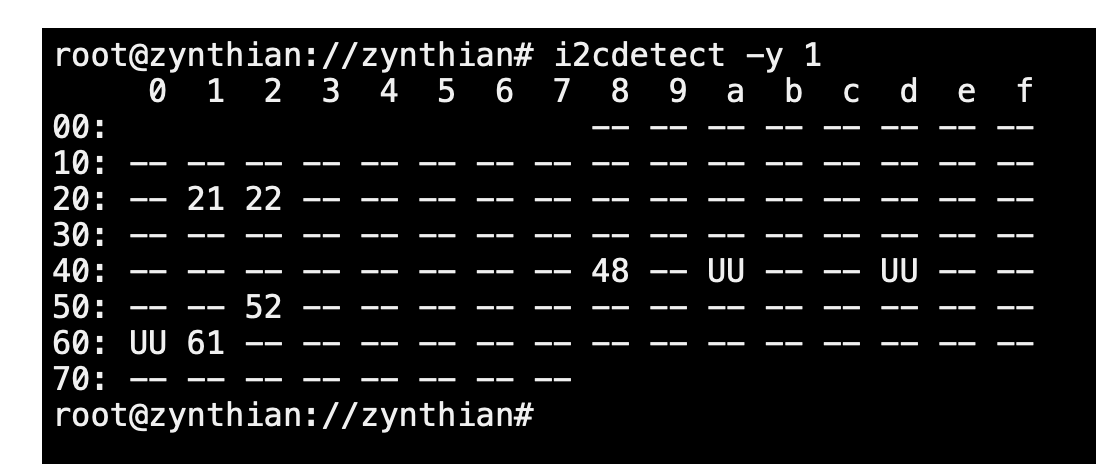
I2C Scan 2026-08-041096×464 16.8 KB
So the hardware appears to be working, but the zynthian_envars.sh files are different between ‘custom’ and ‘V5 Zynface’ configs
CUSTOM:
ZYNAPTIK INTA = WPi GPIO 5
ZYNAPTIK INTB = WPi GPIO 4
V5_ZYNFACE:
ZYNAPTIK INTA = BCM24
ZYNAPTIK INTB = BCM23
ZYNAPTIK base pins = 400–415
It seems like the ‘custom’ config is not setting the correct Zynaptik interrupts and giving the ZynCore: write_pin_zynmcp23017(0) => invalid pin! error
I would like to understand how to create a Wiring layout for this board which will boot consistently and make sure the MCPs have the correct addresses and interrupts assigned. Can you help?
Thanks in advance.