Hi everybody, and happy boxing day (or, as we use to call it on the continent, St. Stephen’s day)
I was just wondering what to do with a Pi 500+ kindly brought by Santa Claus, with maybe - ahem - just a bit of surprisingly apt intel, slipped through the gift communication channels of the far north…
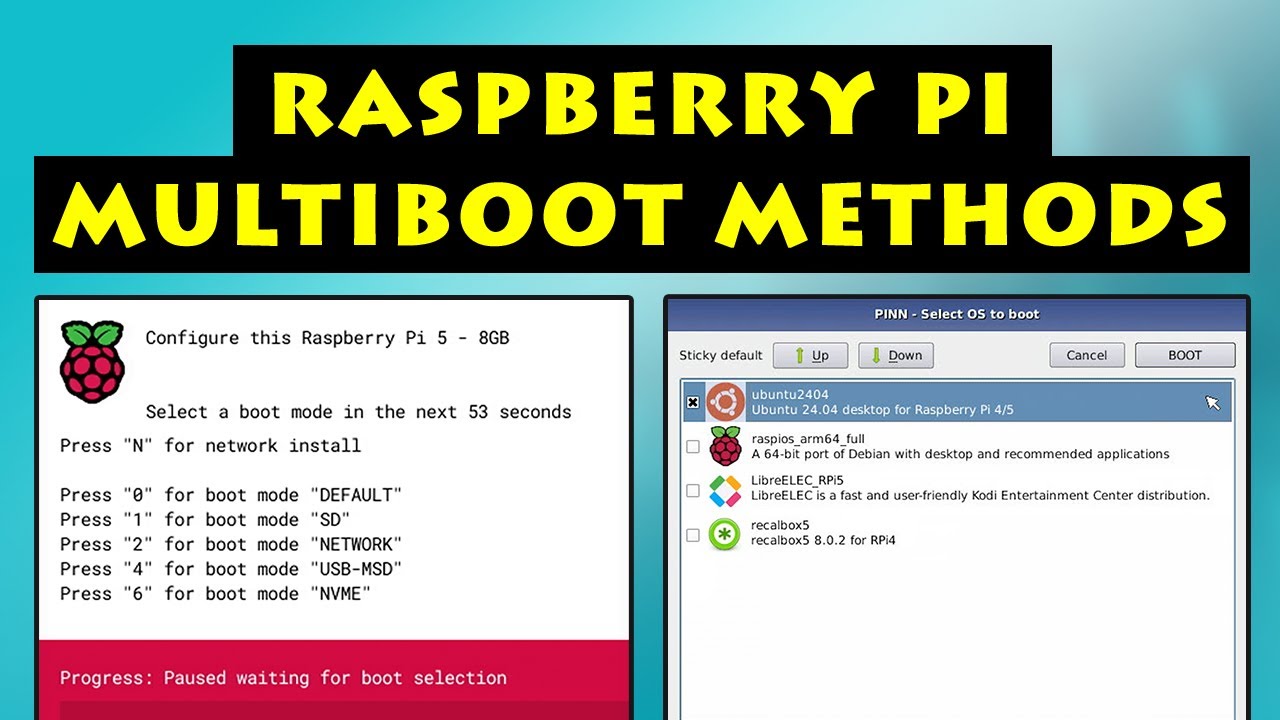
I am playing with the idea of installing on its SSD drive both Oram/Vangelis and Raspberry OS (or even possibly Ubuntu). The pleasurably talkative guy in this video mentions a sleek solution, with a multi-OS launcher called PINN, about midway in the YouTube clip.
I wonder if Zynthian would tolerate by design a similar software arrangement, and if someone here has any experience in partitioning an nvme drive, forcing successfully the cohabitation of Zynthian and other operating systems, with an OS loading mask invoked at startup.
A simpler port of call would obviously be to flash Raspberry OS on an USB drive, changing the raspi config boot order accordingly, in order to be able to connect the external dongle when one wants to start the Pi with a general-purpose system.
Still, I find the idea of a double system on SSD quite handy and fascinating, besides preferring not to lose the solid-state-drive performance edge on Raspberry OS or Linux.
# Boot from partition 2 if GPIO 7 is pulled low
[gpio7=0]
PARTITION=2
I’m using this on a DIY Zynthian to boot various partitions on the NVMe selected by different button press while power-up.
The only problem is, I have to first make a microSD with everything on and then use Gparted to copy everything (both partitions from microSD) over to free space on NVMe, before I can obtain the partition number and the boot procedure can handle the UUID of the partition to boot from. It does not work for everything, but at least it does not involve hacking into Zynthian OS.
Thank you @fussl for the suggested alternative procedure, which I will certainly consider, although it does not seem exactly straightforward.
Providing it is feasible in the first place, which I’m quite uncertain about, I would like to try and mingling the PINN OS launcher solution with the SD-to-SSD @riban’s Zynthian transfer script. What I deem to be likely challenging is targeting a specific nvme partition to copy ZynthianOS from SD to SSD, without reformatting the whole drive unit thus deleting the other OS in a different partition.
First, the Zynthian OS from microSD to empty NVMe using the script, reboot, make it work.
Then boot a Raspi OS from USB, install GParted and use this to shrink the Zynthian OS to make free space on NVMe. Then install the other OS onto free space of NVMe, make the edit to EEPROM config.for boot partition selection by GPIO signal.
If you have to go via microSD image, you need to first flash it to microSD and boot from that, then boot from USB, unmount the microSD partitions and use the GParted to copy the entire partition structure from microSD to free space of NVMe. It is important to take out the mciroSD before closing GParted , otherwise there will be different partitions with same UUID leading to chaos.
It is a bit of work to do, but there is no hacking involved.
Thank you for the directions @fussl it is a bit convoluted at first sight, but as a matter of fact there is no system hacking involved, which I would have avoided anyway.
As of now, I already completed the standard setup of the Pi 500+, and had already added GParted to the system tools via terminal installation, with the intention of using it for partitioning the nvme drive.
Albeit my initial idea was to shrink the Raspberry OS space, making room for ZynthianOS, your opposite symmetrical procedure would spare me the trouble of tailoring the @riban’s script, in order to target the new empty SSD partition for the Oram/Vangelis transfer from SD.
I will try and implement your suggested workflow. My only element of perplexity concerns your mention of the involvement in the process of a GPIO configuration step:
More specifically, it is unclear to me how interacting physically with the GPIO connector (in which way exactly?) would allow me to select the SSD boot partition for the system startup.
Choose a free GPIO and connect center contact of a switch to it via 330Ω resistor (resistor is to protect the GPIO from overcurrent in case of misprogramming) and only one of the other contacts of the switch to GND. Then code the number of GPIO as condition in EEPROM like shown in Raspberry Pi docs.
The result: If switch is open, boot normal, if switch is closed (= GPIO is 0 or GND) it boots the other partition as specified in that conditional section.
It keeps on surprising me how deeply involving and instructive the discussions on this forum are, thanks to the good willing efforts of people exchanging different expertise and technical solutions.
I investigated a bit the system rationale and DIY requirements of your suggested procedure, which I now understand aims at implementing an external hardware switch for OS boot sectors through GPIO pins, presumably on a connected breadboard.
I am afraid that this fascinating territory of added circuitry hacking - which was and probably still is the main original hunting land of the whole Raspberry concept - lies almost entirely out of my technical comfort zone. Maybe one day, or maybe in a coming stage of my endless learning curve in applied IT!
Sincere thanks for your advice, and for the conceptually elegant solution offered.
 (or, as we use to call it on the continent, St. Stephen’s day)