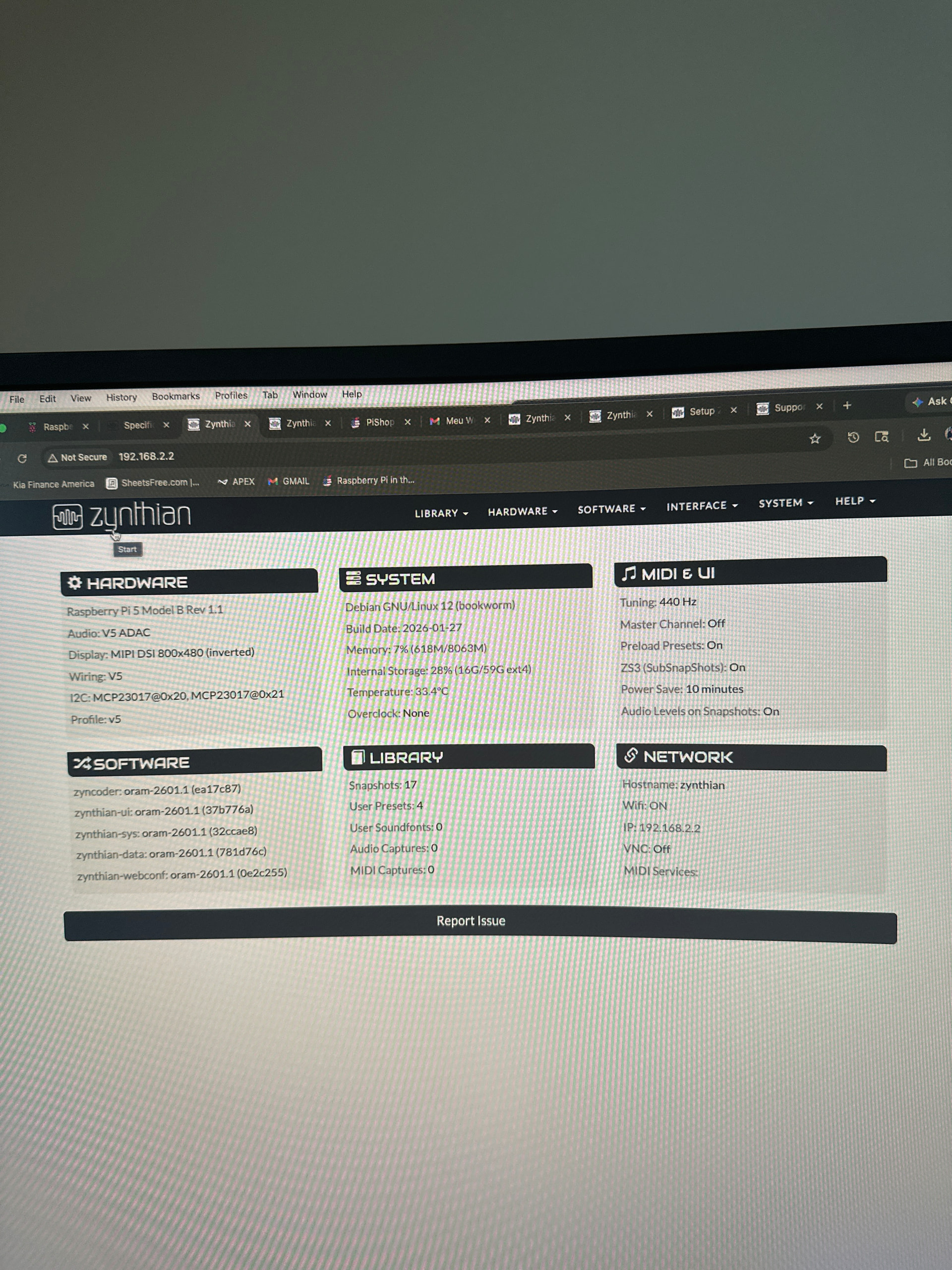
I recently purchased a new Zyntian V5 and spent the entire afternoon today working with Fernando trying to fix an issue we are experiencing.
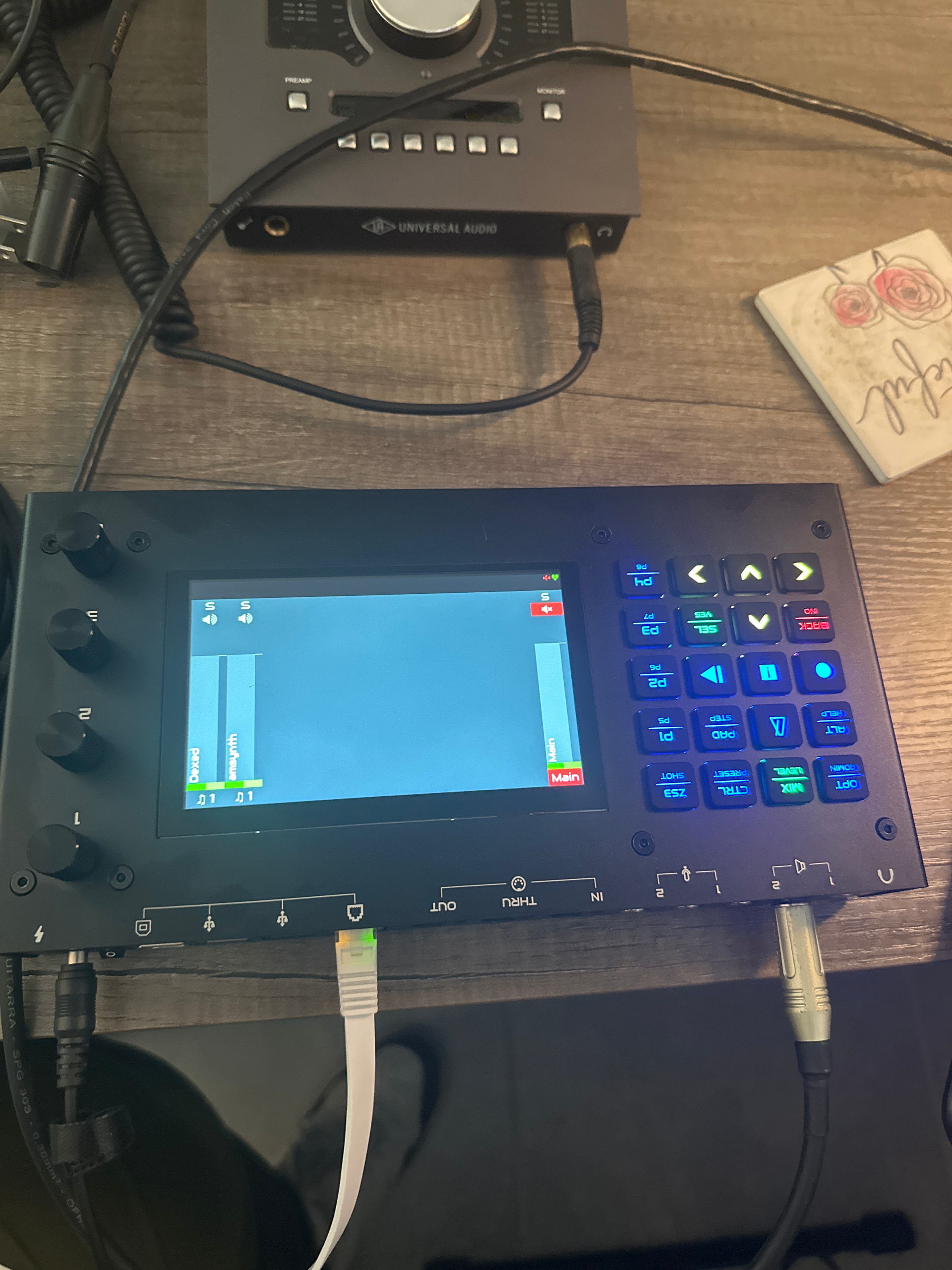
Overall, everything is working perfectly. The only problem is the display, which is starting upside down (inverted image).
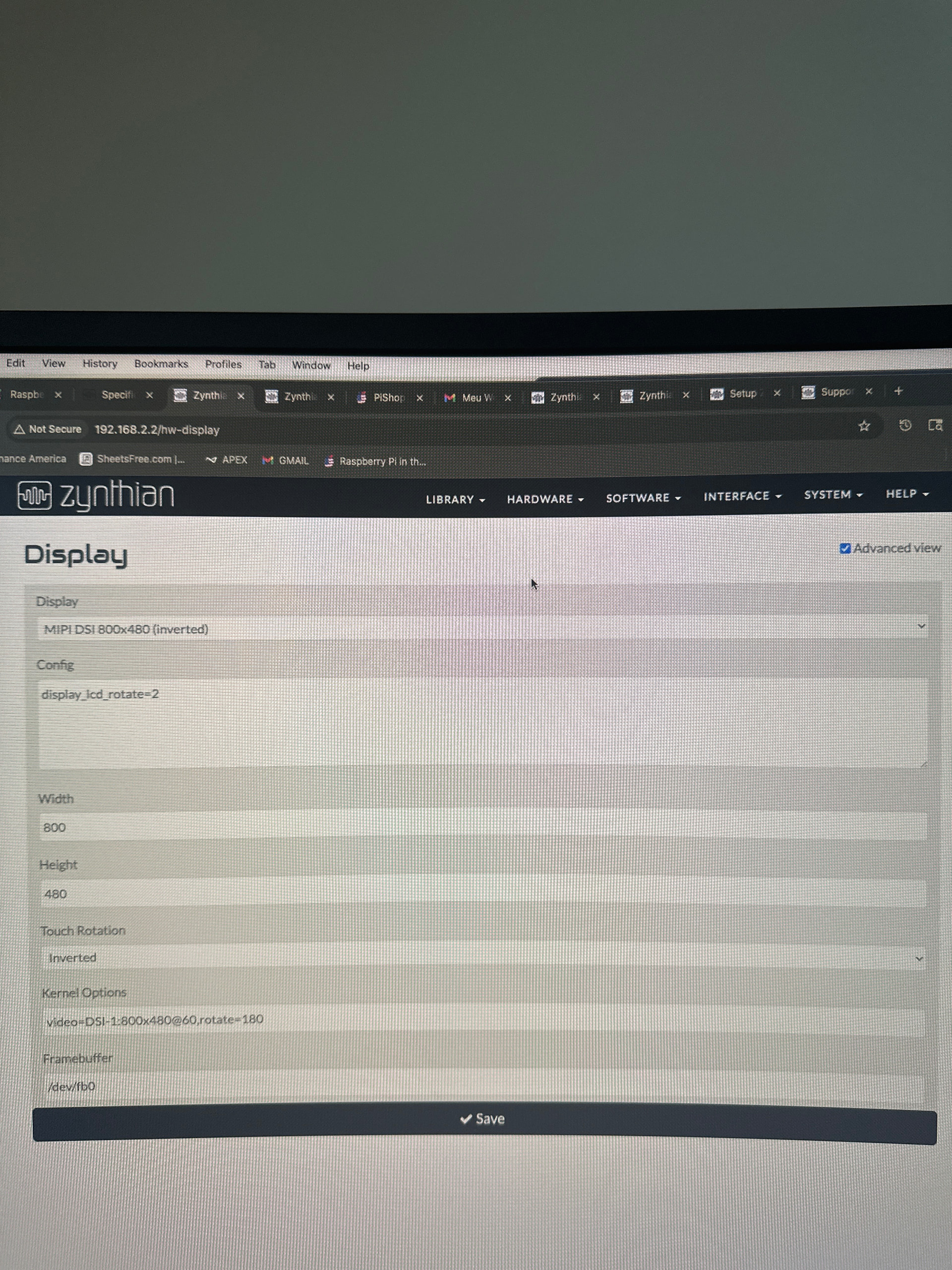
I’ve already tried several settings through the WebConfig:
Switching to a custom kit
Changing the display options (including “inverted display”)
Adjusting screen rotation
But none of these changes fixed the image issue.
What’s strange is that the touch input is working correctly. So:
The display image is inverted
But the touch coordinates are properly aligned with the interface
For example, the “main” button appears in the upper left corner (when it should actually be in the lower right), but if I tap the lower left corner, it correctly triggers “main”. So the touch mapping is correct, but the display image itself is flipped/inverted.
Has anyone experienced this before or knows how to fix only the display inversion issue on the Zyntian V5?
Have you tried making a new SD Card with your choice of Oram or Vangelis? I think that would be worth a shot, because this problem has been seen occasionally, cause by an incomplete installation-initialization of software.
This was the last suggestion from Fernando, but I’m really hoping there’s a way to rotate the display via a command or configuration change without having to reflash everything again.
I’m getting a bit frustrated because I already lost two SD cards on Sunday and Monday while repeatedly reflashing the image trying to fix this.
I’ve just bought a new SanDisk Extreme Plus 64GB (U3 A2) to make sure the SD card itself is not part of the problem.
If anyone knows a way to fix the display orientation directly (via SSH, config file, or terminal command), I’d really appreciate it.
Your discription of the fault shows both touch and display being transformed. Screen is rotated through 180° as shown by the photo. But you say that bottom left touch triggers the main button which should be at the bottom right, which suggests an x-axis mirror of touch.
Are you sure you have plugged the display into the correct DSI socket on the Raspbery Pi? You could try changing the Kernel Options to video=DSI-0:800x480@60,rotate=180 to see if it has any impact.
You have ssh access so try these commands and post the results here:
Hi everyone, just wanted to say a big thank you to all of you for the help!
After hours of trying to fix the issue, I decided to disassemble everything and start over. That’s when I realized I had connected the display to the wrong port — I was using the inverted one, which is why none of the rotation settings were working properly. As soon as I plugged it into the correct port, the module booted perfectly on the first try. Everything is now working exactly as it should!
I have to admit I was pretty frustrated for not noticing that earlier, but I’m really glad it’s all sorted now.
Thanks again to everyone who helped, especially Jofemodo for the support, and a special shoutout to Almeida — an amazing guy who spent hours helping me troubleshoot this. He’s also working on a Brazilian version of Zynthian using his own custom boards. If anyone is interested, you can look up OpenSynth SF2 to find more about his work.