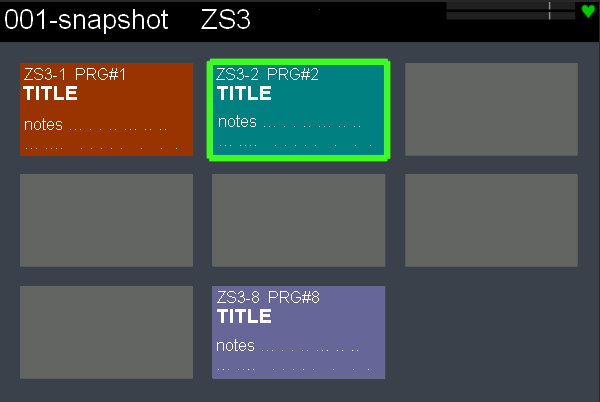
I am preparing snapshots for my first concert with Zynthian and I realized to have set snapshots too loud.
My idea is to use MIDI files with solo piano/Hammond/Rhodes with all range of dynamics to setup the right output levels. Could it be a good idea?
I am not sure what the issue or what your proposed solution is. If levels are wrong in the snapshots, can you just load them, adjust levels then re-save, overwriting?
Take 5 is already on the zynthian and used as the “MIDI test” (in admin menu) file. It is tricky to know what you exactly want to test. You may be better off creating your own, e.g. using the MIDI recorder or a sequenced pattern.
I would say if you would just play them and adjust them manually would be safe. If you’re serious with loudness matching, I would probably put your Zynthian to your IBM computer DAW and check it with a serious RMS/LUFS and peak meter, since I don’t know what the exact function of Zynthians own meters are. You can also try manually play your chains to a backing track (I have no experience in live mixing, but would aim for a backing track around 0 dBVU = -18 dBFS, but @riban should know this) and tune the loudness manually (with an eye on the 0 dBfs peak indicator) in order to have the perceived loudness of chains with different sonic qualities. That way you make sure you’ll hear your sampled xylophone no matter what the peak meter tells you.
I’m not sure if the reference midi track would help you, because I think you adjust your playing automatically to the output sound.
I don’t know if I can recommend this for a serious live performance.
This night, as written above, I will try Zynthian for the first time on stage.
With this group I use a Kurzweil PC4 where I prepared and consolidated the sounds (for Kurzweil people are “MULTI”) for each song.
For Zynthian’s debut, I’ll be using the Kurzweil PC4 as master keyboard connected to Zynthian via USB; Zyntian’s audio output goes into PC4 AUDIO_IN.
On Kurzweil I have a MULTI where Kurzweil sounds are silent and the AUDIO_IN is opened to make Zynthian play.
If Zynthian plays pranks (it won’t) I’ll turn it off and in real time switch to Kurzweil sounds.
I prepared all the snapshots with their ZS3, one for each song, going listening Zynthian directri connected to my home mixer but yesterday, simulating the setup with PC4, I noticed that the levels were too different and distorted a bit’: I learned that in the future I need to take better care of the output values when preparing the snapshots.
Anyway, I fixed the problem a bit’ quickly in this way:
• I looked for MIDI files with single instruments (acoustic piano, Rhodes and Hammond): for that, yesterday I was asking you if you had files with high dynamics to use as reference
• I played MIDI files on both Zynthian and PC4 using, for each song, on PC4 its relevant MULTI and on Zynthian its relevant snapshot
• by ear, I adjusted the chain volumes on Zynthian to have the same level for Zynthian and Kurzweil without looking at the LCD screen.
If all it is good enough, I’ll do a more precise work for my next concert.
Frankly I was a little worried about possible black-out of our Z. but, after some songs, I realized that the gig would be ok.
I noted that I need to change some presets in the chains; in our gear there are lots of possibilities to get the sound you are looking for.
For the next concerts I will focus on how to work better on ZS3s.
To improve the usability of Z. about ZS3 IMHO it would be great to:
have a touch submenu that mirrors the eight ZS3s launchers controlled by the F1 F2 F3 F4 switches. I had previously made a proposal in JFK: