What does it mean?
The counter increments itself.
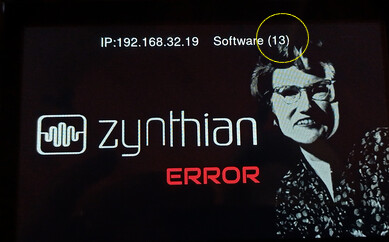
I can’t access by Webconf.
What do you suggest to do?
What does it mean?
The counter increments itself.
I can’t access by Webconf.
What do you suggest to do?
Just a guess: it might be a sort of chronometer.
Something like Oram is expecting to find some missing structural/root/start sector of itself to properly boot.
Could you give us some context, eg are you trying to boot a fresh Zynthian image or did this problem show itself after an update to latest Oram or Vangelis?
Have you tried accessing webconf via the provided IP address? Connected directly to Zynthian’s ethernet port?
If you can simplify the configuration at all, perhaps by disconnecting any non-essential devices till after the boot it might get it to start.
It happened after the today update to latest Vangelis
I tried accessing Webconf via IP and via zynthian.local and via Ethernet without success with Zynthian alone
Is the only possible step to re-flash?
Is the only possible step to re-flash?
It’s the only thing I can think of right now. If you can wait you might get a better answer from someone else.
Thanks Leonard.
Yes, it is my second Zynthian that I use to learn 
If you can ssh info the device, execute
journalctl
Look for any errors.
I got this error.
1/ ssh on to zynth
2/ cd /zynthian/zynthian-sys/scripts
3/ ./update_zynthian.sh
4/ I did this twice
5/ Power cycle
It worked for me.
After reflashing seldom it happens this error,.
I cut the power and I restart and it works.
Sometimes I need to do 2 or 3 times this cycle and if it doesn’t start I tried to detach completely either the power supplier either the connector of the power supplier and it succeeds.
I really don’t know why.
It happened even after setting wifi off .
When Zynthian starts regularly, Zynthian works perfectly.
Neither us.
We need the logs. We are not wizards with a glass ball.
Regards
now it started regularly:
I did root@zynthian://zynthian# journalctl > piattica.txt and I attached the result
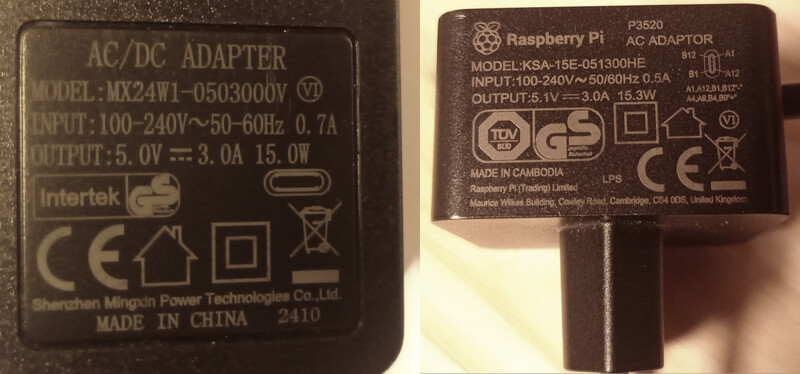
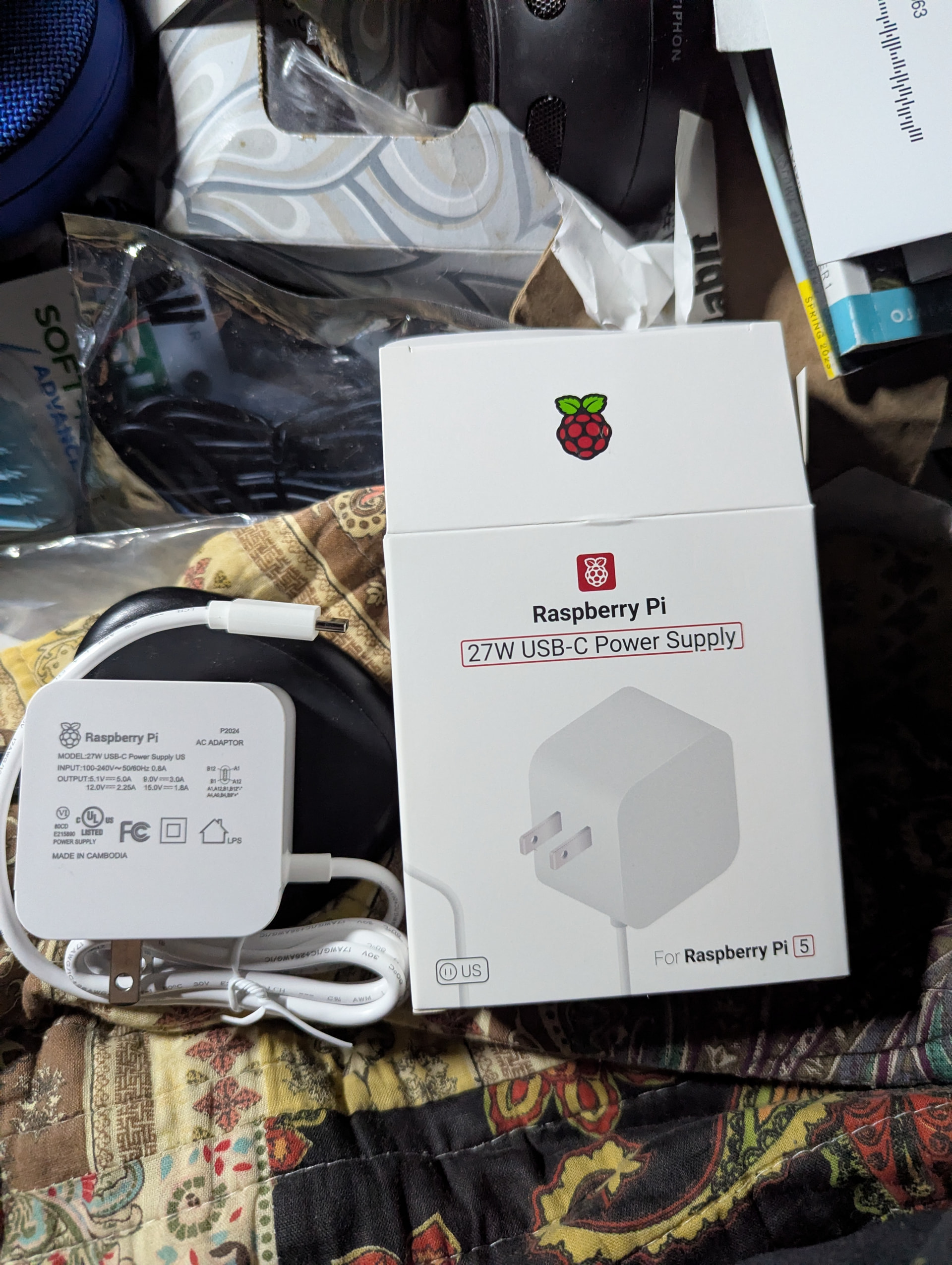
furthermore these are the power suppliers I’m using:
piattica.txt (924.5 KB)
just ordered: tomorrow I will try it
You have an Axiom 61 connected. I have one of those and it is quite power hungry so you may find it needs more than 3A to power the zynthian and keyboard. 5A should be better.
I thought the same but later I add to Axiom 61 its power supply and I did not notice improvements.
Anyway tomorrow I will try with 5A original Raspberry power supply and I let you know. For sure it will be better.
Is there a software function to monitor the power consuption?
(it seems not: www.elinux.org / RPI_vcgencmd_usage )
Hello @piattica
I don’t see any power related messages in the journal. Wat I do see is the following:
Nov 25 13:30:07 zynthian systemd-fsck[647]: fsck.fat 4.2 (2021-01-31)
Nov 25 13:30:07 zynthian systemd-fsck[647]: There are differences between boot sector and its backup.
Nov 25 13:30:07 zynthian systemd-fsck[647]: This is mostly harmless. Differences: (offset:original/backup)
Nov 25 13:30:07 zynthian systemd-fsck[647]:   65:01/00
Nov 25 13:30:07 zynthian systemd-fsck[647]:   Not automatically fixing this.
Nov 25 13:30:07 zynthian systemd-fsck[647]: Dirty bit is set. Fs was not properly unmounted and some data may be corrupt.
Nov 25 13:30:07 zynthian systemd-fsck[647]:  Automatically removing dirty bit.
Nov 25 13:30:07 zynthian systemd-fsck[647]: *** Filesystem was changed ***
Nov 25 13:30:07 zynthian systemd-fsck[647]: Writing changes.
Nov 25 13:30:07 zynthian systemd-fsck[647]: /dev/mmcblk0p1: 433 files, 33902/261115 clusters
This indicates potential problems with your SD card. Do you select “power down” before switching the device off?
Also it would be helpfull if you could send a journalctl log in an error situation (when Zynthian does not start). Does Linux start then? Can you login with ssh?
Changing the power supply without knowing the cause of the problem is a hit-or-miss approach.
I agree, but based on other, previous problems and resolutions, and how fundamental power is, I think it’s a good move anyway to switch to the recommended supply.
usually not 
Zynthian is programmed to make minimal changes to the sdcard to mitigate wear. An unclean shutdown should not effect it that badly.
Although I don’t know which partition is fat off the top of my head.
update with new original Raspberry Pi 5 power supply
first switch on: same issue
second switch on: regular starting
furter question:
I typed journalctl > qqqq.txt
reading qqqq.txt there are not lines dated today: why?
even the file is dated yesterday
qqqq.txt (110.1 KB)