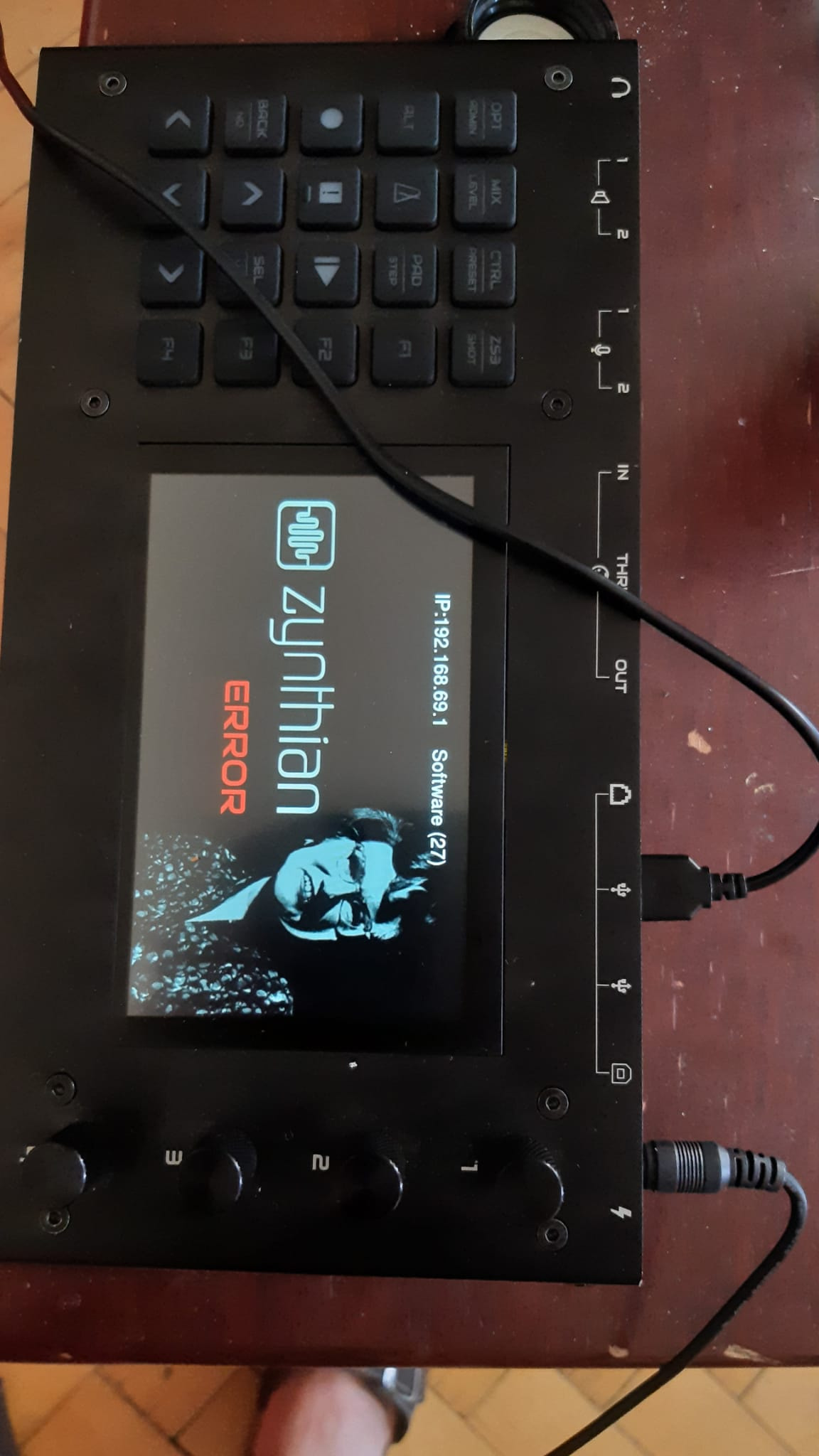
V5 running Oram on Pi5. Ran software update from webconf, which got stuck. After over an hour i tried rebooting (i.e. switching off and on) as the Zynthian was stuck, too. Now i can’t get past this boot screen. Please help, gig coming up!
Hi @captainburek !
You should access using the webconf and show us the UI logs that you can get from the terminal with this command:
journalctl -u zynthian -f -n 200
BTW, when you run the update, what type of connection type did you use? WIFI, ethernet?
Regards,
1 Like
wifi, i never got the wired connection to work. Probably for the same reason i cannot get a connection to the Zynthian now.
WIFI updates are not recommended at all. If you can’t connect to get the logs and fix the issues you probably need to burn a fresh image.
Regards
You could try the USB tethering as descibed in the Wiki.
The Ethernet direct connection works only with a few computers that are actually able to do MDX on their hardware and have some bridging software installed, like in Linux.
When did this error happen7
If it happens with a fresh image, it is likely the SD card or the flashing software. Try different, do verify.
If it happens after or during an update, it is likely an unstable connection during the update, causing only partial update. Reflash is the only safe way out.
If it happens after a normal reboot or power-up, it is the SD card. Get a new genuine one.
In the other hand, if you have physical access to the router, connecting the zynthian to the router with an Ethernet cable is the easiest way.
Regards
Thanks for the quick reply, as usual! I connected the Zynthian to my router via an Ethernet cable, I then tried raspberrypi.local, zynthian,lan, zynthian.local and then the IP address Zythian shows on its boot page (see pic), to no avail (“Problem loading page”). Assuming there was an incomplete update, is this expected behavior? Or should I still get some connection?
It can be if you try connect via a browser. If WebConf is not started, this can be the result.
You should try to connect via ssh first (use PuTTY or an other tool that can connect that way.). When you have a Linux shell prompt, you can start journalctl.
Kind regards,
Hans.
If you do an arp -a on a terminal on an attached machine you should see your Zynthian, and you can then login like so:
len@tunaserver:/$ arp -a
_gateway (192.168.0.1) at b8:16:19:f5:11:8b [ether] on enp0s31f6
? (192.168.0.5) at 2c:cf:67:00:3d:23 [ether] on enp0s31f6
len@tunaserver:/$ ssh root@192.168.0.5
Hi @tunagenes,
It looks if this is not very reliable.
I just tested the arp command on 3 different RPi’s, all on the same network and the same subnet. They all give different results, and not one shows the Zynthian. I can ping and ssh it perfectly, but no arp registration.
Seems it also makes a difference if there is a switch in the path…
Router is a FritzBox, if that matters…
If you can ssh into your Zynthian, then you can use journalctl to look at the logs and hopefully see what is going wrong.
If the network side keeps fighting you, skip it for now and get a local console instead: plug a USB keyboard and an HDMI monitor straight into the Pi, log in at the prompt you can already see, and run the journal command from there. That sidesteps webconf, ssh and arp entirely, and it will tell you in one screen whether the update left a broken package or whether the card itself is throwing read errors (look for I/O or ext4 errors in dmesg). With a gig coming up I would also flash a second card now and keep the suspect one untouched, so you have a known-good system to play on; your snapshots and user files can be copied off the old card afterwards on any computer by mounting its data partition, so nothing is lost while you diagnose.
2 Likes
I do appreciate all your replies, though you are seriously over-estimating my computer knowledge (ssh, Putty?). It doesn’t matter though, I burned a new image and recovered a backup.
Unfortunately the backup wasn’t completely up to date and there is one snapshot in particular i would like to restore. I was able to copy it from the SD card before burning the new image, but i’m stuck trying to get it onto the Zynthian. I tried via the webconf Library>Snapshots>upload but then i can’t figure out what it’s doing (it looks like it’s getting stuck on the ‘upload’ screen; but honestly i also don’t understand what the ‘Name’ ‘Bank’ ‘Program’ field on the top right of the Snapshots screen are supposed to be doing). I then tried copying the zss file from my computer to the SD card in the file browser but got a message `invalid snapshot’ when trying to load it on the Zynthian. Any tipps for the technically challenged?
1 Like
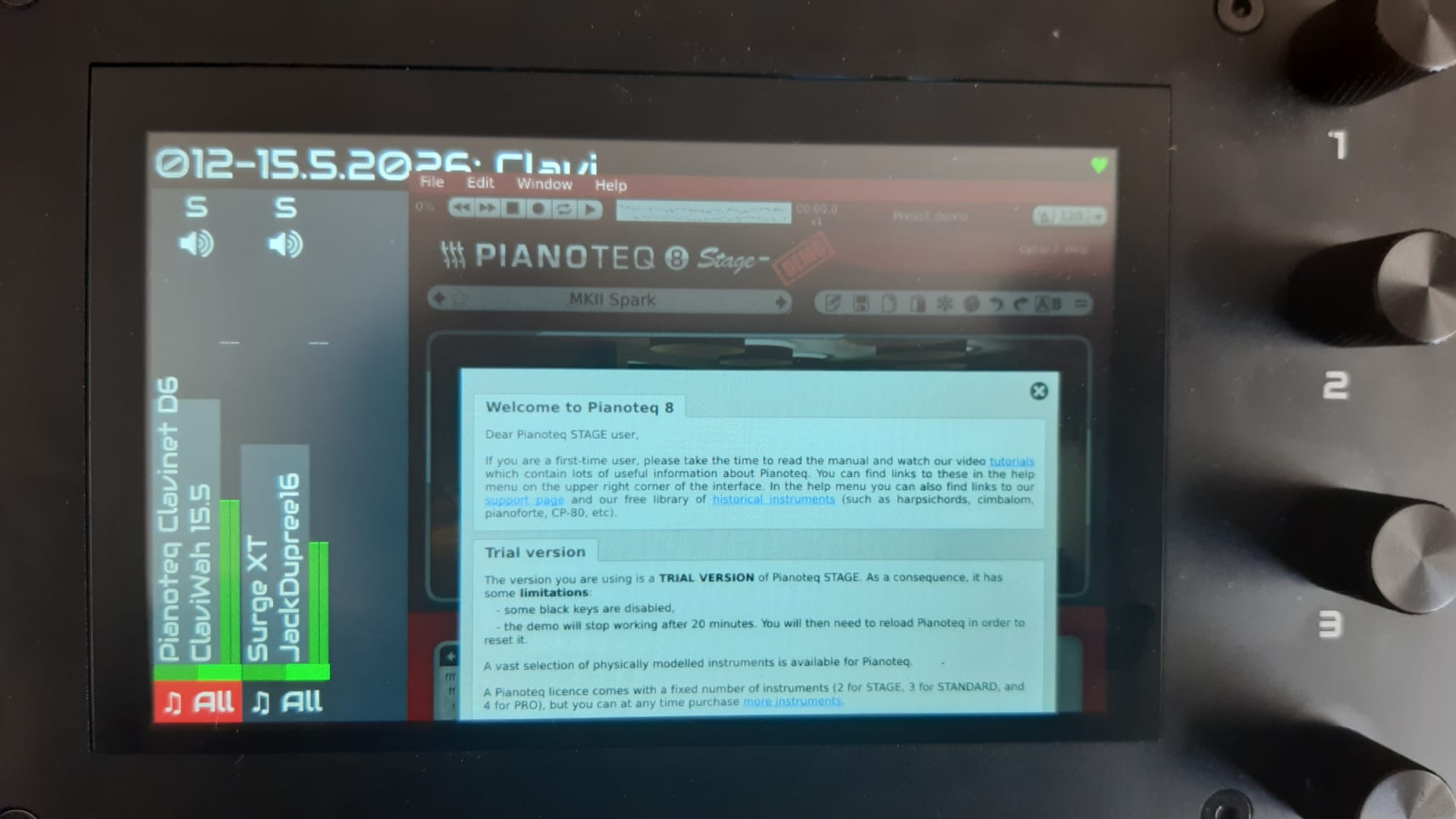
And more funny business! Zynthian now thinks i have the trial version of pianoteq, even though i have a license (which it previously recognized). Under Software>Pianoteq in the webconf i see my license key, and when i click on ‘reactivate’ … wait for it!.. I get the pianoteq GUI on the Zynthian screen!!! Of course i can’t do anything with it, and it will stay on top of every other screen until i turn off Zynthian (while doing its white noise bursts, which i guess is the trial reminder…). All other engines seem to work normally.
Hi @captainburek !
Could you explain in detail the “recovered a backup”?
Also, did you install the licensed Pianoteq version in your fresh installed SD image? The demo version included by default won’t work with your license number.
Perhaps you should reburn the SD-card but “omitt” the “back recovery” step. Instead, copy selectively the snapshots and other files you want by hand.
Regards
In the webconf i went to System>Backup/Restore and then uploaded a backup .zip file from a month ago (i guess that was created in the same menu). I’m burning another image as we speak since the old one won’t boot anymore after the pianoteq incident. I will try adding individual snapshots when that’s done and report back,
I fear this is the problem.
The backup doesn’t work reliably from Oram to Vangelis. We are working to fix it, but until it’s fixed, users should avoid using the webconf’s backup tool.
I recommend you to burn a fresh SD image and copy the needed files by hand, avoiding the backup tool.
Alternately you could try selecting “Data” instead of “All” in the selector from the Backup/Restore tab.
Regards,
Just to clarify, i’m back to Oram. I burned two SD cards, one with Oram, one with Vangelis. In Vangelis i cannot get any instrument chain to route to the main mix bus, so i quickly gave up on that. I’ve now tried uploading a zss from the webconf, but can’t see that that’s doing anything (i.e. no new snapshot shows up in the webconf or on the Zynthian.
Hi @captainburek !
Please, could you elaborate on this. AFAIK, routing on Vangelis works perfectly OK and nobody, except you, has complained about this.
Regards
I wasn’t complaining, i just concluded that i’m not ready for Vangelis.  Simply put, none of the factory presets play a sound, and same when i start a snapshot from scratch. I see the meter on the instrument chain move, but not on the master channel in the mixer, and no sound can be heard. The routing on the instrument channel is as intended: If i route the instrument chain directly to the main out, instead of the master mix bus, i get sound. Just not from the master channel. And it’s not muted.
But, again, this is not a problem, I’m happy with Oram right now. Btw i only now noticed that Ms Oram’s smile turns down when there’s an error. Nice detail!