I’ve rewritten my code this weekend and it’s a lot nicer, there’s one section which I want to improve before adapting for other devices (I have already included some bits especially for the BCF2000)
The sad news I’ve hit a strange issue when having more than 8 chains getting the volume for the 9th returns the wrong value, 10 and beyond are correct again. So this may take some time to debug.
Perhaps in the mean time you would like to think about what the functionality the BCF2000 buttons / encodes should be. Also e.g. are 7 chains + master enough or would there be a requirement to expanding right and left ?
Oh cool!
I did try out your older version yesterday briefly on a bcf2000. Really good job, but did find a couple of issues, which you may have already fixed in the newer version
Motorised faders worked ok as did the, channel select, mute and solo.
Pan was a bit odd though, as the first channel encoder changed the 2nd channel balance on the first snapshot I used, but was fine for another snapshot. No led feedback on the Pan though.
The function keys and some other button combinations also selected the different Zynthian screens too, which is handy.
I’d have to have a think on the chain numbers, would certainly be nice to control the master. Being able to bank select/move left or right would be good though.
You probably want to keep the button functionality the same regardless of the unit., although i’m not sure what would best be.
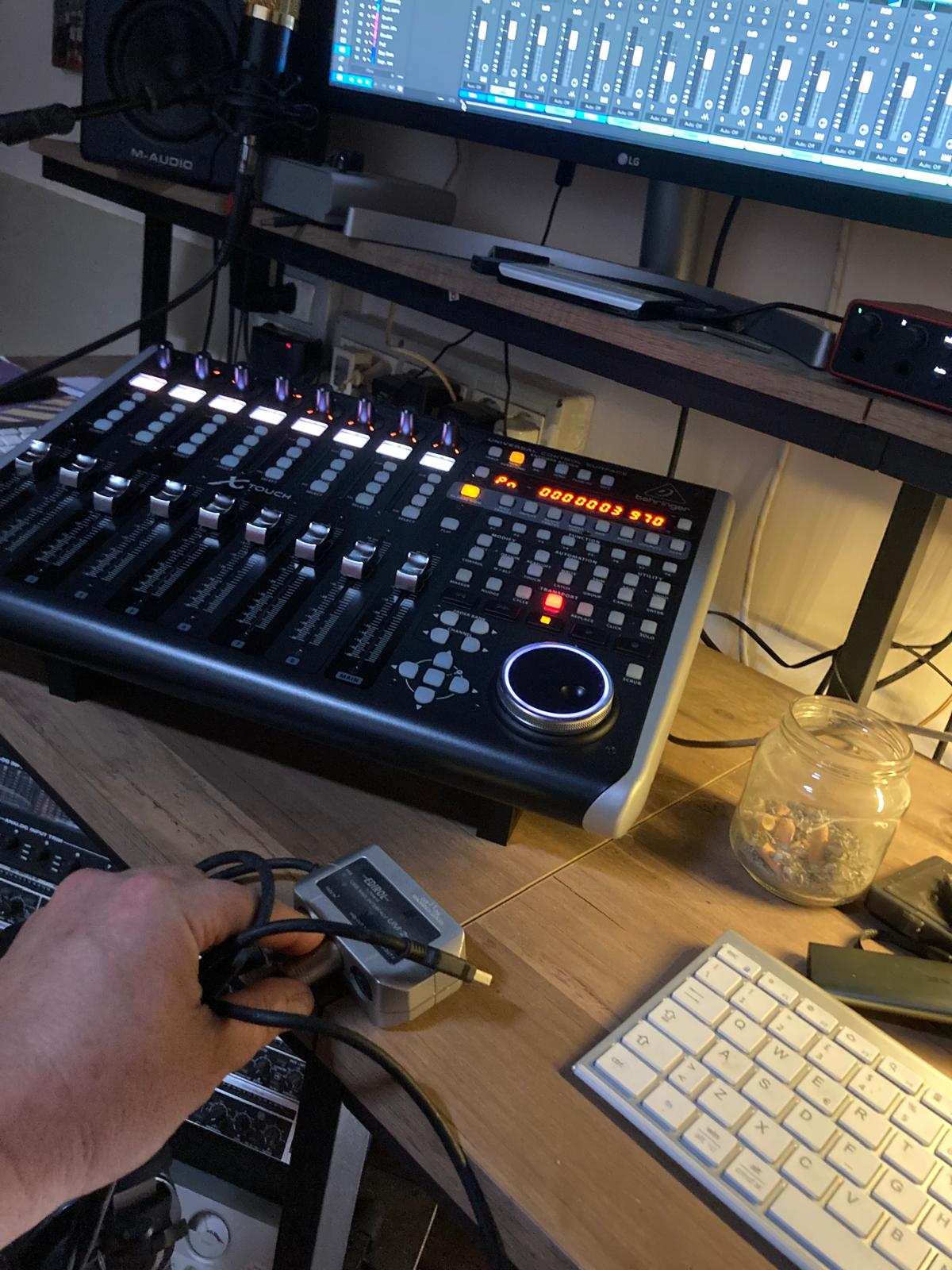
The X-Touch arrived… I went crazy upgrading the firmware (the one inside was very old) and only using the MIDI/Usb interface. But now the USB works perfectly and integrates with Studio One 7 in its entirety. Now I can try the BCF2000 with the Zynthian…
Thanks @crismat, but you should tell me exactly where to insert the file, because I’m not a good computer expert. Once the file is inserted, can I connect the BCF2000 via USB? Do I set the BCF2000 as Mackie? Thanks
I still have two requests open with @jofemodo then we will have consistency of location and persistency of user settings, I’m still waiting for confirmation that the corrections I made are acceptable.
Yes your BCF2000 would have to be in mackie mode and USB is fine
With guessing, I think that I got point #1 correct, however I need your assistance with point #2, please see my comments on PR. We do see eye to eye on the importance of getting file locations correct, it becomes a real pain later when it needs to be adjusted.
Thanks
I’d like to join in on the fun. I’m setting up a controller driver for my Launchkey MK4. I’ve read through the posts here and started working off an existing python script. I’ve also checked out Novation’s programmer’s manual. While I’m not exactly a software engineer, I’m sure I can fumble through the code. With some bit of trial and error, I’ll eventually get it to work. It would be nice to get all the functional buttons on it to work.
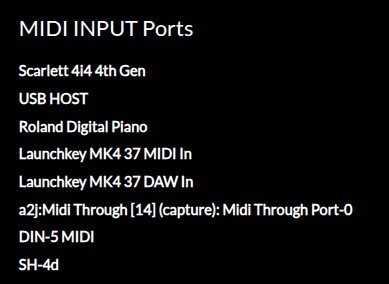
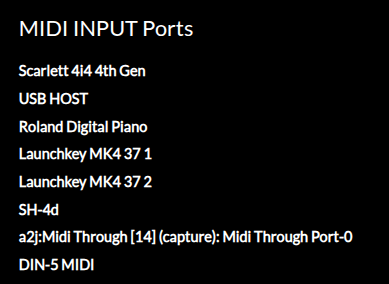
I do need some help to just get the controller to driver to show up in zynthian. I’ve tried all sorts of combinations on the names that go under dev_ids. I even tried to put an “*” to force it to show up like the fostex controller driver.
This is what I see in webconf when I first boot up zynthian:
Is there something else I need to check or enable? Could this be a linux / debian issue getting the mk4 into DAW mode? I’ve attached what I have so far here if anywone wants to take a look.
You are already enjoying part of the fun by struggling with implementation…
The device id should be the device name, e.g. “Launchkey MK4 37” with “ IN x” appended where “x” is the index of the interface to connect the driver to. I expect you need, “Launchkey MK4 37 IN 2” because the DAW interface is carried over the second (DAW) port whilst MIDI note on/off, etc. is on the first. My Launchkey Mini MK3 shows: ‘Launchkey Mini MK3’ in aconnect - land the device control driver uses the id Launchkey Mini MK3 IN 2.
Your are correct! “Launchkey MK4 37 IN 2” did the trick. The driver is now getting recognized by zynthian. Now I can move on to programming the rest of the buttons. Thanks!
In non daw mode, I have pads mapped to the 4 switches and I can pretty much do most functions on those 4 buttons. I did try this already but it seems to not do anything.
S = Short (press and release within about half a second)
B = Bold (press and release within about 1.5s)
L = Long (press and hold longer than about 1.5s)
Beware that there will be P & R events triggered before S & B and that there will be P event triggered before L. (I think we supress the R event after L but don’t quite remember.)
You can use “ZYNSWITCH” events for new and old. They should give similar, or at least expected behaviour. There are 4 core switches for ZYNSWITCH (0..3) that trigger predefined actions. Higher numbered switches are configurable in webconf.