MAC or PC? Did you mean OS X or Windows? Which OS do you use? I don’t have any of them either 
Btw, could you write here the functionality that you would expect from a driver for the MPK mini? It would help me a lot!
MAC or PC? Did you mean OS X or Windows? Which OS do you use? I don’t have any of them either
Btw, could you write here the functionality that you would expect from a driver for the MPK mini? It would help me a lot!
My desktop machine is a 64 Bit Pi 4 soon to become ( subject to the vagueness of the British postal system) a Pi 5.
Zynpad steering via the joystick would be one with pads performing select Bold sect & long select.
Transposing the sequence from the keyboard would also be something I would use.
Good! Let’s see what can be done 
Mind you I can’t see the device in jack element of patchage at the moment, but it does show up on aseqdum, aconnect… and doesn’t show up in jack_lsp
it appears in lsusb as
Bus 001 Device 007: ID 2011:0715
But reports
Bus 001 Device 011: ID 2011:0715 AKAI MPKmini2 to the Desktop Pi…
which doesnt seem to have string
aconnect -l
client 20: ‘MPKmini2’ [type=kernel,card=1]
0 'MPKmini2 MIDI 1 ’
Does your Mini behave the same way?
 wow !
wow !
I need to see how you do the “LED brightness whether they are empty or not” part and … How you recognize Mk2 from mk1 or mk3… I see some device under 50€ but dont find how to know if I’m looking at the good one…
If my kid give me free time, I really wish to push this GREAT new feature of brightness
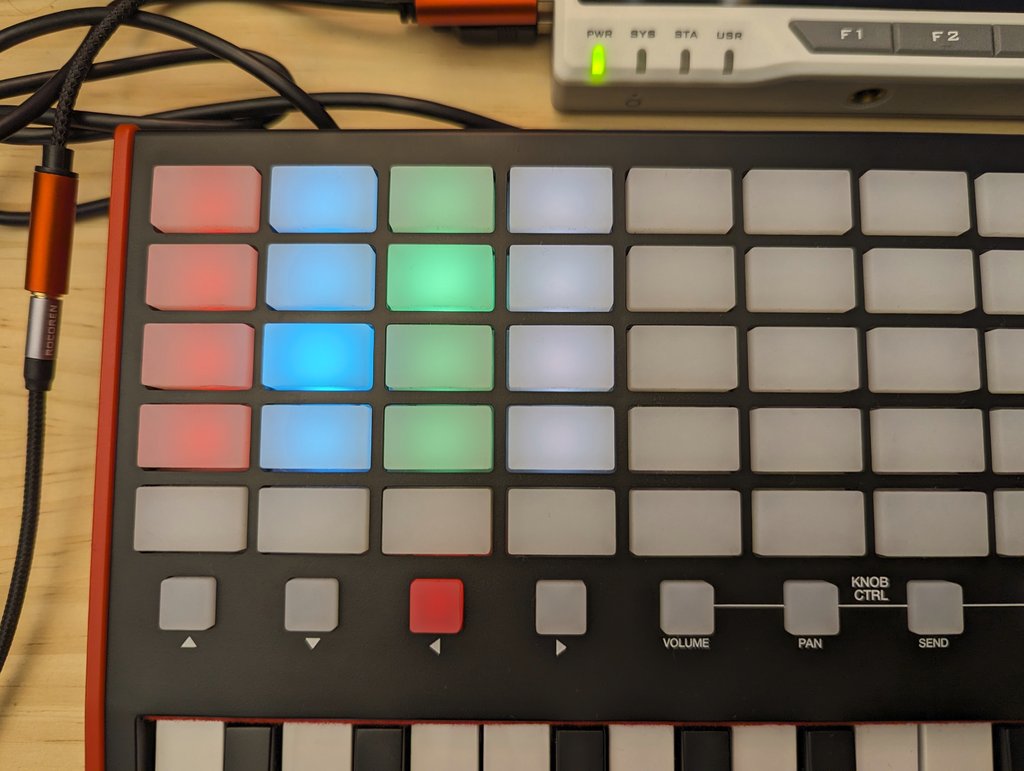
The Akai APC Key25 mk2 has RGB LEDs in the PAD buttons, so you can control the intensity and color of them, just like this:
The picture does not show it very well, but IRL the difference is noticeable.
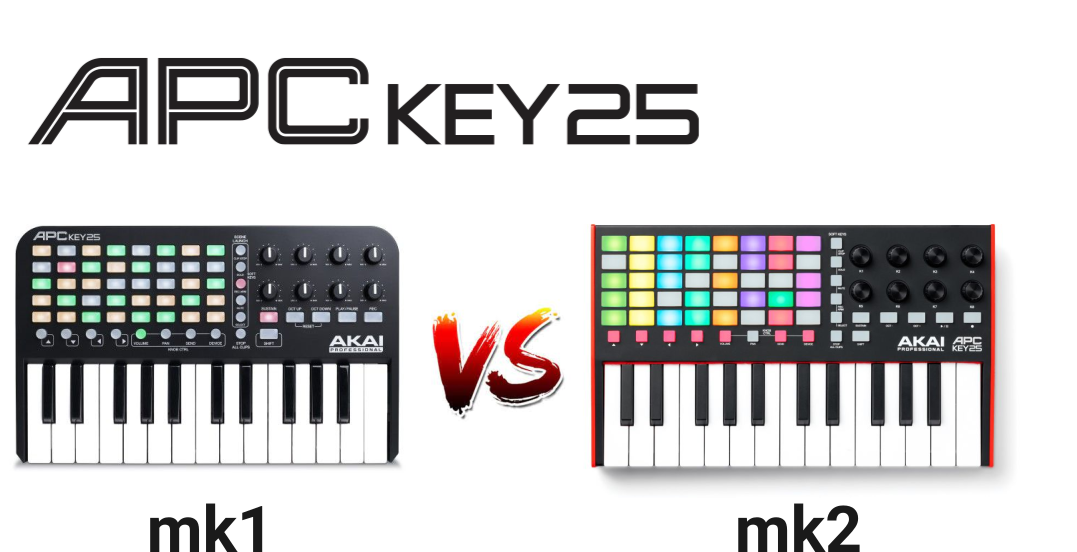
This is the difference between mk1 and mk2 (there is no mk3 of the Key25, AFAIK):
Cheers!
Hi @oscaracena !
I just created the wiki section for documenting the custom “MIDI controller drivers”:
https://wiki.zynthian.org/index.php/Supported_MIDI_controllers
Until now, Susanna has documented 2 drivers:
I hope to convince her to document some more, including Akai MIDI Mix and other launchpads.
Perhaps @riban also wants to document his launchkey driver
I will send you wiki credentials by P.M. so you can document your APC key25 driver.
Regards
Perfectísimo!  Thank you, I’ll work on it! Do I create a PR as usual with the driver?
No. You edit the wiki directly
It has a kind of revision control system integrated in.
I mean for the driver source code 
Of course! PR it!
It is important to get the dev_ids correct
so “nanoKONTROL2_MIDI_1” works and “nanoKONTROL2”
the best place to get theinfo is setting the DEBUG level to warn and watch the output for the appropriate string in the startup
Loaded ctrldev driver …
Is there a missing word there, like “doesn’t” at the end?
I’m not trying to bother you, just want to be sure I actually understand. Because, remember, you can’t put too much water in a nuclear reactor.
It pattern matches with the return form the setup call and in fact my actual code I’ve put two entries into the dev_ids list, to cover cases.
import logging

# Zynthian specific modules
from zyngui import zynthian_gui_config
from zyngui.zynthian_ctrldev_manager import zynthian_ctrldev_base
from zyncoder.zyncore import lib_zyncore

# --------------------------------------------------------------------------
# Korg  nanoKONTROL2 Integration
# --------------------------------------------------------------------------

class zynthian_ctrldev_korg_nanokontrol2(zynthian_ctrldev_base):
    # idVendor = 0944
    # idProduct = 0117
    # Product nanoKONTROL2
    # Manufacturer KORG INC.
    #
    dev_ids = ["nanoKONTROL2","nanoKONTROL2_MIDI_1"]
    dev_zynmixer = True  # Can act as an audio mixer controller device
    rec_mode=0

    mute_cc = [48,49,50,51,52,53,54,55]
    solo_cc = [32,33,34,35,36,37,38,39]
    rec_cc = [64,65,66,67,68,69,70,71]
    fader_cc = [0,1,2,3,4,5,6,7]
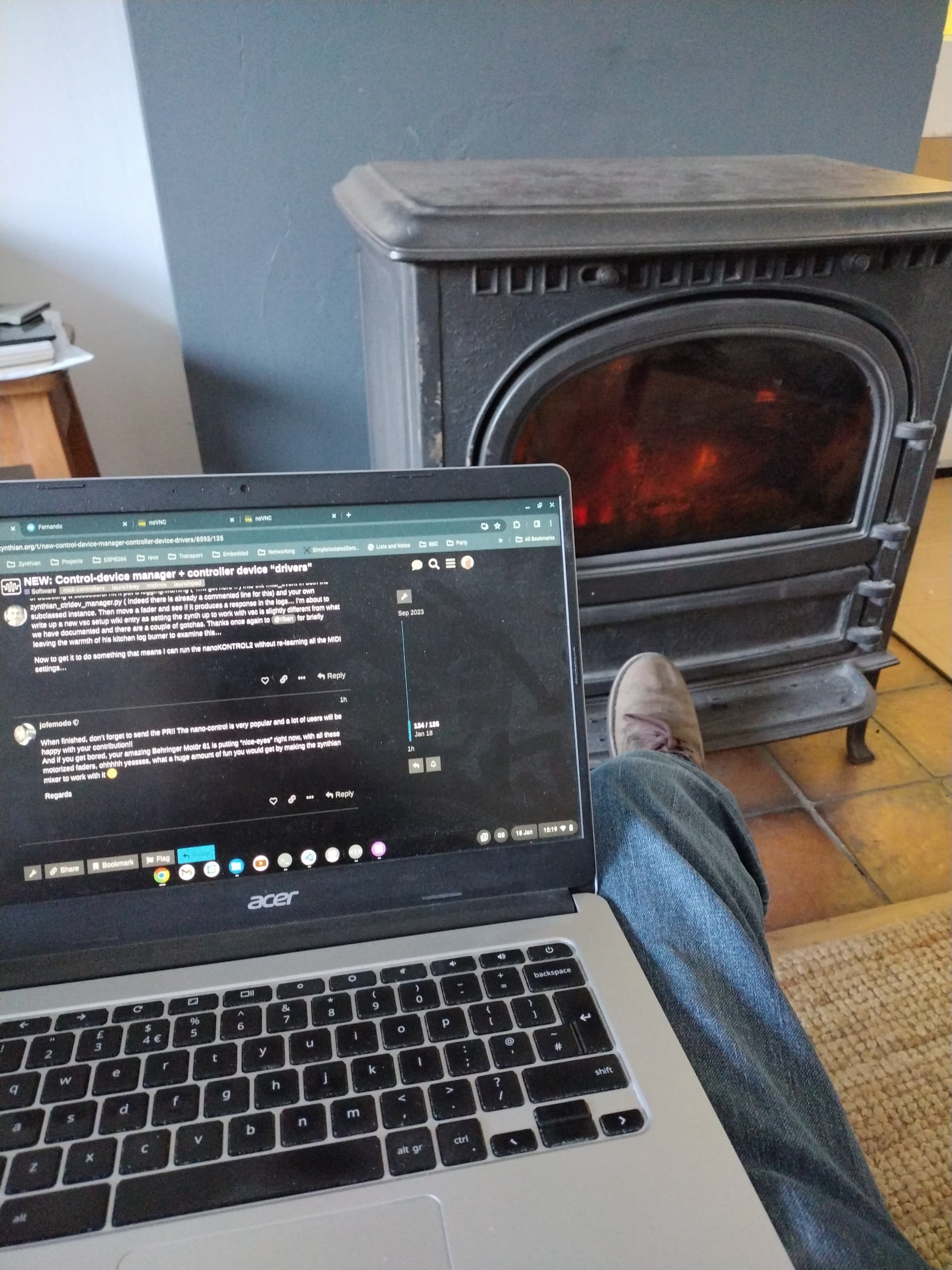
There certainly seems to be some confusion ( not a zynthian aspect) as to quite what string is returned by the various different mechanaisms be it lsusb, aconnect -l or the code itself. The best way I’ve found of detecting a successful hit it put a logging.warning (’ …It got here !!') into the midi_event in both the zynthian_ctrldev_manager.py ( indeed there is already a commented line for this) and your own subclassed instance. Then move a fader and see if it produces a response in the logs… I’m about to write up a new vsc setup wiki entry as setting the zynth up to work with vsc is slightly different from what we have documented and there are a couple of gotchas. Thanks once again to @riban for briefly leaving the warmth of his kitchen log burner to examine this…
Now to get it to do something that means I can run the nanoKONTROL2 without re-learning all the MIDI settings…
When finished, don’t forget to send the PR!! The nano-control is very popular and a lot of users will be happy with your contribution!!
And if you get bored, your amazing Behringer Motör 61 is putting “nice-eyes” right now, with all these motorized faders, ohhhhh yesssss, what a huge amount of fun you would get by making the zynthian mixer to work with it
Regards
Not easily tempted!
There are many layers and modules that provide access to MIDI in Linux. We use several of these. We create a UID for each device based on its alsa name and it’s physical connection. You are, as @wyleu suggested, advised to capture the name that Zynthian uses with a debug command.
Hi @riban !
We could show this name in the device options screen, when bold clicking the device. What do you think? This will ease things for people trying to create drivers.
Regards,
I think this already happens in chain manager branch
At last, I’ve managed to “finish” the Akai APC Key25 mk2 driver for Zynthian!  I wish it could be useful for whoever has this controller.
@jofemodo Here is the PR: zyngine/ctrldev: add driver for Akai APC Key25 mk2 
I’ve also finished the documentation.
Happy Zynthing!
Are the knobs on the Key25 Potentiometers or encoders ?
Do four of these actually behave as the Zynthian encoders in Device mode ?