Of course, you can update. It should work (i do it all the time!!), but please, be patient and ensure a good internet connection. Updating by WIFI is more prone to issues than using ethernet. Make a backup of the SD-card or at less backup your valuable snapshots, etc.
If you are in Vangelis branch, i would recommend to move to Oram staging. We are going to merge the zynbleton branch into Vangelis very soon, and Vangelis will diverge a lot from Oram, being a one-way trip because zynbleton snapshots are not compatible with Oram.
Finally, if you update, i would recommend to install, at less, the next extra packages from the new webconf tab:
Hydrogen Drumkits
IR Collection
They are already installed in the new SD image.
This is an incomplete list of changes. For more details, check the commit log in github:
UI:
Improved ZS3 autogenerated titles
Improve File Selector browsing, including “preview”
Improve SF2 file browsing
Improve preset preview
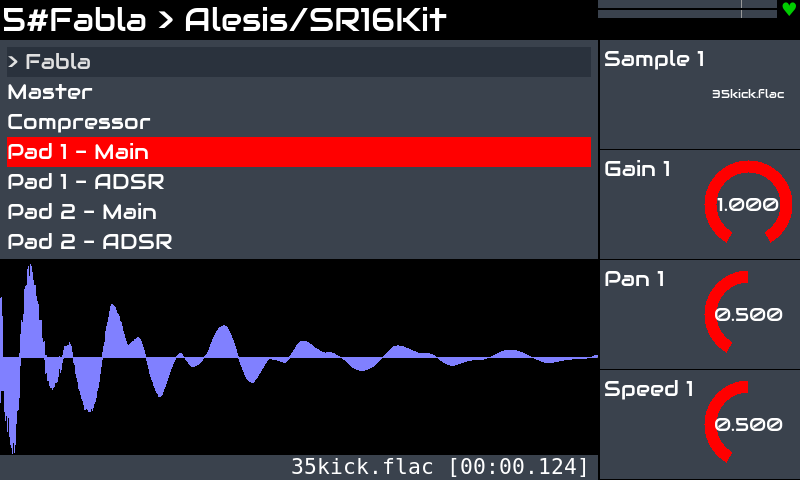
“Wave visualization” widget for audio file selectors
New Extra Packages section in webconf, with these 3 packages:
Hydrogen Sounfonts (installed in new SD images)
IR Collection (installed in new SD images)
Conners IR library (NOT installed in new SD images)
Add support for executing the UI in AMD64 platform
Lots of fixes and little improvements!!
Of course, all this wouldn’t be possible without the contribution and effort of many. For instance:
@riban for fixing everything, improving everything, changing everything … and very important, not trying to improve the UI’s look & feel ;-D (please, get out my brain, mate!)
@ronsum for the euclidean sequencer, organelle emulator, and other PD stuff.
Could we get some more info on what this means? I did a search on this forum on AMD64 and found only the topic Zynthian on avlinux amd64 platform from May 2019. Thanks much.
You should move to Oram. Please do not stay on Vangelis. The changes we are about to make to Vangelis are substantial and likely to break workflows. Vangelis will be quite different and probably broken at times… as it is with development branches. You have enjoyed a period of relative stability as we moved towards this release but that is about to change.
Here is a link to the issue tracker, filtered to show many of the tickets resolved in this release since the last stable release of june 2025.
Zynthian UI can now run cleanly in the AMD64 platform. We still doesn’t have an install script, just an incomplete “guide script” in zynthian-sys/scripts. Users wanting to run in AMD64 must install the needed packages by hand, combining apt and pip commands. You would need to compile a few packages too, using the install recipes in zynthian-sys/scripts/recipes. I strongly suggest using debian bookworm/trixie for the base.
Once the environment has been properly configured, it works really well and fast
Thank you @jofemodo, and all other named (and even possibly forgotten) contributors and developers!
The list of new features, novel synth engines and fixed issues is impressive, as ever. I wonder where will be the Zynthian, at this pace of innovation and development, in a few years time.
It is almost incredible the wealth of functions available in a single affordable device (multichannel synth expander, soundfont virtual orchestra, hardware sequencer, songwriting instrument, audio recording station, fx unit, procedural music computer, experimental platform, you name it…), by virtue of the selfless passion of a small and committed development team.
All the very best to each one of you, and to this little wonderful machine!
Yes, I was surprised both at why there was a snapshot folder there (I don’t remember creating it), and why the tool was trying to access it in that location.
Yes, I uploaded the Virus C ROM image using the webconf, and looking at the Osiris UI using VNC, it says in the upper right hand corner that the ROM has been loaded. The emulator works, because I can select a preset in the UI and it plays fine, it’s just that I don’t get any presets in the Zynthian UI.
BTW, I also gave VirtualJV a go, but despite the ROMs being copied to /root/.config/JV880, the VirtualJV GUI claims it cannot find the ROM files. But I’m searching through the JV880 threat to see if there’s something I’ve missed, like for instance if the ROM directory is different. I was a bit surprised though that there is a menu in the webconf to upload ROM images for the DSP56000 emulator, but not for VirtualJV.
I might also mention that 1) I upgraded to the new Oram version using the webconf, not by starting from a fresh SD card image, and 2) I’ve had the DSP56000 emulator running before, so I was a bit surprised that I needed to re-upload the ROM image after upgrading.
Hi @ricard! The target directory for the ROMs is correct, but be aware that there are two further components that must be added to the binaries package, for the plugin to work. I cannot comment more on this specific subject, due to emulator policy restrictions.
Also, make sure to retrieve all the possibly available ROM expansions, for the presets to be entirely selectable from the Zynthian GUI, and aligned to the plugin view on VNC.
As for this, I suggest you revise and peruse the last posts of the JV-880 thread.