I’ll try to be helpful and hopefully I won’t lead you down the wrong path.
My advice can’t be too specific, because I don’t know your full setup in detail, especially how you have everything configured.
Also, I prefer to keep my wording simple, because English is not my native language.
I understand your setup like this:
Zynthian #1 – instruments (keys & drums)
Role: Mainly a sound source (instrument engine).
Connected MIDI controllers:
- 37-key MIDI controller (keys / synths). I assume it is connected via USB.
- Drum pad (drums / percussion). I assume it is connected via USB.
Audio output:
The audio signal goes from this Zynthian to the Loop Station.
Zynthian #2 – vocal processing (FX for microphones)
Role: Effect processor for two microphones.
I assume this is vocals and guitar (or another acoustic instrument).
Audio chain:
- Input: 2 microphones
- Processing:
- High-pass filters
- Compression
- Output: The signal goes to the Loop Station.
Boss RC-505mkII
- Records audio loops, layering, etc.
MIDI pedal
I don’t know anything about this one yet.
It would be good to have some details (brand, model, how it sends MIDI).
Connection questions (Boss RC-505mkII & MIDI pedal)
With the Boss RC-505mkII and the MIDI pedal, you need to clarify how they will be connected:
- Will MIDI go over USB or over DIN?
With my previous suggestion (USB–DIN MIDI converter), we are already using:
- The DIN ports on one Zynthian, and
- One USB port on the other Zynthian.
So the remaining options for connecting the Boss and the pedalboard depend on what ports you still have free.
Suggested step-by-step approach
I would recommend going step by step and exploring these areas:
-
Network & webconfig at home/studio
- At home or in the studio, connect both Zynthians to your network and access them via webconfig.
- There you can configure everything comfortably.
- When you go out to play, you can disconnect them and run them offline.
- I recommend using wired Ethernet and turning Wi-Fi off on both units.
-
Connect Boss RC-505mkII to a Zynthian and inspect MIDI
- Connect the Boss RC-505mkII to one Zynthian and check what MIDI messages it actually sends.
- You can monitor this via webconfig → INTERFACE → MIDI Log, where you select the port and message types.
- This way you can see if it sends Start/Stop, clock messages, etc.
- You will probably need to enable sending of these messages in the RC-505mkII settings – more details are in the Boss manual.
-
Do the same with the MIDI pedal
- Connect the MIDI pedal and again use the MIDI Log to see what it sends (CC, Program Change, notes, etc.).
- This will give you a clear picture of what is available on the MIDI side.
- After that, you can start building your routing.
-
Learn ZS3 on Zynthian
- On Zynthian itself, it really helps to understand how ZS3 works.
- I spent some time digging into it myself and, together with the UI, I put together the following recommendations:
Just to clarify how snapshots, ZS3 and the master channel work in Oram (and why it matters for Program Change):
Snapshot vs. ZS3
-
Snapshot (.zss)
A snapshot is the whole project:- chain layout (what engines/plugins are loaded where),
- routing, mixer, MIDI learn,
- plus the list of ZS3 stored inside it.
-
ZS3 (Subsnapshot)
A ZS3 is a quick-recall “state” inside one snapshot:- for each chain: bank/preset, engine parameters, mixer levels, pan, mute/solo, key ranges, routing, MIDI learn, etc.
- ZS3 does not change the chain layout – it only changes the state of what the snapshot already defined.
Multitimbral vs. Stage / Active mode
- In multitimbral mode, recalling a ZS3 updates the state of all chains in the snapshot – it behaves like a global “scene” for the whole rig.
- In stage/active mode, recalling a ZS3 effectively updates mainly the active chain (plus a few globals), leaving other chains more or less as they are.
So:
Snapshot defines what exists (chains/plugins).
ZS3 defines how it’s set up right now (presets, mixer, routing, etc.).
Program Change → ZS3
-
ZS3 are mapped to (MIDI channel, Program Change) pairs.
That means you can use PC on any MIDI channel and have separate ZS3 sets per channel. -
Typical workflow:
- Enable “Program Change ZS3” in MIDI Options.
- Enter ZS3 learn mode, send a PC from your controller.
- Zynthian stores that ZS3 as
channel / program.
So yes – you can use Program Change on multiple channels to drive different ZS3 sets.
Master Channel vs. ZS3
-
The master channel is mainly for global control:
- snapshot Bank/Program changes,
- “master key actions” for the UI.
-
On the master channel, Program Change and Bank Change are already used for snapshots and global actions.
That’s why it’s not recommended to trigger ZS3 on the master channel – PCs there can conflict with snapshot switching and other master functions.
Jofemodo himself has said: “please don’t use master Channel for ZS3”.
Practical recommendation
-
Use Program Change on regular MIDI channels (1–15) to recall ZS3.
-
Use the master channel (if enabled) for:
- snapshot selection (Bank/Program),
- global UI control,
- not for ZS3 triggering.
Useful docs / threads
-
Zynthian UI User Guide – Oram (snapshots & ZS3):
https://wiki.zynthian.org/index.php/Zynthian_UI_User%27s_Guide_-_Oram -
Web Configuration – MIDI Options (Program Change ZS3, Master Channel):
https://wiki.zynthian.org/index.php/Web_Configuration_User_Guide#MIDI_Options -
Web Configuration – Snapshots:
https://wiki.zynthian.org/index.php/Web_Configuration_User_Guide#Snapshots -
Discourse – using PC to change ZS3:
https://discourse.zynthian.org/t/use-forscore-midi-program-change-messages-to-change-zs3-snapshots/11767 -
Discourse – ZS3 reliability / master channel warning:
https://discourse.zynthian.org/t/sub-snapshots-not-saving-information-reliably/11781
I believe that once you understand the individual pieces of the puzzle, you will be able to put everything together.
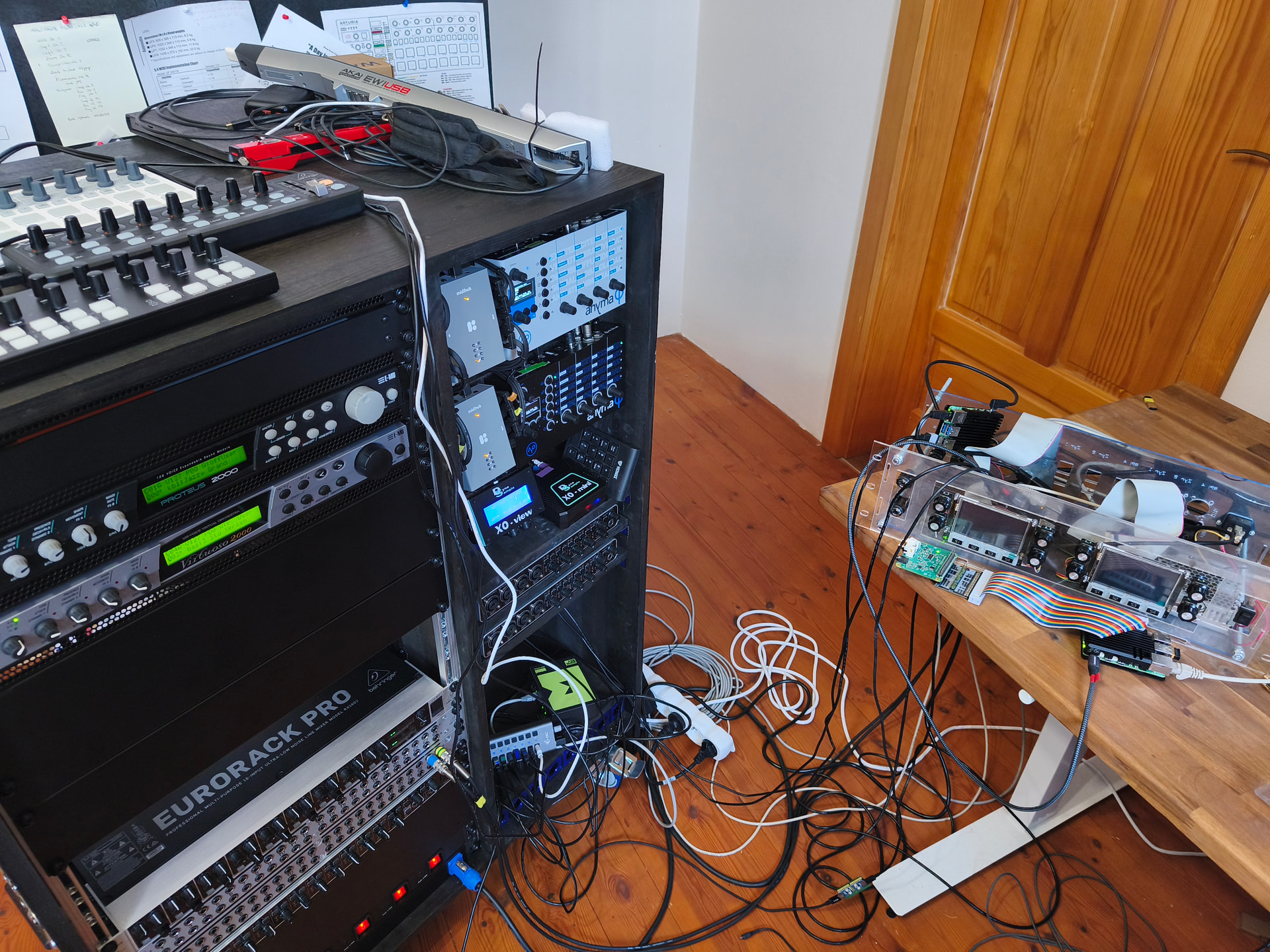
If for some reason it doesn’t work out, and if you still have space in your pedalboard for a small box, there is also the Blokas MIDIHub.
It is a programmable “brain” for processing MIDI signals of four MIDI DIN devices – so it’s actually a perfect match for your setup.
I personally own two of them.  My Twinthian is still outside the cabinet on the table on the right. It’s two Zynthians and one extra rpi5 placed in a 3U box. So one day they will be
If you get stuck on something, let me know.