Superlooper tutorial

Thanks all for the help improvements. I had overlooked this part for the longest time.

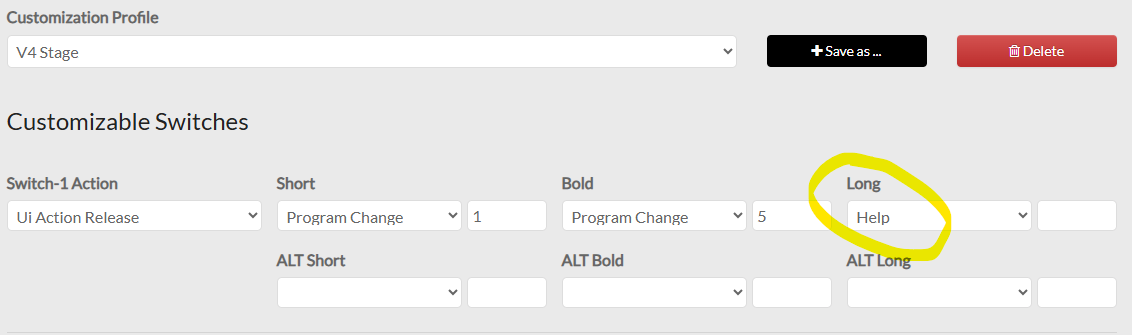
If you want the built-in help on a non-V5 Zynthian, it’s easy to set up in webconf > hardware > wiring.

E.g. on a V4 below, and same can be done with any custom kit.

Update: while it’s not perfect on a V4 layout due to the knob position being less obvious, it is a big step forward.

Users can be daunted by the busy screen with its GUI widget (which may be different to the other, list-based views the user may have seen). Also, users report not knowing where to start, even though everything is labelled. An introduction would be beneficial.

For those interested in making similar help files, you just need to create a simple html file with the same name as the view it describes, e.g. “tempo.html” to describe the tempo view. For engine specific help, it should be the name of the engine, e.g. “'ultramaster kr-106.html” for the Ultramaser KR-106.
1 Like

Those who want to write help HTML files, please, keep this in your mind:

  • Use HTML 4.0. syntax. Basic CSS only. No javascript.
  • Check the available examples in zynthian-ui/help =>
  • All help pages should have a common look & feel.
  • Let’s use proper vocabulary and terminology, specially when talking about zynthian-specific concepts.
  • If you modify the style.css file, please confirm you are not breaking other help pages!!

All the best!

2 Likes