I’ve been trying to build a DIY Zynthian but am struggling with touchscreen calibration. It’s running on a Pi5 with the active cooler and the proper Pi power supply. The screen is a 1024 x 600 7 inch HDMI/USB Duinotech (XC9026) that works perfectly out of the box with Raspian (which I have installed on a second SD).
When running Zynthian, the display works well however when using the Generic Display option it wants to run at 1920 x 1080. If I set a lower resolution manually in webconfig it only uses a portion of the screen (with the Oram splash screen visible on the rest of the screen). Most of the other options don’t work well, apart from Waveshare 7 inch 1024 x 600 which gives a nice-looking display.
In all cases the touch response is misaligned. The top-left of the screen responds accurately, but the further I move from that point, the worse it gets. Basically, it looks like touch coordinates are being scaled by roughly 2:1 away from the origin.
I’ve already read almost every relevant thread I could find and have tried the following:
flashing a new (Sandisk Extreme Pro) SD card
changing the HDMI cable
using xinput_calibrator and putting the results in x.conf.d (in both /usr/share/X11/ and /etc/X11/)
changing hdmi_cvt in config
One problem is that whenever I try to run xinput or similar I get the following error: “Unable to connect to X server”
Any ideas?
Otherwise Zynthian is very, very cool and I look forward to playing with it!
Apart from adjusting the picture resolution, I haven’t really been able to change the touch behaviour at all, temporarily or permanently. In fact the ‘Option “TransformationMatrix” “2 0 0 0 2 0 0 0 1”‘ line in the log above was an attempt to make something happen via X.conf - I originally tried a matirx with 0.5 (to halve the scaling. I think…) and then changed it to 2 in case I was going the wrong way. But niether actually changed the scaling issue in any way.
Hey @Hughbacca I still have this same touch scaling problem on a waveshare DSI 7” 1024x600 screen, drives me nuts. The touch drifts further as you go to the bottom right of the screen and touch calibration input goes red but doesn’t progress to the next step. I posted a thread but never found an answer despite the touch input working perfectly when I boot into raspbian desktop.
I also tried adjusting those settings in the 99-calibration.conf without luck. I think the settings may have even existed in two places which made things even more confusing. You reminded me to have another look and I found a few threads on this topic. This one is detailed and has a string for the input matrix that was successful, maybe it could help you? I’m going to try it out when I get a minute.
Thank you @LFO . I’ve tried the the transformation matrix string in that post, but with no luck. Whether I make changes in the xorg.config.d files (either path) or in custom config, nothing seems to actually do anything. Settings show up in Xorg.log, but don’t seem to have any effect. It’s like something is preventing the config from being applied or is overriding any config changes at the last minute.
Did you go all the way to the end of the post? There’s a script which is there and set to run after a 45s delay which solved the issue.
Also, did you first try checking #2 in the first post? After running xinput –listI found my touchscreen entry was in ‘floating’ mode which means it is disconnected. When I tried reconnecting it using the other commands, something interesting happened.
Normally the mouse cursor doesn’t respond at all on my zynth but after these commands I noticed it was actually following the touch inputs. So then I tried the input calibration again and it worked! The cursor progressed through each step.
The piano roll has been my test for this stuff and when I tried it, I was actually getting double inputs. One note was getting entered right where it should be aligned with my finger (and the cursor) and the other was still getting placed in the offset location.
I tried messing with the xinput list again and it didn’t improve things. Finally, I tried removing the calibration.conf file altogether and surprisingly it didn’t make any difference. That seems to suggest that the file isn’t even required and the configuration is happening elsewhere. I should note that I confirmed the file is read when it’s there (due to an error after I had a typo in my file) but it’s also carries on whether the file is there or not.
There are different input systems like xinput and libinput and I don’t quite understand how they interact.
Interesting… I’ll try those scripts and see if that helps. One of the difficulties I’m having is that xinput doesn’t seem to want to work for me. I keep getting “Unable to connect to X server” whenever I try to use it.
OMG! That’s the bit I was missing. Thank you so much for that. Added those scripts and it’s working now. It’s still a little weird at times (especially when the page has scrolled), but it’s infinitely better than before. I did take a while to figure out that I needed to chmod +x the scripts to allow them to run…
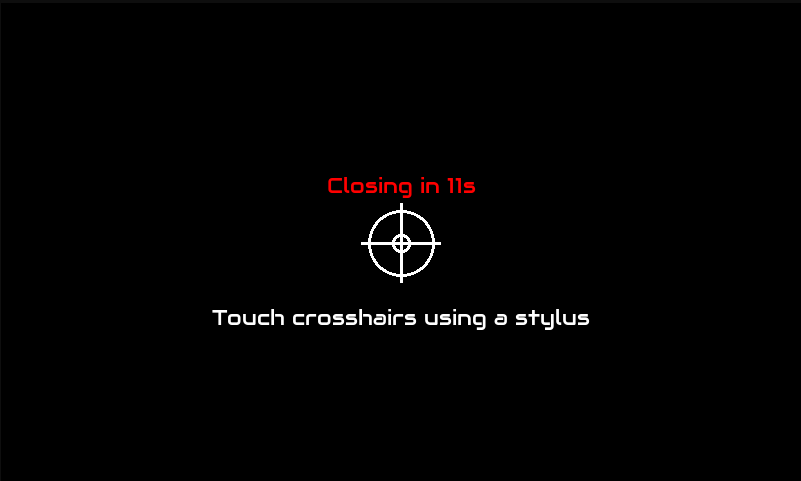
 I’ll try those scripts and see if that helps. One of the difficulties I’m having is that xinput doesn’t seem to want to work for me. I keep getting “Unable to connect to X server” whenever I try to use it.