USB Touchscreen input scaling issue on 7" 1024x600; I'm almost resolved. One issue left!

I’ve read many other threads on this topic and most people seem to have resolved the issue and I’m not sure how.

My issue: running Oram stable (and Vangelis), my USB-based touch inputs are incorrectly scaled. My touch screen is reporting in xinput as 1920x1080 but in ts_calibrate/ts_draw it is operating correctly in the range 1024x600. xinput reporting 1920 width explains why only the top left corner is registering, the top left of the screen is 1024x600 of the unscaled 1920x1080.

Unlike others have reported: Unplugging and re-plugging my USB touchscreen does not fix the scaling issue for me.

The display/touch works perfectly fine in an official bookworm image using the same config.txt settings, however there wayland/wayfire is in use so who knows how that translates to a pure xinput world?

I believe the solution is that I need to specify a Coordinate Transformation Matrix but here’s what’s happening:

  1. xinput sees my touch device TSTP MTouch as a “Floating slave”

root@zynthian://zynthian# xinput
⎡ Virtual core pointer id=2 [master pointer (3)]
⎜ ↳ Virtual core XTEST pointer id=4 [slave pointer (2)]
⎣ Virtual core keyboard id=3 [master keyboard (2)]
↳ Virtual core XTEST keyboard id=5 [slave keyboard (3)]
↳ GHW Micro GHW USB AUDIO Consumer Control id=6 [slave keyboard (3)]
↳ GHW Micro GHW USB AUDIO id=7 [slave keyboard (3)]
↳ vc4-hdmi-0 id=10 [slave keyboard (3)]
↳ vc4-hdmi-1 id=11 [slave keyboard (3)]
↳ TSTP MTouch id=8 [slave keyboard (3)]
∼ TSTP MTouch id=9 [floating slave]

2. I can reattach the device with xinput reattach and xinput enable the device. I can also specify the coordinate translation matrix temporarily, but as soon as I issue systemctrl restart zynthian, the devices are reinitialized and it is again detached..?

  1. The logs at /var/log/Xorg.0.log indicate this device has no driver and doesn’t get added when zynthian starts:
[    10.920] (II) No input driver specified, ignoring this device.             
[    10.920] (II) This device may have been added with another device file.     
[    11.275] (II) modeset(0): Disabling kernel dirty updates, not required.     
[    39.744] (II) config/udev: removing device TSTP MTouch                      
[    39.744] (II) evdev: TSTP MTouch: Close                                     
[    39.744] (II) UnloadModule: "evdev"                                         
[    39.745] (II) config/udev: removing device TSTP MTouch                      
[    39.772] (II) evdev: TSTP MTouch: Close                                     
[    39.772] (II) UnloadModule: "evdev"                                         
[    48.506] (II) config/udev: Adding input device TSTP MTouch (/dev/input/mouse
0)                                                                              
[    48.506] (II) No input driver specified, ignoring this device.              
[    48.506] (II) This device may have been added with another device file.     
[    48.560] (II) config/udev: Adding input device TSTP MTouch (/dev/input/event
3)

Does anyone have any suggestions? Thank you so much!!
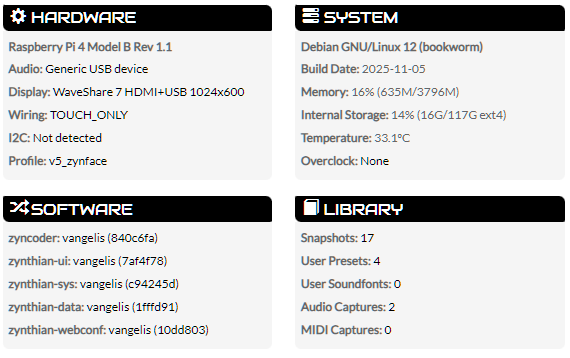
I don’t know exactly what you have to do, but perhaps this will give you some options, in webconf, if you click on the Display named - “Waveshare 7 HDMI+USB 1024x600” you will get more info and setting the upper right checkbox “Advanced View” will give you more details. I suspect the answer lies in setting up the driver through those settings. Here’s what mine shows for a different display-touch setup:

Display

Display
Z2 Display ZynScreen 3.5 (v1) PiScreen 3.5 (v2) PiScreen 3.5 (v1) PiTFT 2.8 Resistive PiTFT 2.8 Capacitive PiTFT 3.5 Resistive RPi-Display 2.8 WaveShare 3.2B WaveShare 3.2C WaveShare 3.5A WaveShare 3.5B WaveShare 3.5B V2 WaveShare 3.5C WaveShare 4A GPIO-only WaveShare 4c GPIO-only WaveShare 4 HDMI+GPIO WaveShare 4.3 HDMI+GPIO (inverted) WaveShare 5 HDMI+GPIO WaveShare 5 HDMI+USB WaveShare 7 HDMI+GPIO 1024x600 WaveShare 7 HDMI+GPIO 800x480 WaveShare 7 HDMI+USB 1024x600 WaveShare 7 HDMI+USB 800x480 WaveShare 10.1 HDMI+USB 1920x1080 WaveShare 5 or 7 DSI WaveShare 5 or 7 DSI (inverted) Sainsmart 1.8 MHS35 480x320 MPI5008 800x480 Pi 7 Touchscreen Display 800x480 Pi 7 Touchscreen Display 800x480 (inverted) MIPI DSI 800x480 MIPI DSI 800x480 (inverted) Generic HDMI/DSI Display Generic 4k HDMI Display Custom Device

Config

Width

Height

Touch Rotation
None Inverted

Kernel Options

Framebuffer

Also if you can tell us exactly what the manufacturer and model number of your display is, and-or a photo of it, that would be helpful.

Thanks for your response. Let me provide all the info I have.

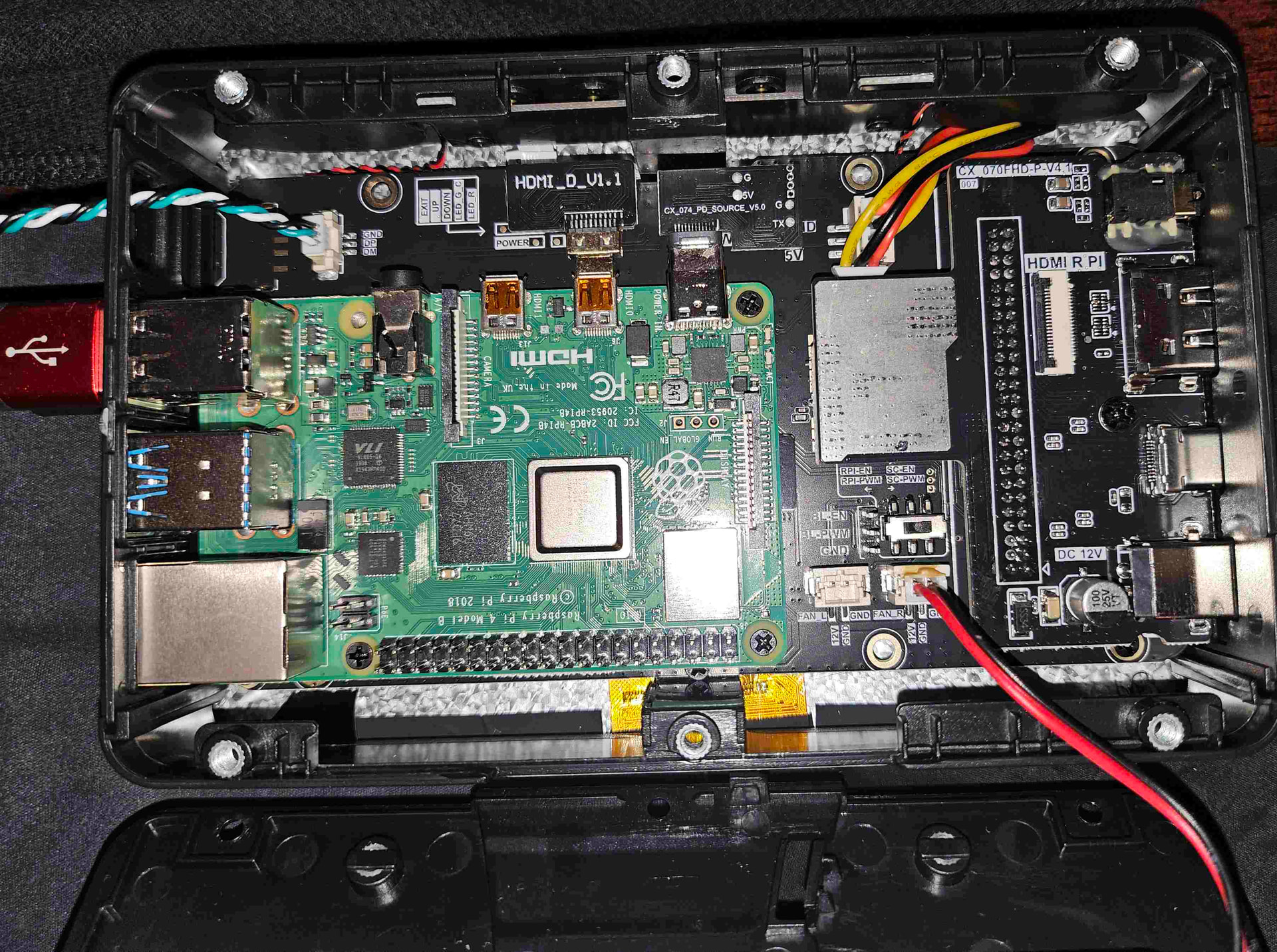
The packaging refers to the model as CX090PI-B, and it is this “7 Inch Touchscreen for Raspberry Pi,5-Point 1024 * 600 IPS touchscreen Portable Monitor with HDMI Interface Dual-Speaker for Raspberry Pi 5/4B/3B+/3B/B+ Jetson Nano Win11/10/8/7(7’’ 1024*600-b)1” on Amazon. It’s a 7” 1024x600 IPS display with capacitive touch, enclosure, fan, speakers (hdmi), and 12v 2A power supply. At only $35, I’ve now bought two of them :slight_smile: The name brand listed is ‘Gallagher’ but I’ve also seen several identical items with different brand names on Amazon, eBay, and Ali Express. This seems to be a newer revision than some of the videos of it that I found. The internal label on the board is CX 070HD-P-V4.1
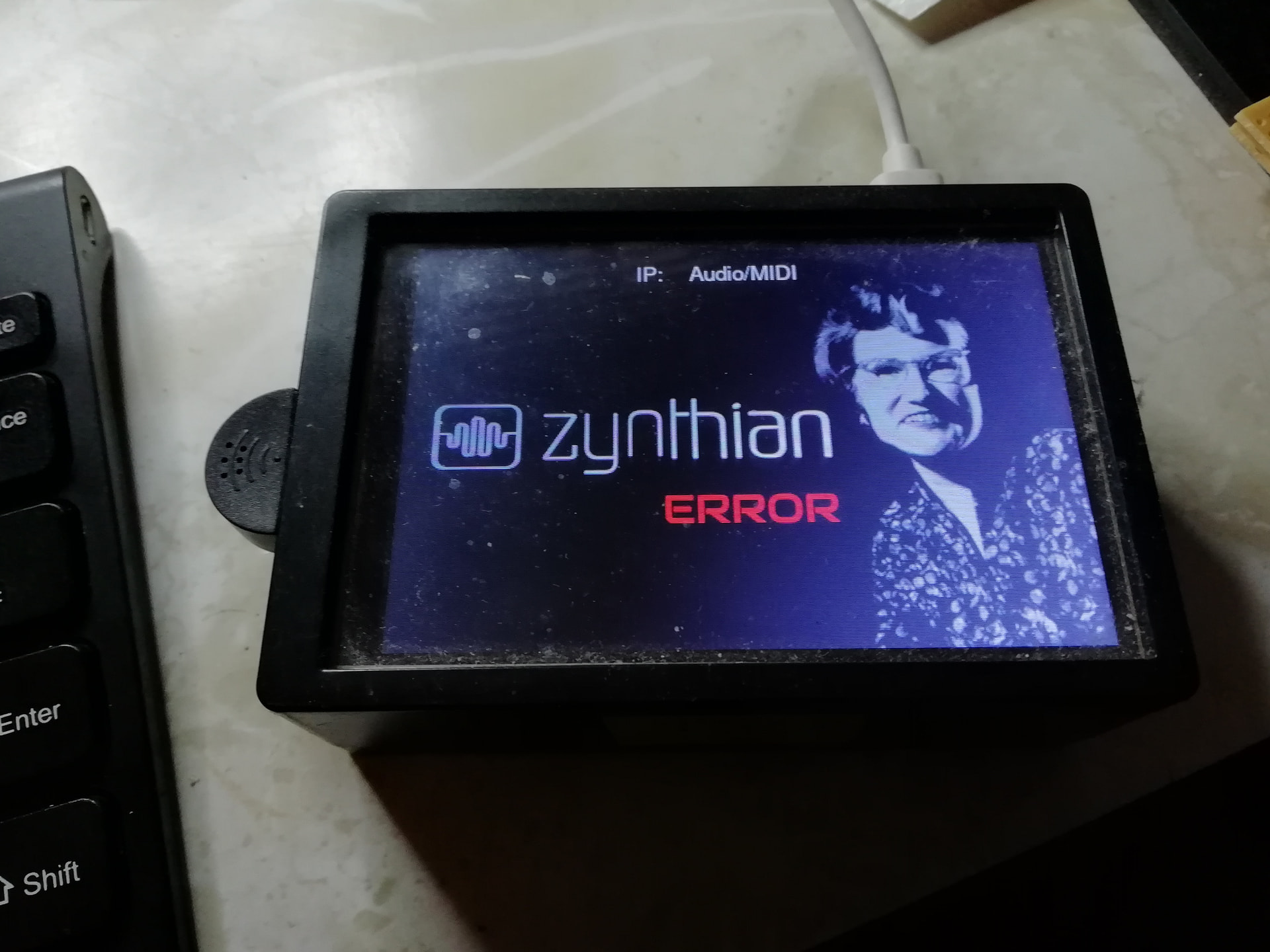
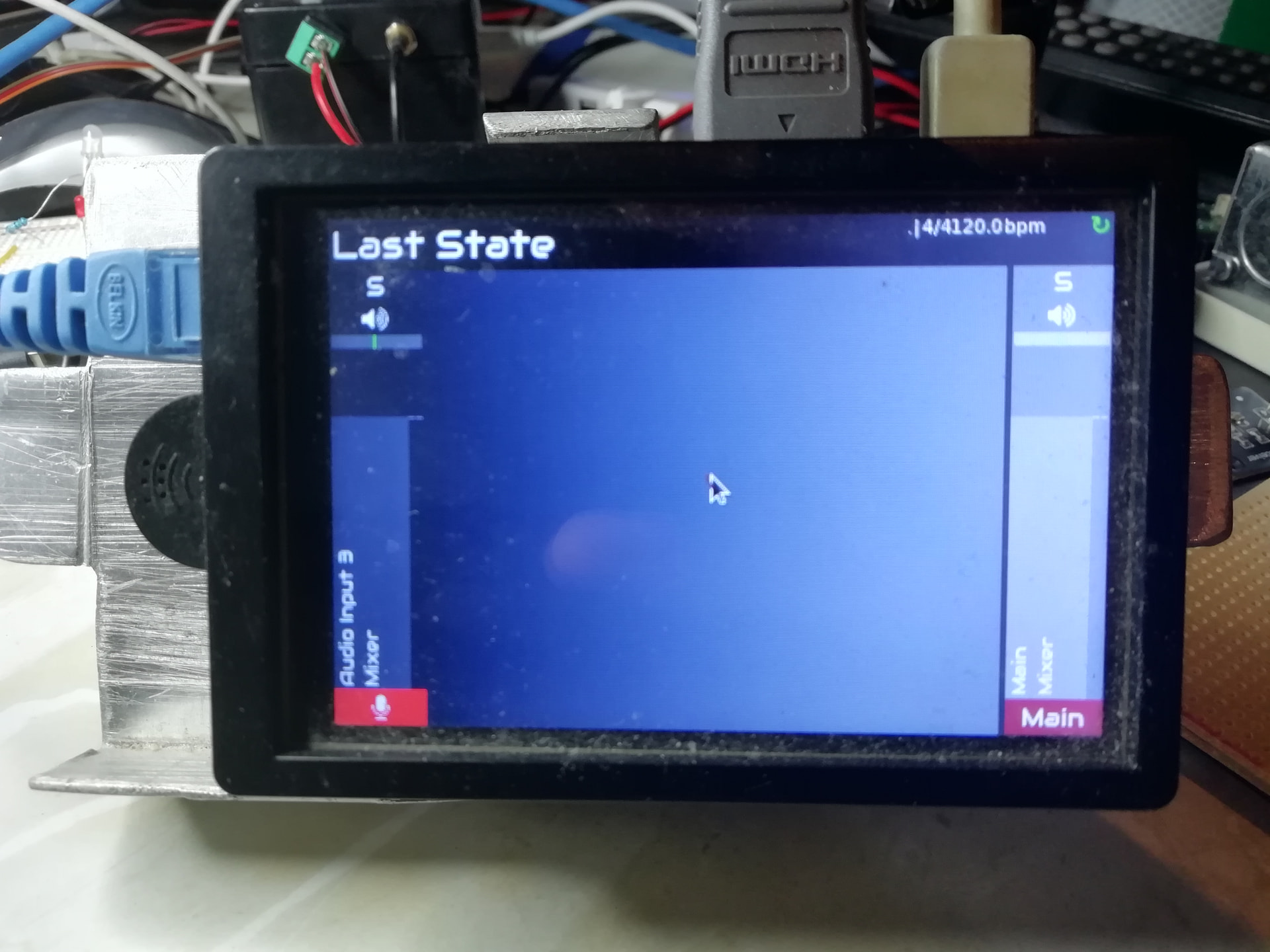
I’ve done everything in webconf’s “Advanced mode” and I have the Waveshare 7 HDMI+USB 1024x600 selected as shown in the screenshot above. I’ve tried the recipe provided by waveshare:

hdmi_force_hotplug=1
hdmi_drive=1
hdmi_group=2
hdmi_mode=87
hdmi_cvt=1024 600 60 6 0 0 0
dtoverlay=vc4-kms-v3d

both with and without dtoverlay=vc4-kms-v3d (and rebooted multiple times to test with each variation).

Here is a picture of the inside of the unit:

I cannot figure out why zynthian coming up causes this xinput error? –if I could fix this, I could specify the translation matrix which I’m reasonably sure could fix the scaling of input. Again, a regular 64bit Bookworm image works fine with this touchscreen with no calibration issues, but they use wayland/wayfire.

I also don’t know why can others just unplug and replug their USB connector to make it work, but that doesn’t work for me? Peculiar.

When I ssh into the device and I run ts_touch, touching the top left and bottom right give pretty reasonable events. E.g., coordinates in the range of about [8,7] top left and [1000,571] bottom right.

When I run xinput_calibrator I don’t get any events from touch at all until I reattach and re-enable the xinput id of the TSTP MTouch touchscreen device. E.g.,

root@zynthian://zynthian# xinput_calibrator                                     
        Setting calibration data: 0, 1920, 0, 1080                              
Calibrating EVDEV driver for "TSTP MTouch" id=8                                 
        current calibration values (from XInput): min_x=0, max_x=1920 and min_y=
0, max_y=1080                                                                   
root@zynthian://zynthian# ### *** No events and timed out !!!                                    
root@zynthian://zynthian# xinput reattach 8 2                                   
root@zynthian://zynthian# xinput enable 8                                       
root@zynthian://zynthian# xinput_calibrator                                     
Calibrating EVDEV driver for "TSTP MTouch" id=8                                 
        current calibration values (from XInput): min_x=0, max_x=1920 and min_y=
0, max_y=1080                                                                                                                                                
Doing dynamic recalibration:                                                    
        Setting calibration data: 37, 1900, 20, 1103                            
        --> Making the calibration permanent <--                                
  copy the snippet below into '/etc/X11/xorg.conf.d/99-calibration.conf' (/usr/share/X11/xorg.conf.d/ in some distros)                                         
Section "InputClass"                                                            
        Identifier      "calibration"                                           
        MatchProduct    "TSTP MTouch"                                           
        Option  "Calibration"   "37 1900 20 1103"                               
        Option  "SwapAxes"      "0"                                             
EndSection       

Running that command doesn’t fix the alignment in Zynthian, it’s still misaligned, but what’s funny is that’s in the scale of ~1920x1080 when the display is 1024x600…

EDIT with some great news!

So, I had been experimenting with a coordinate transformation matrix, but I only now realized I was “doing it wrong” –I thought I needed to scale to 0.5, but that was wrong. 2.0 was also wrong. For the first time in the last two days of experimentation, I have aligned touch events with the following!!

xinput set-prop ‘pointer:TSTP MTouch’ ‘Coordinate Transformation Matrix’ 1 0 0 0 1 0 0 0 1

So, now I have to find a way to make this permanent and keep it from crashing/detatching on load….

OK. Another improvement: Adding the above to a 98-calibration.conf (99 is already there for the v3d driver), after I reboot “all I have to do” is run the two lines to reattach and enable the device by id and my touch works with proper alignment

root@zynthian://zynthian# export DISPLAY=:0.0                                   
root@zynthian://zynthian# xinput --list                                         
⎡ Virtual core pointer                          id=2    [master pointer  (3)]   
⎜   ↳ Virtual core XTEST pointer                id=4    [slave  pointer  (2)]   
⎣ Virtual core keyboard                         id=3    [master keyboard (2)]   
    ↳ Virtual core XTEST keyboard               id=5    [slave  keyboard (3)]   
    ↳ GHW Micro GHW USB AUDIO Consumer Control  id=6    [slave  keyboard (3)]   
    ↳ GHW Micro GHW USB AUDIO                   id=7    [slave  keyboard (3)]   
    ↳ TSTP MTouch                               id=9    [slave  keyboard (3)]   
    ↳ vc4-hdmi-0                                id=10   [slave  keyboard (3)]   
    ↳ vc4-hdmi-1                                id=11   [slave  keyboard (3)]   
∼ TSTP MTouch                                   id=8    [floating slave]        
root@zynthian://zynthian# xinput reattach 8 2                                   
root@zynthian://zynthian# xinput enable 8                                       
root@zynthian://zynthian# cat /etc/X11/xorg.conf.d/98-calibration.conf          
Section "InputClass"                                                            
        Identifier "calibration"                                                
        MatchProduct "TSTP MTouch"                                              
        MatchIsTouchscreen "on"                                                 
        MatchDevicePath "/dev/input/event2"                                     
        Option  "TransformationMatrix" "1 0 0  0 1 0  0 0 1"                        
        Option  "Calibration"   "37 1900 20 1103"                               
        Option  "SwapAxes"      "0"                                             
EndSection                                                                      
root@zynthian://zynthian# xinput --list                                         
⎡ Virtual core pointer                          id=2    [master pointer  (3)]   
⎜   ↳ Virtual core XTEST pointer                id=4    [slave  pointer  (2)]   
⎜   ↳ TSTP MTouch                               id=8    [slave  pointer  (2)]   
⎣ Virtual core keyboard                         id=3    [master keyboard (2)]   
    ↳ Virtual core XTEST keyboard               id=5    [slave  keyboard (3)]   
    ↳ GHW Micro GHW USB AUDIO Consumer Control  id=6    [slave  keyboard (3)]   
    ↳ GHW Micro GHW USB AUDIO                   id=7    [slave  keyboard (3)]   
    ↳ TSTP MTouch                               id=9    [slave  keyboard (3)]   
    ↳ vc4-hdmi-0                                id=10   [slave  keyboard (3)]   
    ↳ vc4-hdmi-1                                id=11   [slave  keyboard (3)]

If I can figure out how to get the device to not detatch in the first place, I’ll be all set! I tried a /zynthian/config/zynthian_custom_config.sh but it did not work. I wonder if it runs “too early” –no, it doesn’t run at all according to the source. Looks like this file was moved to /zynthian/config/user_config.shbut this file isn’t making the difference either.

1 Like

I have this working. To be clear, I was VERY close to giving up. I’ve spent quite a lot of time on this and it left me feeling quite stupid, more than usual.

Here is everything that I’ve learned, just to document for others:

  1. /zynthian/config/user_config.sh will run at boot, before X is started. If you add anything blocking in here you will prevent the GUI from coming up. So, a while loop to test for the gui process in your process list will hang your GUI if that code is directly in this script, so don’t do that (that makes this recommendation incorrect: Run bash script at startup - #15 by jofemodo )

1b. I tried the “obvious” fixes to make this non-blocking –running another script in a new process from user_config.sh which contained the while loop described above. I tried to put it in its own process every way I know how: Specifically with & at the end, nohup, and setsid. All of these work to get the other script running without blocking the gui from starting (my second script logs to a file in /tmp so I know it was running), but none would successfully run the xinput commands to reattach/enable the disconnected device. In all of these I had stderr and stdout redirected to a file but both were empty, so I don’t know why this was failing. My suspicion is that the first line of the new script was trying to export DISPLAY=:0.0 and perhaps that was not working, but failing silently. Again, I don’t know for sure.

An interesting point of note is that using nohup and sleep seemed to create a problem in which the commands after the sleep were never executed. Bizarre, but also so far from the original problem that it was hard to allocate too much time to understand why.

I even tried an excessively long sleep delay and it didn’t make a difference, but what is interesting is that if the delay is too long, the sleep never seemed to return? That didn’t make much sense to me.

  1. In my previous post last night I mistakenly said that /zynthian/config/zynthian_custom_config.sh does not run based on looking at the source, but I was looking in the zythian-sys repository rather than zythian-ui. A zynthian_custom_config.sh file does run if it exists; it runs when the xserver first starts, before the splash screen. Putting things in here (which is not recommended per other threads) will block the splash screen so again one must fork a new process to not block the execution. I tried the same tricks described in 1b above, but again the xinput commands don’t work. They either silently fail or possibly succeed, but either way nothing in the logs and they do so too late to make a difference to the zynthian app.

For the sake of clarity I knew my scripts would “work.” because if I ssh in and run either zynthian_custom_config.sh or my previous user_config.sh they successfully start the other script in another process, my device is reattached in the xinput tree, and my touch inputs are properly aligned, but of course I always do that after zynthian is running.

My conclusion and “the fix”
Running zynthian itself is causing the issue, so running xinput before the zynthian application is running was working, just being undone by the execution of the zynthian app.

My scripts are now as follows. Forgive the excessive logging, but paranoia leads to logging.

The one that kicks it off in its own process:

(venv) root@zynthian:~# cat /zynthian/config/zynthian_custom_config.sh
#!/bin/bash

# run the gui wait script in a separate process
/zynthian/config/user_config_nonblocking.sh > /tmp/postgui.log 2>&1 &

And the one that sleeps a very long time before doing it’s work. Any shorter sleep causes it not to work consistently. Also after the command is executed it takes about 30s for the change to be felt on the touchscreen so touch is misaligned for the first ~2m after the GUI is up.

(venv) root@zynthian:~# cat /zynthian/config/user_config_nonblocking.sh
#!/bin/bash
cd /tmp
echo “starting wait” > /tmp/ucnb.log

while [[ “$(pgrep -f zynthian_main.py)” == “” ]]; do
sleep 0.1
done

echo “gui is up.” >> /tmp/ucnb.log

sleep 45s # while this says 45s, it feels like 2m in practice.
echo “slept for a bit” >> /tmp/ucnb.log

export DISPLAY=:0.0
/usr/bin/xinput reattach 8 2
/usr/bin/xinput enable 8

echo “tasks complete” >> /tmp/ucnb.log

Does it work? Yes.

Is it right? Not exactly, and for two reasons: (1) The devs would tell me not to put it in the file I did, and I’m sure they know best. I might try to move it. (2) the issue with my touchscreen device is really an issue with the fact that I don’t know how to fix or address the Xorg errors I’m having. I don’t know how to fix that, but I did know how to do this. If nothing else, this should help others who want to kick off scripts after the GUI is up.

2 Likes