bold-press back gives main menu. Topleft button has Add Chain
Hmm, maybe the update messed up? Would it be practical for you to switch to the latest Vangelis SD image? Or perhaps just re-run the update?
I always do press knob #3 from the chain overview screen.
Regards
1 Like
That surely made my day 
Still i think that there was an option here before:
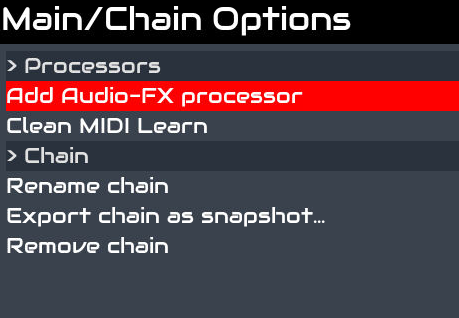
And i was thinking to burn the new Vangelis SD image, but you know - it takes time and sometimes adds frustrations

Thx evewryone For now i am content with the knob3 solution…
1 Like
Thanks for the reminder, I was also glad to see this is described in the built-in help.
1 Like
I must start using the built in help, so i just learned BOLD press ALT to get there, but actually then, i do not find that i should press knob 3 to add new chain there.
The problem with built in help is that it only shows how to use something you have already found.
If you don’t know how to find something, the built in help is not usable. I hope the wiki help will be kept (made) up-to date too…
I think that is partly right, partly wrong.
If i do find the ChainManager page:
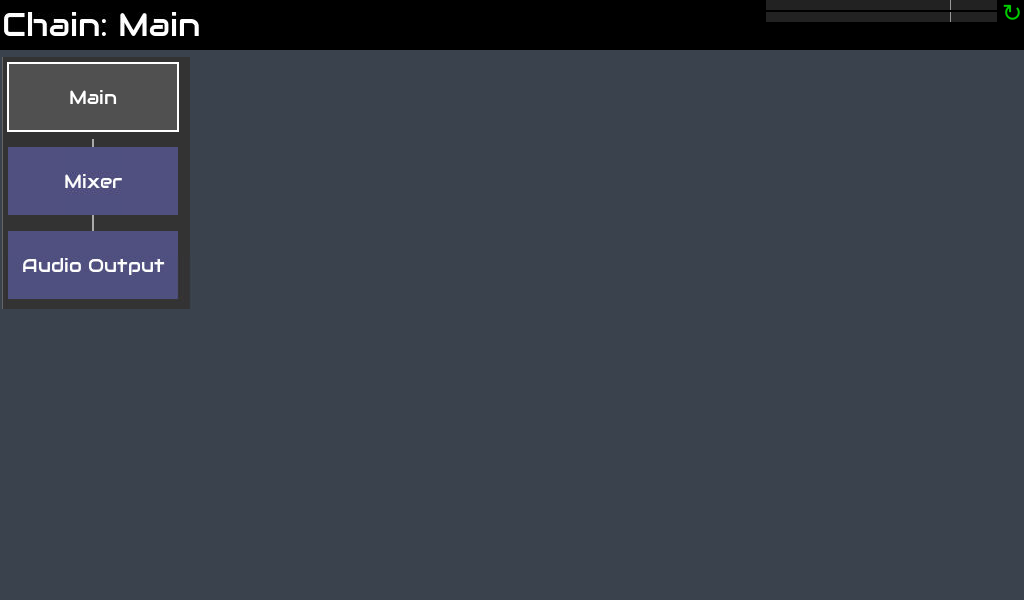
and BOLD press ALT, i get:
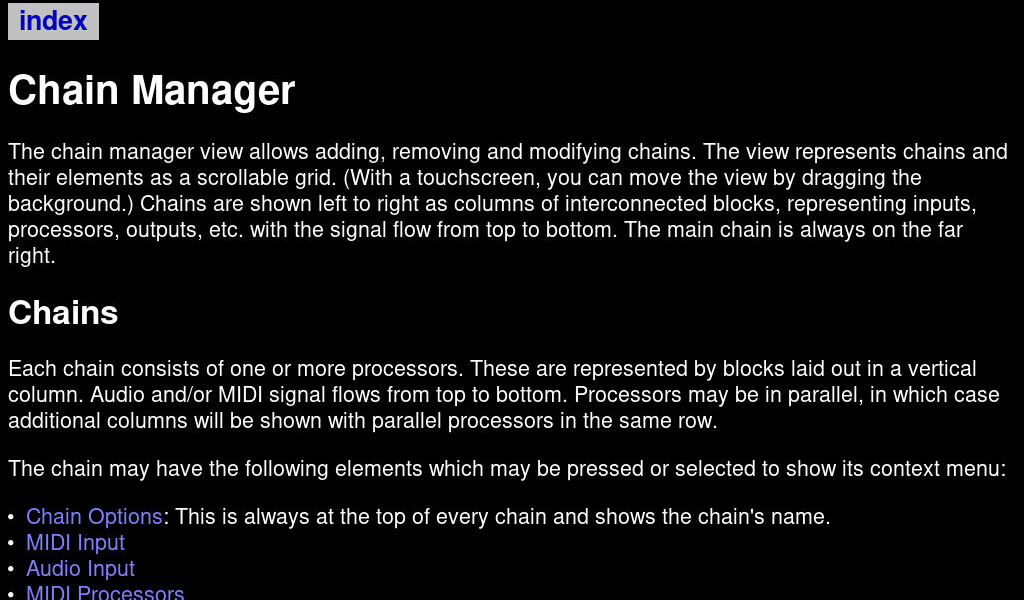
which sort of explains what is happening INSIDE the ChainManager.
I also very much prefer the ordered layout of a good wiki, it shows in a lot clearer way the whole spectrum of opportunities. But i really respect the work invested in the whole Z-thing, and totally understand the the decision to not use to much energy on the wiki. Also (feeling part guilty and part inadequate) i understand that a lot of the wiki work could be done by someone else than the main coder party, me for instance, but i can not really explain why that is not happening (with me) (so far).
Maybe just explaining the main landing pages and the names and functionality of hardware encoders and touchscreen on the wiki and the rest in the built in help could be the way forward.
I have tried to login to the wiki, but my password is rejected. Do you need some special clearance here @jofemodo ?
We have recently moved the “Add Chain” function to the main menu (bold+back).
In V5, you can quickly access “Add Chain” with short+knob3.
I will fix the in-line docs to clarify all this.
FYI, we plan all the docs are accessible from the wiki too.
We need time … or more users who want to collaborate with the documentation process
Forum credentials doesn’t work in the wiki. You need a wiki account.
If you have wiki credentials, they should work. I’ve not deleted any wiki account nor modified user passwords. Remember you have to put your user name, not an email.
Cheers
Thx!
I have no wiki experience. So i understand that my credentials are not specific for the Zynthian wiki, but for wiki in general?
They’d be specific to the Zynthian wiki.
The Vangelis user manual says
(Optional) Clear the state to start with an empty mixer:
Press OPT|ADMIN button to show Chain Manager view.
Tap touch screen “Main” box (or use arrow and SEL|YES buttons) to show the main chain options menu.
Use arrow and SEL|YES buttons to select “Remove All”.
But when I do it, there’s no “Remove All”. I see:
Main/Chain Options
--------------------------
> Processors
Add Audio-FX processor
Clean MIDI Learn
> Chain
Rename Chain
Export Chain as snapshot
Remove chain
(Remove chain seems to have no effect.)
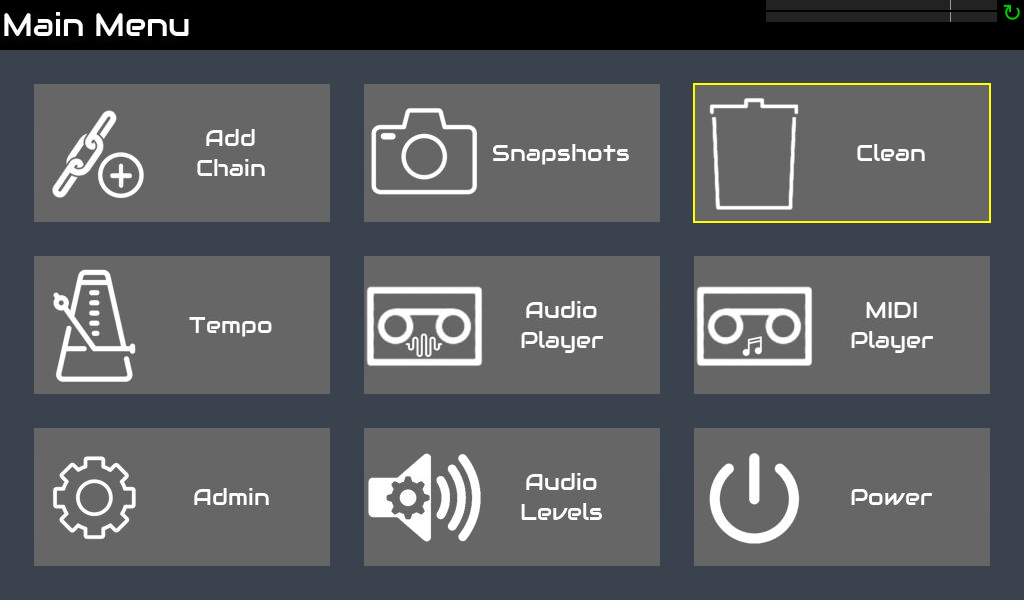
Now theres a new screen:=)
@jlearman there you will find the clean button, which will give you access to remove all…
2 Likes
Bingo! thanks! I’ll update the wiki.
There is no option to register on the wiki? And passwordreset do not send me an email… I wonder how then to get logged in access to the wiki…
I’m on my way out, but i must say that i really like this kind of screens. There is so much i really like about how the UI is developing…
1 Like
Done. Someone please review!
please update in this way:
The global navigation for each of the 4 encoders are:
- Show HELP menu
- Show power off option
- Show snaphots menu
- PANIC! All sounds off
Send a PM to @jofemodo and he will add you to the wiki to give you access.
2 Likes
We are moving most user docs into the device help. The wiki shouldn’t repeat this info. We will concentrate more on workflows in the wiki / external docs. Changes to the built-in help can be done with a Pull Request.