Thanks for reporting this (the qmidiarp issues) upstream. I’m myself a proud and mostly happy zynthian user (for not so long though) and look very much forward to all the new stuff you’re about to implement. Hope the qmidiarp changes will cause less confusion. A new release with them on board just went out.
Thanks @emuse for your prompt responses to the issues. The bugs were resolved very quickly. It takes us a little longer to push into zynthian but we should see them soon. (@jofemodo please update the qmidiarp package with the new release.) It is a shame that the new Oram release happened the day before this message. It would have been good to have included it. Oh well! C’est la vie.
Do we really need autocreation of multiple phrases? I’d be happy with just 1 row and manually adding phrases if needed (what is the phrase limit btw?)
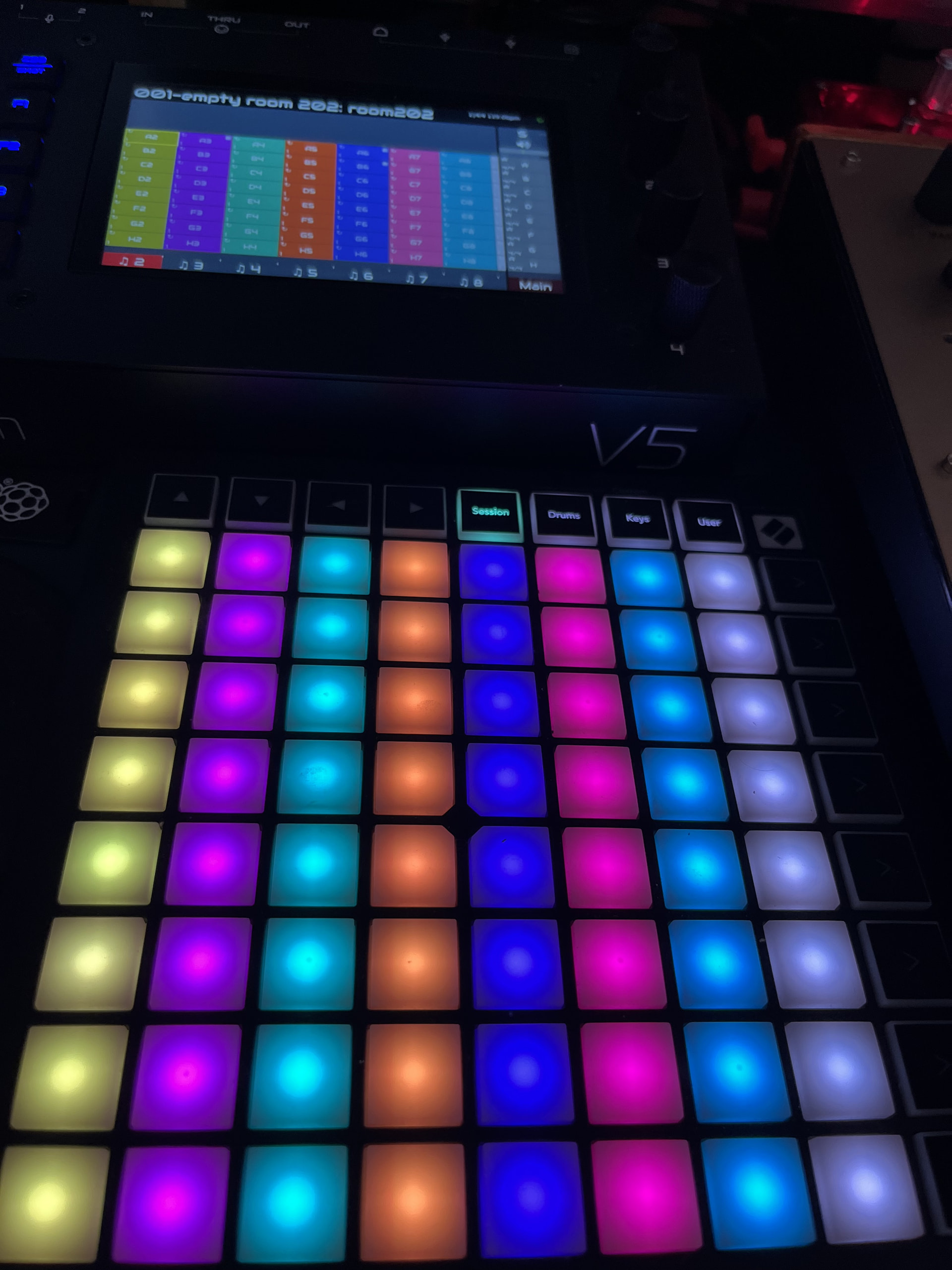
The difference between “empty” and “filled” pattern can be seen by a tiny “square” (stop icon?) in the top right corner. Imho the empty ones can just be gray, grayed out or outlined or something, that’s a lot more visual. Now there’s just too much on the screen.
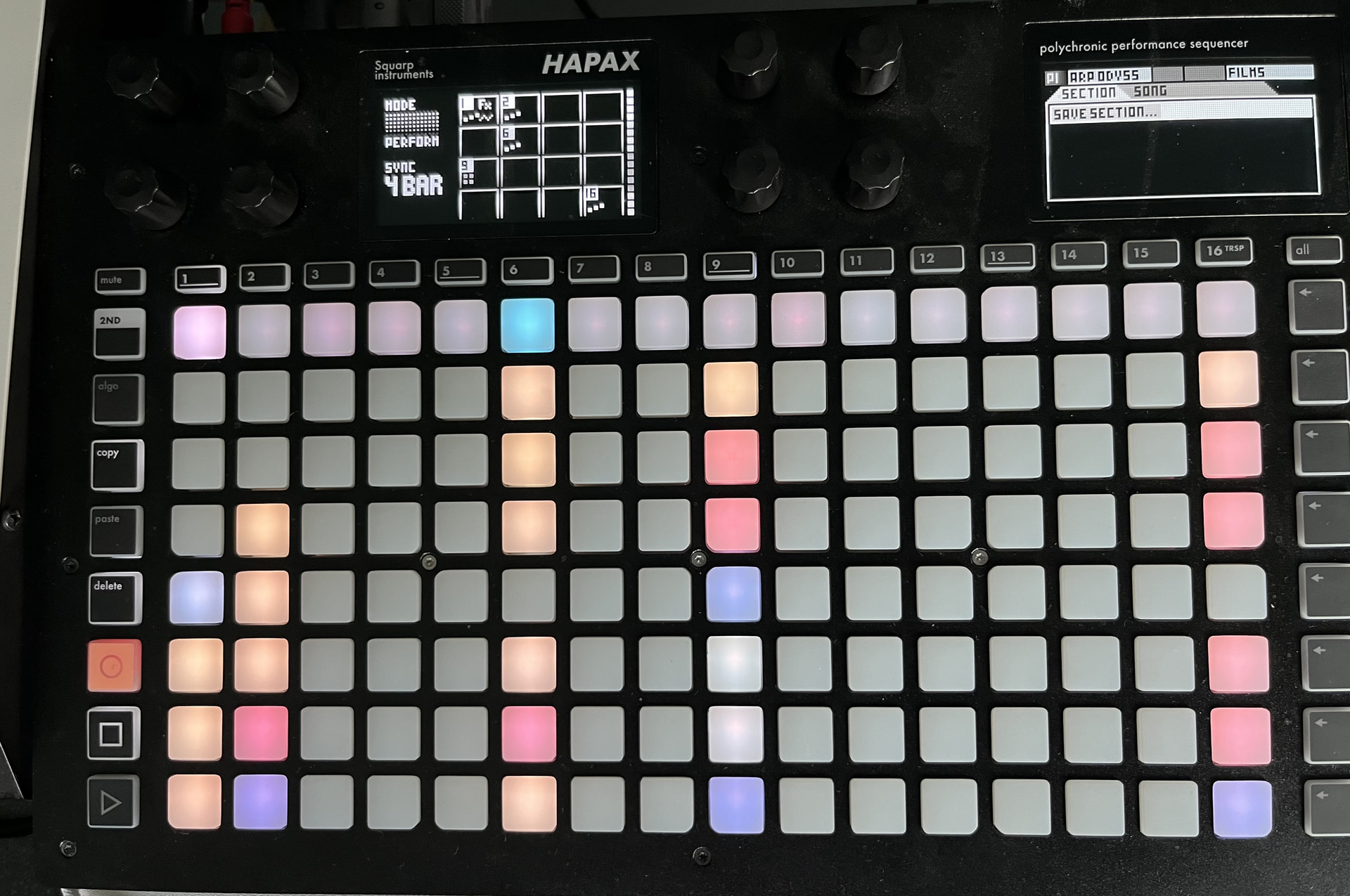
As for using it with a Launchpad mini, there’s no visual difference there either. Wouldn’t it make sense to not light up pads linked to “empty” patterns?
Whats up with names? Every pattern has a (to me) not so helpful name like B3, etc.. But when saving it also asks for a (different) name.. Also loading always causes a crash for me.. ErrCode 134
Are there designs or wireframes of how this or other pages will look eventually? As it’s a completely different visual style compared to the chain UI, I wonder what direction things are going
I agree about the confusion caused by the cool full colored interface. I’m working on a “vangelised” version of a song wich is more complicated than usual and it’s a bit of a mess.
I realised that it’s important to develop a clean workflow to avoid going mad so i’m renaming every pattern in a way that i can recognise it (by default, every pattern has a different name, even if they’re the same thing). Not to talk that when i add a phrase in the middle everything gets more complicated. A great improvement would be a clearer visual feedback to realise in wich part of the song i am. Deleting names of unused patterns can help but emptying them completely leaving a grey pad would be much better (And yes, with my Launchpad mini i have to count the rows to know exactly what to push ). At the moment it’s impossible to save a pattern as DISABLED because when reloading the snapshot it turns automatically to ONE SHOT.
Furthermore, i don’t like to be unpolite insisting about a copy-paste function for a whole phrase, but i’m sure that this would be a massive improvement.
How about if one was looping two phrases - for instance looping phrase A 4 times → follow action:NEXT, then phrase B 2 times - follow action:PREV, and one want to break that loop after a certain amount of loops. something like AAAA-BB-AAAA-BB-AAAA-BB-CC-DD-EE.
I do know what i mean with this, but i’m rather uncertain if i make myself clear? And i have a hard time suggesting a way to solve it
A way to obtain something like that would be a kind of “song mode” similar to the Akay MPC one. Once you create all the patterns you need and you organise them in phrases, you simply put them in the order you want, setting the amount of loops you wish. This is something you can do in the pattern view managing phrases, but it’s not very intuitive now.
One further improvement would be a way to play phrases live assigning them to single pad.
here you just leave “blank” what is .. well.. empty
and I can assign colors to individual pads, I use that a lot because in live situation, the “name” of the pattern doesn’t help much, I use colors to differentiate.
It’s a bit less intimidating/easier on the eyes compared to this:
We could have 1 or 100… We chose to create a grid so that users have something to start with and it gives some idea of the workflow. A full page (like zynpad) seems like a fair starting point. Maybe there could be a default template that a user could save so that they can reset to their preferred state. You may want one, others may want eight, etc.
Minimum of 1 phrase. Maximum is 255.
No! An empty sequence is a sequence that you can launch that would not play any notes. This is still a sequence with duration, etc. If you want to blank the button then disable the sequence.
That which we call a rose by any other name would smell as sweet. We assign names to phrases and sequences within the phrase using consecutive letters so the first phrase is A and its sequence on channel 1 is A1. Its sequence on channel 2 is A2, etc. This is logical but may be of limited use. It is also confusing when inserting a phrase which is named by the row so may be a duplicate, or when moving phrases so they become out-of-order (AFCEBD). We could not name anything by default. It made sense when we had arbitrary sequence position in the grid but we now have a constrained structure. (Names prove invaluable during debugging though!)
We haven’t any wireframes. We are playing with layouts and you are seeing that process. Feedback is gratefully received.
This is a bug. Please add a ticket to the issue tracker.
This is a feature request. Please add a ticket to the issue tracker.
I absolutely understand but this is not possible with the launchers. You can do so manually which is the workflow we have decided is acceptable here, i.e. you can automate but must have user interaction to break from such loops. We have plans to implement a song mode or revive the arranger for such long-form song progressions. This iteration is for live performance rather than full, unattended song composition.
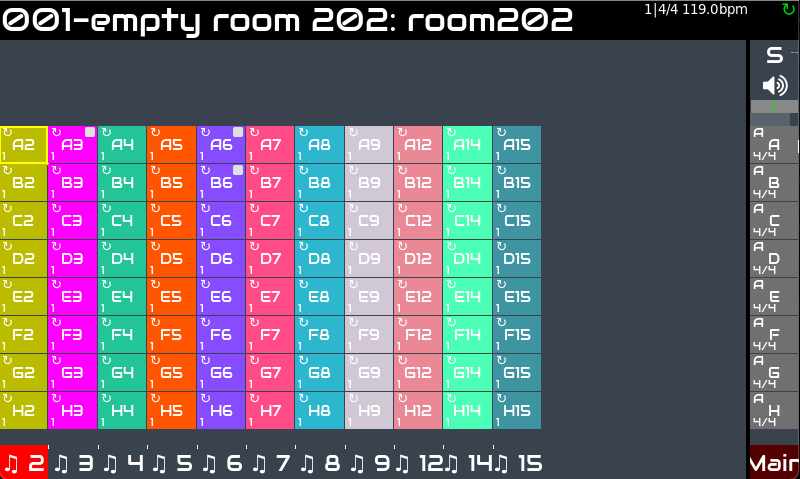
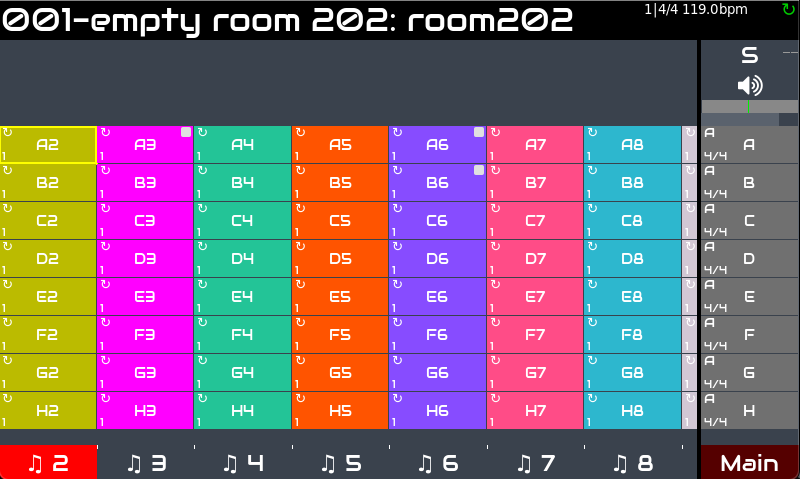
It actually shows 8.2. Your screenshot shows 2, 3, 4, 5, 6, 7, 8, Main which is 8. The .2 (partial showing 9) is an intentional UI design decision which indicates there are more chains that may be scrolled to.
Thanks for the quick replies as always ! Have ti look into the disabling of patterns, wasnt aware of that.
A default isnt needed necessarily, i already use and empty default project
256 phrases is perfect, we just need to be able to advance pages (horizontal and vertical) on launchpad and it would be perfect imo
I need some more time to play around with it.
Today I could not get midi clock output working again. It’s enabled though for din out. Will need to investigate it further
In the apc key25 mk2 driver, empty sequence pad was dimly lit (not off). I am intent on keeping this behaviour while porting the drivers to vangelis. I think this conveys the ‘there could be something there’ quite well. In the first generation of that device it was and probably will be off, because it doesn’t have brightness. I think dimming would be a pleasant indication in the UI too, and in any device that supports dimmed leds for indicating the empty state (does apc 40 not have dimming?). The stopped icon might then be removed. From the top of my head the dimming in apckey25 was set to 50%, but various devices and UI may benefit from other values.
I reckon we are owed for Shakespeare quotes. . . .
What was the name of the Bass guitarist . . .?
Ordering is a fine thing when involved with structure . . .
Personally I find the multicolour chocolate box of pads I hadn’t created, a little intimidating.
It also clashes with the Mixer visual philosophy of only show what has been created by the user.
It seems currently, the zynthian is sending constant clock (when configured on DIN out) regardless of playback state (yay! ) but stopped sending any transport messages (Start/Stop/ …) when activating pads.
Am I missing some global play key combo or are things still under construction at the moment?
I’ve disabled MIDI START / STOP / CONTINUE. There was a bit of back-tracking as we work through some fundamental timing and sync issues and considerations. How do you envisage the transport commands being used? I feel they relate to long-running transport workflow like the arranger (which is disabled). I’m not sure everyone would want the external MIDI devices starting and stopping with launchers.
Disabling achieves exactly what I wanted - visually.
What are thoughts on a shortcut to enable/disable?
For example, press an encoder, for example “3”? (I know it currently does add-chain, but you arent in the chain manager),
I may actually prefer starting with all patterns disabled by default. Yes, I’m weird like that. Just way to overwhelmed by all those lights for “empty” patterns right now.
stopping all launchers would not stop external MIDI (there’s a dedicated global stop button for that)
just pressing the global start button would start external MIDI
pressing the global stop button would stop both launcher and external MIDI
pressing global start (or individual pad) again after this would start external MIDI, and all patterns previously playing in the launcher.
I know there’s other functionality currently tied to those buttons and that some users are very fond of that or at least used to it.. But what I describe seems to be standard across many hardware and software, and thus less confusing. I wish I knew more about how that other functionality works, because it’s hard to comment or provide alternatives for something I haven’t used - maybe I’m missing a rather big point
We are considering something like what you suggested. (I quite like the reasurance of the pads lighting up. It gives me a sense of comfort knowing that the controller is connected and seeing all those lovely, empty patterns… but then we are all weird my friend, or at least wired differently.
I wondered about only having the sequences in the first phrase enabled but that may feel inconsistent and hence confusing.
if there’s some internal difference between a “new” empty pattern and an edited empty pattern, you could auto-enable a pattern after initial edit
that would work more seamless
 ). At the moment it’s impossible to save a pattern as DISABLED because when reloading the snapshot it turns automatically to ONE SHOT.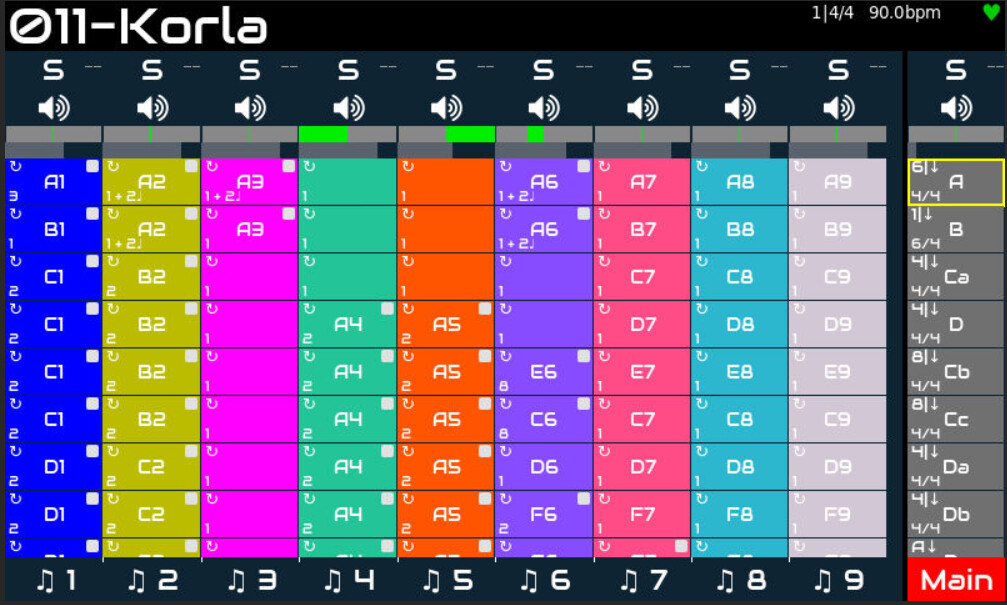


 ) but stopped sending any transport messages (Start/Stop/ …) when activating pads.