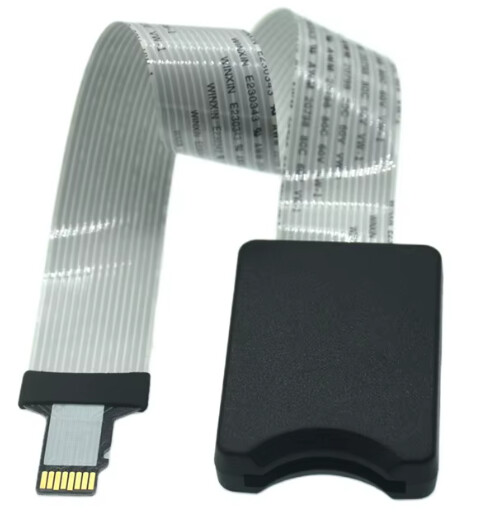
Everything went together nicely, but had a lot of trouble with first boot. Blank screen, nothing after minutes of waiting. Tried flashing RPi bootloader firmware and reimaging many times, did not help.
After an evening of troubleshooting, trying different SD cards and re-checking all flat cable connectors, the only thing that worked was removing the SD card extension cable and plugging the SD card directly into the RPi, bypassing the cable. Worked immediately!
Sort of a bummer since the SD slot doesn’t work on the build now.
No visible damage to the SD card cable. Maybe it was faulty? Anything else I can do?
Hi @hibouambigu - welcome to Zynthian. You can try another cable, but yours may not be faulty, and the other cable will have the same problem if that’s the case. I don’t know if there is a way to select the slower speed for the SD card, and if you would even want that option.
If you choose to accept that you’ll live with having to put the card directly in the RPI SD slot, I do have one suggestion to avoid having to disassemble your Zynthian when you want to update from a new image. You can set the Pi’s EEPROM to boot from USB first, then the SD slot if it doesn’t find a bootable USB drive. That way you can run standard RaspiOS from USB and use it to rewrite the SD card. Details on how to set that up are in this Zynthian Pocket post, after the pictures:
What SD-card, brand, model and size are you using with your zynthian?
Not all SD-cards work with the SD-card extender. Indeed, most SD-cards in the market doesn’t work. If you search a little bit, you will find a lot of discussion about this subject because it’s the main source of troubles with new zynthians.
I used to run a synth DIY company and we made kits too! The Zynthian ones are well made. I was surprised that the cable wasn’t working, as it seems to be in fine shape.
So - interesting, didn’t realize it was that particular about SD cards. Would be great to have a known working model offered with the kits purchase!
Is it possible to boot off of a USB SSD or something else more reliable instead?
The SD card is a Lexar 64gb. Full specs/model:
microSDXC 633x 64GB UHS-I
p/n:LSDMI64GBBNL633A
I also tried a cheap one (unknown brand) that came for free in some other product. Also a 64gb.
For SD-cards, i followed the recommendations in the Zynthian wiki-pages and it has worked perfect sticking to these brands:
“Sandisk Extreme & Pro are known to work fine. Samsung SD-cards also are good candidates. Kingston are more prone to fail.”
As for sd-extenders, things turns a bit more tricky imho. I’ve done a few project in the past (19-inch rack that runs DreamDexed/MiniDexed and Mini Mac SE/30, where i wanted to extend the sd-slot a bit (on the Mac, to the front “floppy” and on the DreamDexed rack, as a front-fed interface. When trying to get this working, i noticed that whlie there are many such extenders available to buy, only a select few will actually work with a Raspberry (in my experience).
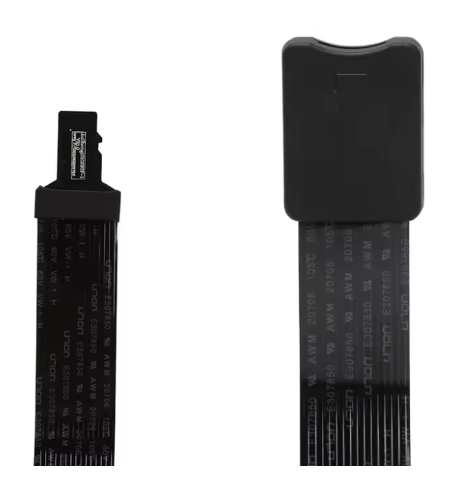
For example, this guy that i bought off Ali did not work at all:
I have no clue what their difference might be, i just know that its hit or miss. Buy a few different ones and hope that one of them will work basically.
It’s quite difficult. I always buy same SD-cards, Sandisk Ultra or Extreme 64GB and still get “wrong” cards from time to time. In my experience, you can’t be 100% sure a SD-card will work with the zynthian SD-card extender until you try.
Obviously, the cable length is the FACTOR.
Modern high speed SD cards can’t work at full speed with long cables. They could work at a lower speed or not work at all.
well yes of course. In my case, i opted for short ones in all cases (15cm) as the UC are quite cramped as it is. So it is a hit or miss. Maybe some of them had better tolerance than others. idk.
The protocol used by SD-cards is synchronous, Each package is ACKed after sending and the full process must happen in one clock tick, so the signal MUST travel twice the cable length in one clock tick. Indeed, you need some margin to get things working stable. You can do the maths for “standard” transmission speeds in PCB tracks (about 50% of light speed, i.e. 15 cm/ns).
Asking the IA, she tells:
Track Length Guidelines by Protocol
SD Card Mode / Type
Frequency
Max Track Length
Length Matching (Skew)
Legacy SPI Mode
100 kHz – 25 MHz
Up to 45 cm (18")
Not critical (within 500 mils)
Default SD / SDIO
Up to 25 MHz
Up to 25 cm (10")
Match within 2.5 mm (100 mils)
High-Speed SD Mode
Up to 50 MHz
Up to 12 cm (4.7")
Match within 1.5 mm (60 mils)
UHS-I (SDR50 / DDR50)
Up to 100 MHz
Up to 10 cm (4")
Match within 0.5 mm (20 mils)
UHS-I (SDR104)
Up to 208 MHz
Under 5 cm (2")
Match within 0.25 mm (10 mils)
Of course, we are talking of UHS-I (SDR104) SD-cards
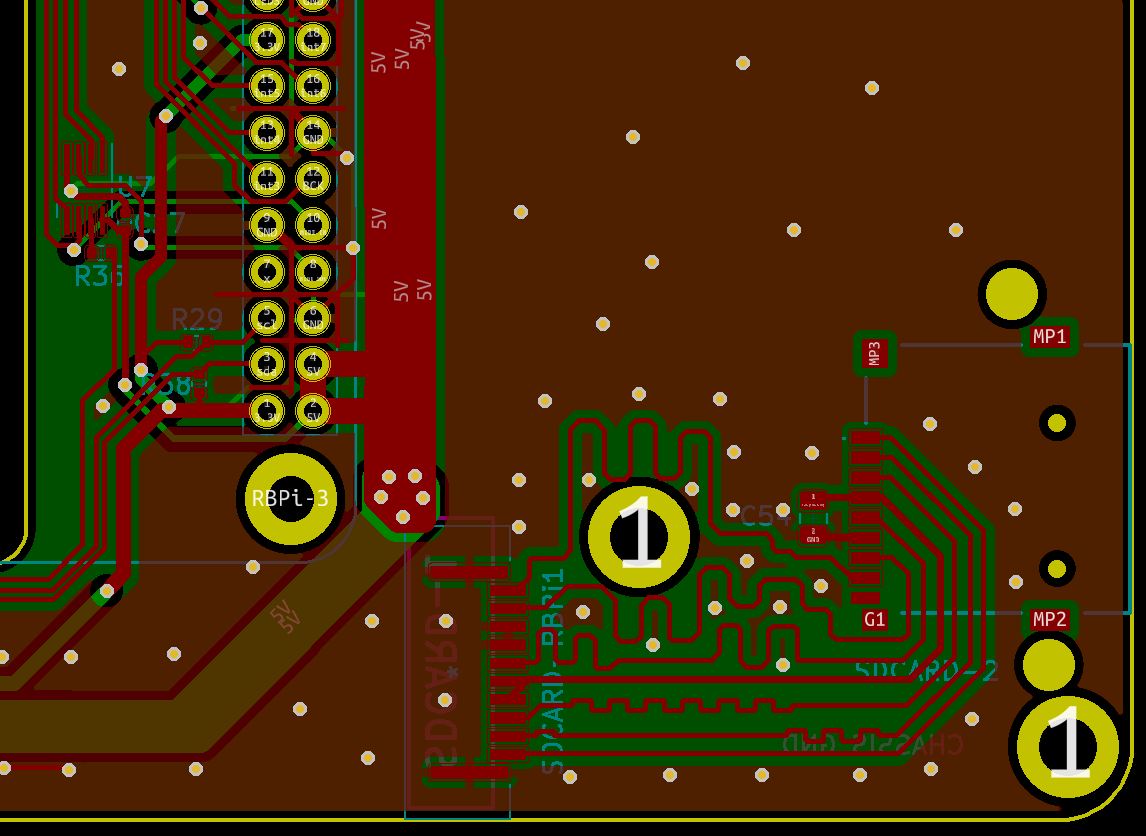
BTW, note the new position of the SD-card connector in the main board. I had to short the distance and improve the wiring so the sdcard synchronous signal could travel the distance in less than half period at the faster frequencies supported by the Pi5. FYI, RPI5 supports SDR104 cards at full speed, what means the bus frequency is 208MHz, compared with the RPI4 that only supports DDR50 with the data bus running at 48MHz. If you do some calculations, you can see how close to the physical limit we are, so every mm counts and i had to deploy “best practices” for routing high frequency signals. Much fun when it finally worked!