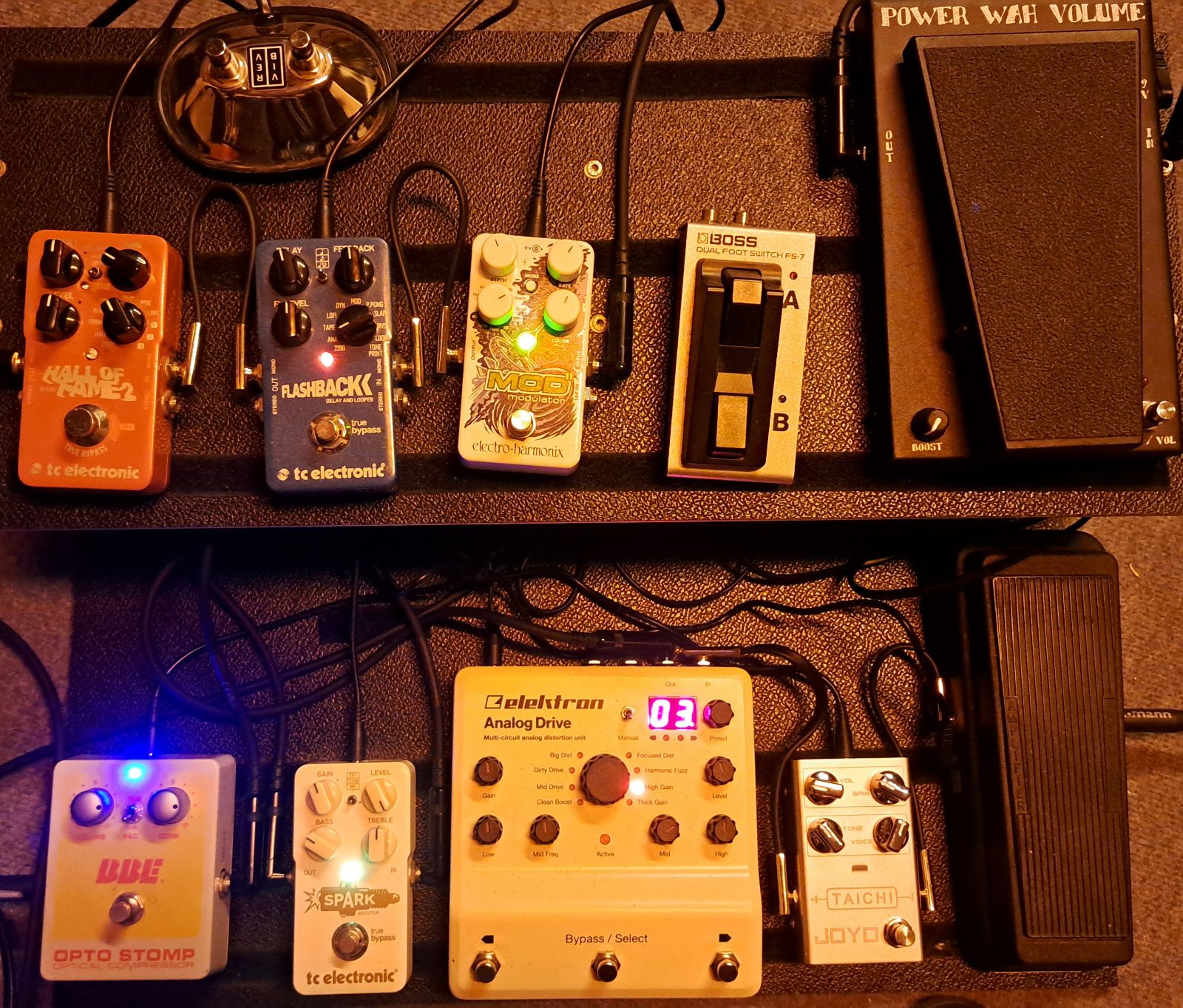
I think in the current state I would hardly switch models for tweaking sounds with nam. I think one way to go would be finding your favorite clean/clean-ish breakup model and use pedals or pedal engines upfront. That’s actually also my way to go on the analog side, I have a more or less fixed setup on my Fender DRRI, but two stacked multi distortion pedals upfront. I didn’t even try to push it to power amp saturation.
2 Likes
Quick update:
I have a small script that successfully communicates with the T3K API (select mode) and can download NAMs and IRs. Now it’s time to move on to integration.
3 Likes
Just to leave some information: Today I had some free time and got a step further to the goal…
Perhaps I get a trial version up and running the next days/weeks.
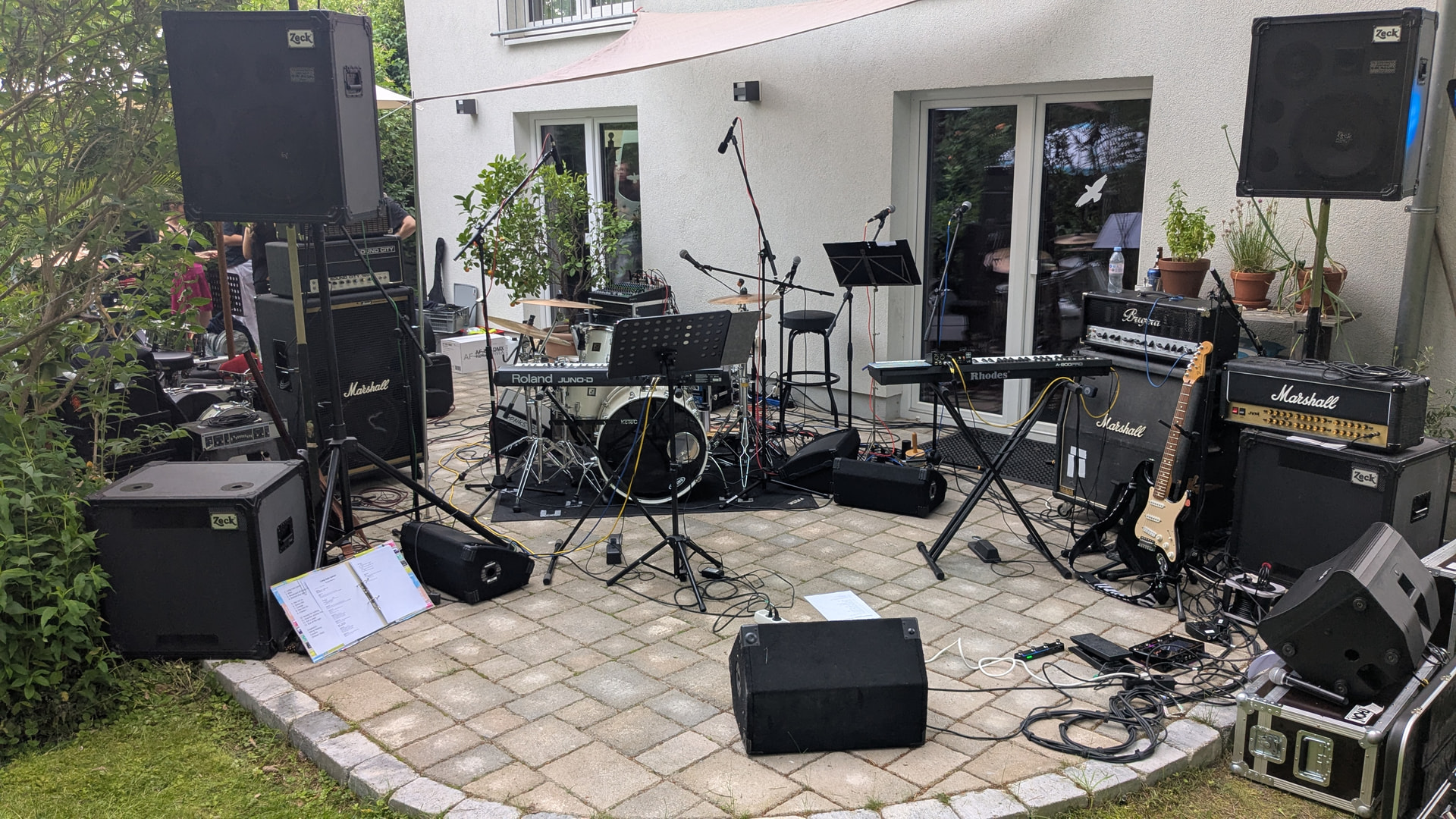
Until than: our lineup last saturday:
7 Likes
You may have really nice neighbours, mate!!
2 Likes
Sure… we played at the party of a friend including a visit of two police officers after some hours of noise - a neighbor had eclectic musical tastes - but they were really cool. We only had to shut down the fog machine because the fog had settled in the woods behind the house, and we didn’t want the fire department at the party, too.
4 Likes
Quick update:
I got a first version up && running! 
More later…
2 Likes
Here we are:
3 Likes
Hi @C0d3man !
Tested and merged!! It works great! Congrats!
I removed the “netifaces” dependency and now it takes the zynthian hostname from the tornado request. I will improve the template style ASAP, including a lit of installed models, “remove” button, etc.
Zynthianers, you can test this in Vangelis. You would need:
- Create an account in tone3000.com
- Generate API Key and copy the public hash to the zynthian’s webconf tk300 tab,
- Add the callback URL to your tone3000 account settings (Allowed Redirect URIs). It should be something like this:
Now, tp use it, you MUST access webconf by “https”, access tk3000 panel, push “browse tk3000”, find your favorite tone and click “download”. That’s all.
Thanks a lot @C0d3man!
5 Likes
Well done everyone. I had some issues getting this working.
- After update, webconf didn’t seem to restart so the Tone 3000 option wasn’t available.
- After restarting webconf I was unable to access Tone 3000, getting a redirect error.
- After rebooting it started to work.
- The Tone 3000 option is under the LIBRARY tab in webconf.
- Don’t worry that you are taken to the Tone 3000 site in another tab, any downloads requested will be installed on the zynthian.
- To generate API Key, on Tone 3000 site, click the user avitar to show a menu, select “Settings” and scroll down.
- Complete all steps (generate API key, copy to webconf and add callback URL) before rebooting zynthian. (I had to reboot.)
- The callback URL is specific to your zynthian. You may use your local IP address or hostname. This has to exactly match the URL you are using for the zynthian, e.g. if you sometimes use IP address and sometimes use hostname, you should add both to the list of allowed redirect URIs.
- You may omit the callback URL to allow all. I am not sure the security implications of this.
- You may need to allow popups for the zynthian if your browser blocks them.
- Accessing webconf via https in Chrome browser adds the awkward security step. It would be nice to avoid this, e.g. with a certificate.
- I didn’t need to access webconf with https.
- After a download you have a “Close this window” option but can’t (obviously) get back to browsing for more downloads.
This is a great integration - thanks @C0d3man.
We could chose which NAM engine to use. We have a few and the one called NAM does not support IR.
3 Likes
Thanks @riban for your annotations!
Ok, I think I know what’s going wrong and hope that I can fix this soon. Maybe the state-tokens were not generated.
That’s a little bit confusing but this is the easiest (and hopefully best long term working) API access for us.
While downloading: Watch out for the spinner of the web-tab and wait until a “Download ready” page is shown!
… and it is not possible to close this page by Javascript after some seconds… perhaps a web-guru knows if this can be done by trick.
1 Like
Did you tried? Auto-open tabs like this normally allow to “auto-close”.
Regards
Ahhh, seems that I have made something wrong with my first tries.
Now it’s added ( Auto close of successful download page. by dcoredump · Pull Request #202 · zynthian/zynthian-webconf · GitHub )
2 Likes
Nice! It’s merged now!
Thanks
1 Like
Finally i had some time to finish the Tone3000 webconf panel.
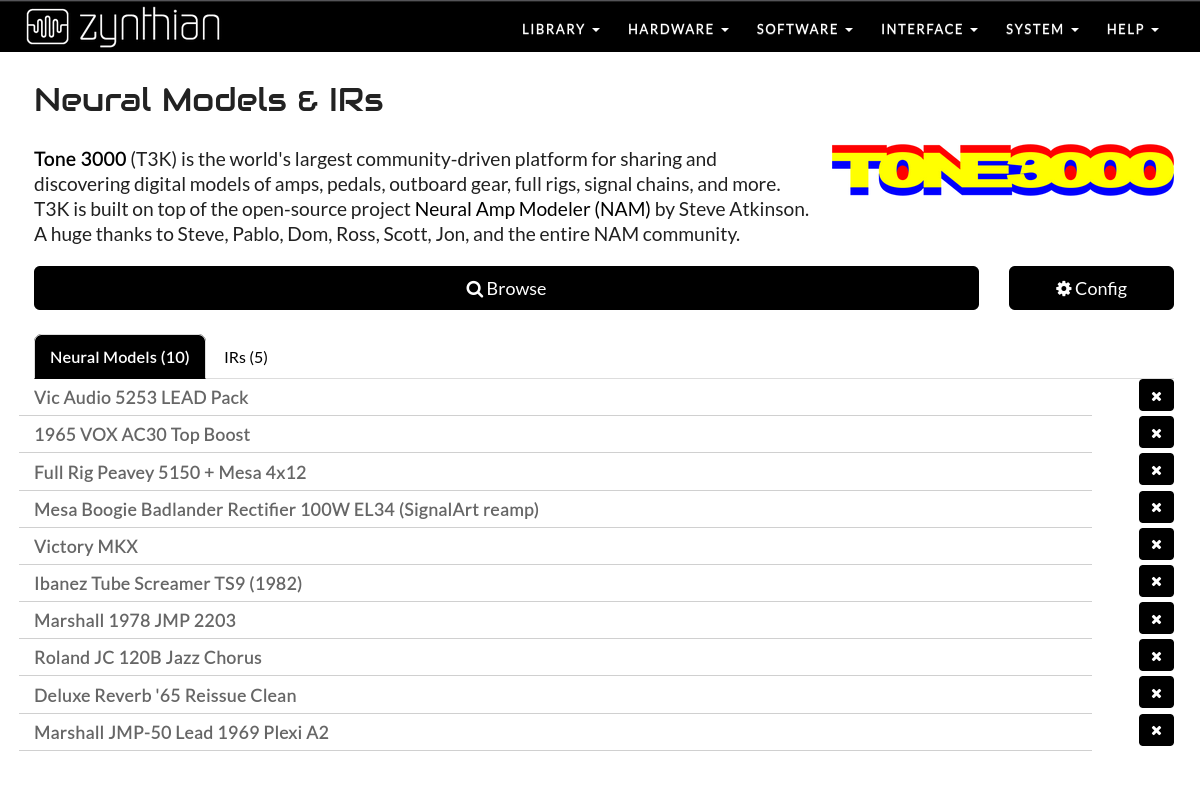
Indeed, now it’s called “Neural Models & IRs” and it allows to see the list of user installed models & IRs, clasified in tabs, and grouped in collapsible folders. You can also delete complete folders or individual model files.
Tone3000 configuration has been improved and also browsing that now autorefresh the list after downloading new models.
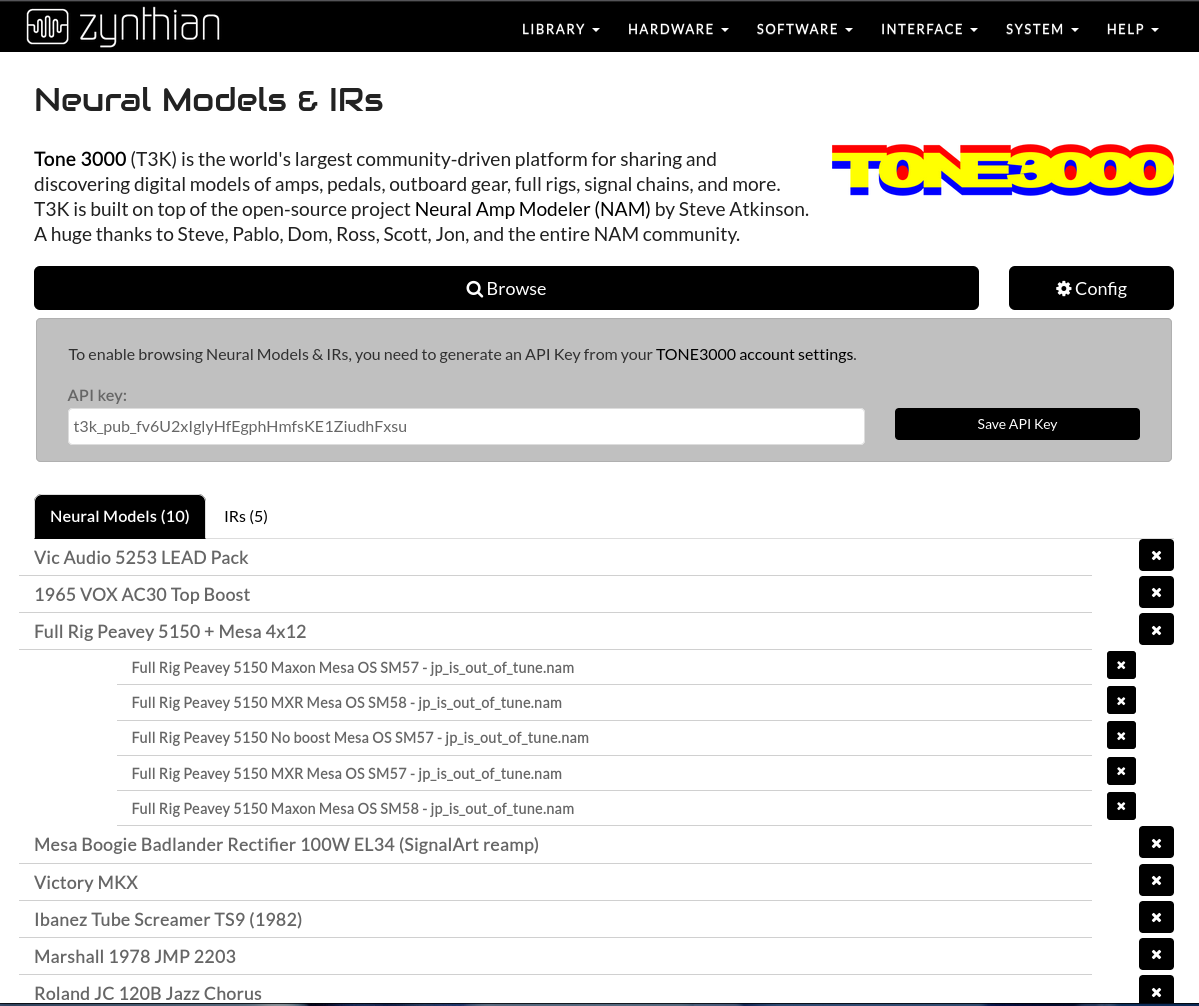
For Vangelis testers, simply update and enjoy!
Cheers!
4 Likes
Thanks @jofemodo ! Great work!
Now I’m back at the same point I was at back then during that discussion: What’s the best way to connect my electric guitar to the Zynthian… (see Guitar Processing )
- I can use my pretty good USB audio card, which has a high-impedance input. But this is cumbersome and not ideal, since my Zynthian already has two line inputs.
- I could buy a good preamp and connect it in front of it… but what’s a good one that doesn’t cost a fortune?
- I could build a preamp myself.
- I’ll use my old wireless system.
I don’t have time for option 3. So I’ll probably go with option 4.
You can probably also use a guitar pedal with a) buffered bypass or b) a nice clean lowgain overdrive pedal like I do. I have a Zendrive clone in front which I just setup way below breakup. I can imagine an ideal solution would be something like a Boss GE7 (clone), since you could shape your input guitar tone while having the impedance change, a 15dB clean boost and the 7 band eq in one device.
I would also be very interested if someone with more knowhow would try of the many 5V buffer circuits on the pi (like with LM358 op amp or similar).
I guess a DI box would have the same downsides as your audio interface.
1 Like
I use a Tascam US-1608 for multiple I/O that has a couple of hi-Z inputs on the front but have also used a Boss distortion pedal in bypass. (I also haze a Zoom multi-effect pedalboard which would work.) The latter two add complexity, e.g. extra power (supply and/or battery) and cable. I started to design an input stage but didn’t complete that. It would be super cool of zynthian V6 had a switchable hi-Z inputs.
Beware cheap pedals (and some expensive ones) that may not provide a good input buffer. IIRC een the Boss are only about 1M. 10M would be better.
2 Likes
and phantom power.
2 Likes
It would be super cool of zynthian V6 had a switchable hi-Z inputs.
We could try with guitar to TRRS interfaces like this one below, they are pretty cheap and come with a nice set of I/O and controls. They were pretty common for mobile phones and there are plenty (also in stomp pedal and in mic/phantom format) on the 2nd hand market.
Using one should require just a trrs jack linked to the inputs and outputs of the DAC ADC HAT. I shall ask to hifiberry support and in their forums how to do that.
The interface is super cool but still has a few snags:
- It relies upon having the API key, even though you can configure Tone3000 to work without one.
- Downloading a file does not update the list of installed models displayed in webconf. You must manually reload the page.