Sorry to trouble you again,
the case bottom 16 mm STL has some sort of half cutout inside. What is that intended for?
The 18.5 mm one does not have this. I am not a Freecad expert so I am struggling to get rid of this.
Also how many spacers should be used on the 40 pin adapter? The one with 3 spacers measures as 16mm, so I guess this is the correct one. I have the 2 spacer one as well but that is lower.
18.5 mm case is for rpi attached with 18.5mm post to pcb. 16mm case is for rpi attached with 16mm post to pcb.
Space between rpi and pcb (post height) can be calculated easily knowing that Female header is 8.5mm high, Every spacer is 2.5mm and finally rpi male pin header has also one spacer of 2.5mm.
Therefore:
female connector with 2 spacers will need 16mm post because the space between rpi and PCB is 8.5+2.5+2.5+2.5=16mm
female connector with 3 spacers will need 18.5mm post because the space between rpi and PCB is 8.5+2.5+2.5+2.5+2.5=18.5mm
It is hard to find 18.5 post but you can use 16 mm posts with additional screw nut.
I will check what is wrong there.
Congratulations to you! I’m happy to see the MINI has been equipped with a new ADC/DAC boards. I look forward to your future advancements.
Hi Stojos
turns out the standard Freecad version of debian 0.20 was way too low to handle this file. I used version 1.0 on an old windows pc. It took forever and a day to load but it worked. There was something like a Hifiberry cutout inside which I removed. I am printing the files right now but my printer is old so it will take till tomorrow.
Terrific, kudos! 
I use ondsel instead of freecad. It is almost latest and definitely most stable build of freecad. Try it. It is also free and you do not need to use additional pay services that they offer.
Any functionally rich CAD software require decent hardware to run. I have replaced recently my 8 year old dell xps laptop with MacBook Pro m3 and now everything in ondsel is instant. Before, any rendering caused by sketch change would take 10-15sec which is annoying if you do a lot of work.
I know that people can’t afford latest and greatest hardware and definitely I don’t want to go into MS/Apple/Linux debate. I love them all and all shine at different use cases.
1 Like
Maybe you already know
I’ve never used their “customized version but still close to the original one” so I can’t really tell.
I have understand that they have tried to develop a kind of “in the cloud” collaboration system and, apart from that, done also a lot of push in the Freecad upstream code base.
So, it’s really sad to see such OSS enthusiastic people taking risks and, finally, economically, failing down at the end.
And I do not know how long their OSS “Ondsel” version will last in the next few month.
Well, it was a bit off topic
yep this is Debian stable, with mostly quiet old software versions, but the AppImage of Frecad v1.0 works well under Debian stable (on x86_64 at least, because I have not yet tried with aarch64)
for sure it depends on the hardware onto you’re running Freecad, but also it depends on the objects that are embedded in the Frecad file (consequently on the size oy the Freecad file).
Eg: I’ve found a RBPi5b STL model elsewhere, which is something like 20 or 40Mo size. And another one, much simpler, who is around 1Mo or 2.
This is REALLY life changing. Because I’m using Freecad mostly on an Atom Z processor hardware, who should be 10 years old now, with 4Gb of Ram. I just have to be patient while loading the file (even more patient when heavy STL files are embedded) but once it’s done, it’s mostly okay in regular use.
Happy Stojos 
Oh no, I didn’t. Shame. So back to standard freecad.
The Ondsel improvements are supposedly being folded back into the mainline Freecad.
Hi
the print went ok. There seems to be an issue with the sd card door. The bit opposite the screw is too long, or the sd card inlet needs more cutout.
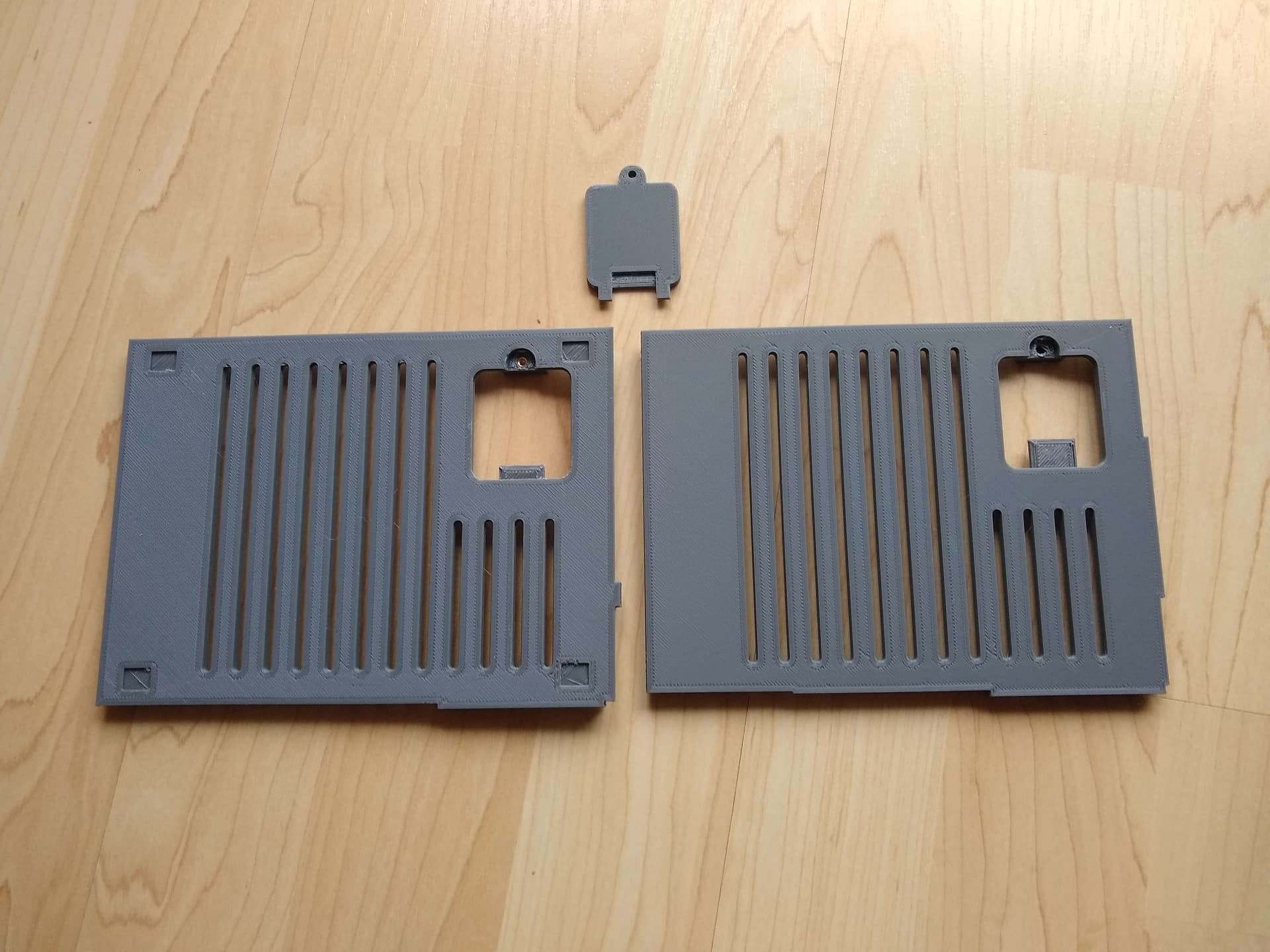
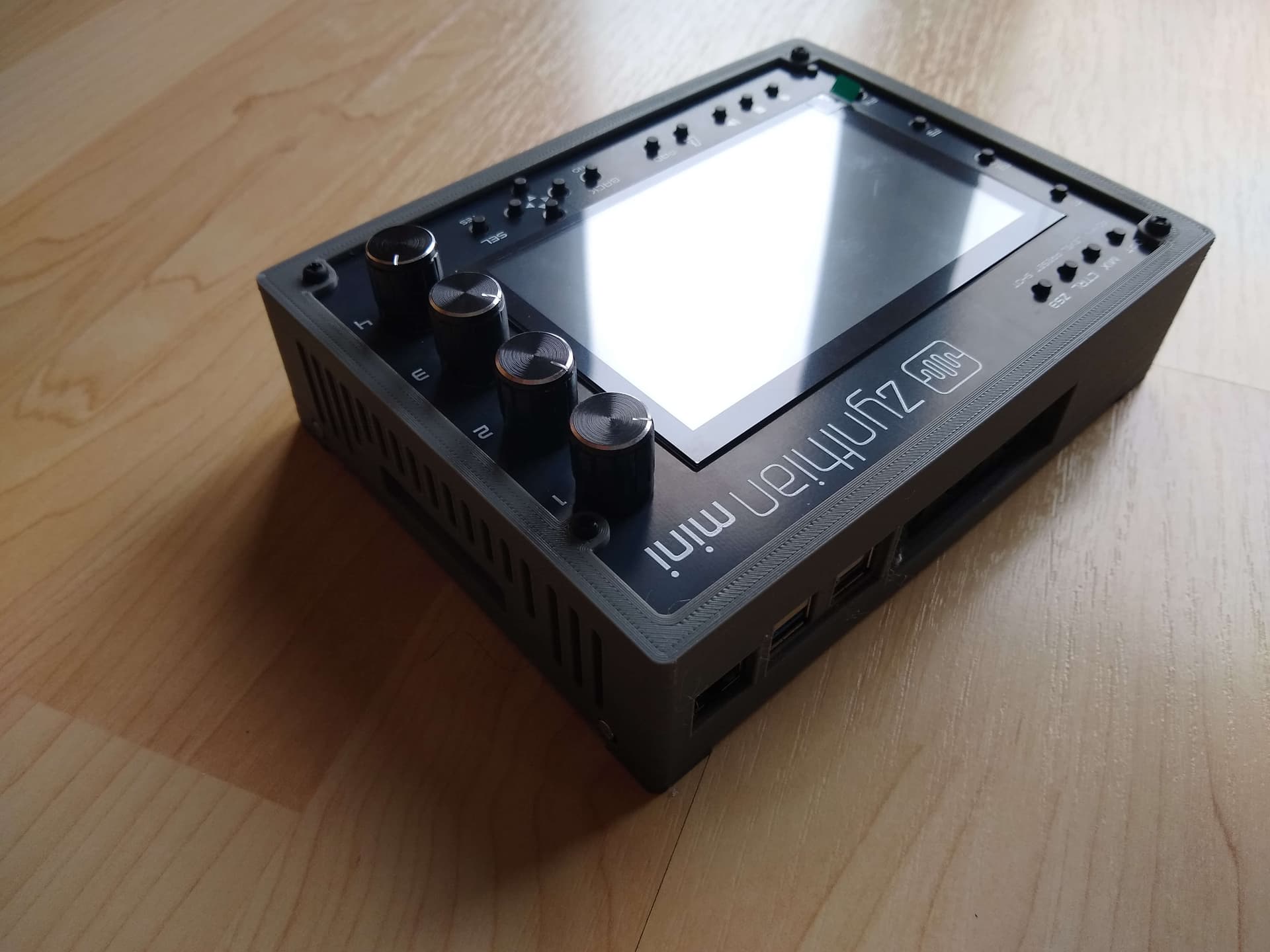
I am using debian testing and while I know it is a bit behind, I was shocked to see how far behind it actually is. The windows pc was a very old one but the only one I had. It got the job done in the end.
Is the soundcard stable enough for testing now? If so I am going to print the other enclosure you did recommend next.
6 Likes
I know this is off-topic, but not sure why you had problems with FreeCAD? I have 0.21.2 on my laptop and it works just great. Granted it’s a nice recent laptop (Framework 13, 7840U, 64GB RAM) but it’s certainly no monster machine. I installed using the Flatpak method to install that version because I happen to use FreeCAD all the time for work. I was able to happily modify the PCB-fascia model for 16mm standoffs and change the four holes in the side to a single hole for the stock audio out plus another small hole for the mini output.
In fact, here’s my STL file of the modified case… I made the audio jack hole a bit bigger too because I have a different jack than stock.
case-case-top-adacx4-rpi5-with-16mm-standoffs001.stl (1.1 MB)
And here’s the FreeCAD file for just that modified case…
case-16mm-pi5-standard.FCStd (2.2 MB)
4 Likes
Hi
with that ancient version I did not even to manage to change the different models inside the file.
Can you explain how you modified your version, because I was trying to do more or less the same thing. I wanted the bigger hole from the old layout inside the new adac version. I tried copy and paste and while it did appear in the model it did not make it to the stl.
MINI got his big brother today.
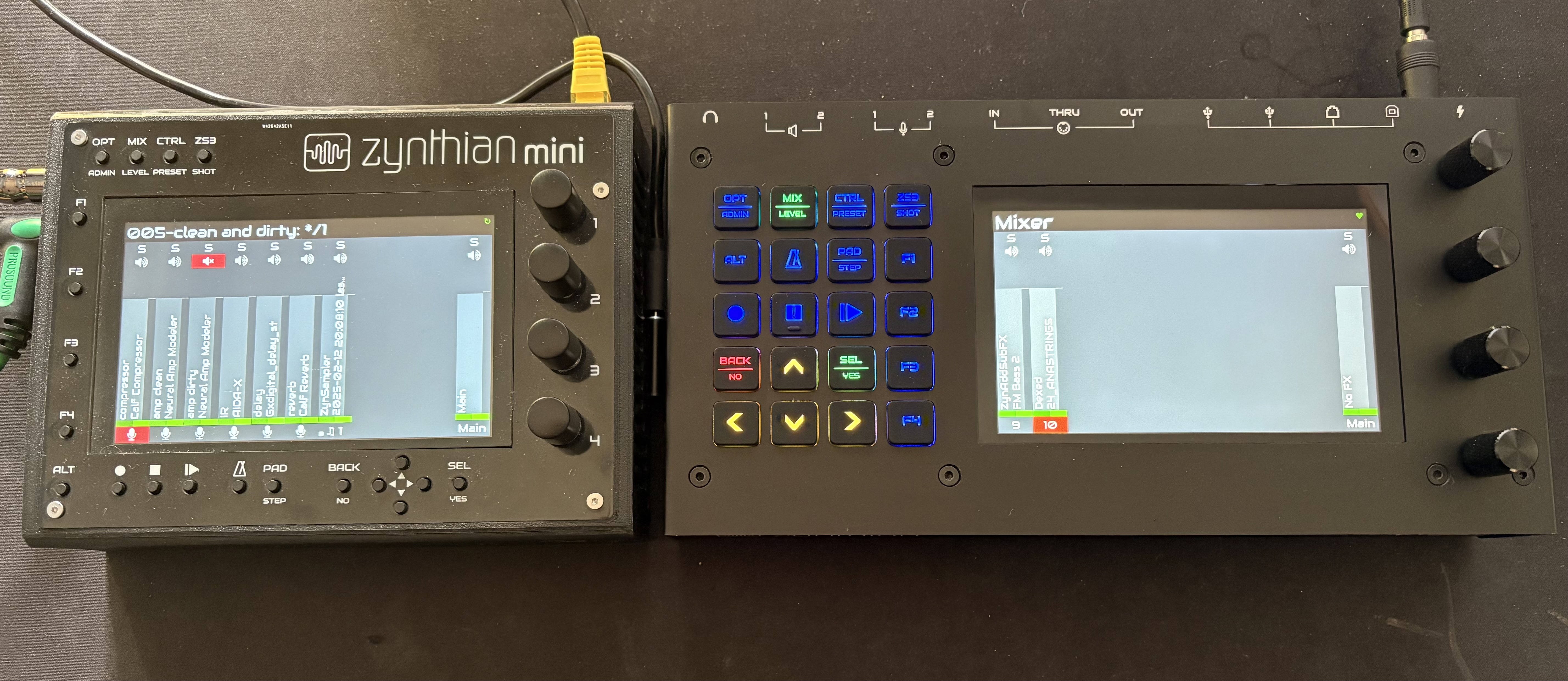
@jofemodo wiki need to be updated to remove statement that MINI is higher than v5 
8 Likes
Hasnt there been a stored jlcpcb Job whcih can be used for my own order? I thougt there had been a link to this soime time ago.
There is pcbway order link posted on this thread in May 2024.
Thanks, i ordered the mini PCB
1 Like
Well, after almost a year (several unfortunate issues during delivery), I was able to solder one of the 5 PCBs received and test the Zynthian mini V2. All seems to be working fine.
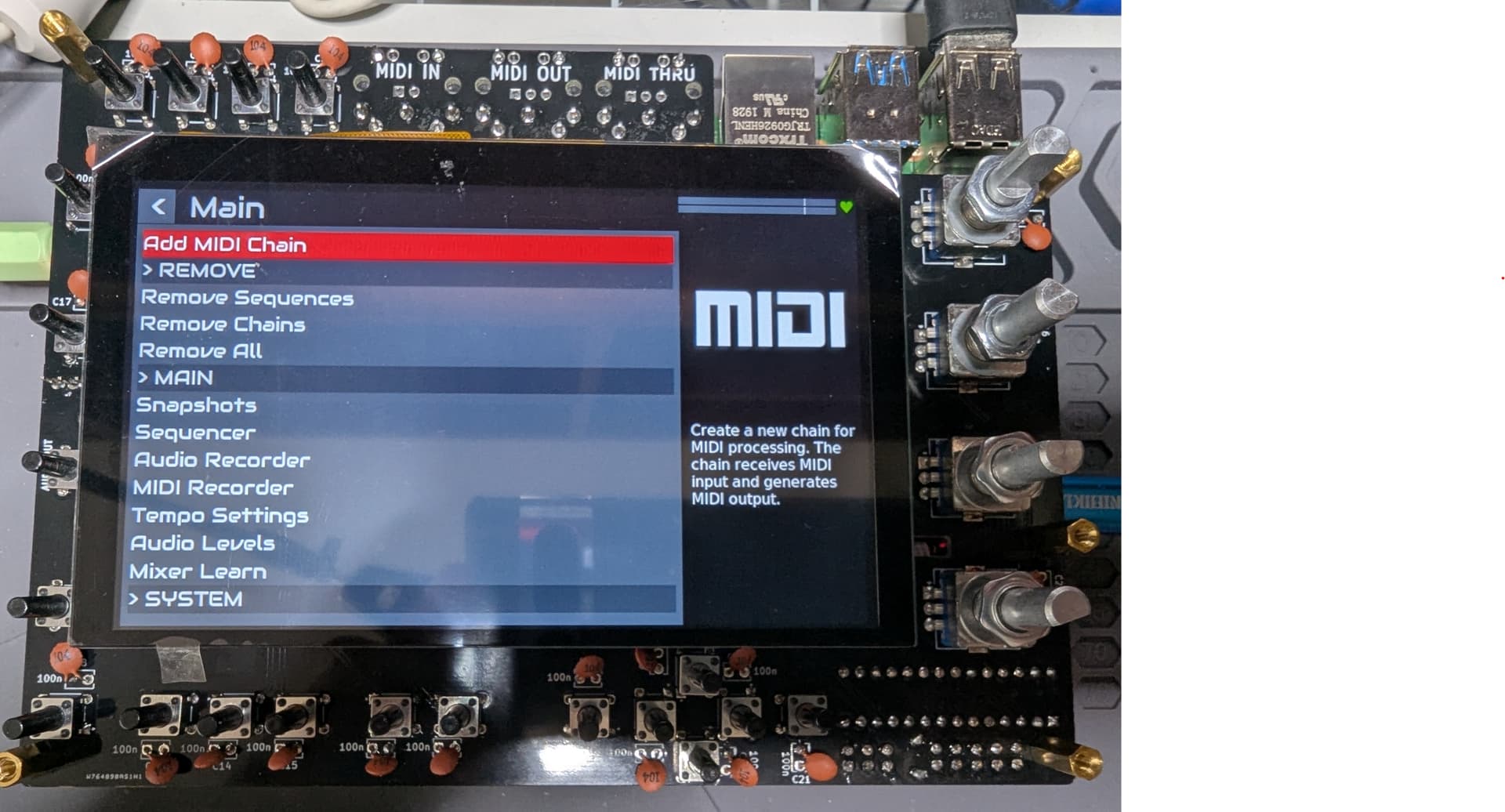
I might be interested in that new audio card, but I would love to have a headphone output, just like v5.1 ( Headphone Amplifier [TPA6130] => 1 x stereo TRS). I guess an audio out needs to be used for that. Would there be a way through an additional board to retrofit that to a mini v2?
2 Likes
@stojos
On mini you can supply power also through HAT 5V pins.
I guess that in this way we would be able to connect the zynthian mini to a PC for USB Midi. Could there be any ground loop problems regarding both GND levels?
@stojos: I just noticed that no output devices show when checking Admin/Hotplug Audio. I’ve selected Mini as Kit. Is this Ok to use PCM5102, or should I select Custom Kit and some other soundcard? EDIT: Nevermind, I found it: Hifiberry DAC+ Light has to be selected (and it was indeed).
@riban (link to another thread)
We do not support audio over this link (yet), only MIDI. We may investigate other options in the future. (Audio was not possible when we first implemented this feature and I don’t know if it is yet but either way, audio presents substantial challenges due to the way jackd work.)
Do you know if there are any news about supporting USB audio gadget mode? I know that there were some success in other projects like this one. EDIT: link corrected
Ok, answering to myself, I did a quick test using an old USB cable ripped to connect 5V and GND to the mini GPIO pins (I checked the Kicad PCB info to identify the correct pins).
- Zynthian Oram starts, but it shows the dreaded “lighting” yellow symbol at the top right corner of the screen (undervoltage detected). This is even using an external power brick that shows > 1A being supplied at times (it seems to me the same values than for USB-c connection).
- At some point, Windows showed a new device being installed. I can actually see it in the new Bluetooth and Devices view under “Other” devices. But I can’t see it in the good old Control Panel/Devices/ audio devices. MIDI doesn’t seem to work (but I’m not 100% sure about this, it could have been my keyboard connection failing/MIDI-OX filtering something).
- I repeated the tests with the additions to config.txt, /etc/modules,… mentioned in the link mentioned in my previous post - now corrected. It didn’t work.
EDIT: Well, it actually seems to be working now… I made a small mistake editing /etc/modules.

EDIT: MIDI cannot work at the same time as audio. So it’s either g_midi, or g_audio. A composite device could theoretically support both, but I’m not sure how this would be configured.
One interesting effect I noticed:
- When powering the zynthian mini only from the GPIO headers, the ‘undervoltage’ symbol shows.
- Now when connecting the PC to the rpi’s USB-c port, the undervoltage symbol dissapears. Maybe the zynthian is now being powered from the regulated usb-c power.
1 Like